강의

멘토링

커뮤니티

Game Dev

/

Game Programming

Quick learning practical lecture from C# basics to Unity 2D basics

An example-centered lecture that focuses on the core and provides practical training

(5.0) 1 reviews

8 learners

  • cosart
게임개발자
유니티
유니티2d
Unity
C#

What you will gain after the course

  • C#

  • Unity

  • Unity2D

C# to Unity 2D game development, focusing on the core

You can quickly learn Unity by studying only the core concepts with a focus on practice.

  • If you try to learn and use all the vast coding content, you will end up forgetting it and not being able to handle it well.

  • Learn C# and Unity together by studying only the frequently used core grammar and applying it right away.

  • The learning effect is good.

  • In addition, we conduct field lectures centered on example-based practice so that students preparing for employment can understand quickly.

  • You can create your own application of the results.

  • By connecting the essential information with examples,

  • You can learn quickly.


After taking the lecture, you will be able to create results like this.

C# Blacksmith Training

Simple wood-cutting equipment drawing example

C# shooting game

Creating a Shooting Game with C# Classes

C# Text RPG

Creating a Text Algorithm with a C# Class

Making Dragonflight

Example of creating a Dragonflight with Unity

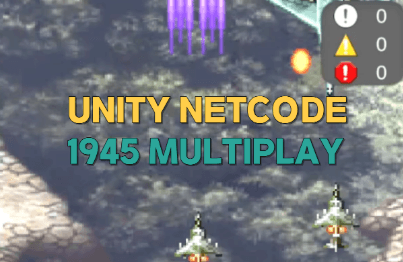
Making a 1945 game

Example of creating a 1945 game with Unity

Creating a mobile-style idle game

Mobile-style idle game example

  • What will I understand and be able to do well after attending the lecture?


  • Be as specific as possible about how students can change.

Learning Content

  • By studying C# and Unity together, you can quickly acquire only the core contents naturally.

  • We will practice with game examples while applying it.

It is an efficient study method that allows for quick acquisition.

Learn various basic contents

By practicing examples with the relevant content

Learn quickly

Develop your application skills.

Increase your application skills by utilizing classes

Rather than just studying the class content, you can quickly improve your ability to apply the content and even create your own games in addition to what you have studied.

Quickly apply from C# to Unity

What you learn in C# will naturally translate to Unity.

By creating a continuous curriculum

What I learned in C# in Unity

It will be utilized better.

Game application and effects

By mastering C# and Unity and developing the application skills to create a variety of games, you'll be able to create your own. We'll also briefly introduce 2D lighting and upr shaders to enhance the atmosphere of your finished game.


Things to note before taking the course

  • On-site training lectures at universities, camps, academies, etc.


Practice environment

  • Operating System and Version (OS): Windows 10


  • Tools used: Unity 3.16f version

  • PC specifications: CPU, memory, disk, graphics card, etc., recommended specifications for running the program.

Learning Materials

  • Learning material formats provided (code, free assets, and data files)

  • This is a large volume of recorded lectures. Please refer to it. It is equivalent to 2-3 months' worth of lectures at a camp or academy.

Player Knowledge and Precautions

  • You must thoroughly review the practical lectures.

  • The microphone sound is fine. (The classroom atmosphere is quiet and focused, like studying in a classroom.)

  • I have uploaded the files required for the lecture.

Recommended for
these people

Who is this course right for?

  • C# beginner

  • Unity beginner

Need to know before starting?

  • C#

  • Unity

Hello
This is

798

Learners

47

Reviews

52

Answers

4.4

Rating

19

Courses

코딩 사관학교 하드 트레이닝

직장인/학생/인디개발자들이 모여서 공부합니다.

저는 주로 자바 or 게임프로그래밍 포트폴리오 과정들을 강의 하고 있습니다.

블록체인거래소, 증권거래소 ,게임서버 ,게임클라 회사및 외주개발

게임 개발 및 게임 교육 회사 대표

학원 강의 및 프리랜서 외주 인디개발

(유니티 코리아 대한상공회의소 에티버스러닝) 유니티 부트캠프 오프라인 강의

Unity Certified Instructor

 콘텐츠인재캠퍼스(홍릉) 유니티 강의 등 다수 개발및 강의 경력

현업 개발자및 인디개발자와 코사트팀 연구개발강의 활동

 Unity Certified Professional: Programmer

 멋쟁이사자 교육 강사


Curriculum

All

111 lectures ∙ (40hr 21min)

Course Materials:

Lecture resources
Published: 
Last updated: 

Reviews

All

1 reviews

5.0

1 reviews

  • 피삼비님의 프로필 이미지
    피삼비

    Reviews 2

    Average Rating 5.0

    5

    24% enrolled

    C# & 유니티 : C# 기초가 아예 없는 분들은 한번쯤 따라오기 좋음. 프로젝트 예제 슈팅 게임 2개, 방치형 예제 구성 드래곤 플라이트는 작업하기 수월했음. 뒤에 있을 1945 프로젝트를 진행하기 전의 맛보기 단계라 생각함. 1945 예제 프로젝트는 위의 드래곤 플라이트보다 더 많은 기능들을 구현했음. 메인 기능은 어느정도 구현되어있는 듯하니 추가적으로 이미지 파일 더 구해서 캐릭터 선택, 게임 시작 칸까지 다 만든다면 완성도 높은 프로젝트를 만들어 낼 수 있음. 방치형은 단순하게 생각하고 접근했는데 쉐이더 같은 부분들을 알수 있어서 좋았음. 추가로 강의가 열린다면 쉐이더나 파티클 관련을 더 보고 싶음.

    $423.50

    cosart's other courses

    Check out other courses by the instructor!

    Similar courses

    Explore other courses in the same field!