Build Your Own AWS Cloud Infrastructure with Terraform - Basics
Let's learn the basics of using Terraform by creating AWS's main core services as code using Terraform, a representative infrastructure-as-code (IaC) program, and building a simple AWS cloud architecture step by step.
It was a good lecture to practice in a step-by-step manner rather than building the entire AWS infrastructure.
I wonder if Terraform is also used for operating AWS infrastructure rather than initial AWS infrastructure construction with Terraform.
5.0
Hyeji Kim
100% enrolled
It was really easy to understand because it was built up step by step! Those who have attended Nomad Content Lab's AWS architecture building lecture will find it much easier to understand and follow along!
5.0
서창우
100% enrolled
Thank you for the great lecture.
What you will gain after the course
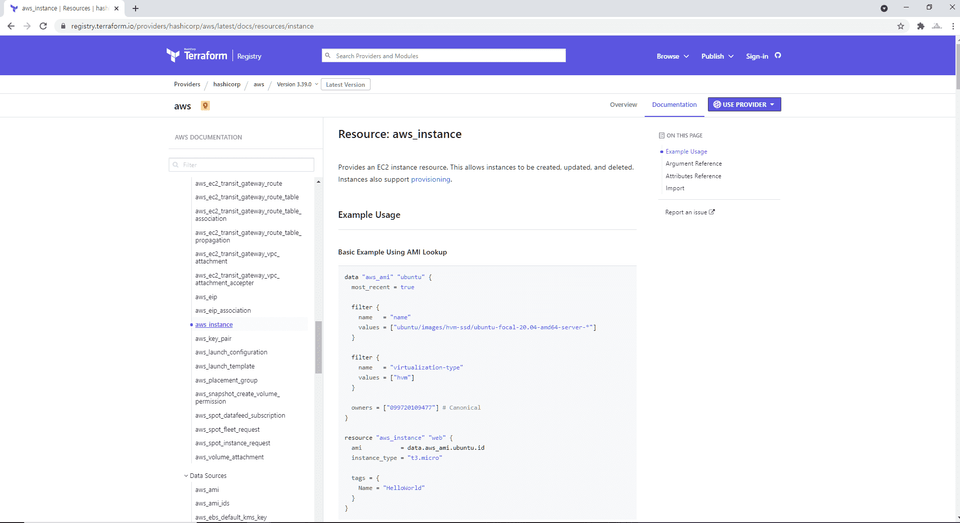
How to reference various resources and data required to write Terraform code
How to create AWS cloud services with Terraform code
How to implement AWS cloud architecture with Terraform
Learn code-based infrastructure with Terraform Build your own cloud architecture!
This lecture! 📚
Using Terraform , a representative code-type infrastructure program Learn how to build an AWS cloud infrastructure.
Infrastructure as code? 🧱
Infrastructure as Code (IaC) generally means creating and managing infrastructure through code, and because it uses code, creating and managing infrastructure components is more efficient and flexible than manual methods. In particular, as cloud computing and DevOps become more widespread , interest in this code-as-infrastructure and various code-as-infrastructure programs that can utilize it has increased.
Among various code-type infrastructure programs, Terraform, developed by Hashicorp, is optimized for basic infrastructure creation and deployment, and can simultaneously create and manage the infrastructure of various cloud service providers such as Amazon Web Services (AWS), Google Cloud Platform (GCP), and Microsoft Azure as code.
Because of these advantages, Terraform has established itself as a representative code-based infrastructure program used by many companies. Therefore, we planned a lecture so that many people can understand the concept and operating principles of code-based infrastructure through Terraform and learn how to build infrastructure with code .
Learning Objectives 📜
After completing this course, you will be able to use Terraform to:
You can reference various resources and data required for writing code.
You can write your own code to create AWS cloud services.
Build a simple AWS cloud infrastructure with your own code.
Lecture Features ✨
The overall curriculum focuses on how to write code from an infrastructure perspective.
The lectures are structured to focus on hands-on practice of writing code rather than explaining concepts or theories.
We will proceed slowly and easily so that even those unfamiliar with Terraform can follow along.
Please check before taking the class!
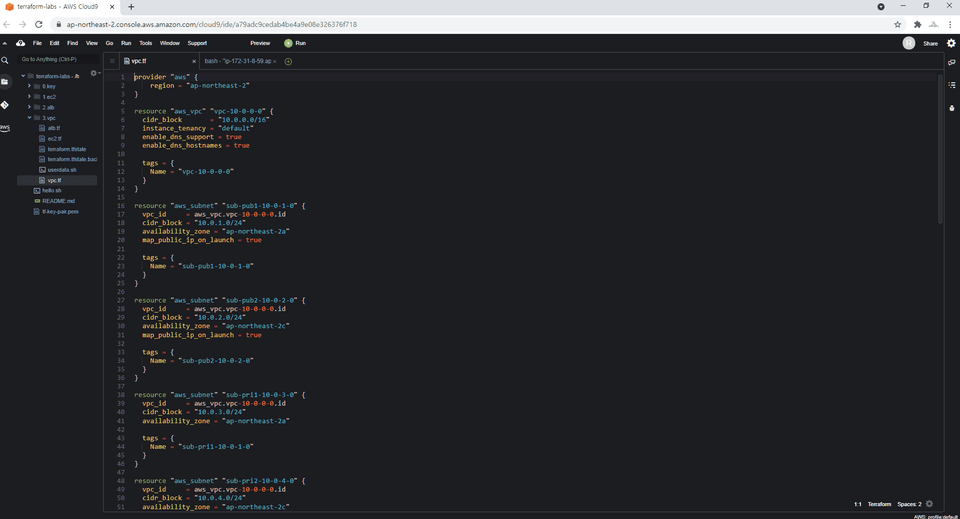
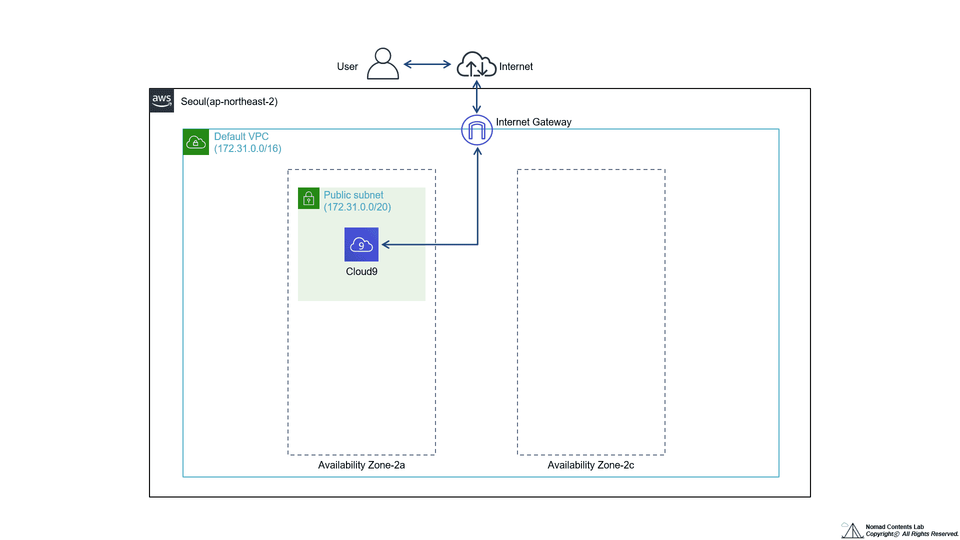
To ensure that learners with different operating systems or development environments can write and run code in as similar an environment as possible, hands-on practice, including writing and running code, will be conducted in AWS Cloud9 .
You should understand the concepts of AWS services (EC2, Application Load Balancer, VPC, Auto Scaling) covered in the lecture, and have some experience creating things directly in the AWS Management console .
What you'll learn 📚
Terraform (Terraform)
AWS (Amazon Web Services)
Dev-Ops (DevOps)
1. Create AWS Cloud9
Create a hands-on environment in AWS Cloud9 and set up basic settings for using Terraform.
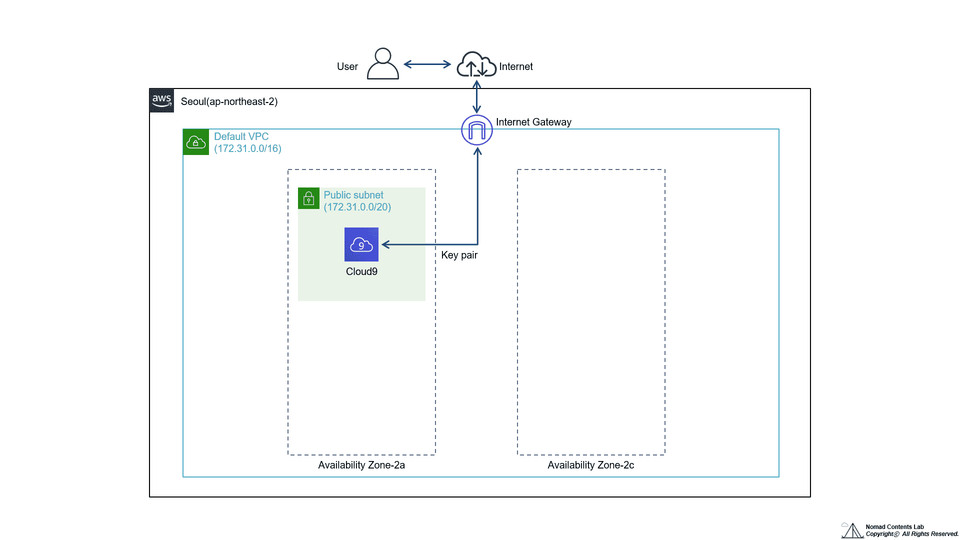
2. Create a Key Pair
Create a Key pair required for EC2 use.
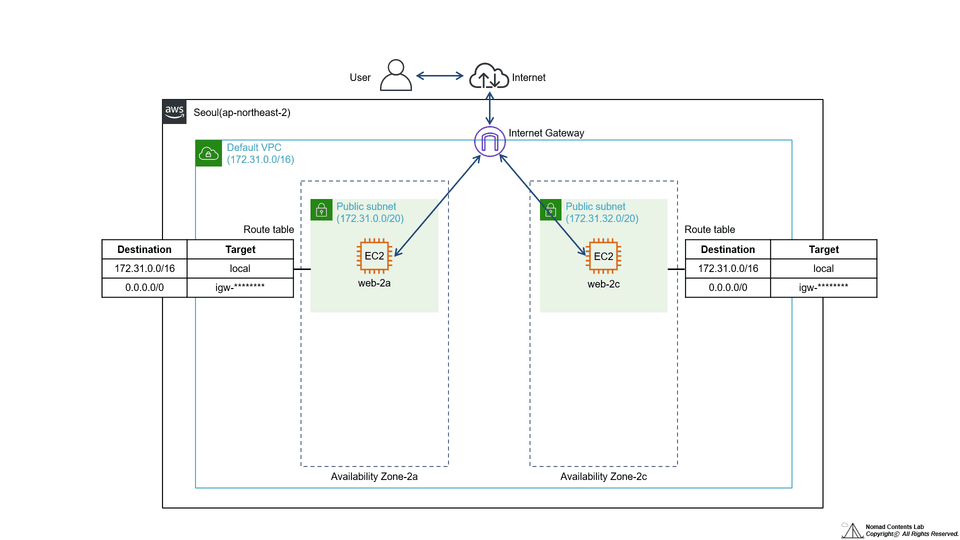
3. Create EC2 with Terraform
Create EC2 and apply Key pair, Security group, Subnet, Availability Zone, and Userdata.
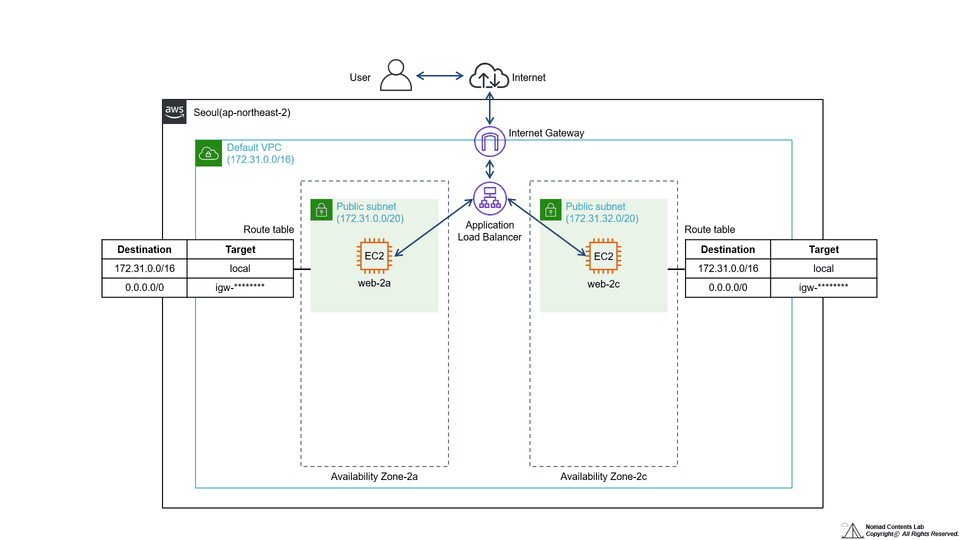
4. Configure Application Load Balancer (ALB) with Terraform
Create ALB components (Target group, Listener, etc.) and check ALB operation in a web browser.
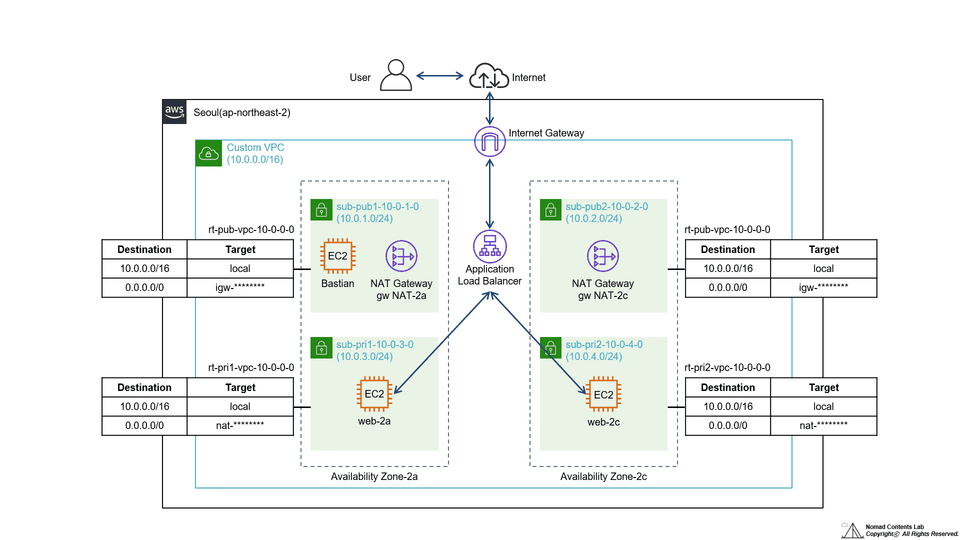
5. Configure Virtual Private Cloud (VPC) with Terraform
Create VPC components such as Custom VPC and Public/Private subnet, Route table, NAT Gateway, etc., and connect to Private EC2 through Bastion host. Then, configure Application Load Balancer in Private subnet and check ALB operation in web browser.
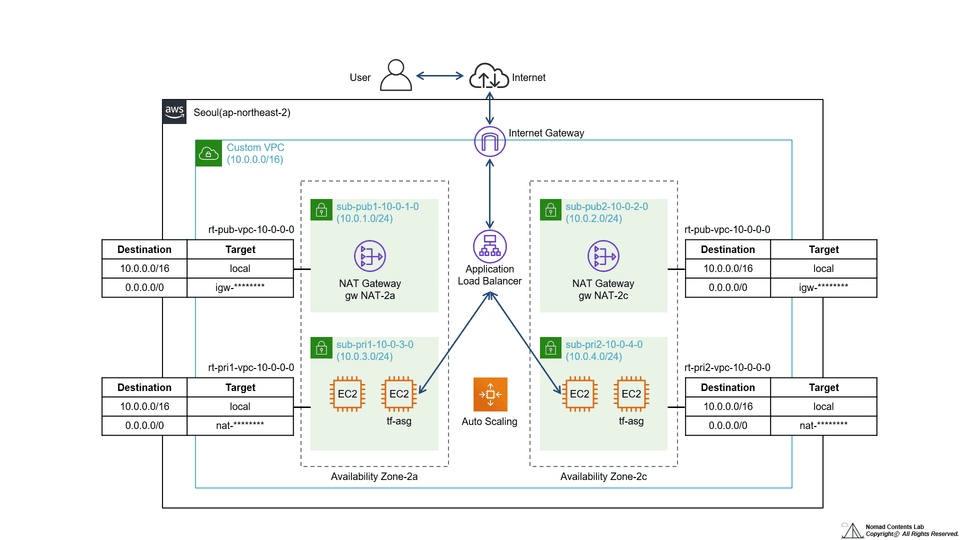
6. Configure Auto Scaling with Terraform
After creating a Security group and Application Load Balancer (ALB) for Auto Scaling, add a Launch configuration and Auto Scaling Group, and then check the Auto Scaling operation through a Load test.
Expected Questions Q&A 💬
Q. How much do I need to know about AWS Cloud?
It is not necessary to have an in-depth level of knowledge, but it is necessary to understand what EC2, Application Load Balancer, VPC, and Auto Scaling covered in this lecture are, and have experience handling these services in the actual AWS Management console (e.g. creating an EC2 instance or VPC).
Q. Which do you focus more on, AWS cloud infrastructure or Terraform?
This course focuses on Terraform rather than AWS cloud infrastructure. Therefore, the learning objective is to learn how to implement architecture diagrams into code rather than explaining AWS cloud infrastructure.
Q. What level of content is covered in the lectures?
This course covers Terraform and AWS cloud from a beginner level. Starting with simple infrastructure and practicing writing code, you will be able to implement more advanced infrastructure with your own code.
Q. Is there a reason why you use AWS Cloud9 as a lab environment?
Since all learners are different and use different operating systems and development environments, we used AWS Cloud9 so that learners could write and run code in the same environment.
Q. Is programming knowledge required?
You don't need any programming knowledge or coding experience.
Noamd Contents Lab creates and shares content based on the experience and knowledge gained from performing IT-related tasks across various fields for a long time. :)
It was a good lecture to practice in a step-by-step manner rather than building the entire AWS infrastructure.
I wonder if Terraform is also used for operating AWS infrastructure rather than initial AWS infrastructure construction with Terraform.
Hello. Thank you for leaving a comment on wayles54's course review.
The question you asked is possible, but Terraform is used a lot in multi-cloud construction, and Terraform is not used much in operating services.
Thank you.
It was really easy to understand because it was built up step by step! Those who have attended Nomad Content Lab's AWS architecture building lecture will find it much easier to understand and follow along!






![[AWS Beginner's Guide] Master the Basic Network Configuration!강의 썸네일](https://cdn.inflearn.com/public/files/courses/337818/cover/01jydvkvff56sgabnh2ekavg67?f=avif&w=420)