
강의

멘토링

커뮤니티

Design

/

UI/UX

Figma Master Courses

We will teach you from the beginning to practical skills using the Figma tool, which is widely used these days, in a workshop format.

(5.0) 6 reviews

79 learners

  • pixclass2547
Figma

Reviews from Early Learners

What you will gain after the course

  • Basic usage of Figma

  • Efficient work using components and Auto Layout

  • Create and share prototypes

Is it too late to learn Figma now?
Nope! From basics to practical training, all in one lecture✌️
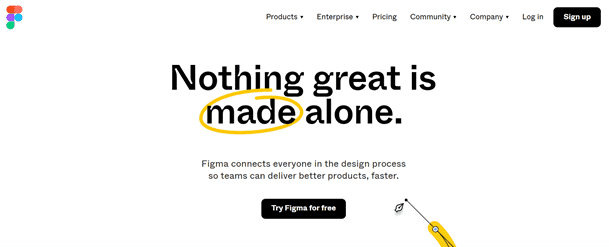
From how to use Figma to practical skills! 👯

Now is the era of remote work! With the growing need for the optimal UI collaboration tool for this era , interest in Figma has also increased. With Figma's market share exploding, it's no exaggeration to say that it's now a must-have for UI designers. However, even if you only take an introductory course, it's often difficult to immediately apply it in practice.

This course is a beginner-level course, but it's also a mastery course that will teach you practical skills! Since it covers Figma's features from the beginning, even those new to the tool can take it. Let's learn together until you're ready to complete a UI project with Figma.💪

This course's unique features

  • A hands-on class where you learn by following along
  • Practical examples
  • Tips for practical use

I recommend this to these people 🙋‍♀️

Pirin

Beginners who want to learn Figma

Project

Anyone who needs to work on a UI project with Figma

Overflowing with passion

Practitioners who use other tools but are interested in Figma


Learn things like this 📚


🌿
Lesson 1: Introduction to Figma

  • Figma's features and differences from other UI tools
  • Figma Screen Guide
  • Version History
  • Team project, invite team members
  • Figma mobile app


🌿 2nd
River Frame Setting

  • Preparing for Work: Layout Grid, Guide Line
  • Leverage the community: Utilize resources such as UI Kits


🌿
3 River Shape Tools

  • Rectangle, Line, Arrow, Ellipse, Polygon, Star, Place Image
  • Fill / Stroke
  • Effects: Shadow, Blur
  • Style Utilization: Color, Effects
  • Using a Mask
  • Create a Group

🌿
Lesson 4 Text
  • Text box
  • Plugin Utilization: Content Reel
  • Using Style
  • Practice using Frame and Text


🌿
Lesson 5 Drawing Tools

  • How to use the Pen
  • Boolean
  • Resizing using the Scale tool
  • Icon Creation Practice

🌿 6th
Component
  • Converting common elements to components: header, footer
  • Component Override Settings
  • Creating a Button Component
  • Varient function

🌿
Lesson 7 Auto Layout
  • Button Component using Auto Layout: A button that automatically resizes
  • Popup variations using Auto Layout
  • Export function: Save full screen (frame, slice, image resource for development)
  • Layer Search
  • Resources menu
  • Auto Layout changes
  • Boolean Property
  • Figma Jam: Navigater Widget

🌿 8. Export Image Resources for Android
  • Using the Plugin: Android Resources Export
  • Creating a 9Patch Image

🌿
9th Prot otype (1)
  • Horizontal scroll: Card rolling
  • Vertical scroll: long screen, fixed area designation
  • Screen Transitions: Navigate to, Back, Smart Animation
  • Floating Layer
  • Mouse over effect

🌿
Lesson 10 Prototype (2): Interactive Component
  • Horizontal and vertical scrolling: Map screen
  • Interaction components: Create checkboxes, switches, etc.
  • Adding a thumbnail to your design file

Expected Questions Q&A 💬

Q. Can I master Figma by just taking this course?

After taking this course, you will be able to apply your knowledge in practice.

Q. Will this lecture help planners design screens?

The examples in this lesson will be on screens with designs applied, but the same features can be used when creating screen blueprints.

Q. Can I use Figma on Windows?

Figma works on all platforms, including Mac and Windows, regardless of operating system. It can even be run in a browser without installing an app.


Introducing the Knowledge Sharer ✒️

Ahn Myeong-cheol, Infix / Creative Design Group Manager


Recommended for
these people

Who is this course right for?

  • I need to use Figma for project collaboration

  • I'm curious about Figma, the most popular design tool these days.

Hello
This is

Curriculum

All

11 lectures ∙ (6hr 37min)

Published: 
Last updated: 

Reviews

All

6 reviews

5.0

6 reviews

  • tnr1203823님의 프로필 이미지
    tnr1203823

    Reviews 1

    Average Rating 5.0

    5

    100% enrolled

    It was very helpful~

    • existence5198316님의 프로필 이미지
      existence5198316

      Reviews 1

      Average Rating 5.0

      5

      55% enrolled

      Thank you so much for your detailed explanation!

      • hong2goon4782님의 프로필 이미지
        hong2goon4782

        Reviews 2

        Average Rating 5.0

        5

        100% enrolled

        I listened to the lecture well~

        • mialearn님의 프로필 이미지
          mialearn

          Reviews 3

          Average Rating 5.0

          5

          100% enrolled

          I hope it will be a strength of Infix. Thank you for the great lecture.

          • angeloh2664님의 프로필 이미지
            angeloh2664

            Reviews 1

            Average Rating 5.0

            5

            100% enrolled

            :()thank you

            Limited time deal ends in 8 days

            $77,000.00

            30%

            $84.70

            Similar courses

            Explore other courses in the same field!