A practical guide for product designers who are on the rise these days
I will explain the practical process of a product designer step by step.
You will be able to fully understand the entire practical design process, from basic design-related words to personas, QA, and design systems!
There were many lectures on UIUX design, but I enjoyed the lecture on product design. The lecture was 4 hours and 30 minutes long, so I watched it over two days!
In particular, the lectures on product design terms, design using UX, and data were impressive. Thank you for providing such a great lecture, and I hope other students who are studying to become product designers will do their best :)
5.0
doden0825
100% enrolled
The instructor's words are detailed and thorough, and the content is also helpful.
5.0
선임도공부해
100% enrolled
I am not a junior designer, but this lecture helped me to recall the basics that I had been missing in my work. It was very helpful! Thank you.
What you will gain after the course
Basics of IT Product Design
UX Strategy and Design
UX Research to Understand Customers
Proceed with product design
Building a Design System
Edit designs using data
It's okay if you don't know anything! I'll teach you the UX practical process one by one. 🥄
Product Designer Get used to the work environment
🤔
"Various qualitative and quantitative methodologies I'm curious how it is utilized in practice."
🤗
"What kind of work does the PD you are collaborating with do? I want to know and understand more."
After taking the course , you will understand the practical environment of a product designer . You can apply UI/UX terminology and methodologies to your work!
From defining the problem Including QA and usability testing!
Smoothly in practice Designers I'd like to collaborate with
As a product designer People who want to get a job
Interested in UX methodology Planners and developers
The work of the PD I work with For those who want to understand more
You can only learn this in this course !
Creating a Product DesignerPersona/Journey MapUsability TestingGuide
Focus on all the steps a product designer is responsible for.
You can develop practical strategies through problem definition, persona, and journey map.
You can conduct usability tests through user interviews and prototyping.
After the design is complete, we can proceed with guide production and QA.
What you'll learn 📚
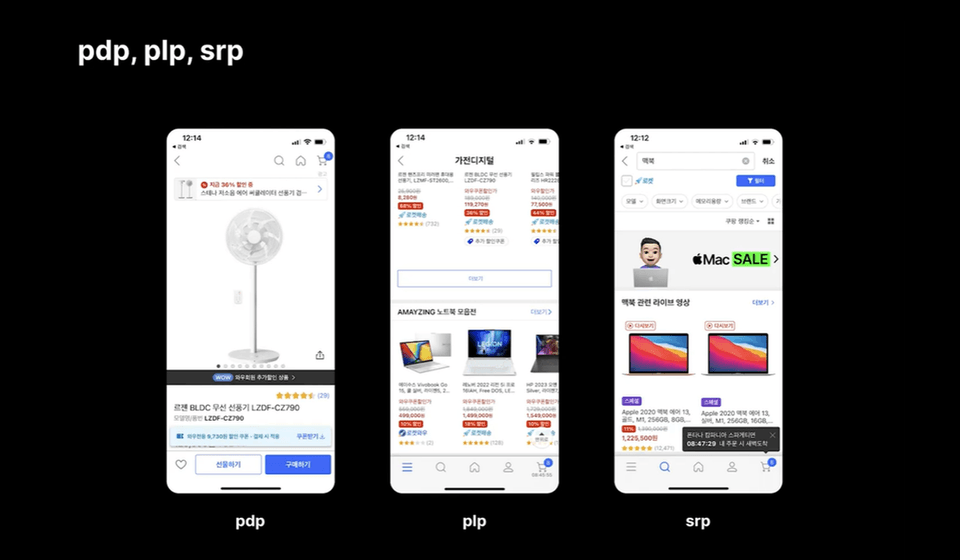
Essential words used in design practice
Learn words commonly used in actual design practice. First, get a grasp of unfamiliar concepts such as IA, responsive design, and heuristic evaluation!
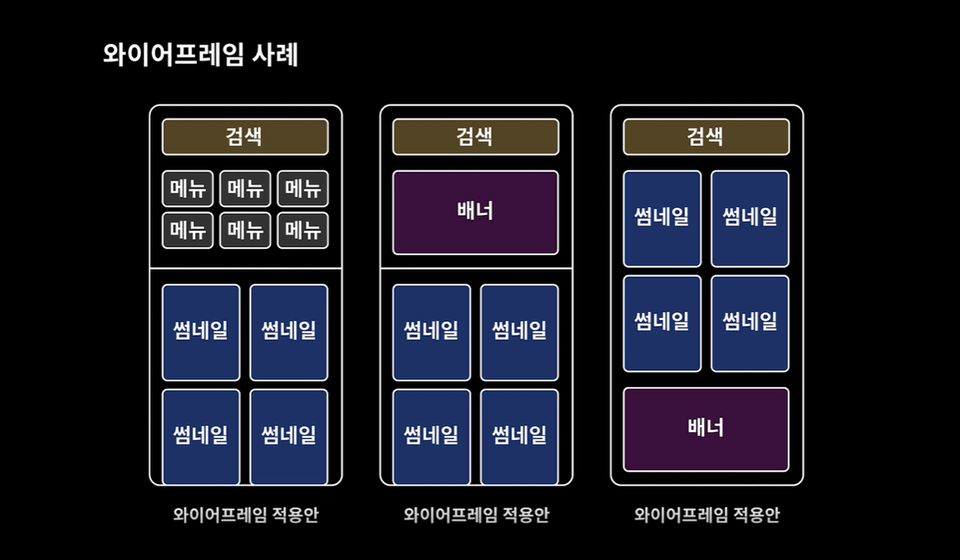
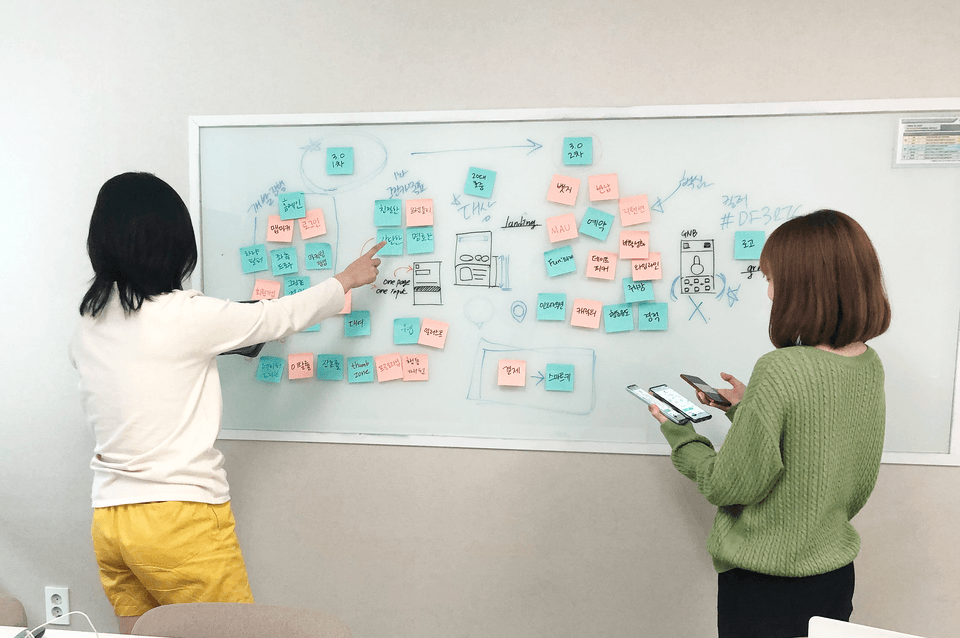
Ideation through wireframes
Wireframes visually show the placement and interaction of components. Create wireframes that focus on user-centered functionality.
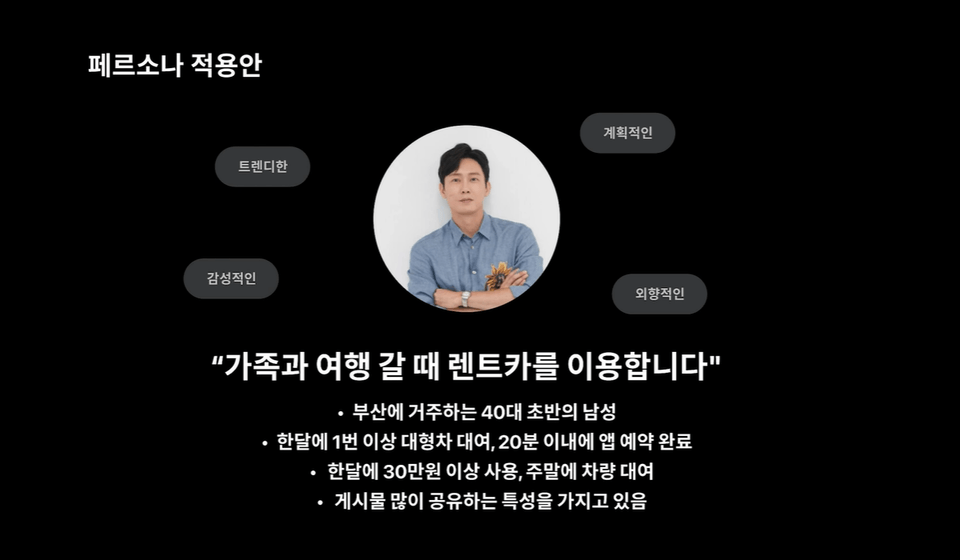
Creating a persona that fits your product
Create personas, virtual characters that represent your customer segments. Make the personas look like real users so people in your organization can relate to them.
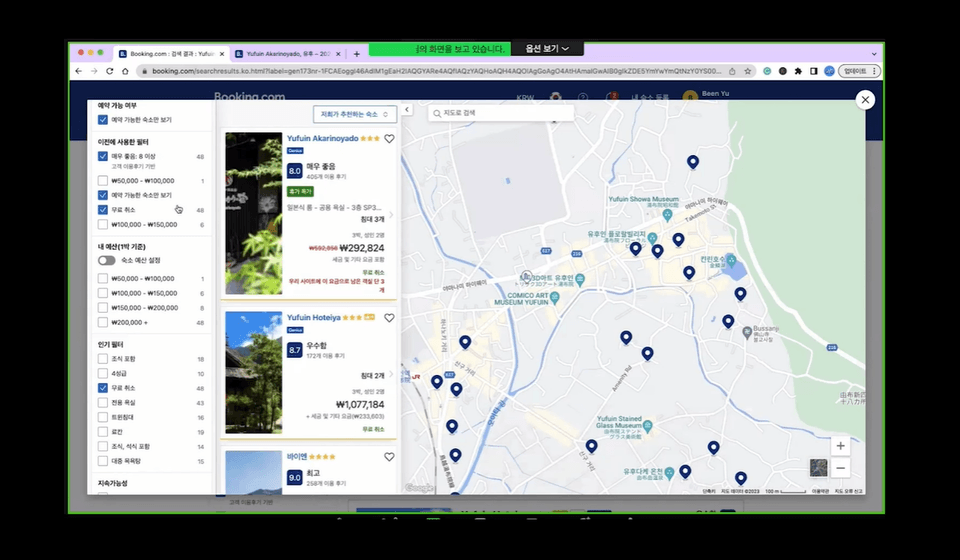
Conduct in-depth user interviews and design scenarios
In-depth user interviews are used to identify problems in the early stages of product development. This allows us to accurately understand the needs of users and improve the product.
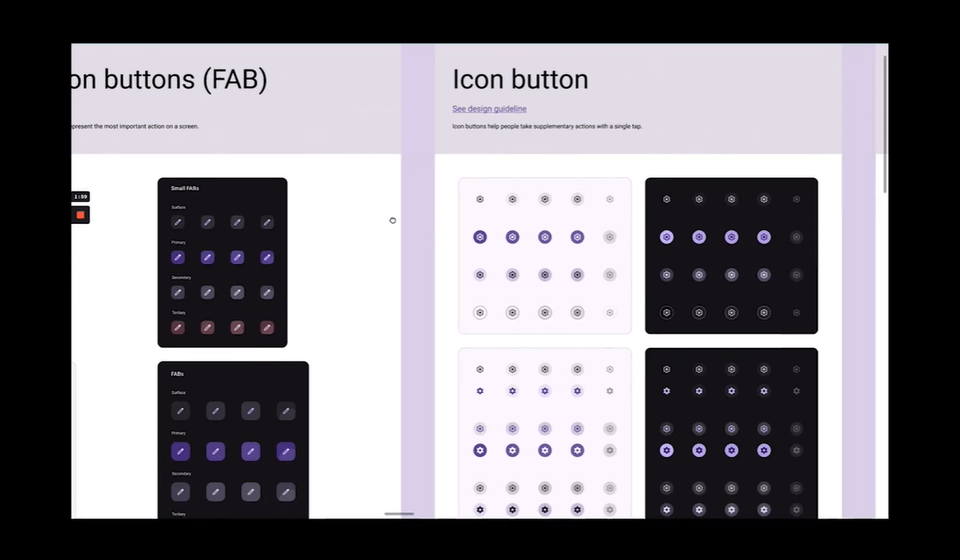
Design System
By componentizing all designs into development code, you can easily change the entire component with just one line of code whenever there is a design change.
Improving design with data
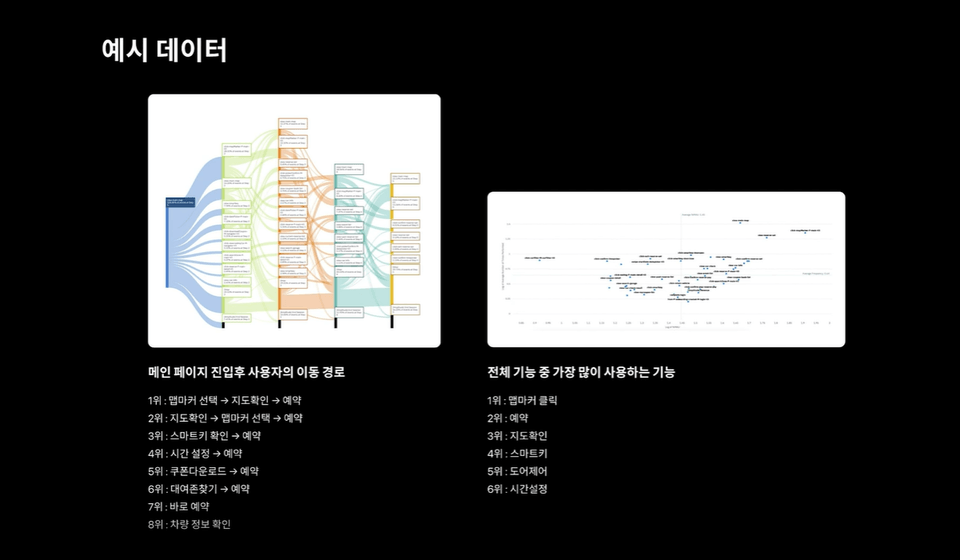
Rather than subjective thoughts, you can improve your design by accurately identifying where users feel uncomfortable and how to fix it through data verification.
🗂️ We also provide lecture materials like this!
Product Requirements Definition Document (PRD)
Prototype-based ProtoPie original source
Design Figma Original Source
Sample interview scenario
Expected Questions Q&A 💬
Q. I don't know much about product design. Can I still take the course?
Yes, this is a class for those people. You can learn about the basics of product design and the actual on-site process.
Q. I don't know Figma or ProtoPie. Is that okay?
It's okay to learn the overall UX methodology, but if your goal is to get a job as a product designer in the future, I recommend learning Figma or ProtoPie.
Q. Is there anything I need to prepare before attending the lecture?
Since the lecture is conducted on the assumption that you know the basics of how to use Figma, it is recommended that you come knowing how to use the basic tools.
Q. I am curious about what kind of learning materials are provided.
Protopie links, Figma links, user interview questionnaires, PRD documents, etc. are provided.
Introducing the knowledge sharer ✒️
Hello, I am Boldy. I started as a designer at a company in New York. After that, I worked at Lotte Group using data to design, and I also worked at a unicorn company using research to design. Currently, I have founded a design agency and am building my own design and development. Recently, product design, not UI/UX design, is getting a lot of attention. I hope that my product design lecture will be helpful to those who are hoping to get a job as a product designer!
There were many lectures on UIUX design, but I enjoyed the lecture on product design. The lecture was 4 hours and 30 minutes long, so I watched it over two days!
In particular, the lectures on product design terms, design using UX, and data were impressive. Thank you for providing such a great lecture, and I hope other students who are studying to become product designers will do their best :)
It was my first lecture, so there must have been many shortcomings, but thank you for leaving a good review. If there are any parts you don't understand or things you would like to add while listening to the lecture, please leave a question. Thank you.


.png?w=736)















![Creating a homepage with Aimweb by following and learning [Shared Office Edition]Course Thumbnail](https://cdn.inflearn.com/public/courses/333481/cover/806a9150-9c13-4a62-b97e-5de5dc65b273/333481.png?w=420)
![[NEW August '26] Figma Practical Class for Marketers & Aspiring MarketersCourse Thumbnail](https://cdn.inflearn.com/public/files/courses/343605/cover/01kz91ybsrg164xhzmxqhzdt4h?w=420)