Rhino 6 for Beginners Product Design Part.2
usefulit
This is a lecture on Rhino 3D, which is a basic tool for product design.
初級
Rhino
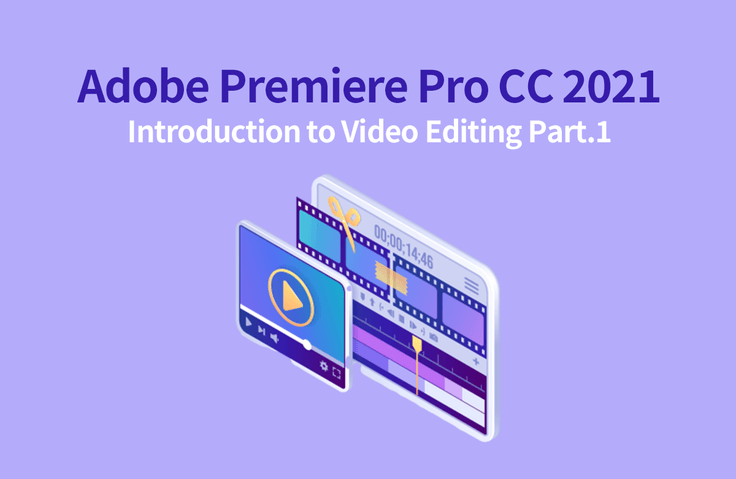
Premiere Pro is a representative video editing software program widely used in the industry. The course is designed for beginners in video editing and is divided into a basic part that covers the overall work process and functions of video editing, and a beginner part that covers video effects.
23,742 learners
Level Beginner
Course period 12 months

Reviews from Early Learners
5.0
ljy329s
Thank you for the great lecture!
5.0
안경민
I enjoyed it very much. Thank you.
5.0
요술램프 지니
I've taken a few other Premier lectures, but this one seems really easy and good. I understood everything here that I didn't understand in other lectures.
Learn the basic procedures and functions of video editing.
Learn cut editing, transitions, transforms and keyframe features.
How to output edited footage as a final video clip
Use of marker and label features, link, merge, and group features
Various ways to apply basic visual effects
Introduction to Lumetri Color features with color correction effects
Video editing, what if you can't put it off any longer?
Learn easily with the basic part + beginner part 🎬
🎀 Please check before taking the class.
If you take this course...
Basic cut editing , transition/transform track placement and keyframe output rendering.gif)
.gif)
This course is divided into two parts. Part 1 is aimed at those who have no prior video editing experience. It aims to help them learn the overall workflow and functions of video editing using Premiere. We will cover basic cut editing, transitions, transforms, track arrangement and key frames, and the final output rendering process. It is designed for beginners in video editing and is divided into a basic part that covers the overall workflow and functions of video editing, and a beginner part that covers video effects.
Video editing
Beginners who are just starting out
Premiere Pro
People I want to deal with
YouTube, lecture recording, etc.
Anyone who needs video editing
Who is this course right for?
Anyone who wants to try video editing
Anyone who wants to learn Premiere Pro
Anyone who wants to create their own video
8,278,679
Learners
6,372
Reviews
4.6
Rating
309
Courses
I will help you grow through useful IT lectures.
All
42 lectures ∙ (22hr 46min)
Course Materials:
1. Installation
32:00
6. Project Setting
34:41
7. Sequence Setting
34:15
8. Track
31:40
9. PlayHead (1)
32:14
10. PlayHead (2)
32:45
11. Clip Control
33:04
12. Trimming
33:12
13. Slip & Razor
31:56
14. Trim Edit Window
32:41
15. 3 Point Editing
31:26
16. Video Transition
32:40
17. Clip Transform
30:57
18. Keyframe (1)
32:57
19. Keyframe (2)
33:44
20. Export
36:47
21. Marker & Label
34:42
25. Video Effect (1)
32:11
26. Video Effect (2)
33:59
27. Image Masking
31:38
28. Mask Tool
34:00
31. Generate (1)
28:12
32. Generate (2)
30:28
33. Blur & Sharpen
32:51
34. Stylize
33:34
All
12 reviews
4.8
12 reviews
Reviews 26
∙
Average Rating 5.0
Reviews 11
∙
Average Rating 5.0
Reviews 4
∙
Average Rating 5.0
Reviews 1
∙
Average Rating 5.0
Reviews 36
∙
Average Rating 4.3
$51.70
Check out other courses by the instructor!
Explore other courses in the same field!