Complete mastery of Excel macros and VBA from basics to practical use
onwings
Automate complex tasks in a snap! Excel macros and VBA, from basics to practical use!
中級以上
Business Productivity, Excel, VBA
Learn Excel most efficiently in a short period of time by creating an Excel report used at work in a project format.
125 learners
Level Intermediate
Course period Unlimited

Reviews from Early Learners
5.0
parkpark park
My boyfriend gifted this to me because I urgently needed to improve my Excel skills before starting a research internship, and it has so many useful tips that it's been incredibly helpful! It's much more fun approaching it from a practical work perspective rather than studying for the computer skills certification exam.
5.0
김진수
The instructor's teaching ability is excellent!! The lectures are easy to follow from a student's perspective. Thanks to this, my Excel skills have improved a lot. Thank you!
5.0
choong youn won
After Corona, I have been taking Excel lectures here and there. Among them, I can say that your lectures are by far the best. The lectures go straight into my ears and I understand them well. Thank you.
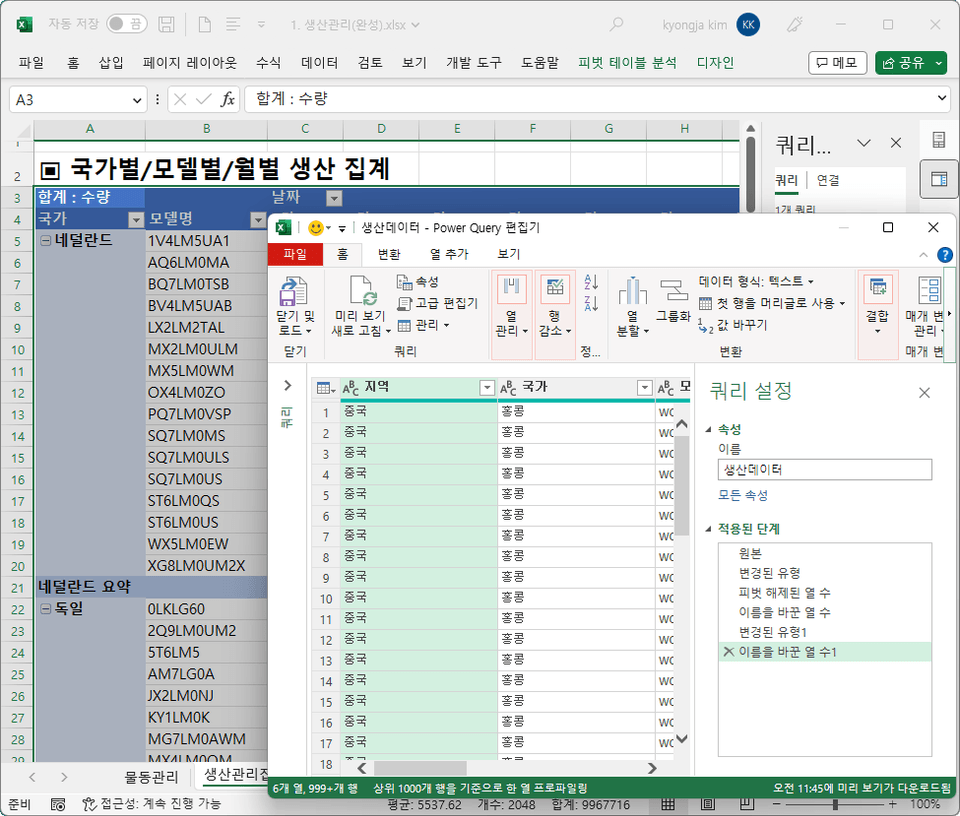
Processing downloaded data to create a production management report for each product
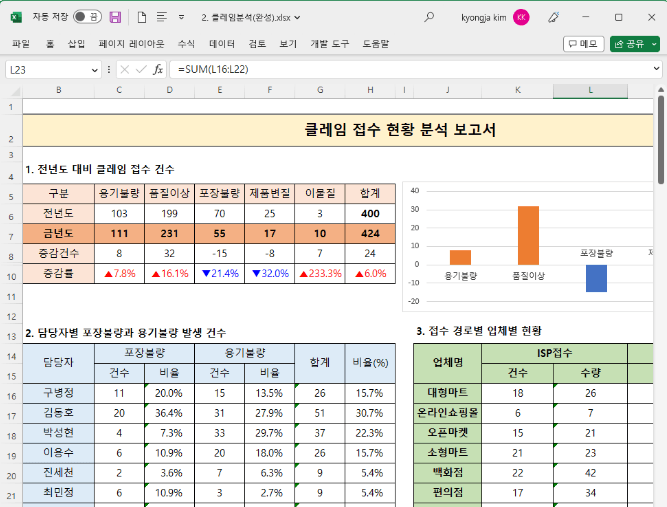
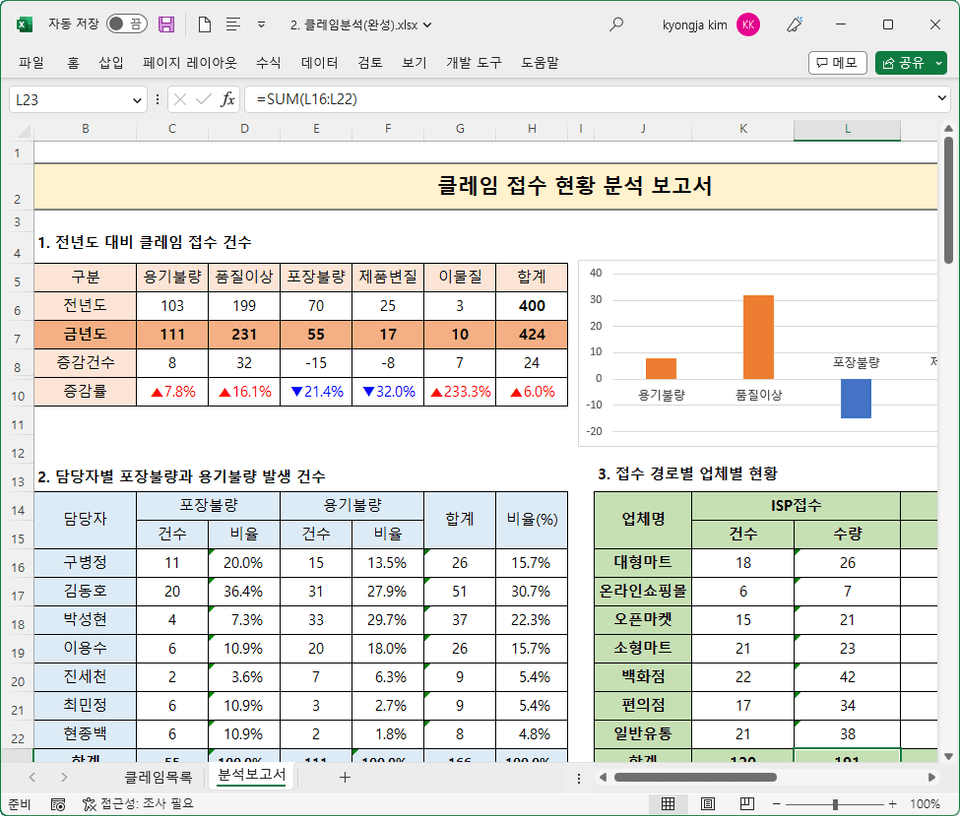
Create a report analyzing the status of consumer claims received
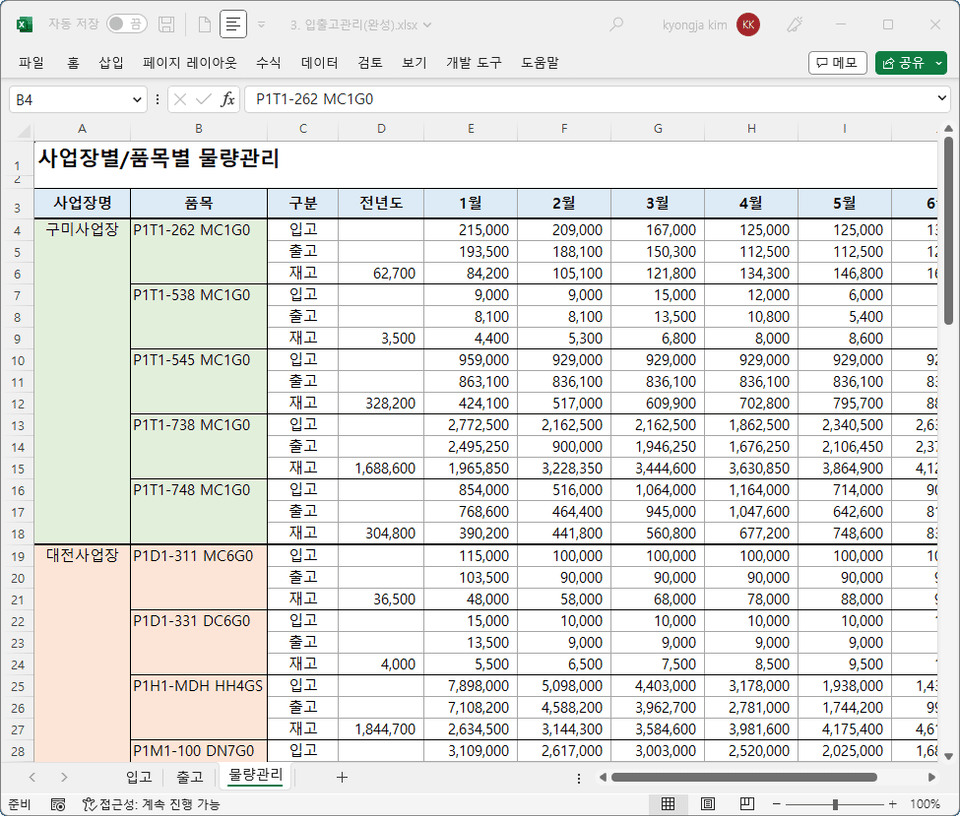
Create a monthly inventory report to check inventory at a glance
Create business meeting minutes that automatically fill in the format just by entering data
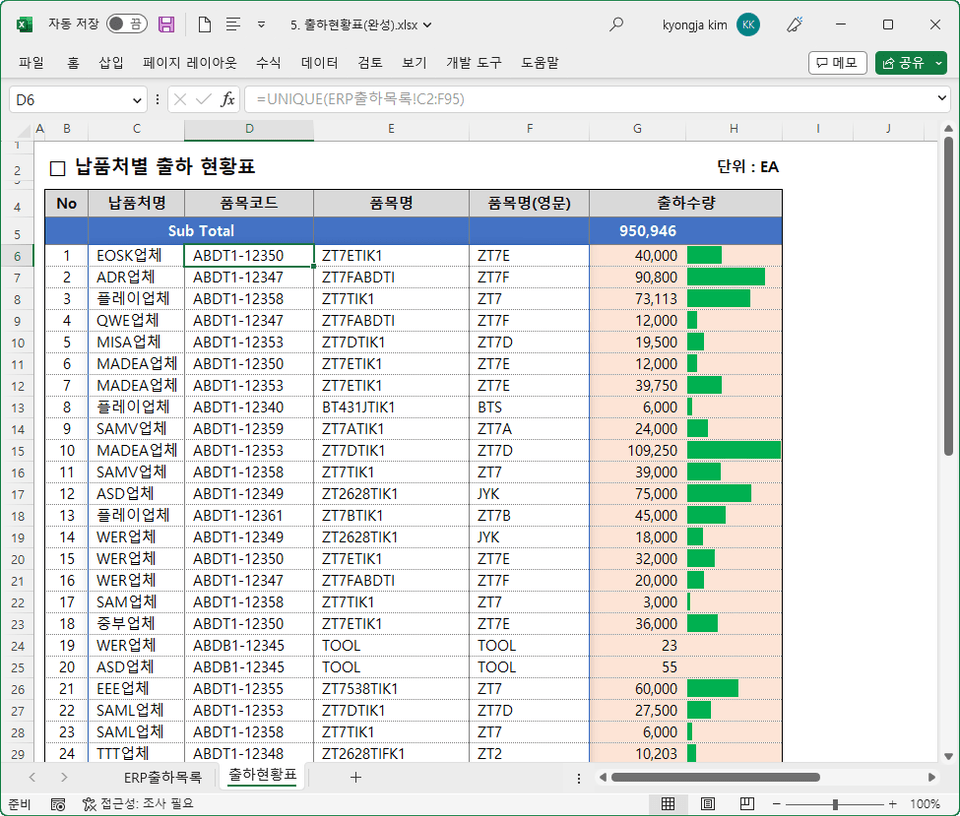
Create a shipment status table by supplier by extracting only unique data
Create a bid summary report by editing merged cells
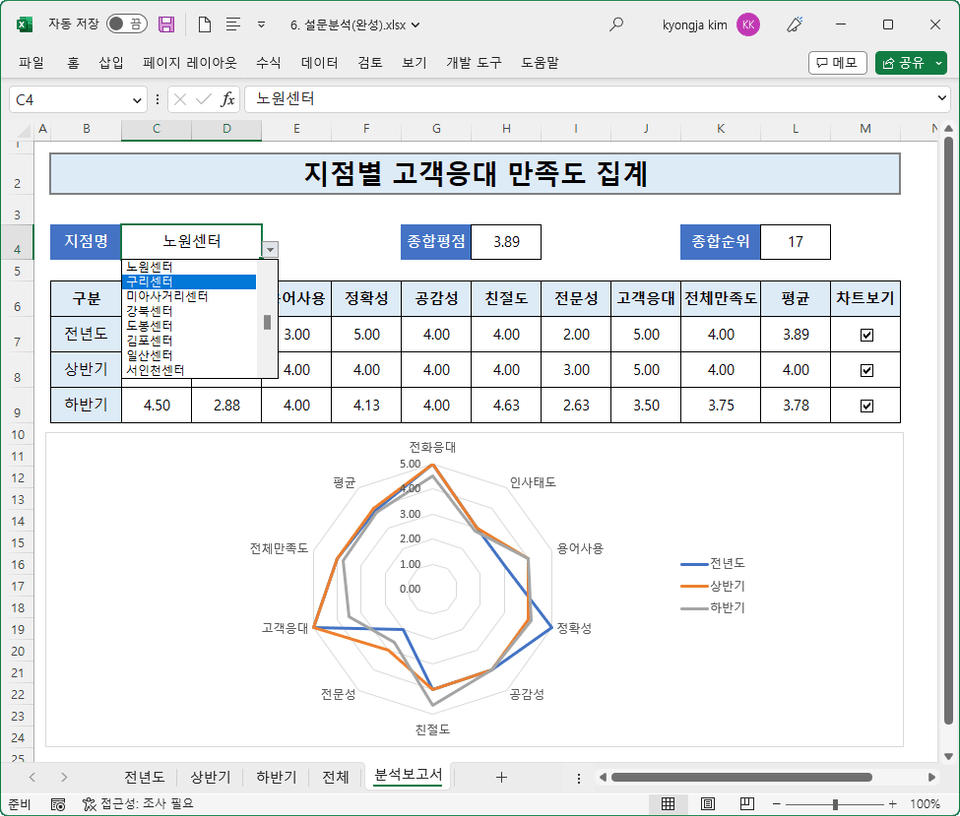
Create a report analyzing the results of a customer satisfaction survey
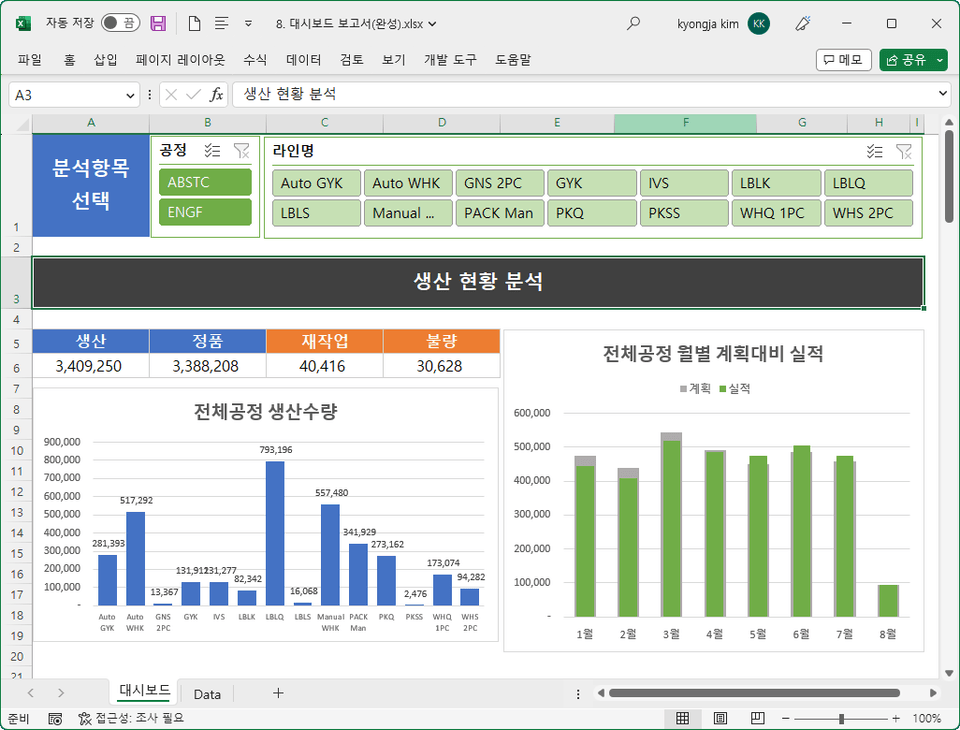
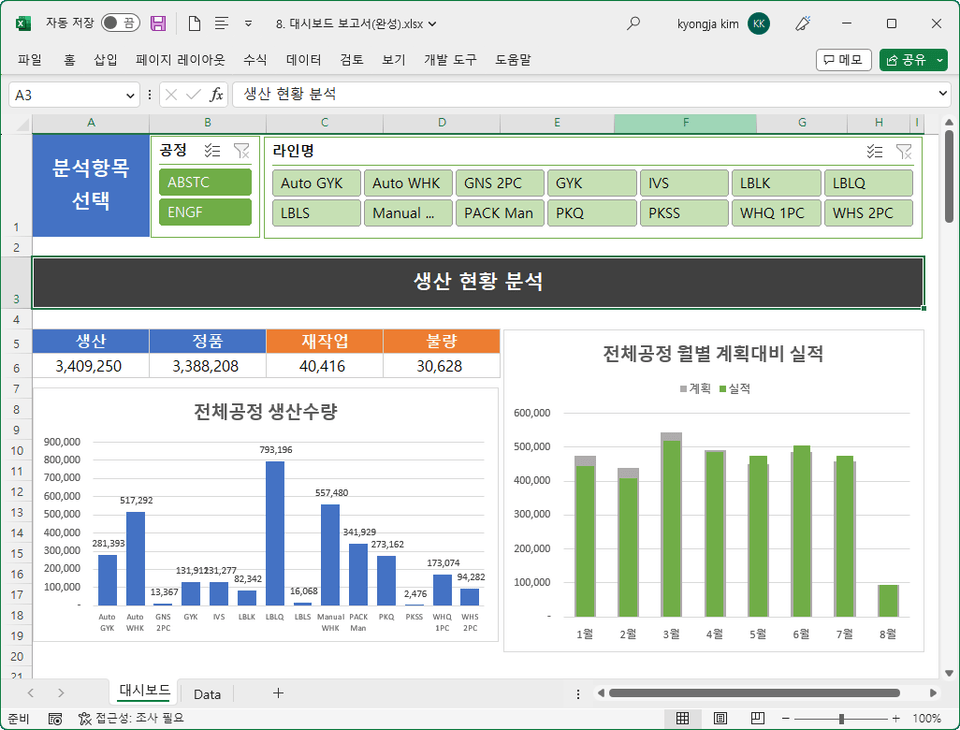
Create a dashboard report that analyzes production status by process
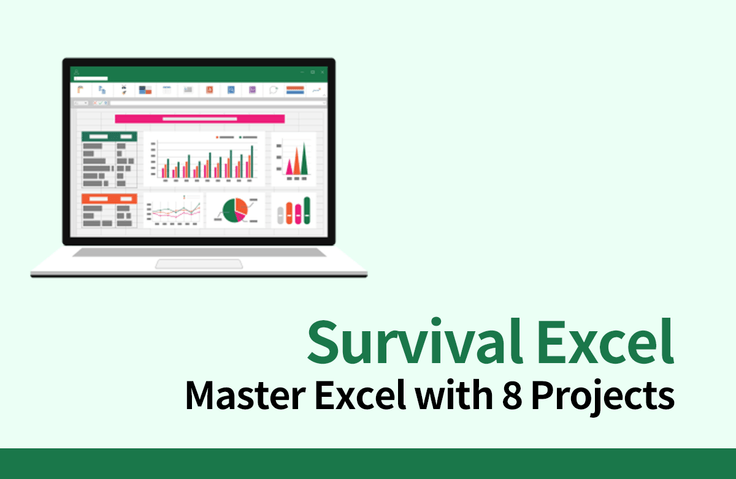
With 8 practical projects
Survival Excel for Office Workers Who Leave Work Early! 📈
This course is designed to help you learn essential Excel functions in a short and efficient manner, while directly working with Excel reports used in the workplace. It includes eight practical documents and 15 practical tips from the instructor .
This course focuses on the essentials for those who hold Excel certification but struggle to understand how Excel is used in the workplace or what essential Excel features are essential. By mastering all the content covered in this course, you can confidently claim to be proficient in Excel at work.
The instructor's practical know-how goes beyond learning the functions and presents a perspective on how to use Excel properly, easily, and quickly, incorporating the instructor's 20 years of practical and teaching know-how.
💡 Lecture Point
I have an Excel certificate, but
Job seekers who don't know the practical aspects
I know the basics of Excel, but
Office workers who are having difficulties with their work
As an experienced person, I have Excel around me.
Office workers who are embarrassed to ask
Excel skills
Office workers who want to upgrade
"It's a hassle to enter data and format it every time."
"I want to write a differentiated and sophisticated report."
"I want to extract only the unique data and calculate the total by group."
✏️ I'll show you how to automatically format data when entering it, create dashboard reports, and use dynamic functions!
By quickly processing raw data with Power Query and creating pivot tables, you can avoid repetitive tasks even when data is updated daily.
The list of claims received can be analyzed from various angles through Excel reports, which are aggregated using functions and visualized in charts and display formats.
Create reports that allow you to manage inventory by business location and item at a glance using daily updated incoming and outgoing data.
Create a list by extracting unique data using just one UNIQUE dynamic array function, and create a table that aggregates shipment quantities using the SUMIFS function and conditional formatting.
Create dynamic reports that analyze performance by branch for two years using aggregated customer satisfaction survey data stored across multiple sheets.
Create dynamic dashboard reports that allow you to see the production status of each product at a glance, by line and process.
Q. I have an Excel certification. Do I need to learn company practical skills separately?
The Excel skills you learn in an Excel certification program are vastly different from the Excel skills you use in your actual work. Furthermore, no one teaches you Excel once you join the company. You have to learn it on the job.
Q. Will taking this course help me use Excel effectively at work?
This course will give you a firsthand experience of the Excel skills you'll learn while working in a company and facing real-world challenges. Therefore, once you master the content of this course, you'll be able to immediately begin working at your company without fear.
Q. What types of work examples are available?
We have prepared a variety of reports that are frequently used in general office work, marketing, purchasing/production, and customer service.
Q. I want to create my own report that is more unique than the Excel report format that the company always uses.
How about dashboard reports? Using pivots, slicers, and pivot charts, you can create dynamic dashboard reports.
👤 Notes before taking the course
Who is this course right for?
New employees who need to learn practical Excel before joining the company for an internship
Office workers who know the basics of Excel but have difficulty applying it in practice
An office worker who is embarrassed to ask people around him about Excel
Office workers who want to get better at Excel and upgrade their skills
A job seeker who has Excel certification but doesn't know the practical skills
6,606
Learners
677
Reviews
162
Answers
4.9
Rating
6
Courses
Kim Kyung-ja / CEO of Compeople, Adjunct Professor at Yeonsung University, Excel Goddess (http://blog.naver.com/onwings)
While working at the LG Electronics Learning Center, I began my career in IT education. Currently, I deliver lectures at organizations such as Samsung Group, Kia Group, Udemy, the Financial Supervisory Service, Kim & Chang, and the National Human Resources Development Institute. I am the CEO of Compeople, a company specializing in IT and information technology training, and I also serve as an adjunct professor at Yeonsung University.
- Excel Data Utilization and Analysis for the Workplace (Hanbit Media, 2025)
- Surviving with Excel at the Workplace (Hanbit Media, 2023)
- Excel Practical Functions + Formulas (Hanbit Media, 2021)
- Excel Practical Macros and VBA (Hanbit Media, 2020)
- Excel Practical Data Utilization + Analysis (Hanbit Media, 2019)
- Excel 2016 Basic + Practical Completion (Booksholic, 2018)
- Practical Lecture on Excel Functions for Professionals (Hanbit Media, 2017)
- Excel 2016 Macros and VBA for Empowering Workplace Tasks (Jungbo Munhwasa, 2016)
- Excel Data Utilization + Analysis Immediately Applicable at Work (Hanbit Media, 2016)
- Excel 2013 Basic Practical Completion (Booksholic, 2014)
- Keynote & Numbers Step-by-Step (Gilbut, 2014)
- Excel 2010 Macros and VBA (Youngjin.com, 2012)
- Excel 2010 Basic Practical Completion (Booksholic, 2011)
- Excel 2007 Macros & VBA Basic + Practical (Sungan-dang, 2009)
- Excel 2007 Basic + Practical (Sungan-dang, 2007)
- Strong Practical Excel Macros and VBA (Cyber Publishing, 2005)

All
40 lectures ∙ (5hr 16min)
Course Materials:
All
11 reviews
4.4
11 reviews
Reviews 2
∙
Average Rating 4.5
5
My boyfriend gifted this to me because I urgently needed to improve my Excel skills before starting a research internship, and it has so many useful tips that it's been incredibly helpful! It's much more fun approaching it from a practical work perspective rather than studying for the computer skills certification exam.
Reviews 3
∙
Average Rating 5.0
Reviews 16
∙
Average Rating 2.9
Reviews 9
∙
Average Rating 4.8
Reviews 3
∙
Average Rating 4.3
$50.60
Check out other courses by the instructor!
Explore other courses in the same field!