


![[Master] Solid Fundamentals PowerPoint CourseCourse Thumbnail](https://cdn.inflearn.com/public/courses/330000/cover/19ad29a7-7db7-4a4d-830d-e579c9044c79/330000.png?f=avif&w=420)
[Master] Solid Fundamentals PowerPoint Course
EDUPIC
Through this course, students are expected to be able to build a solid foundation in PowerPoint.

Beginner
PowerPoint, MS-Office

Living business skills for office workers, the secret to office worker success!
※ Please note that this course does not provide [Questions/Answers] from the instructor.
For inquiries: 1544-9001 (Weekdays 8:00-20:00, Holidays 9:00-18:00 *Lunchtime 12:00-13:00)
Even if it's functional and rich in templates,
Why is my PPT still so outdated? ⌨️
If you want a sophisticated PPT, start by building a solid foundation in design.
We'll cover design fundamentals like image/shape usage and layout, as well as expertly used design resources and color utilization know-how! We'll also reveal expert know-how, even those rarely accessible to non-designers.
PPT design sales secrets only professionals know revealed!
• If you want to create a more sophisticated PPT than others on the same topic, start by building a solid design framework.
• From design basics such as how to use images/shapes and layouts to design sources and color utilization know-how used by experts!
• B-Designer reveals the know-how of professionals that are difficult to find out.
Design sense is innate? With Luna, you can learn it too!
• Over 300 students enrolled in offline class platforms, and over 30 outsourced projects for business plans, proposals, and template designs!
• Challenge yourself to catch up with trendy PPTs with Luna, a teacher recognized by students and customers.
A hands-on tutorial course with field-proven references.
• Meet practical examples of know-how and references actually used in the field!
• Follow the on-site know-how and make it your own.
10 minutes is all it takes! Microlearning whenever you need it, without the hassle.
• Learn briefly and concisely when needed during work with a 10-minute video that extracts only the essentials and contains no unnecessary details.
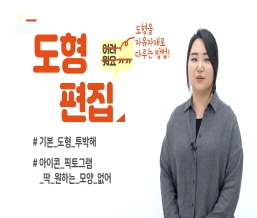
.jpg?w=960)
.jpg?w=960)
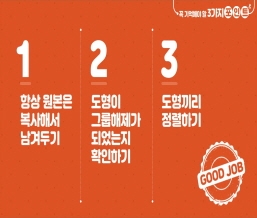


It was very helpful. I liked that it was concise and to the point.
It was very helpful
It was helpful!
It helped a lot!
Thanks for the great tip.

![[Useful Excel Tips to Know (1)] that will get you recognized by your bossCourse Thumbnail](https://cdn.inflearn.com/public/courses/329430/cover/2672867b-3832-4d62-b4e9-9904c723e7d0/엑셀팁(인프런).jpg?f=avif&w=420)
![[Pass ITQ PowerPoint A in One Go] in just 2 daysCourse Thumbnail](https://cdn.inflearn.com/public/courses/330108/cover/a0a7ac8c-cbd6-4acf-9cad-494ee28e1faf/파워포인트)


![[For Beginners] Data Visualization with Power BICourse Thumbnail](https://cdn.inflearn.com/public/courses/327055/cover/455b54c1-3e63-439b-9b60-5d12e12bc303/PowerBI-001)
![[Pass ITQ Excel A in One Go] in 3 daysCourse Thumbnail](https://cdn.inflearn.com/public/courses/329652/cover/b44e11b6-a47e-4993-86ea-a85da9836bb5/329652-eng.png?f=avif&w=420)
![[AI Cheat Key] The Document-Work Booster Office Workers Have Been Waiting For: Claude in Excel & PowerPointCourse Thumbnail](https://cdn.inflearn.com/public/files/courses/343890/cover/ai/3/9cda404e-27b4-4a30-9003-b48a6d42f992.png?f=avif&w=420)


![[Work Automation Using Free MS RPA] Power Automate Desktop BasicCourse Thumbnail](https://cdn.inflearn.com/public/courses/329047/cover/35cb417d-cd84-47f8-a20f-653724b03a77/329047-eng.png?f=avif&w=420)


