

강의

멘토링

커뮤니티

Productivity

/

Task Automation

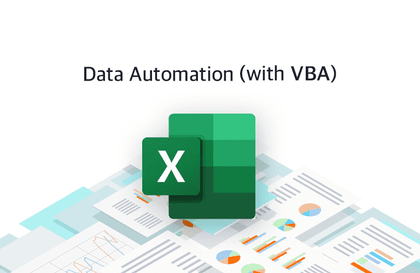
Automating VBA tasks using Excel

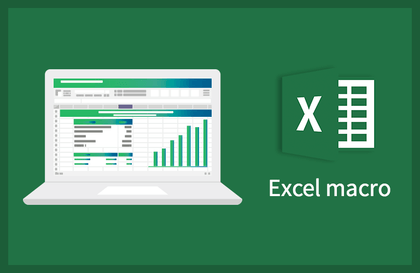
Excel VBA helps you use Excel faster and more efficiently. Now, learn VBA to spend your free time at work. For web data collection, please refer to this course: https://www.inflearn.com/course/python-crawling#

(3.9) 16 reviews

125 learners

Level Basic

Course period Unlimited

  • Kyeongrok Kim
Excel
Excel
MS-Office
MS-Office
VBA
VBA
Excel
Excel
MS-Office
MS-Office
VBA
VBA

Reviews from Early Learners

Reviews from Early Learners

3.9

5.0

수리비

100% enrolled

It's a useful lecture

5.0

최재은

100% enrolled

It was a good lecture.

5.0

이주혁

100% enrolled

It was easy to understand because it was explained with practical examples. It was also good that it reviewed well what we learned last time.

What you will gain after the course

  • Automating tasks using Excel VBA

  • Automating tasks using loops

  • Automatic chart creation and customization

  • Import data from another Excel file

Excel VBA Introduction Course

Excel VBA helps you use Excel faster and more efficiently. With a single macro, you can instantly create everything from daily prices to charts. With a well-configured VBA, you can pull in web-based price data and create attractive charts in less than 10 seconds. This eliminates the hassle of having to use Ctrl+C, Ctrl+V, format, and draw charts every time. Learn VBA now to enjoy more leisurely work hours.

Learning Objectives

  • You can learn the basic concepts of Excel VBA.
  • You can get data without opening the file.

Helpful people

  • For those who want to get started with EXCEL VBA

Things to learn

  • Excel VBA Basics
  • loop
  • Automatically draw charts
  • Importing content from another Excel file

Introduction of knowledge sharers

Kim Gyeong-rok
I'm a software engineer . I'm developing backends with Spring Data JPA. Last year, I worked on frontend development with Node.js, React, and Redux. Before that, I started my IT career as an ERP system integration developer. I spend my weekdays developing and my weekends teaching at Fast Campus. I translated the book "Techniques for Web Data Collection."

Recommended for
these people

Who is this course right for?

  • Office worker who frequently uses Excel

  • People who want to improve work efficiency

  • Beginners interested in Excel VBA

  • Anyone who wants to automate data management and analysis

Hello
This is

600

Learners

62

Reviews

13

Answers

4.3

Rating

5

Courses

I am a backend developer with 9 years of experience and have been teaching for 8 years.

I have authored three IT-related books.

http://www.yes24.com/Product/Goods/64573282

http://www.yes24.com/Product/Goods/59384816

Curriculum

All

8 lectures ∙ (1hr 39min)

Published: 
Last updated: 

Reviews

All

16 reviews

3.9

16 reviews

  • youngskim5226님의 프로필 이미지
    youngskim5226

    Reviews 9

    Average Rating 5.0

    5

    38% enrolled

    • soundtrack325067님의 프로필 이미지
      soundtrack325067

      Reviews 5

      Average Rating 5.0

      5

      100% enrolled

      It's a useful lecture

      • jaeeun6866님의 프로필 이미지
        jaeeun6866

        Reviews 1

        Average Rating 5.0

        5

        100% enrolled

        It was a good lecture.

        • wj1810oh1985님의 프로필 이미지
          wj1810oh1985

          Reviews 1

          Average Rating 4.0

          4

          100% enrolled

          I like it because it seems like I can use Excel more practically!!!

          • wngur02093348님의 프로필 이미지
            wngur02093348

            Reviews 2

            Average Rating 5.0

            5

            100% enrolled

            It was easy to understand because it was explained with practical examples. It was also good that it reviewed well what we learned last time.

            • krksap
              Instructor

              I'm glad it was helpful.

          $8.80

          Kyeongrok Kim's other courses

          Check out other courses by the instructor!

          Similar courses

          Explore other courses in the same field!