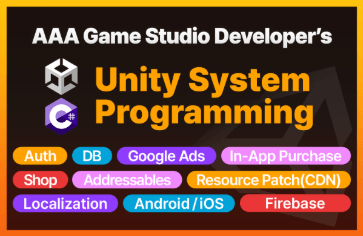






Unity System Programming Pt.1 - All-in-One Package of Core Systems for Commercial Game Implementation

Learn the core systems required for Unity game development. We reveal the secrets of AAA game developers. Quickly implement your gameplay on top of already completed, stable designs and systems.

(5.0) 33 reviews

397 learners

Level Basic

Course period Unlimited

C#
C#
Unity
Unity
oop
oop
game-programming
game-programming
C#
C#
Unity
Unity
oop
oop
game-programming
game-programming

Reviews from Early Learners

5.0

5.0

Razer

100% enrolled

Wow, the lecture is so interesting! The code quality is great and the code is concise without any unnecessary parts. I'm learning a lot today as well.

5.0

신지한

100% enrolled

I have completed the Unity System Programming Pt.1 Core System All-in-One Package for Implementing Commercial Games. I have experience developing games before, and I took the course for the first time to get help implementing some functions during the development process. The contents of the course curriculum helped me manage UI and user data and efficiently create the overall structure of the system. I think this course is one that helps me develop my ability to think for myself about how to create a structurally efficient game system, rather than simply implementing it based on my existing game development knowledge. Thank you for the great course.

5.0

시프

100% enrolled

I just finished watching the first episode. I will definitely go over the grammar and structure that I didn't understand during the second episode and digest it. I sincerely thank the instructor for teaching me a solid, stable, and flexible system. I will definitely take the second half of the episode.

What you will gain after the course

  • Unity Game Programming

  • Efficient Game System Design

  • Actual implementation code for key game systems

  • C# skills effectively used in practice

We have included all the implementation know-how for the core systems required in commercial games, from A to Z.
Quickly complete your own game on top of this template where the major systems are already implemented.

  • Learn how to implement the core systems of commercial games, excluding gameplay logic.

  • Maximize development efficiency and productivity by utilizing efficient game design and useful design patterns.

  • We will share know-how to improve development convenience (Unity custom menus, changing editor settings).

  • It also covers functions for direction and effects commonly used in games.


  • You can complete your game quickly by focusing solely on implementing the core gameplay.

  • We provide all the resources and prefabs needed for the practice.

Q. Curious about Part 2? Go here >>

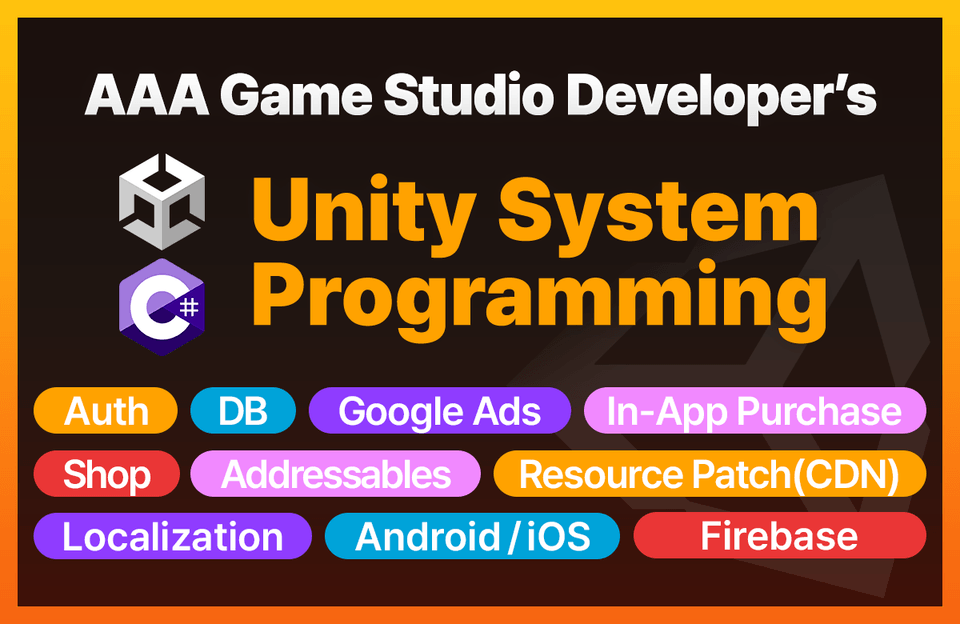
What is covered in Part 2

  • User Login Authentication

  • Remote storage of user data in a database

  • Monetization (Ads and In-app Purchases)

  • Remote resource download

  • Google Play and App Store Launch

  • User log collection and analysis

유니티 게임 개발

About the Instructor 👨‍🎓


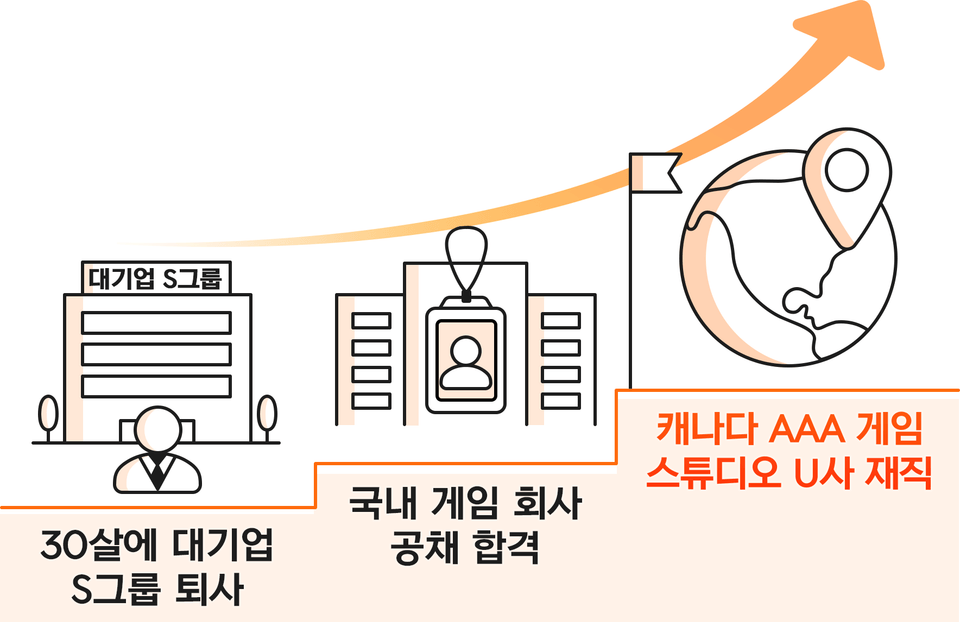
(Current) Game Programmer at AAA Game Studio U in Canada

- Participated in a PC/Console AAA Action-Adventure game project

(Former) Server Programmer at Korean game company N

- Participated in an Unreal Engine MMORPG game project

(Former) Client Programmer at N Company, a domestic game developer

- Participated in Unreal MMORPG game projects

(Former) Client Programmer at N, a domestic game company

- Participated in Unity casual/mid-core game projects

(Former) Software Engineer at S Group, a major Korean corporation

- Participated in the computing system project for an affiliate of S Group


Hello. I am BurningCarrot, a game developer.

After resigning from a major corporation with the desire to become a game developer,

After working at domestic game companies, I am currently working at an overseas game studio.


As I am currently working in the industry, I would like to share the methods used in the field as much as possible.

I aim to share as much practical know-how and techniques used in the field as possible.


📩 Inquiries: burningcarrotstudio@gmail.com

💡Threads: https://www.threads.com/@burning.carrot

💡X (formerly Twitter): https://x.com/burningcarrot10

💡Brunch: https://brunch.co.kr/@burningcarrot#works

You will learn and implement these things. 👩‍🏫

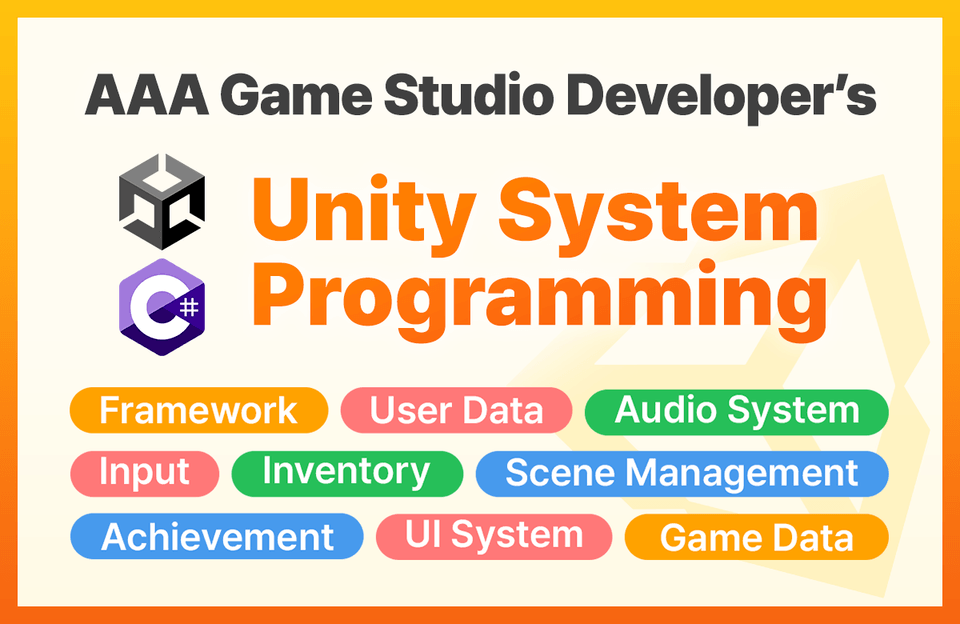
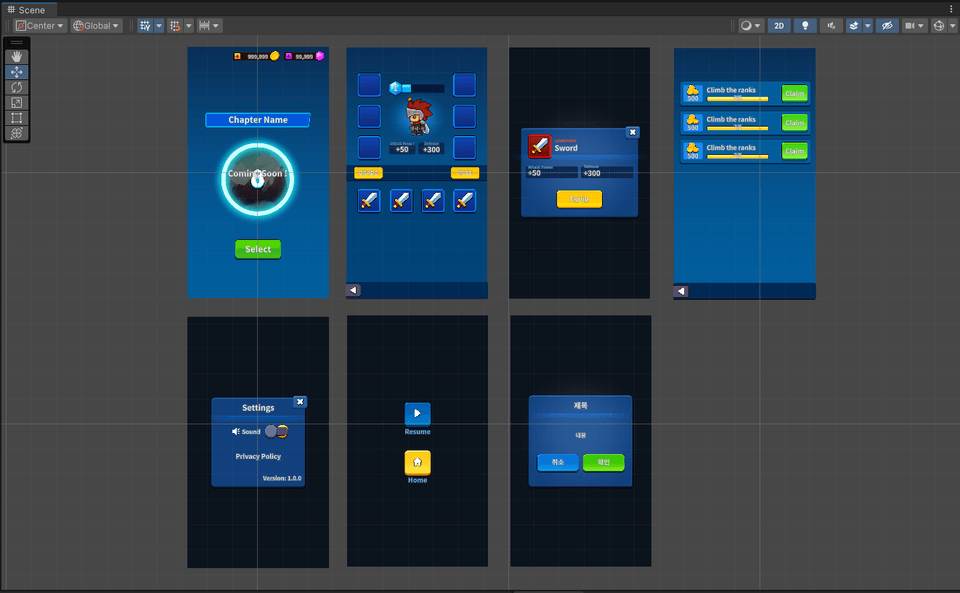
Load/Save User Data

Game Data Management

Scene Composition and Transitions

Chapter Management

Inventory

Achievements/Missions

UI System


Efficient Design and Design Patterns

Audio System

Input Processing

No more failure and trial and error. 🙅‍♂
Now, complete and release your game. 🎉

Even at this very moment, many people are working hard to release games, either alone or in teams with colleagues. However, when you actually start developing a game, there are countless systems that need to be implemented to create a commercial-grade product. This is because game development is a highly labor-intensive process. Unless it is a game company with sufficient know-how and resources, teams often disband or give up on development midway due to a lack of manpower and time, combined with numerous trials and errors. Therefore, if you want to release a game with a small team, you must minimize trial and error and develop the game based on the most efficient systems possible.

However, opportunities to learn the know-how and techniques used in the industry are limited. Non-professionals naturally have no chance to even experience implemented systems, and even for professionals, it is realistically difficult to analyze various systems and make them their own due to unexpectedly complex project code and busy work schedules. This course is a game development template that can maximize development productivity, completed through know-how gained from numerous Unity projects in the industry + the experience of developing a game alone from scratch to launch. If you implement your core gameplay on top of this already completed, stable design and major systems, you will be able to complete your game with high speed and productivity.

Please utilize this lecture effectively according to your situation. 👨‍💻

Usage I. Start a practical project based on the major systems implemented through the course

  • By taking this course, you will implement the key systems provided in the lectures.

  • Instead of implementing every system yourself, you may download the integrated final materials and apply them to Unity.

  • Even if you don't follow along step-by-step, make sure to listen to the lectures and understand the principles of the system implementation.


  • You will start your actual project on the foundation of the major systems that have already been implemented.

Usage II. Select and apply the necessary systems for your practical project.

  • Review the systems that need to be implemented in your project.

  • Listen to the lectures on the systems that need to be implemented and understand the principles of implementation.

  • Implement the corresponding system into your project yourself.


  • Instead of coding everything yourself, you may download and import the necessary resources and source code.

  • Even if you utilize the lectures in this way, I recommend that you first complete the lectures up to Section 3.

💻 Practice Environment

  • Operating System and Version (OS): Windows

  • Programs used: Unity 2022.3.17f1 or higher (confirmed to work normally up to Unity 6000.3.2f1), Visual Studio 2022

  • PC Specifications: Recommended specifications capable of running the software used

📚 Learning Materials

  • Self-produced art resources

  • Custom-made prefabs

  • C# source code required for game implementation

  • Game data files

🚨 Notes

  • An understanding of object-oriented programming and a minimum level of proficiency in C# and the Unity engine are required.

  • It does not cover the implementation of gameplay for specific genres. In other words, this is not a course that covers the implementation of a specific game itself, such as an RPG, platformer, or puzzle game.

  • Instead, when covering the implementation of in-game systems in the lecture, the course will proceed based on a simple, arbitrarily created game (

    Of course, the code for that game is not provided).

  • We do not cover the process of creating each element of the UI prefab one by one. We provide the already completed prefabs.

  • This course is Unity System Programming Pt.1, and processes such as external SDK and mobile platform integration + actual game release are planned to be covered in Unity System Programming Pt.2.

Q. Won't the course content be difficult for someone who has just started with Unity?

If you have just started with Unity, the course content may be difficult. However, even if you don't understand 100% at first, it is a course where you can learn a lot if you take your time and study repeatedly.

Q. Does the course include content covering online features and servers?

This course does not cover servers. However, in Unity System Programming Pt.2, we plan to cover features such as loading and saving games online without a separate server by using Firebase.

Q. Do you provide the resources and source code used in the lecture?

Both art resources and source code are provided. For every lesson, the resources and source code used in that specific lecture are provided as learning materials, and the integrated final resources and source code are also provided in the last lecture.

Q. Can the learning materials provided in the lecture be used for personal purposes?

Yes. All provided resources and source code can be used freely in your personal projects.

Recommended for
these people

Who is this course right for?

  • Individuals/teams planning to carry out a practical project with the goal of a product launch

  • Individuals/teams who are experiencing difficulties implementing various systems required to complete their game

  • Individuals/teams who need a collection of all implementation codes for major game systems

  • Working game programmers who want to learn more practical know-how

  • Game programming majors or job seekers

Need to know before starting?

  • Basic Unity proficiency

  • C# Basics

  • Understanding Object-Oriented Programming

Hello
This is burningcarrot

1,109

Learners

63

Reviews

81

Answers

5.0

Rating

5

Courses

(Current) Game Programmer at AAA Game Studio U in Canada

- Participated in a PC/Console AAA action-adventure game project

(Former) Server Programmer at Korean game company N

- Participated in an Unreal Engine MMORPG game project

(Former) Client Programmer at N, a domestic game company

- Participated in an Unreal Engine MMORPG game project

(Former) Client Programmer at N, a domestic game company

- Participated in Unity casual/mid-core game projects

(Former) Software Engineer at S Group, a major Korean conglomerate

- Participated in a computing system project for an S Group affiliate


Hello. I am BurningCarrot, a game developer.

With the desire to become someone who develops games

After resigning from a large corporation and working at domestic game companies,

Currently, I am working at an overseas game studio.


As I am currently working in the industry, I would like to share the methods used in the field.

I intend to share as much practical know-how and techniques used in the field as possible.


As someone who loves and creates games just like you,

I hope this lecture will be a beneficial time for everyone taking it to get one step closer to their respective goals.

I hope this will be a beneficial time that helps you take one step closer to your goals.


📩 Inquiries: burningcarrotstudio@gmail.com

💡Brunch: https://brunch.co.kr/@burningcarrot#works

More

Curriculum

All

47 lectures ∙ (15hr 35min)

Course Materials:

Lecture resources
Published: 
Last updated: 

Reviews

All

33 reviews

5.0

33 reviews

  • lshzang06222813님의 프로필 이미지
    lshzang06222813

    Reviews 8

    Average Rating 5.0

    5

    59% enrolled

    It helped me a lot in managing the UI and system structurally. I hope there are more series.

    • burningcarrot
      Instructor

      Hello! This is BurningCarrot. Thank you for your review. I hope you have good results with your ongoing projects.

  • songhajun6485378님의 프로필 이미지
    songhajun6485378

    Reviews 6

    Average Rating 4.7

    5

    52% enrolled

    Providing prefabs is the best advantage and disadvantage. The best experience from the perspective of a lecture collector. Since it focuses on writing compact scripts, it definitely helps you understand the flow quickly. Unlike other lectures, it doesn't feel like you're mastering the Paleolithic and Neolithic by spending all day writing UI. Since it's an optimized lecture that knows what to do, the progress is fast as you create and apply scripts repeatedly. It's a lecture experience issue, so the instructor's speech is a bit slow, but 1.7 times is actually better. However, it seems that absolute beginners need to have some time to disassemble prefabs. The problem is that disassembling them doesn't mean you can draw UI well... Personally, I think it would be good if you made one more supplementary lecture with this structure and sold it. (It's just a process of deciding on one somewhat complex UI and making it..) I'll look forward to pt2 and finish the remaining lectures. Fighting Pfizer.

    • burningcarrot
      Instructor

      Hello! This is BurningCarrot. Thank you for your review. We will come back with better content in Pt.2. We will consider the suggestions you gave regarding prefabs.

  • wonyounglarakang6355님의 프로필 이미지
    wonyounglarakang6355

    Reviews 3

    Average Rating 5.0

    5

    32% enrolled

    I definitely recommend this to those who are making games with the goal of launching. I am an office worker who works hard after work to make games with a small team. It's a shame that I only found such a useful lecture now. If this lecture had been available sooner, I could have avoided the countless mistakes I've made so farㅜ He explains well how to design the big picture of a game and how to build a system systematically and quickly within it. He also often shares know-how and things to keep in mind during the actual project process, which I think will be very helpful. I'm looking forward to Part 2!

    • burningcarrot
      Instructor

      Hello! This is BurningCarrot. Thank you for your review. I hope you can release the game you are making. I hope you get good results.

  • songjy65656209님의 프로필 이미지
    songjy65656209

    Reviews 1

    Average Rating 5.0

    5

    43% enrolled

    Thanks to you, I've gathered my courage and am trying to develop on my own. I hope the lectures scheduled for the second half of the year come out soon.

    • burningcarrot
      Instructor

      Hello! This is BurningCarrot. Thank you for your review. We will do our best to help you prepare for Pt2 and successfully launch your game.

  • apdkflth5716님의 프로필 이미지
    apdkflth5716

    Reviews 9

    Average Rating 4.9

    5

    32% enrolled

    I'm a beginner in Unity, but I like the teacher's class because it's easy to follow and he's calm and composed. I feel healed when I learn. I'll definitely buy the second part when it comes out.

    • burningcarrot
      Instructor

      Hello! This is BurningCarrot. Thank you for your review. I hope you can learn a lot from the lecture.

burningcarrot's other courses

Check out other courses by the instructor!

Similar courses

Explore other courses in the same field!