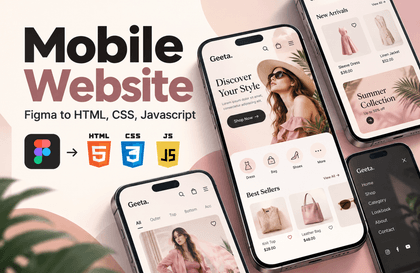
You can enhance your mobile web production skills, which are the most competitive assets for publisher employment and practical publishing work. You will be able to solidify almost all production methods and know-how required to create mobile webs as a publisher. In particular, to cover much of the design ability required of publishers and developers these days, we have provided detailed explanations of the process of working on mobile web UI design using Figma. A key strength of this mobile web publishing course is the detailed instruction on how to create HTML wireframes for every single page. Through this lecture, your ability to create HTML wireframes will improve significantly. In mobile web publishing, you will acquire practical skills comparable to real-world work by learning how to perfectly adjust layouts for mobile and tablet devices using CSS variables (Var). You will fully develop intermediate-to-advanced practical CSS skills, centered around Flex layouts.
I had learned publishing before but had stepped away from it for a while; thanks to you, I was able to get back into it :)
The explanations were very thorough, and because the lectures were updated along the way, I was able to complete the entire course without missing even the smallest details.
Thank you for creating such a great course! :)
5.0
Richard Lee
100% enrolled
It's not about teaching what you know, but from a scholar's perspective, they
5.0
jaekon seo
30% enrolled
You're providing many tips that are very helpful in practice, and they're being a great help to me.
What you will gain after the course
Intermediate to Advanced Practical CSS Coding Focusing on Flex Layout
Mobile Web Page Composition / Folder Structure / Absolute vs. Relative Paths
Detailed Guide on How to Create Mobile Web HTML Wireframes
Essential Theory, Know-how, and Practical Production for Mobile Web Publishing
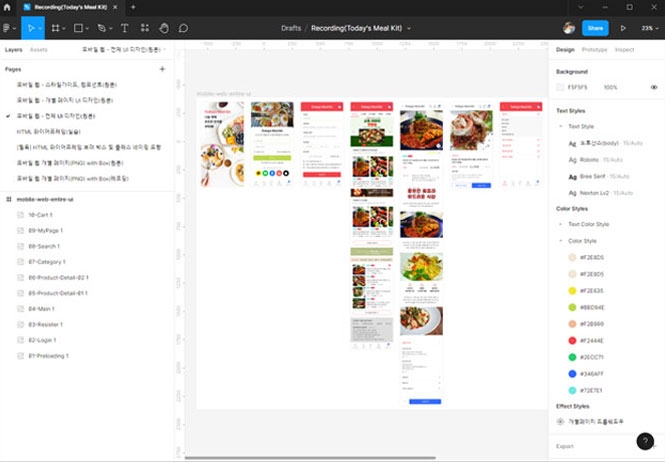
Creating mobile web UI designs with Figma
Mobile Web UI Design and Publishing Notes & Precautions
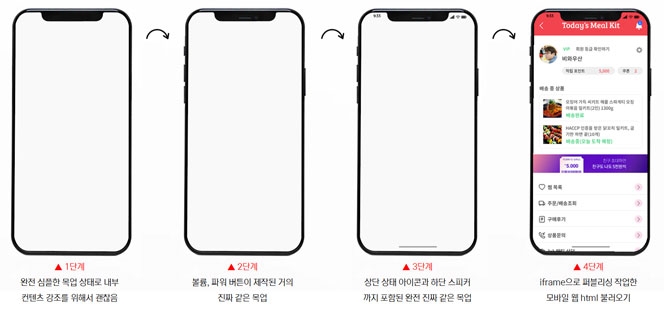
Using iframe after creating an HTML+CSS mobile mockup
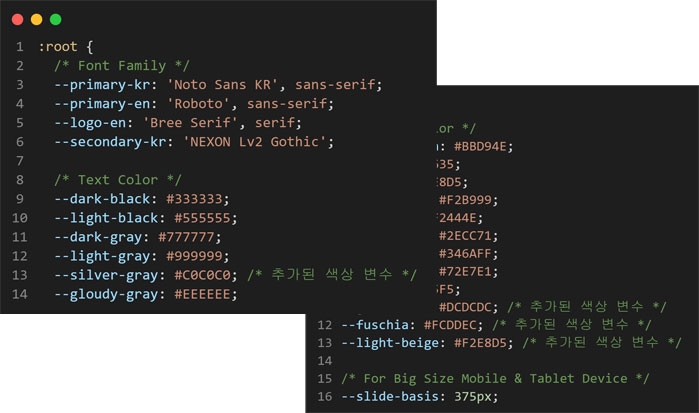
Layout tailored for mobile and tablet using CSS variables (Var)
Highly versatile uses of inline JavaScript
How to use Slick Slider and CSS customization know-how
Practical application after learning enough jQuery interactions for real-world work
Practical application of various pseudo-classes such as ::before and ::after
The Standard of Clean Coding: Publishing Like a Professional
"Essential Theory and Know-how for Mobile Web UI Design and Publishing Systematic Practical Production"
Step 1. 피그마(Figma)로 모바일 웹 UI 디자인 제작 Step 2. 모바일 웹 HTML 와이어프레임 모든 페이지 상세한 제작 Step 3. CSS 변수(Var) 활용한 다양한 레이아웃의 다수 페이지 퍼블리싱 제작 Step 4.완성된 퍼블리싱 결과물을 더 완벽하게 하는 퍼블리싱 마무리 작업
This contains the mobile web publishing production know-how that Coding Works has taught to countless offline academy students. I am confident that after completing the course, your publishing skills will be significantly improved!
🌿🌿🌿
🚩 Lecture Update (2024.09.25)
Scroll padding, design changes after scrolling (jQuery), utilizing placeholder images
Mobile browser detection JavaScript (Arrow functions, User Agent)
🚩 Lecture Update (2023.07.06)
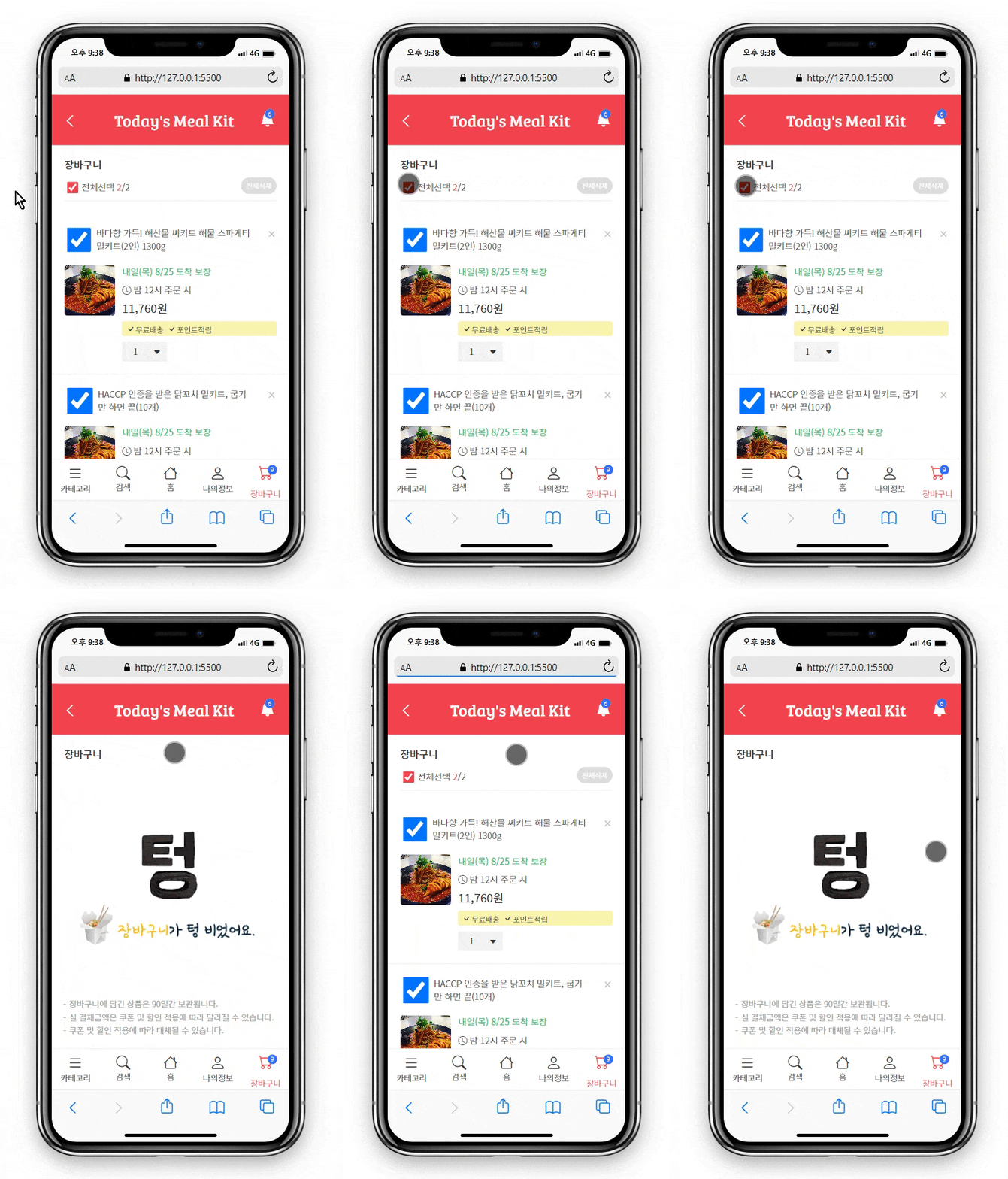
Displaying an empty shopping cart as an additional task & selecting/deselecting all shopping cart checkboxes
🌿🌿🌿
Lecture Topic 📖
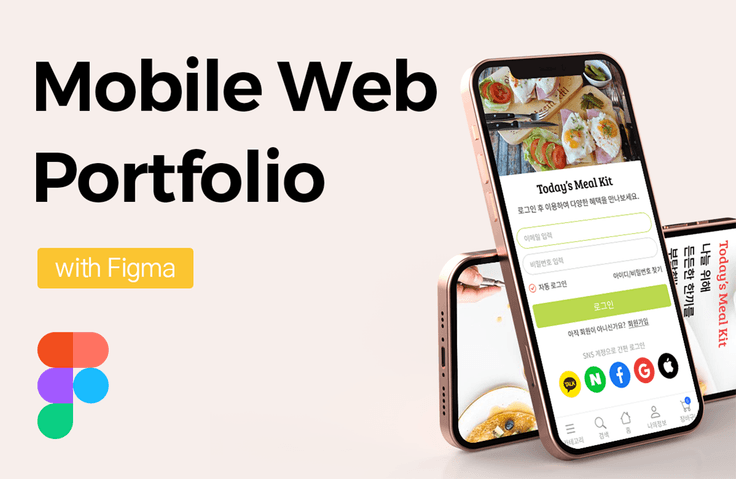
Through Coding Works' <Mobile Web Publishing Portfolio with Figma>, you can enhance your mobile web creation skills, which are the most competitive assets for both landing a job as a publisher and working in the field. Furthermore, you can solidify almost all production methods and know-how required to create mobile webs as a publisher.
Mobile web is the most important piece of work in a publisher's portfolio.
Equip publishers and developers with UI design skills through practical Figma production!
Applying CSS variables (Var) not just in theory, but in practice
How to use Slick Slider and know-how for changing CSS
Creating and utilizing nice mobile mockups with HTML+CSS
The Standard of Clean Coding for Publishing Like a Pro
Improving intermediate-to-advanced CSS practical skills, focusing on Flex layout production
Perfectly master the essential jQuery interactions that are absolutely necessary in practice.
All production sources provided (Figma design files, publishing source files, lecture material PDFs, completed publishing versions)
▲ Creating Mobile Web UI Designs with Figma
▲ Consistent mobile web publishing using CSS variables (Var)
▲ Create HTML+CSS mobile mockups and utilize iframes
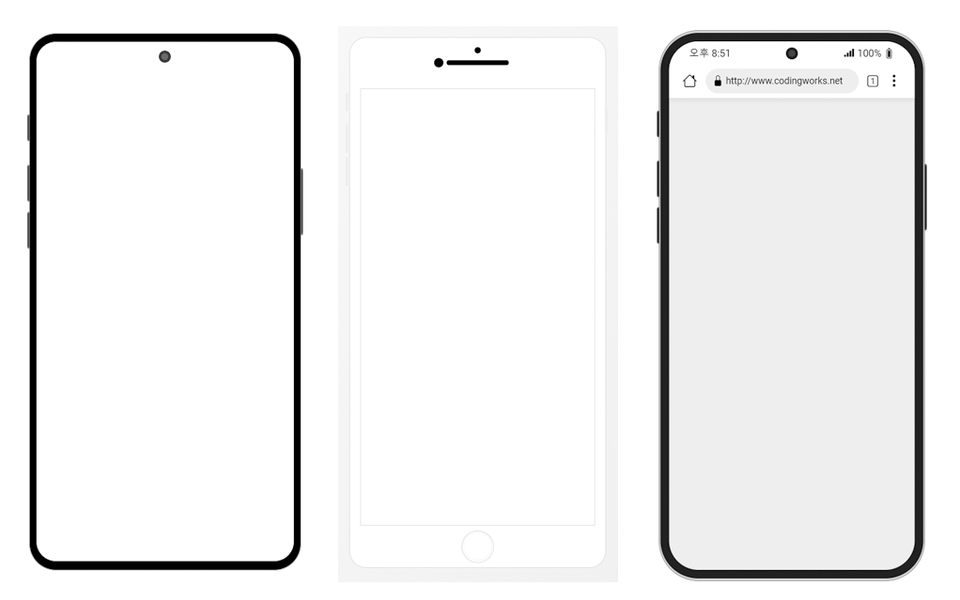
▲ Creating HTML+CSS mobile mockups (3 types of completed mobile mockups provided)
▲ The Standard of Clean Coding for Publishing Like a Professional
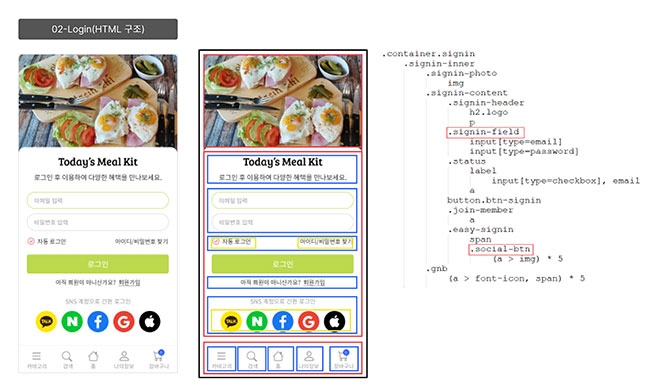
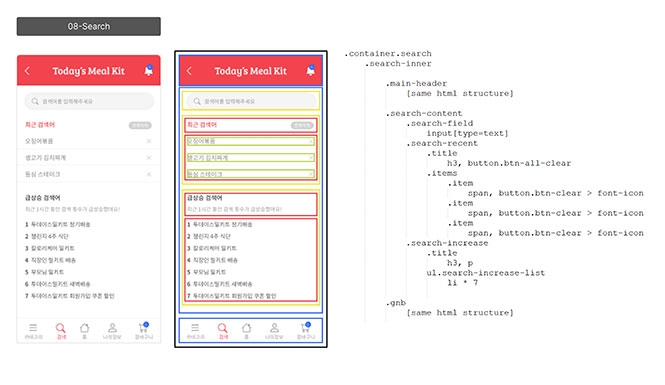
▲ Detailed instructions on how to create mobile web HTML wireframes
Various files provided 🗂️
📝 Figma design files, source files, and completed publishing files
We provide all the resources needed to complete the Mobile Web Publishing Portfolio with Figma course.
Design sources, publishing sources, final design files, final publishing files
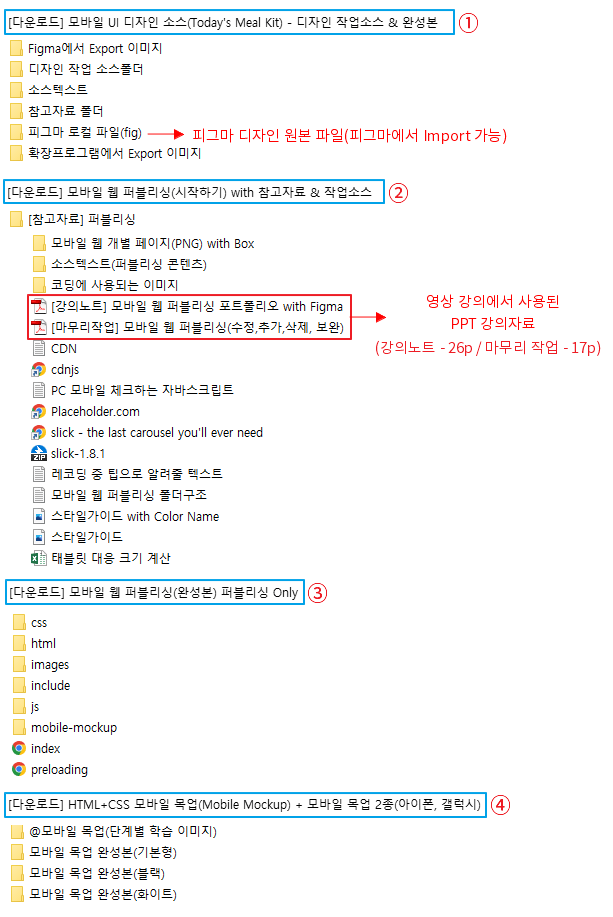
[Download] HTML+CSS Mobile Mockup.zip
[Download] Mobile UI Design Source (Today's Meal Kit) - Design Work Source & Final Version.zip
[Download] Mobile Web Publishing (Getting Started) with Reference Materials & Work Sources.zip
[Download] Mobile Web Publishing (Final Version) Publishing Only.zip
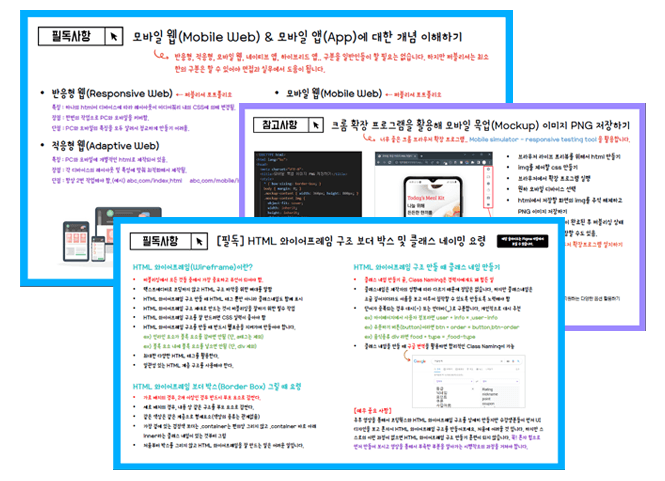
📝 PPT lecture materials used in the video lectures are provided
To help students with their learning, the PPT used in the video lecture is provided as a PDF.
[Lecture Notes] Mobile Web Publishing Portfolio with Figma.pdf
[Final Work] Mobile Web Publishing (Edit, Add, Delete).pdf
The Standard of Clean Coding🧽
<Mobile Web Publishing Portfolio with Figma> As you take this course, I believe your skills will grow in various areas, including Figma UI design, HTML wireframing, and Flex layout for publishing. While these aspects are very important, the most crucial part you will learn is the 'Standard of Clean Coding for Publishing Like a Professional'. All publishing in this course has been written based on these principles.
<The Standard of Clean Coding for Publishing Like an Experienced Professional> involves things like adding necessary comments where needed, coding CSS selectors in the same order as the HTML elements appear, and organizing common CSS selectors into a 'Common CSS' file for future maintenance. Learning these coding principles and habits will be extremely helpful in practice. In particular, when applying for a job, hiring managers or equivalent personnel will look at the applicant's publishing results and then examine the source code. In such cases, even a brief look at the source code allows them to judge the applicant's publishing fundamentals.
💡 What makes this course uniquely attractive?
You can acquire mobile web UI production skills through practical Figma production.
You will learn detailed HTML wireframing techniques to significantly improve your publishing skills.
You will learn the standard of Clean Coding for publishing, just like a professional at Coding Works.
It explains various practical exercises, examples, easy-to-understand explanations, and in-depth concepts in detail.
It explains everything a student needs to know for mobile web publishing.
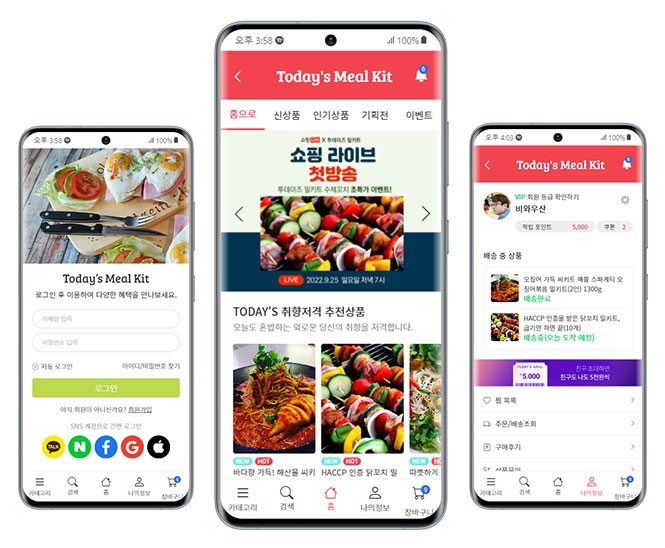
Mobile Web Full UI Design/Publishing 📚
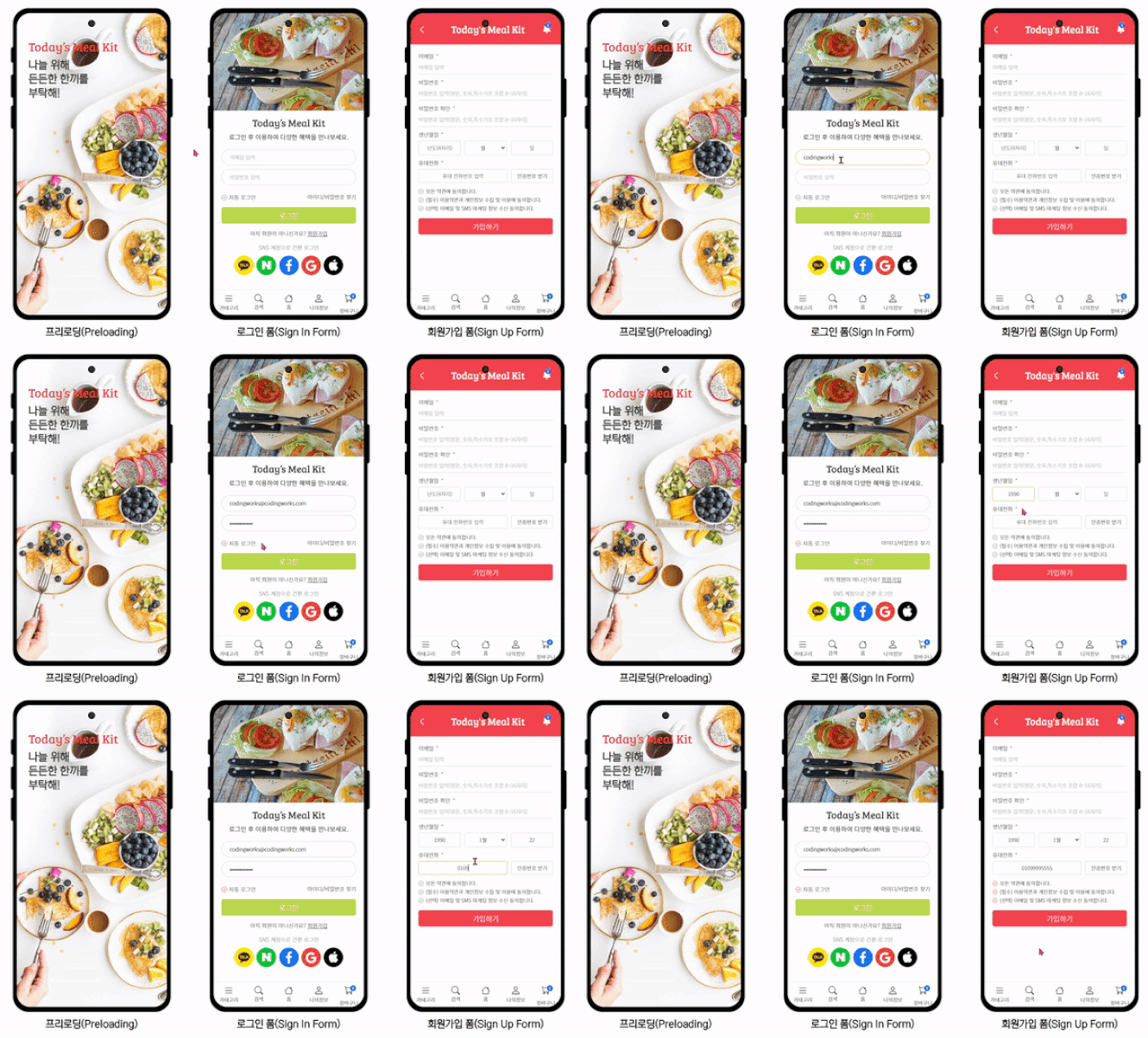
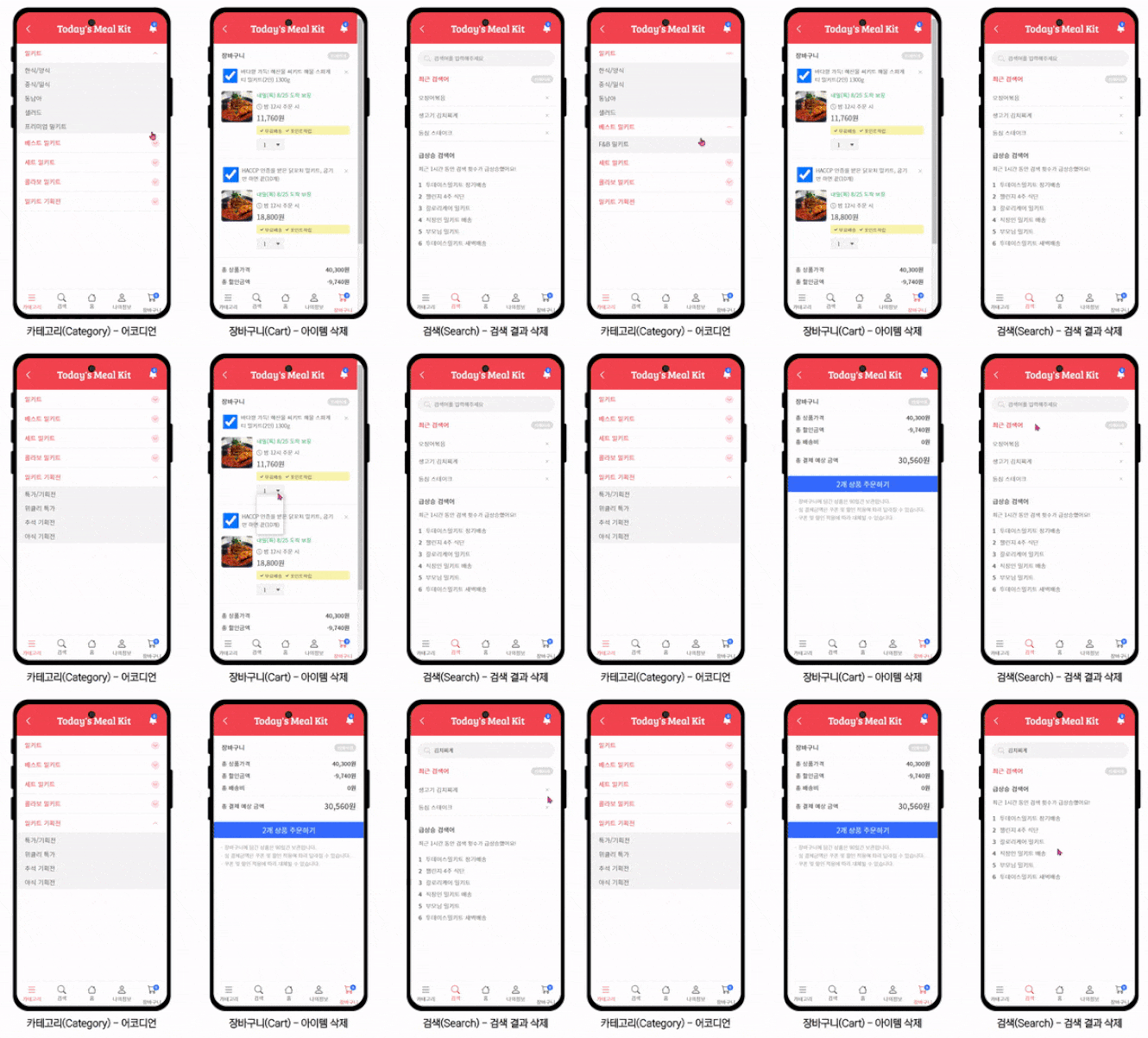
▲ 프리로딩 페이지 / 로그인 페이지 / 회원가입 페이지
🚩 Preloading Page
Figma UI design and HTML wireframe structure creation
The first page of the mobile web, showing the identity of the mobile web to the user
Automatically redirect to a specified page using JavaScript setTimeout
Linking an HTML file to an entire div using inline JavaScript
🚩 Login Page
Figma UI design and HTML wireframe structure creation
Design various form elements in Figma and publish them exactly as they appear in the design results
Detailed learning on the characteristics and attributes of HTML Form elements
Learning CSS interactions to design Custom Checkboxes or Custom Radios from plain form elements
Create the bottom GNB as a separate file and perform the include task (component work) by loading it with jQuery.
How to use SVG images
How to use and apply font icons (Bootstrap Icons)
🚩 Sign-up Page
Figma UI design and HTML wireframe structure creation
Just like the login page, designing various form elements in Figma
Detailed learning on the characteristics and attributes of HTML Form elements
Applying CSS properties to beautifully design plain form elements
Utilizing form element pseudo-classes (:focus ::placeholder)
The process of creating the top Header as a separate file and loading it using jQuery
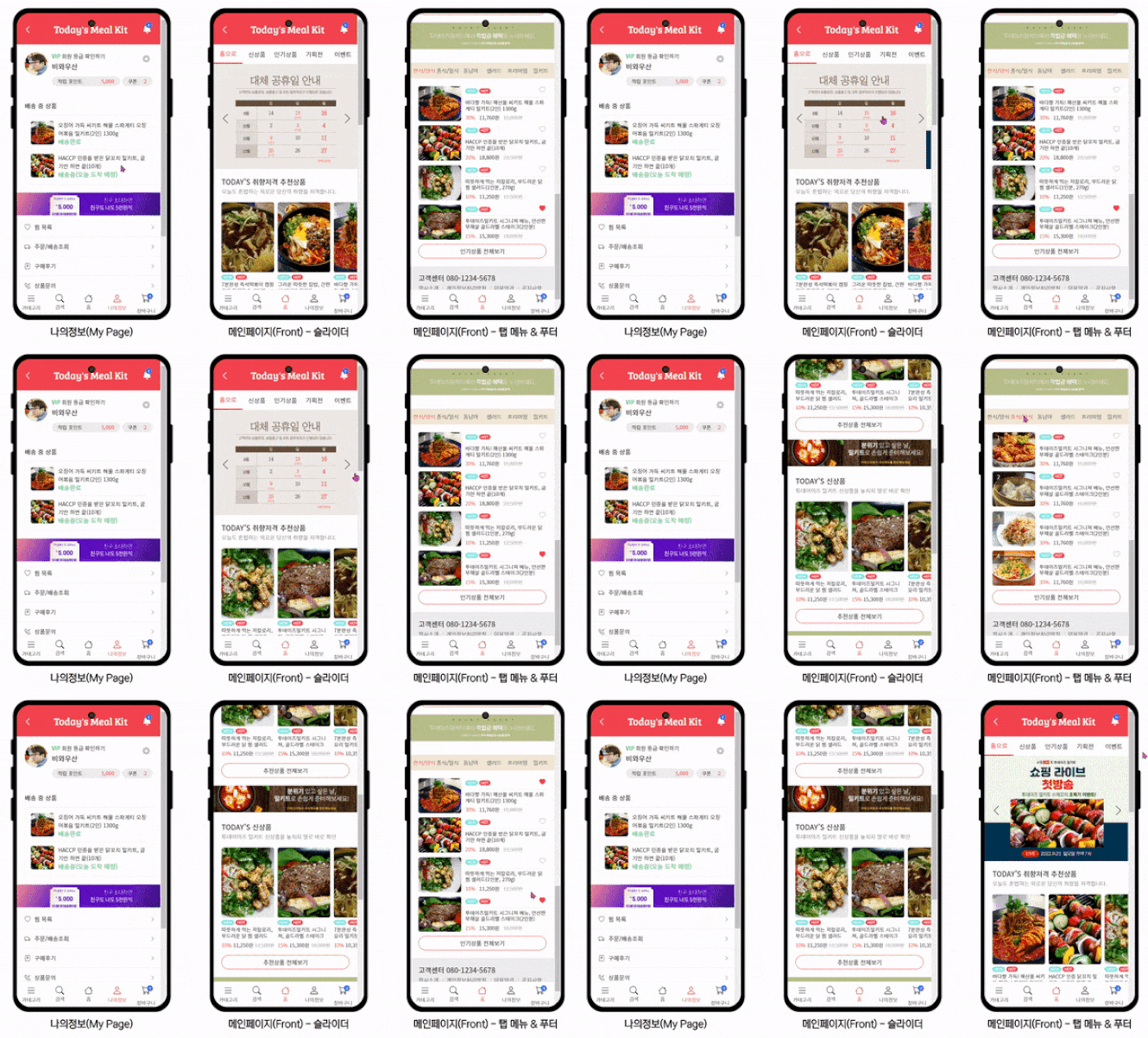
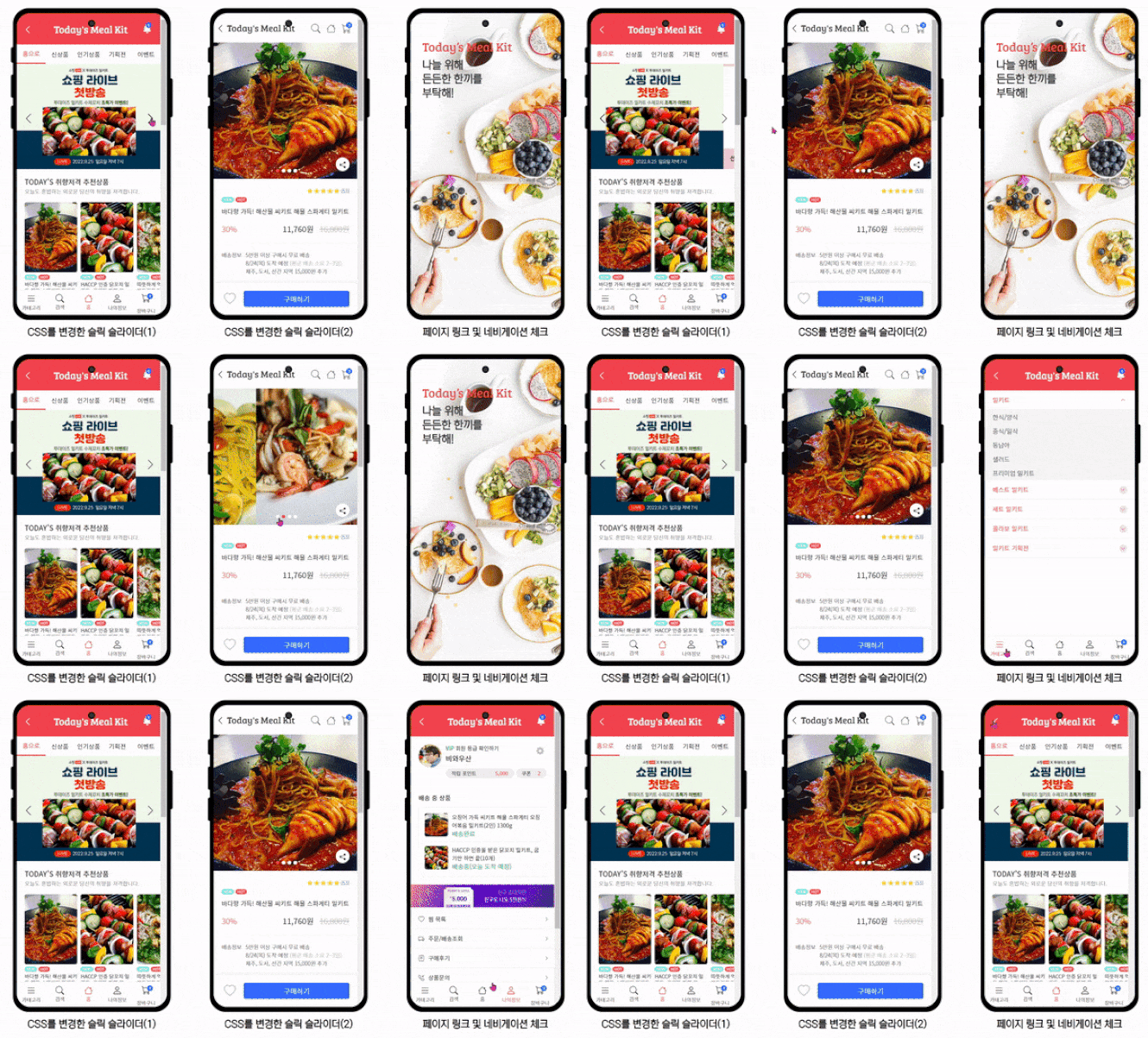
▲ My Page / Main Page Slider / Main Page Tab Menu & Footer
🚩 My Page
Figma UI design and HTML wireframe structure creation
How to reuse existing card UI designs in various formats
Badge design and new card UI design and publishing
How to use and apply Flex layout
Using font icon Unicode with pseudo-classes :before and :after
🚩 Main Page
Figma UI design and HTML wireframe structure creation
How to manage complex HTML structures and create a well-organized hierarchy (Clean Coding)
How to use Slick Slider and how to style Slick Slider beautifully with Custom CSS
Creating not only main sliders but also complex sliders in the form of card UIs
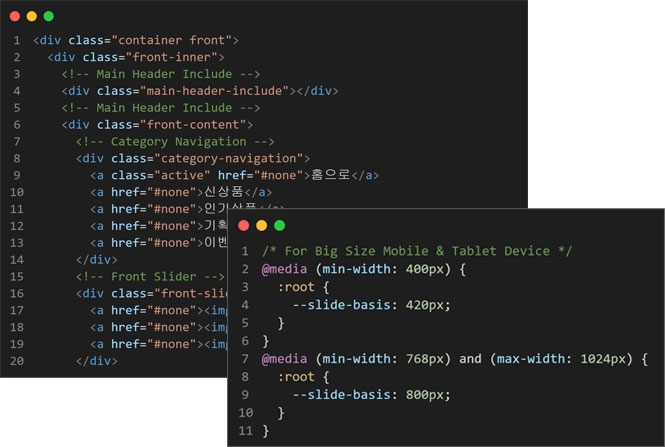
Creating a Responsive Slider that adapts to small mobiles, large mobiles, and tablets
Creating an interactive CSS tab menu for content scalability on mobile web
The clicked file opens, and its location is indicated by a different design in the GNB navigation (similar to the Coupang app).
Automating the back button in the header using inline JavaScript
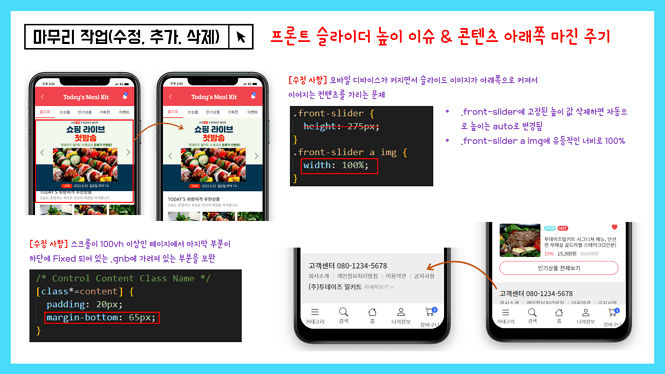
▲ Finishing up publishing work
🚩 Finishing up publishing work(Additional revision and supplementation work after all publishing is complete)
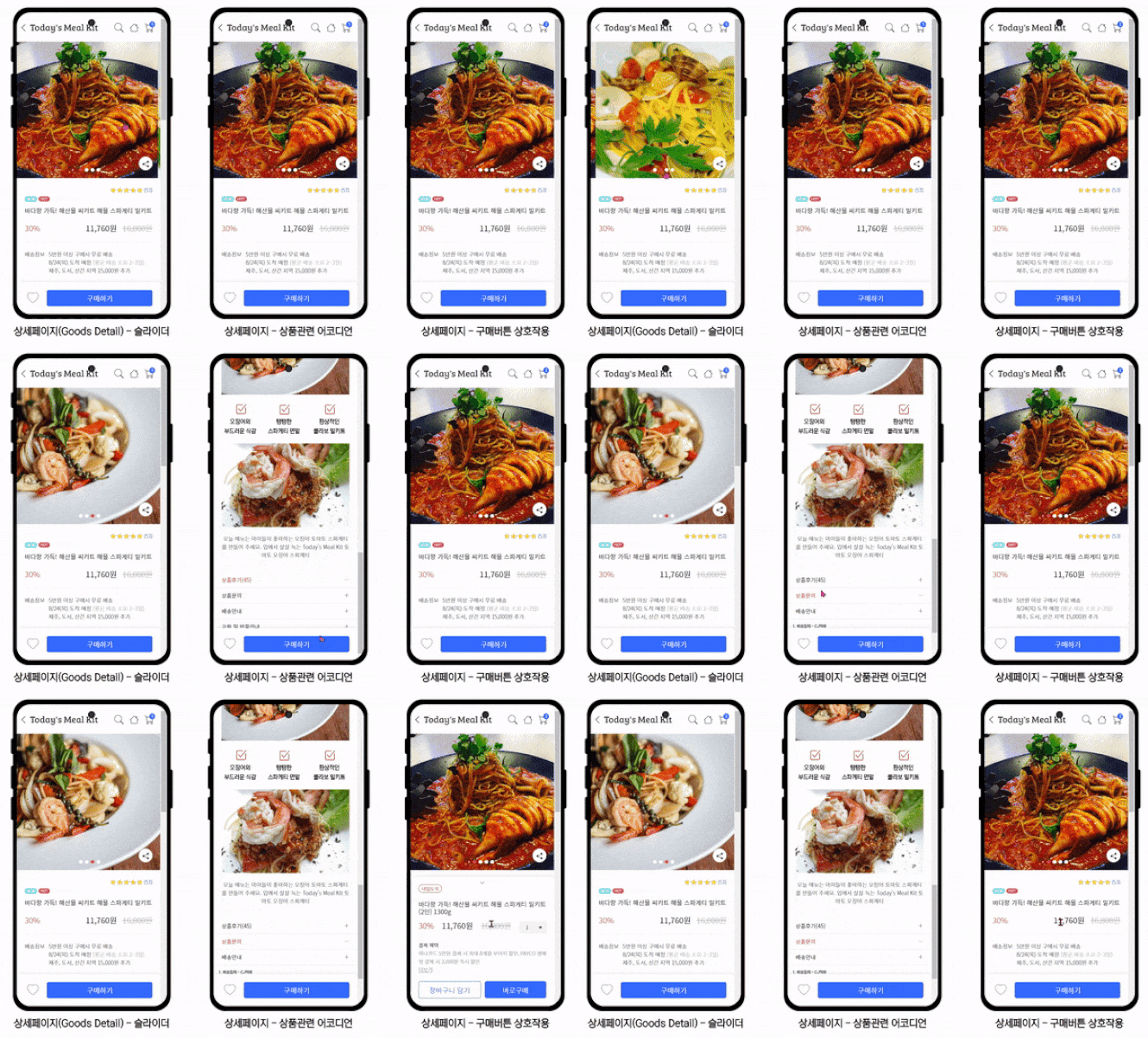
Product details (goods-detail.html) overlay issue
Adjust overall width size (375px → 100%)
GNB(gnb.html) notification icon not staying fixed issue
Front slider height issue & adding bottom margin to content
Using Slick Slider CDN
Linking HTML files using inline JavaScript
Linking back and forward with inline JavaScript
Linking GNB files & showing all work pages without exception
Check the active navigation in the GNB from the files linked to the GNB
Layout tailored for large-sized mobiles and tablets using variables (Var)
Creating a nice mobile mockup with HTML+CSS and using it with iframe
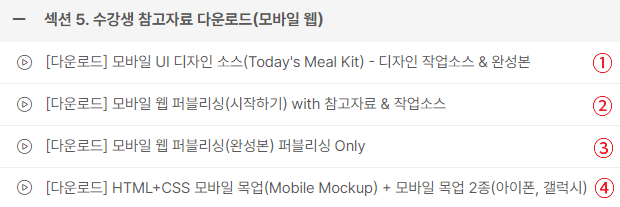
💡 How to use the download files and folder contents
① Download this when starting design work. ② Download this when starting publishing work. ③ Download this if you need to compare your code with the instructor's during the publishing course. ④ Download this if you are creating a mobile mockup.
💡 Publishing Work Text Editor <Visual Studio Code>
This course, <Mobile Web Publishing Portfolio with Figma>, is Visual Studio Code based. Visual Studio Code is a free program with no usage restrictions. All lecture videos are explained based on Visual Studio Code. Please learn the basic usage through the Coding Works YouTube video below before proceeding to <Section 3. Detailed Mobile Web Publishing (HTML+CSS+JS)>.
If you have any questions other than the anticipated questions below, please post them on the community Q&A board for this course, and I will do my best to answer them.
Q. Are there any prerequisites or preparations required?
There are no special prerequisites or preparations required. Basic experience with HTML+CSS is enough to follow along, and you will be able to achieve the skill improvement and results you expect. However, since intermediate CSS theories are frequently used, you should have some knowledge of the learning content listed below.
Q. I have no experience using graphic programs; can I still do Figma design?
As mentioned in the introduction video, Figma offers excellent performance relative to the effort invested. If you can handle PowerPoint to some extent, you can certainly follow the Figma design classes. However, to better absorb the lessons, I recommend that you <[Must-Read] Mobile Web UI Design Figma Basic Course>watch the video and engage in prior learning through the introduced YouTube channel.
Q. What is the core content that sets this apart?
This design course is designed for someone with no prior knowledge to become proficient in Figma, rather than for design experts. Therefore, the
design class is at a level that is easy for beginners starting Figma for the first time to follow, rather than being a class for professionals. However, and are taught using the most reliable and systematic methods to improve publishing skills, based on my long experience as a publishing instructor. I believe the core of this course lies in its step-by-step approach, designed to lead students to high-quality results in the unfamiliar and challenging task of mobile web publishing.
Q. Is this a lecture that non-design majors can take?
It is absolutely possible. As mentioned in the Section 1 video <[Must-Read] Mobile Web UI Design Figma Basic Course>, if you are proficient in PowerPoint, you will have no trouble learning and using Figma. I also learned Figma in a short period specifically for this course, yet I was still able to achieve high-quality design results.
Q. I am a designer and proficient in Figma; do I still need to study the Figma design in Section 1?
As mentioned in the introduction video, I am not someone who has used Figma for a long time or is an expert at it. Therefore, if you are confident in your Figma skills, you may skip <Section 1. Mobile Web UI Design Production with Figma> and proceed directly to <Section 2. HTML Wireframe Structure for Mobile Web Publishing>.
Q. Why should I learn the mobile web publishing production process, and what are the specific expected benefits?
Mobile web projects are of the highest importance as personal portfolio pieces. Therefore, having mobile web work significantly enhances your competitiveness in the job market. Beyond its role as a job portfolio, most companies are currently conducting or planning to conduct mobile web projects. From the perspective of these companies, having a well-crafted mobile web portfolio will serve as an excellent reference for employment or career transitions.
Mobile web is of the highest importance as a personal portfolio piece. Therefore, having mobile web work gives you a strong competitive edge in employment. Beyond its role as a job-seeking portfolio, most companies are currently working on or planning to initiate mobile web projects. From the perspective of such companies, a well-crafted mobile web portfolio will serve as an excellent reference for hiring or career transitions.
The specific expected effects actually vary from person to person. However, what Coding Works can say for certain is that your 'ability to create HTML wireframe structures will improve significantly.' By creating various HTML wireframe structures, you will receive sufficient training on how to systematically organize complex HTML hierarchies. Additionally, the lessons will cover in detail how to name and share consistent class names as we build them together.
<Section 2. HTML Wireframe Structure for Mobile Web Publishing> covers creating various HTML wireframe structures, and <Section 3. Detailed Mobile Web Publishing (HTML+CSS+JS)> involves training up to the stage of applying practical mobile web publishing, so you will gain the confidence to create almost any web UI layout in the future.
Q. To what level is the course content covered?
Due to the nature of mobile web, there are many files and folders. Therefore, the course progresses at a fast pace covering a lot of content. While the "level" can vary depending on individual standards, the course content is designed to be sufficient for a publisher's personal portfolio. Furthermore, the level of the course content is more than enough to be considered on par with professional mobile web development in the field.
Q. How long is the total course time?
The total video lecture time is approximately 24 hours, providing ample time for in-depth learning. Overall, the preparation and publishing work account for nearly 80% of the total, taking about 18 hours. Figma UI Design - 5 hours 40 minutes / HTML Wireframe Structure - 4 hours 30 minutes / Publishing - 14 hours 15 minutes
Q. Are there any notes regarding the course (required environment, other precautions, etc.)?
The course content is extensive and moves at a fast pace. However, it does not skip over things without sufficient explanation; everything is explained in detail. I believe you will be able to follow along well. However, I strongly recommend setting up a dual monitor environment rather than studying with a single monitor. Section 2's [Must-Read] Why your publishing skills aren't improving despite your efforts video explains this in detail, so please refer to it.
About the Instructor ✒️
<Mobile Web Publishing Portfolio with Figma> course creator Coding Works has taught publishing theory, application, and personal portfolio website creation to over 300 government-funded publishing course students to date. In particular, I am an instructor who has specialized in publishing lectures for many years, perfectly guiding all preparation processes for employment as a publisher from A to Z so that most students can find jobs immediately after completing the course. Additionally, while conducting publishing-related lectures on Inflearn, I have received feedback that my courses have been very helpful to Inflearn students as well.
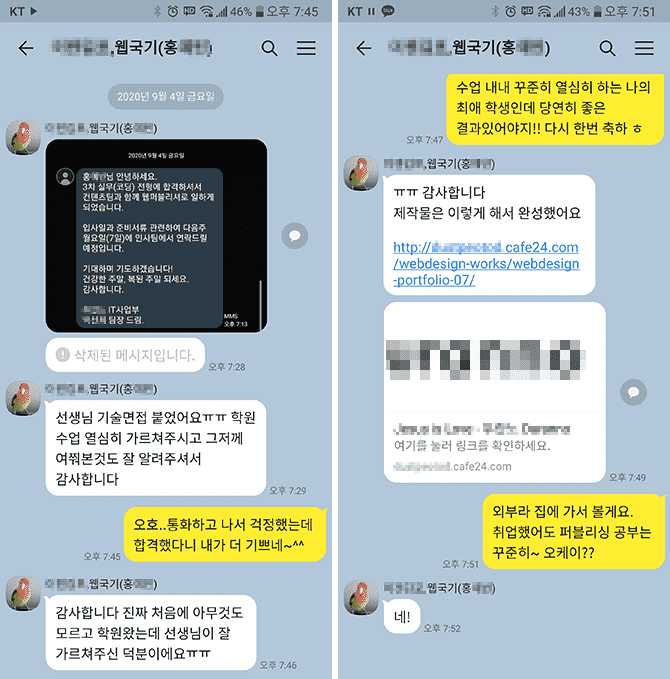
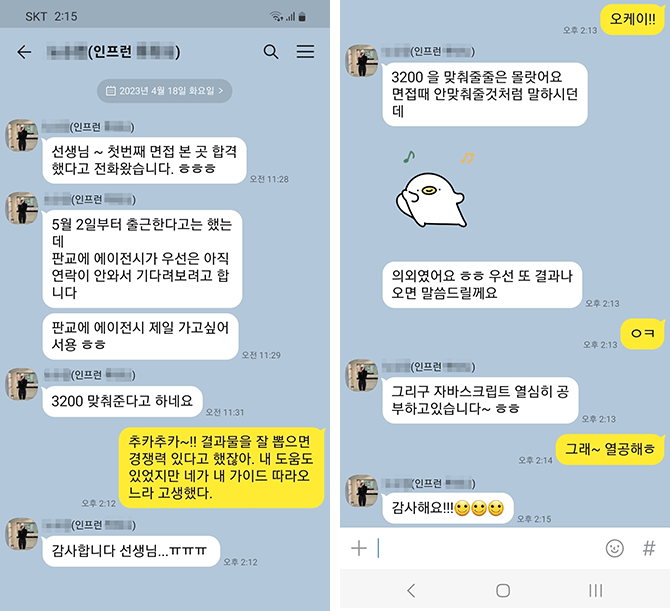
❤ Publisher job offer news from a CodingWorks student
▲ This is a student who studied publishing with me for about four and a half months through a government-funded program, and I just received a KakaoTalk message saying they got a job.
▲ I received a KakaoTalk message from a student in the CodingWorks offline personal portfolio production course regarding their interview and employment results. (2023.4.24)
❤ Email sent by a Coding Works student after getting a job as a publisher
Hello, teacher :)
Hello teacher, I am Kim O-jeong, a student who took your Inflearn lectures. I am the student who sent an email this past summer to get advice regarding my personal portfolio. Do you happen to remember me? haha
The reason I'm writing is to share the news that I successfully landed a job as a publisher with the portfolio I received your advice on!
And even!! The company contacted me first after seeing the portfolio I uploaded to Saramin, and I was hired after a Zoom interview! The company matched my desired salary, and I joined a company where I can focus solely on publisher duties without having to do design or development work.
It was a company looking for an experienced publisher, but they contacted me even though I'm a newcomer. When I asked why they reached out to me, they said they had looked at many other portfolios, but the "Functional Specification" in my portfolio caught their eye.
I believe this is all thanks to your lectures. If I hadn't taken your course, mine would have just been an ordinary portfolio as well, but I was able to successfully get a job thanks to the great tips you shared!
Although I have never met you in person, I relied on and trusted your lectures so much while creating my portfolio, and I worked really hard on it!
I feel that my skills improved significantly during the three months I spent creating my portfolio while following your lectures, more so than the skills I built up over a long period of time taking classes at an academy.
I wanted it desperately, and by trusting and following what you told me, I achieved a truly great result.
Thank you so much!
Please stay safe from COVID-19 and I hope to see you again in another great lecture :)
Hello teacher~ I'm OOO, a student on Inflearn~ I found your email address by looking at your replies to other students.. haha
I just wanted to reach out and say thank you! haha
I've been working hard for about two weeks applying for jobs after taking your lectures... I passed an interview at one company and am set to start working.. Thank you so much..ㅠㅠ
To be honest, I was very worried because I am 32 years old. I sent out many resumes, but I wasn't getting many calls... However, the hiring manager at this company told me that they personally don't like candidates from private academies. haha The company I decided to join is small, but they have both developers and web designers. Their system involves training for 3 months before putting you onto actual projects. The commute is a bit long and the salary is low... but I plan to learn diligently and work my way up to a higher salary! haha
Thank you so much for everything. You were so helpful with your answers to my questions, and it's amazing to actually get a job after taking these online classes...
I will continue to improve my skills and study while taking your classes in the future. Fighting!
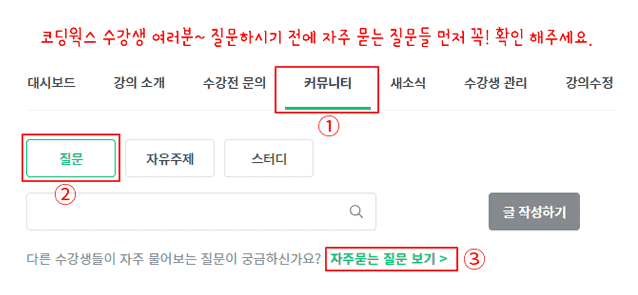
🙋🏻♂️ Please be sure to read this before asking a question~!!
If you have any questions while studying, please feel free to ask. When asking a question, you must provide details on what is not working, along with your code and a screenshot of the browser result. For the code, you need to upload all HTML, CSS, and JS files so that I can provide an accurate answer.
If you only describe the problem in text without including your code, it is difficult to provide an accurate answer unless it is a very simple issue. In that case, I will have no choice but to reply with, 'Please upload your HTML, CSS, and JS code along with a browser screenshot,' which ultimately makes getting a solution more cumbersome and time-consuming.
▲ Please check the Frequently Asked Questions in the community of this course first~
⚡ For effective learning, please be sure to refer to Coding Works Publishing's YouTube channel.
Please watch the theoretical video lectures on the CodingWorks Publishing YouTube channel in parallel. While not all theoretical videos are on the YouTube channel, almost all important ones are available. Since there are many videos, it is recommended to search for them as shown in the example below.
CodingWorks has taught publishing theory, practical application, and personal portfolio website creation to over 300 students in government-funded publishing courses to date. In particular, as an instructor who has specialized in publishing lectures for many years, I provide a perfect A-to-Z guide for all preparation processes for employment as a publisher, ensuring that most students can find jobs immediately after completing the course. Additionally, while conducting publishing-related lectures on Inflearn, I have received feedback that my courses have been very helpful to Inflearn students as well.
Recommended for these people
Who is this course right for?
Those who need a mobile web UI design and publishing portfolio
Those who need practical experience for mobile web publishing in the field
■ [Current] Government-funded Publishing & Frontend Instructor ■ [Current] Freelance Frontend Publisher ■ [Current] Operator of HTML+CSS+JQUERY Publishing YouTube Channel 'Coding Works' ■ Green Computer Academy Web Publishing Instructor ■ The Joeun Computer Academy Web Publishing Instructor ■ Ezen Computer Academy Web Publishing Instructor ■ Frontend Publisher, Professional Frontend Publishing Instructor ■ UI/UX Web Design Portfolio Lectures ■ Web Design Technician Practical Certification Class Lectures ■ Easy & Edu Frontend UI/UX Design and Publishing
I had learned publishing before but had stepped away from it for a while; thanks to you, I was able to get back into it :)
The explanations were very thorough, and because the lectures were updated along the way, I was able to complete the entire course without missing even the smallest details.
Thank you for creating such a great course! :)
I was writing a course review when it suddenly got uploaded, so I'm leaving my review here.
This is a lecture that doesn't just teach what the instructor knows, but tells learners what they need to know. You listen without realizing how time passes. The materials are well-prepared too... everything is solved with just a click. Thank you.









![[2026 Examination Standards] Perfect Guide for the Web Design & Development Technician Practical ExamCourse Thumbnail](https://cdn.inflearn.com/public/courses/324878/course_cover/12211037-e74b-46b3-8942-46d465b81bba/webdesign-cover-02.png?w=420)