Creating AI Videos Using Gemini / Flow
stanlee
Free
Beginner / gemini
4.5
(64)
700+
We will create a simple AI video using Google Gemini and Flow.

Beginner
gemini

The perfect choice for Vibe Coding beginners, 'Antigravity'. Even without coding knowledge, you can create, deploy, and monetize AI web services through 3 hands-on projects. ✔️ Create 3 web apps without coding ✔️ Vercel deployment practice ✔️ Understand Google AdSense monetization structure
198 learners
Level Beginner
Course period Unlimited
Reviews from Early Learners
5.0
제이에스텍_교육용_계정
You explained anti-gravity so simply that it was easy to understand. Thank you.
5.0
David LEE
Thank you for the lecture that even beginners can easily understand!
5.0
박상현
It's so easy to understand. This is fun.
You will have three web services that you have personally built and deployed.
You will gain the full end-to-end building experience, from AI integration and data storage to monetization.
Anyone can become a creator, even if you're not a developer.
Introducing Antigravity, a free tool that helps you learn Vibe Coding quickly and easily.
While using AI,
have you ever had these concerns?

Title <3 People, 3 Styles: Why Did My Service Fail to Launch?>
In the US, OpenAI usage is declining, and
Gemini usage is increasing.
This shows a shift toward Google's infrastructure.
Compared to other AI coding tools,
Antigravity has the overwhelming advantage of allowing you to experience AI agents for free.
Cursor AI
$20/month (Pro)
Developer-friendly
Specialized in fast speed
Antigravity
Free (Google account required)
Strengths in frontend and UI
Includes image generation
Specialized in AI agent experience
Github Copilot
$10/month (Pro)
A team member supporting developers
Specialized in enterprise stability
✔ The easiest and
✔ most versatile tool from development to design
is Antigravity.
✔Antigravity is the kind of tool where you don't need to learn code,
the friendliest vibe coding tool.
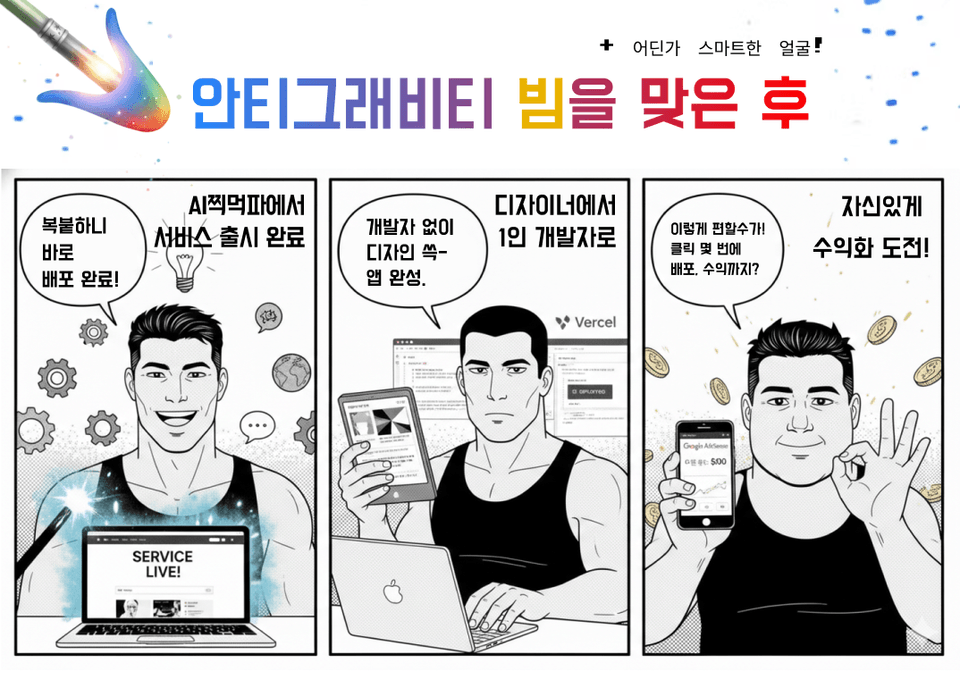
Title <Those who changed after being hit by the Antigravity beam>
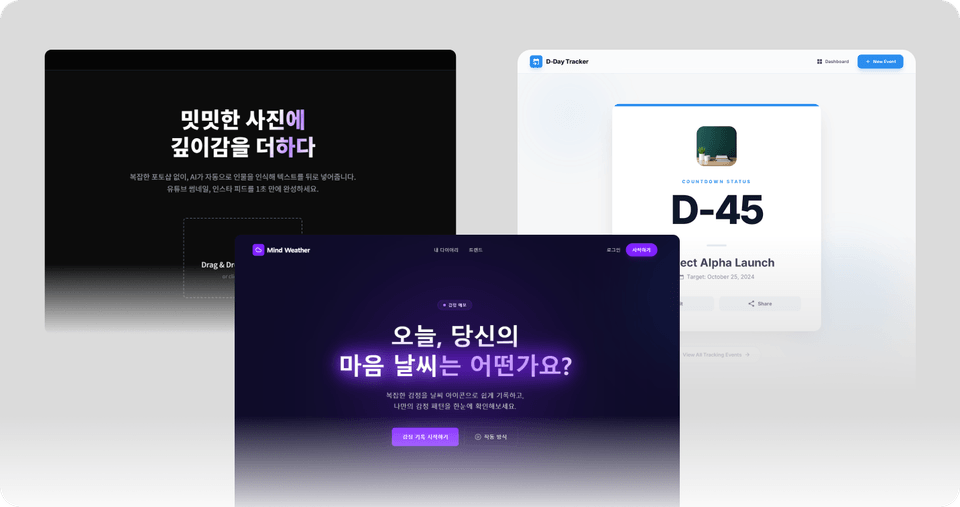
In this course, we will show you the process of creating a total of 3 AI services using Antigravity:
a D-DAY counter, an emotion diary, and a background removal site
.
The reason we cover these services is that they are the most basic functions, and
once you know the process, you can apply it to your own services.
As you follow the class and build them step by step,
Learn the process of creating and deploying web apps using Vercel, without external APIs or servers.
You can understand the entire process of generating revenue with Google AdSense and apply it to your own project.
You can build and monetize AI web services on your own without any coding.
You will experience the entire process of building your own web service backend with just a few clicks, implementing AI-powered features, and generating actual revenue through Google AdSense. You no longer have to hesitate with just an idea.
You will master prompts by communicating with AI.
You will learn prompt engineering formulas to communicate effectively with AI, even without any coding knowledge. You will become an expert at getting the exact AI outputs you want.
Build and deploy a web app in just 3 minutes, even without external APIs or servers.
Using pure browser features and Vercel, you will experience completing a simple web app like a D-Day counter in just 3 minutes and deploying it live to the world. You can see immediate results, breaking through the barriers of coding.
Develop practical problem-solving skills, from data storage and AI analysis to image processing.
Learn the backend and AI integration technologies required to build real-world services, such as creating your own database with Supabase and implementing diary analysis features using Groq AI. Develop practical skills by solving problems encountered during the actual development process, such as data integration issues and image processing speed challenges.
From a currency converter using an API to a Supabase-based emotional diary, you will create actual results yourself. You will also learn about one-click deployment via Vercel and monetization methods through Google AdSense.
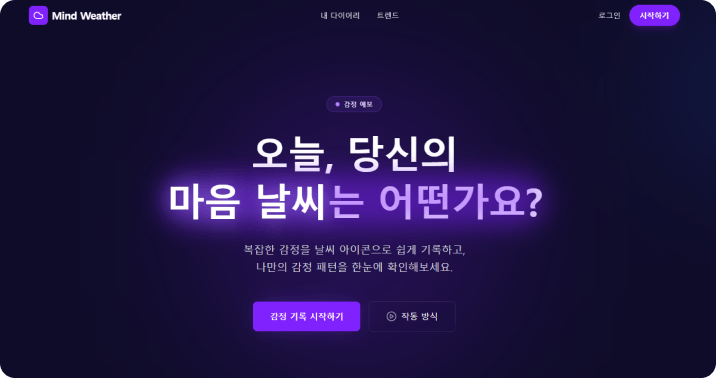
Mind Weather AI Service Main Screen
Design web services as if conversing with AI using the Antigravity framework, and build your own database and implement intelligent features using the latest technologies like Groq AI and Supabase.
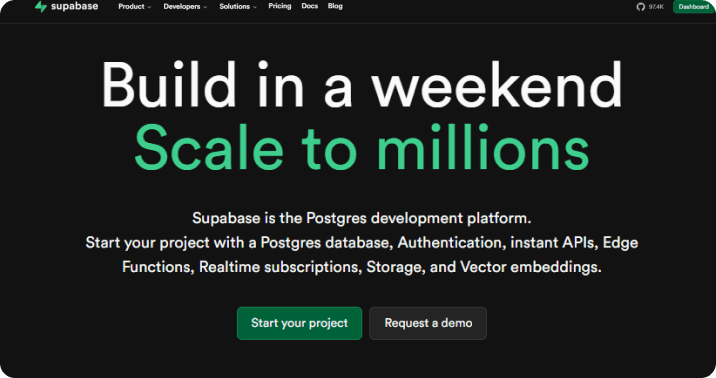
Supabase Main Screen
Section 1
Introducing how to build a solo IT service using AI without coding. We provide a step-by-step guide for the entire process, from setting up the development environment to prompt engineering for effective communication with AI.
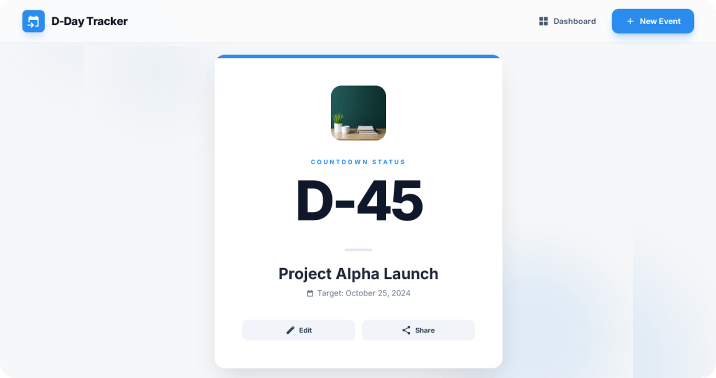
Section 2
Create a D-Day counter tool using only browser features without external APIs. You will learn the process of improving the UI using the Google Stitch layout and deploying the service globally in real-time through Vercel.
(The UI screen is subject to change.)
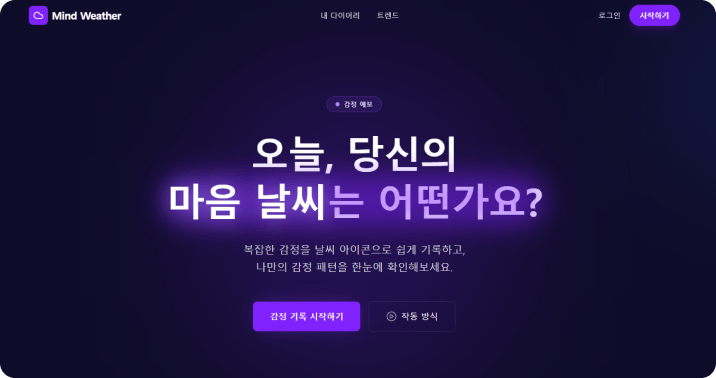
Section 3
Build your own database using Supabase and implement a diary analysis function by integrating Groq AI. We also share know-how on solving data storage-related issues.
(The UI screen is subject to change.)
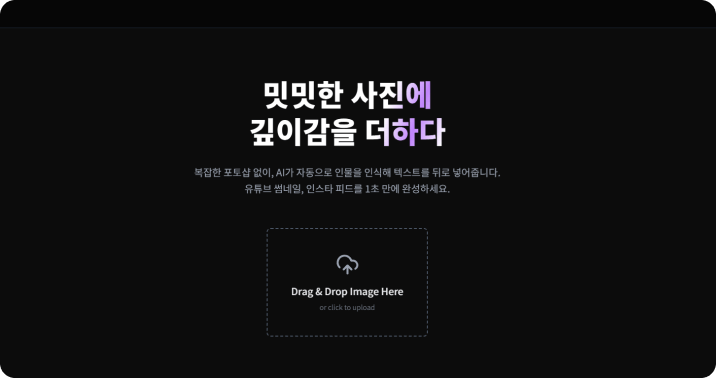
Section 4
Design and develop a service interface including image upload and text synthesis features.
(The UI screen is subject to change.)

Section 5
Learn how to increase exposure on Google and Naver through Search Engine Optimization (SEO) for the developed web service, and study service improvement strategies using Google AdSense applications and Google Analytics.
Practice Environment
Operating System: Both Windows and macOS are supported.
Required software: Google Chrome browser, Vercel account, Supabase account
Recommended Specifications: 8GB or more of RAM is recommended for a smooth practice experience.
Prerequisites and Precautions
It's okay even if you have no coding experience.
If you are a designer, having an understanding of UI/UX will be helpful.
A basic interest in AI and web services is required.
Learning Materials
Lecture slide PDF materials are provided.
The practice project code can be found on GitHub.
You can get your questions answered through the instructor Q&A session.
Who is this course right for?
A planner who wants to build their own web app service themselves
A designer who has done UI design but wants to build a web app service themselves.
Anyone curious about vibe coding

3,689
Learners
180
Reviews
6
Answers
4.4
Rating
8
Courses
AI Work Innovation and Generative AI Practitioner | AI Agent | Vibe Coding
I provide practical training for companies, universities, and educational institutions on generative AI, AI agents, and vibe coding.
Based on practical design experience, I provide training aimed at applying AI image and video production, Claude Code, Codex, Google Antigravity, task automation, and web service development to real-world work.
Professional Experience
Corporate AI and AX Practical Training Instructor
Conducted corporate training and KDT education for TeamSparta.
AXLabs Corporate AI Education Instructor
Conducted corporate AI training at YouCanLabs
(Current) TeamSparta Naeilba움 Camp AI Designer KDT Bootcamp Tutor (1st, 2nd, and 4th cohorts)
(Former) NexT Runners Oz Coding School Product Designer, KDT Bootcamp Lead Instructor (2nd Cohort)
(Former) Codeit Codeit Sprint Product Designer KDT Bootcamp Mentor
Training for Major Companies and Organizations
2026 Practical Google Antigravity Training for Employees of Large Corporate Affiliates
2026 Practical training on Claude Code and AI Agents for employees of large corporations through HRD programs
2026 Practical Codex Training for Managers and Executives at Major Corporations
2026 Multiple practical training programs on generative AI, AI agents, and vibe coding for companies and organizations
2025 Practical Gemini and Flow AI Video Training for Experienced HDC Hyundai Development Company Employees
2025 Practical Adobe Firefly training for employees of large corporations, organized by Adobe distributor DMOA
2024 Adobe Firefly practical training for art directors at Pentacle, a Megazone Group affiliate
Institutional training for organizations including Seoul Techno Park, the Busan Metropolitan Office of Education, the Ulsan Center for Creative Economy & Innovation, and the Gyeongnam Center for Creative Economy & Innovation
AI education and special lectures at universities including Kyungnam University, Busan Health University, Inje University, and Dongseo University
Key Training Areas
Generative AI utilization, AI agents, Claude Code, Codex, Google Antigravity, vibe coding, AI workflow automation, AI image and video production
All
20 lectures ∙ (5hr 15min)
Course Materials:
All
31 reviews
4.8
31 reviews

Reviews 2
∙
Average Rating 5.0
5
I was trying to create a portfolio in a short amount of time, and thanks to you, I was able to finish it in just 2 hours! The price is a total steal, and it was a great lecture that allowed me to grasp the core parts easily and quickly.
Hello Sunkyung, thank you for your valuable review. While there are many lectures by professional developers, I believe the core of my course is, as you mentioned, creating a finished product in a short amount of time! After production, I hope you supplement the design and interaction aspects to make it your own unique service. Thank you :)
Reviews 2
∙
Average Rating 5.0
Edited
5
It's hard.....
Hello! If you have any difficulties or things that aren't working, please let me know at stanlee3927@gmail.com and I'll take a look for you :)
Reviews 4
∙
Average Rating 5.0
Reviews 4
∙
Average Rating 4.8
Check out other courses by the instructor!
Explore other courses in the same field!
Limited time deal ends in 1 days
$36.30
23%
$47.30
-001 (4).png?w=420)

![[Integrated] Vibe Coding for Beginners + Complete Practical App DevelopmentCourse Thumbnail](https://cdn.inflearn.com/public/files/courses/342986/cover/01kwkcfpxw9bwfvp6018ap5w1n?w=420)

![[Integrated] Vibe Coding for Beginners + Practical Web Build CompletionCourse Thumbnail](https://cdn.inflearn.com/public/files/courses/342990/cover/01kwkcejhccgf82zdekg0w61sb?w=420)