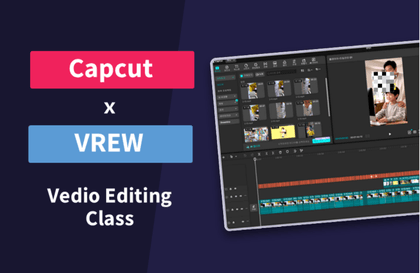
30분 컷 유튜브 편집 - 캡컷부터 vrew 자막 작업까지
Vrew의 AI 자막 자동 생성과 캡컷의 직관적인 편집 기능을 결합하여, 영상 편집 경험이 전혀 없어도 30분 안에 완성도 높은 유튜브 영상을 제작할 수 있습니다. 두 툴의 핵심 기능을 효율적인 워크플로우로 연결하여 실전에서 바로 활용 가능한 영상 제작 프로세스를 습득합니다.
Vrew의 AI 자막 자동 생성과 캡컷의 직관적인 편집 기능을 결합하여, 영상 편집 경험이 전혀 없어도 30분 안에 완성도 높은 유튜브 영상을 제작할 수 있습니다. 두 툴의 핵심 기능을 효율적인 워크플로우로 연결하여 실전에서 바로 활용 가능한 영상 제작 프로세스를 습득합니다.
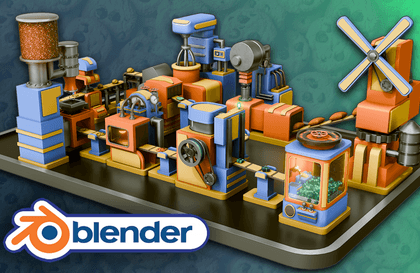
Neil from 3D Tudor here. I have helped thousands of beginners push past the same Blender roadblocks, and in this masterclass you will build and animate a complete cookie factory step by step, learning modeling, texturing, lighting, and animation through real production workflows. You will finish with a portfolio-ready factory animation and a repeatable process you can use on any future 3D project.
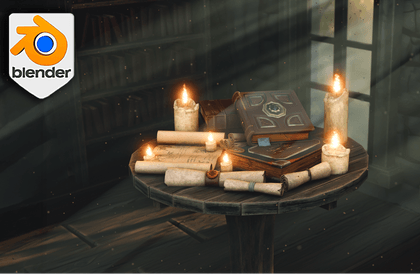
Blender 5: Model a Medieval Table and Finish a Story-Rich Interior Render Medieval props can look “fine” right up until you light them. In this course, you will build a hero medieval table and the surrounding research-workspace details so your final render actually holds up under lighting, close-ups, and thumbnail-size scrutiny. Hi, I am Luke from 3D Tudor. In Blender 3D: Model a Medieval Table, we will create a detailed table as the main asset, then build the supporting scene elements that sell the story: books, scrolls, wax seals, candles, cloth, windows, atmospheric dust, volumetric light, and a polished final render. This is a practical, start-to-finish workflow that mirrors real environment production: clear planning, clean modelling, sensible UVs, believable materials, controlled lighting, and a compositor pass that pulls everything together. What You Will Create By the end, you will have: A detailed medieval table (hero asset) with clean modelling and readable forms Books, scrolls, rope bindings, wax seals, decals, and candles A filled shelving setup and supporting interior elements (windows, cloth flag, background dressing) Dust, god rays, emissive window glow, and depth of field for scale and mood A final render with compositing polish, including reusable preset workflows What You Will Learn Blockout and scene scale using real-world measurements so everything feels right Clean modelling workflows: Bevel, Solidify, Boolean, Mirror, Array (and how to stop modifier stacks from fighting each other) UV mapping that actually helps: straightening for clean wood grain flow, practical unwraps for curved props Materials with purpose: wood, stone, fabric, wax (including subsurface scattering for candles) Decals and stamping workflows to add story detail without overcomplicating the mesh Lighting and atmosphere: dust particles, volumetrics, controlled beams, natural breakup Rendering and compositing: updated compositor, noise and colour balancing, chromatic aberration, vignette, AO/emission control, and reusable node group workflows Quizzes, Assignments, and Final Project To keep this hands-on (and to stop the “I understood it” illusion): Quick checkpoint quizzes to confirm modelling, UV, and lighting decisions Mini-assignments to lock in clean bevel stacks, UV straightening, and decal placement Final project render: your medieval table scene with mood lighting and compositor polish Included Resource Pack You will receive a production-ready resource pack organised for fast reuse: 27 drag-and-drop PBR materials Geometry Nodes tools for procedural placement and scene helpers Visual guides to keep scale and layout consistent Who This Course Is For Beginner-to-Intermediate Blender users who can navigate Blender, but want a full workflow that ends in a proper render Prop-makers and asset goblins (affectionate) who want their assets to look cohesive once lit together Environment artists and game developers who want a medieval interior pipeline they can reuse for libraries, wizard labs, cabins, and story rooms Blender 5 explorers who want to learn modern tools through a real project, not isolated demos Why This Course Stands Out Because we are building something that has to survive the harshest judge of all: lighting. You will not just model a table and call it done. You will learn how to make it read, how to support it with believable props, how to control mood with volumetrics and particles, and how to finish the image with a compositor workflow you can reuse on future scenes. Until next time, happy modelling everyone! Luke – 3D Tudor