![[Portfolio] Creating an Android App - Practice SessionCourse Thumbnail](https://cdn.inflearn.com/public/files/courses/339622/cover/ai/1/ed686ab3-7df2-41f2-882e-c0996842fa8e.png?w=420)
[Portfolio] Creating an Android App - Practice Session
bokchi
This is a course that can help you create a portfolio while preparing for a job as an Android developer.
Intermediate
Android, Kotlin, clean-architecture
This is Android development theory for creating a portfolio app for employment (or career transition).
81 learners
Level Basic
Course period Unlimited


Reviews from Early Learners
5.0
ALPHA MOON
I was able to discover what I needed in a short amount of time.
5.0
이퀭
Quickly grasping important theoretical cores resolved frustrating areas.
5.0
cone0527
Overall, it's concise but provides good explanations for the necessary parts. It's a great lecture for quickly reviewing concepts that were confusing or unfamiliar. I think it's a good lecture for checking your own development knowledge.
Android Design Patterns (MV + X (something) / Clean Architecture)
Jetpack Compose
Multi-module/SDK
Android Development Theoretical Knowledge (Token Authentication / Memory - Heap, Stack / WebView Communication / CI/CD)
Please explain Design Patterns and Clean Architecture.
Please explain dependency injection and describe how your code changed after actually implementing dependency injection.
You mentioned that you have studied Jetpack Compose; could you tell me how it differs from XML?
Have you ever built an app using a multi-module architecture?
Please tell me about CI/CD. Please explain the process of automating deployment.
Our company uses WebViews a lot, so please tell us about your experience with creating WebView interfaces for communication or debugging.
This is a common question you might hear in technical interviews and similar settings.
Most of these questions are things you can learn and experience once you actually work at a company, but
Before getting a job, it is not easy to create a portfolio app while taking these aspects into consideration.
For those individuals, I have created a lecture on the technologies I recommend incorporating when developing an app to submit as a portfolio.
Basic App Design(Android / clean-architecture / Kotlin)
Starting from "Why shouldn't we put all the code in the Activity?", we will look into design patterns, clean architecture, and simple test codes.
Learn more about basic app design
Learn about Dependency Injection
and practice using Dagger Hilt.
Jetpack Compose(Android Compose)
The differences between developing with Jetpack Compose and XML, and
We will create components and learn about things to keep in mind when using Compose.
Multi-module/SDK(android-multi-module)
We will learn about categorizing code into SDKs or other modules,
rather than simply separating it into folders and files.
Additional things that are good to know
We will look into basic CS knowledge and things that are rarely practiced when developing before getting a job.
Most lectures are conducted in a format where you follow along to build an app.
When you are not familiar with development, clone coding or following along with example apps helps improve your proficiency.
However, for those who are already capable of implementing features to some extent, simply following along to build features is not of much help.
I have designed this course to help you build apps while considering various structures and diverse technologies.
For those who are unfamiliar with the content covered in the lecture and are studying that specific part,
I have put my heart into creating this lecture so that it can save you a lot of time.
Q. Why is the lecture duration so short?
Instead of coding along together, the lecture proceeds by explaining pre-written code.
By removing parts I considered unnecessary, I have reduced content that could take 30 to 40 minutes if explained while coding along to just a few minutes.
Q. Are all the codes used in the lecture provided?
All the code is organized in Notion within the Section 1-3 lecture materials, and the corresponding Notion address is provided.
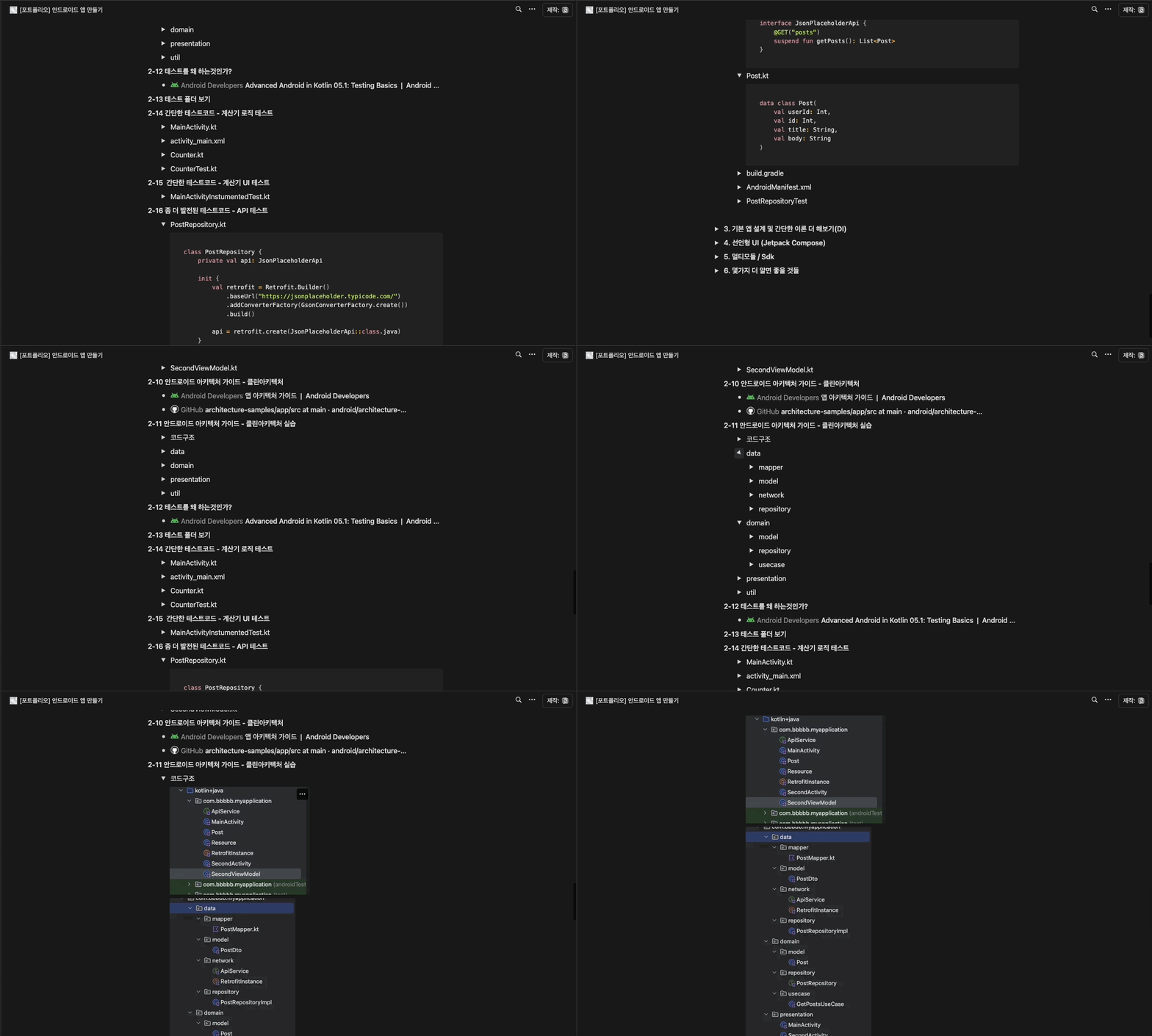

Q. This is the theory section, but do you only explain theory?
The course is conducted using examples of things I want you to know, centered around practical exercises.
Instead of building an app from A to Z, the course will be conducted in a format where only the necessary parts are extracted and explained.
Please watch the public preview lectures to judge the teaching style and difficulty level.
I will see you later in the [Practice Edition], where we will create an app from start to finish.
Want to learn Android app development as a hobby?
[Introductory] Kotlin Syntax for Android
[Beginner] Learning Android Kotlin by Building 8 Apps
Want to develop a bit more deeply like an Android developer?
[Intermediate] Friendly Introduction to JETPACK <Part 1>
[Intermediate] Friendly Introduction to JETPACK <Part 2>
Want to learn about Declarative UI?
[LV1] Jetpack Compose - UI Practice
[LV2] Jetpack Compose - UI and Animation
[LV3] Jetpack Compose - Creating a Decent Diet App
[LV4] Jetpack Compose - Design Patterns and Circuit
What if you are studying with employment in mind?
[Portfolio] Building an Android App - Theory
[Portfolio] Building an Android App - Practice
Who is this course right for?
Those who are creating an Android app portfolio for employment (or career change)
Those who are capable of implementing Android features but lack knowledge of theories such as design patterns.
Need to know before starting?
You should have no problem developing something like a bulletin board using Android (Kotlin).
6,412
Learners
422
Reviews
1,391
Answers
4.8
Rating
12
Courses
Since founding a startup in 2015, I have carried out various development projects.
Currently, I am an ordinary developer working as an office worker
All
59 lectures ∙ (2hr 17min)
6. MV + Whatever
02:25
15. Why do we test?
04:00
16. View Test Folder
01:54
All
6 reviews
Check out other courses by the instructor!
Explore other courses in the same field!