Modern Android - Getting Started with Jetpack Compose
Jetpack Compose is Android's modern toolkit for building native UIs.
Build apps quickly and vibrantly with less code, powerful tools, and intuitive Kotlin APIs.
I am doing my best to take the courses whenever I have time.
I would appreciate it if you could also create a Flutter version of the newly made GPS app lecture.
5.0
ALPHA MOON
100% enrolled
Thank you for the great lecture.
I think it's really good as an introductory course because you explain things through practical exercises.
It helped me a lot in understanding the overall content of Compose.
5.0
호갱
82% enrolled
Thank you for making a good lecture.
This is my first time with Android itself.
As a backend developer, I knew the Kotlin grammar.
I think this is a lecture that even those who are new to Compose and Android itself like me can listen to without any hesitation.
The only thing I was a little disappointed about was
I thought it would be a little difficult to apply in practice.
(I think it's probably because it's a beginner's lecture.)
Do you have any plans to make an intermediate lecture?
I would like to try a lecture that is close to practical source code.
What you will gain after the course
How to structure your UI with Compose
Writing an example from 《Oh Jun-seok's Android Survival Coding Kotlin》 using Compose
How to write a ViewModel to work with Compose
With Jetpack Compose Creating a more modern Android UI
Why Jetpack Compose ?
What challenges does traditional Android development face? Writing abstract adapters, complex framework code, the challenges of React app development... Compose is a library that has put a lot of effort into improving these areas. It makes building native Android apps faster and easier.
Complete UI with just a few lines of code
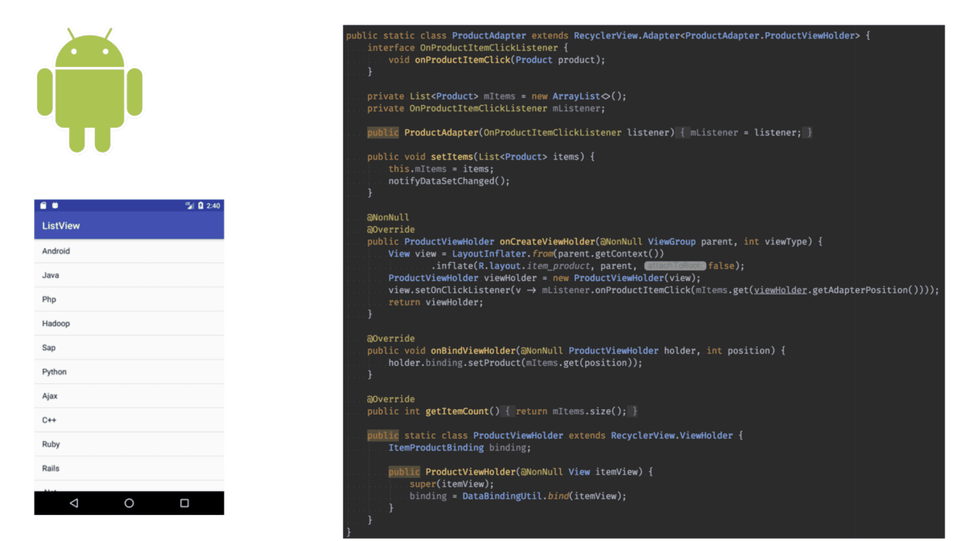
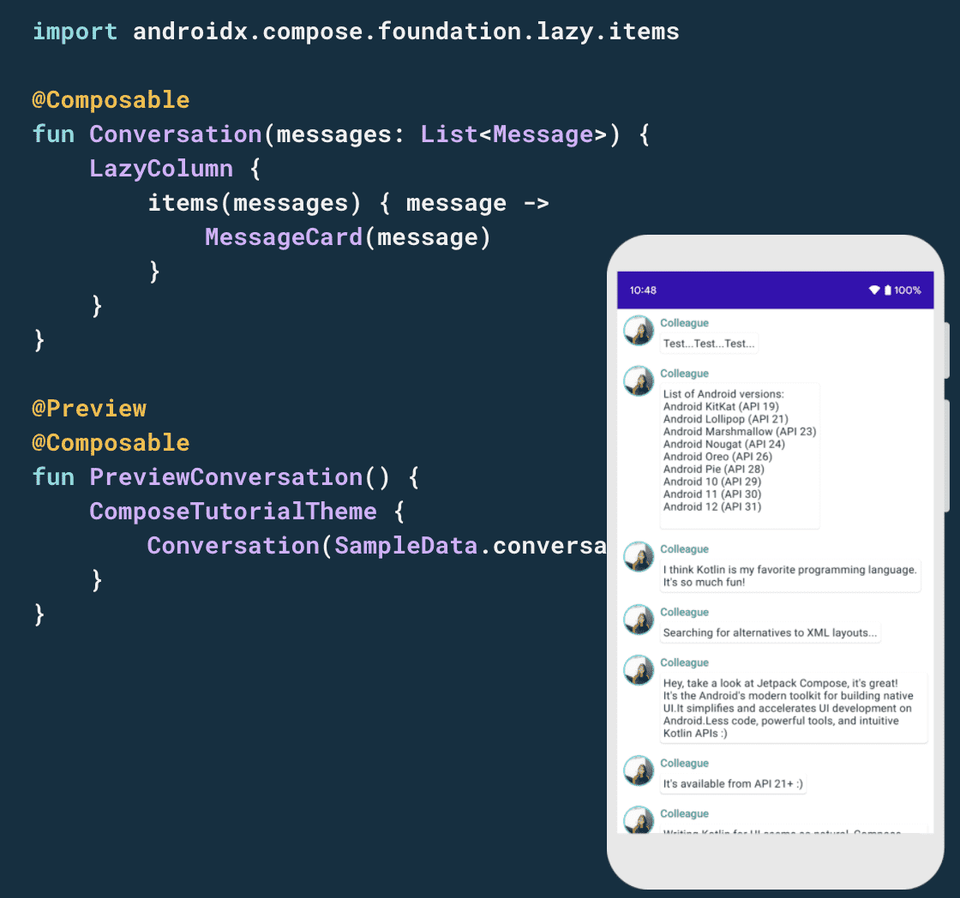
Let's take the example of creating a scrollable list . Creating a list with traditional Android code requires a tremendous amount of code and time, just for writing the adapter and RecyclerView.
Existing Android list code
But with Compose, you only need to write a few lines of code.
List code in Jetpack Compose
Using Compose like this dramatically speeds up development . It also ensures a clear separation between UI and business logic . This declarative UI approach has already been proven in other platforms and frameworks (Flutter, Swift UI), and will likely become essential for Android development going forward.
Background of lecture planning
Although the official version of Compose has been released, many people are still struggling to get started because they are unfamiliar with it, lack interest, or lack reference materials. This course is designed to serve as a reference for those who want to get started with Compose.
In a more modern way Building an Android UI
This course will recreate examples from "Oh Jun-seok's Android Survival Coding: Kotlin" using Compose. This process will demonstrate how existing technologies can be implemented in Compose. While reading the book may be helpful for taking this course, it isn't required. Anyone with a background in the subject matter covered in the book will likely find it helpful.
Course target audience
To take this course, you should already have some basic knowledge of Android development . If you don't have any Android development experience or are unfamiliar with Kotlin syntax, this course will be difficult to follow. At the very least, you should have experience writing and studying a simple app in Kotlin to understand the course content.
Lecture Features
This course won't delve into the in-depth details of Compose. By rewriting eight examples from "Oh Jun-seok's Android Survival Coding: Kotlin," using Compose, you'll learn how to adapt existing methods to Compose. You'll acquire the necessary knowledge as you go through the examples.
Learning by example Jetpack Compose
In this course, you will first learn the basics of Compose and then learn how to use Compose through examples. Here's what you can learn from each example:
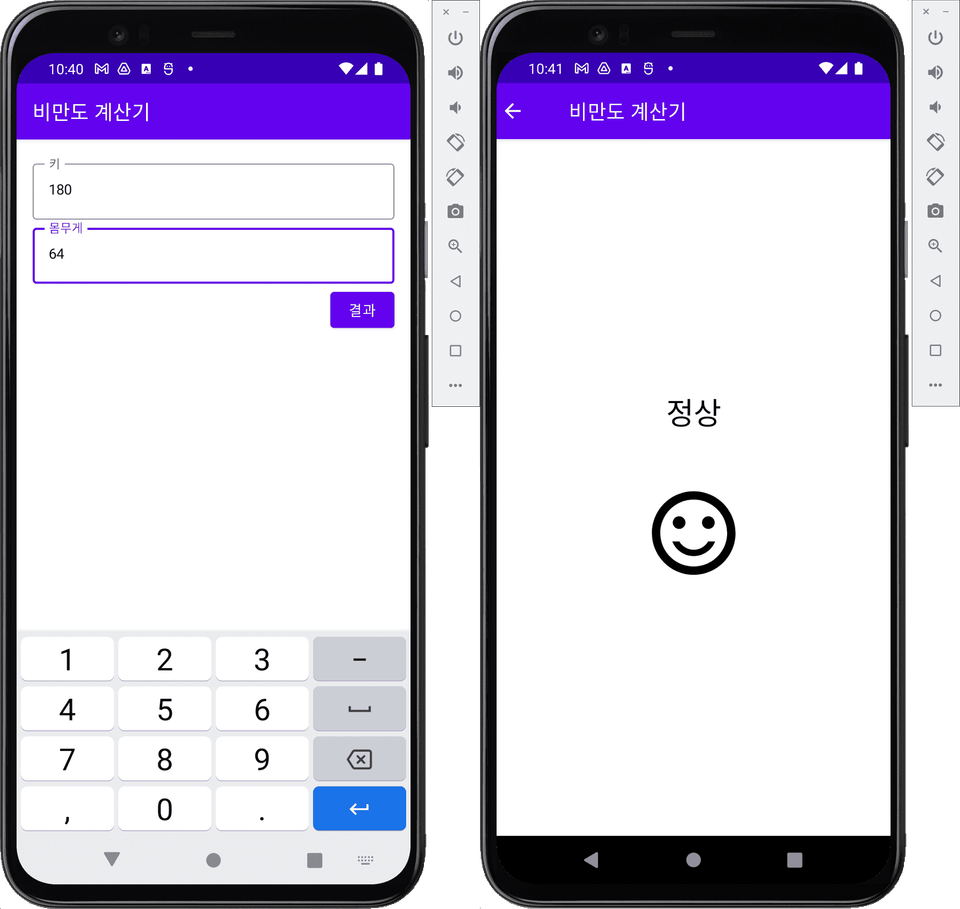
BMI calculator Screen transition (Navigation)
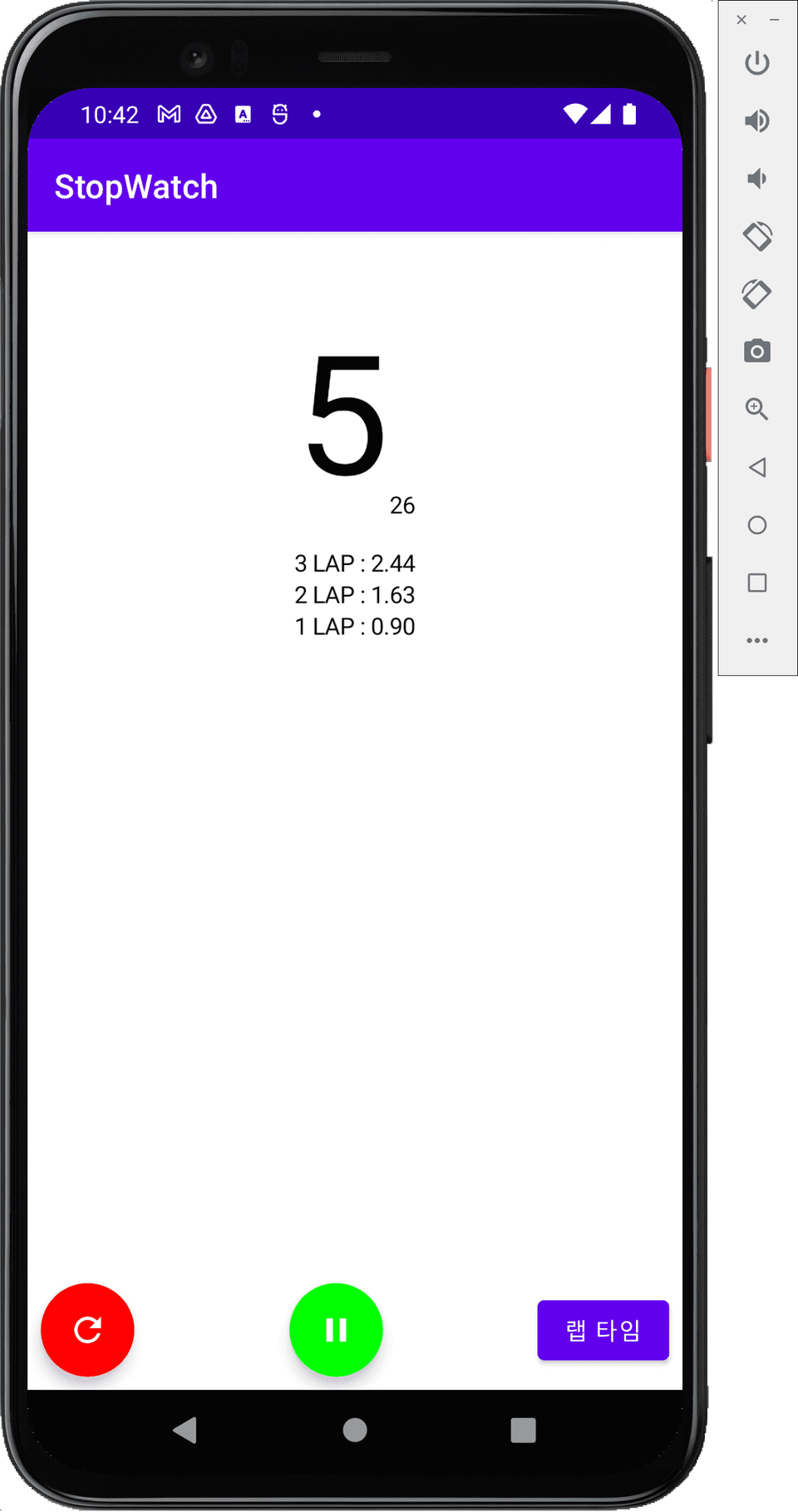
stopwatch Utilizing Timer, ViewModel
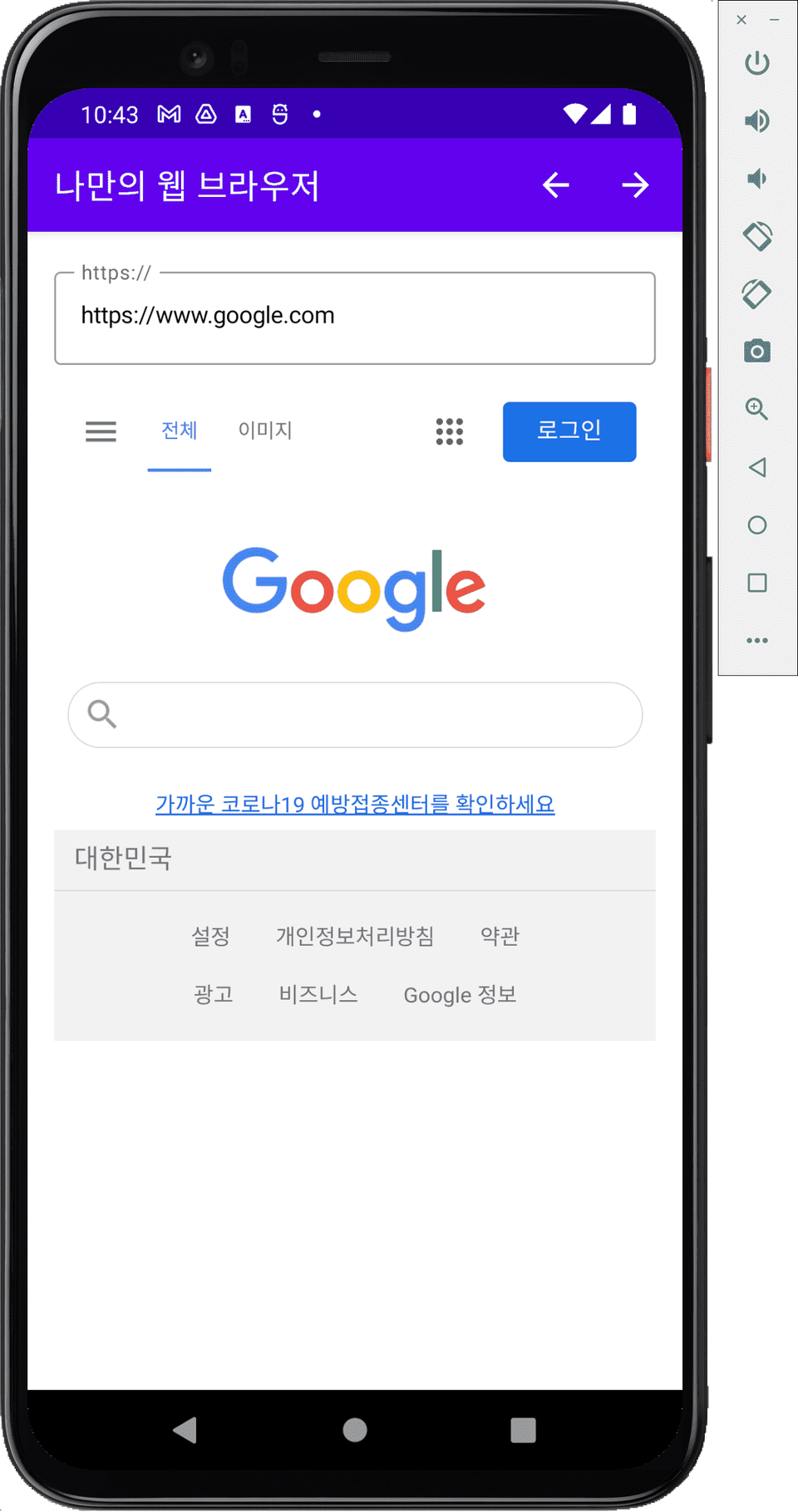
My own web browser Composable WebView
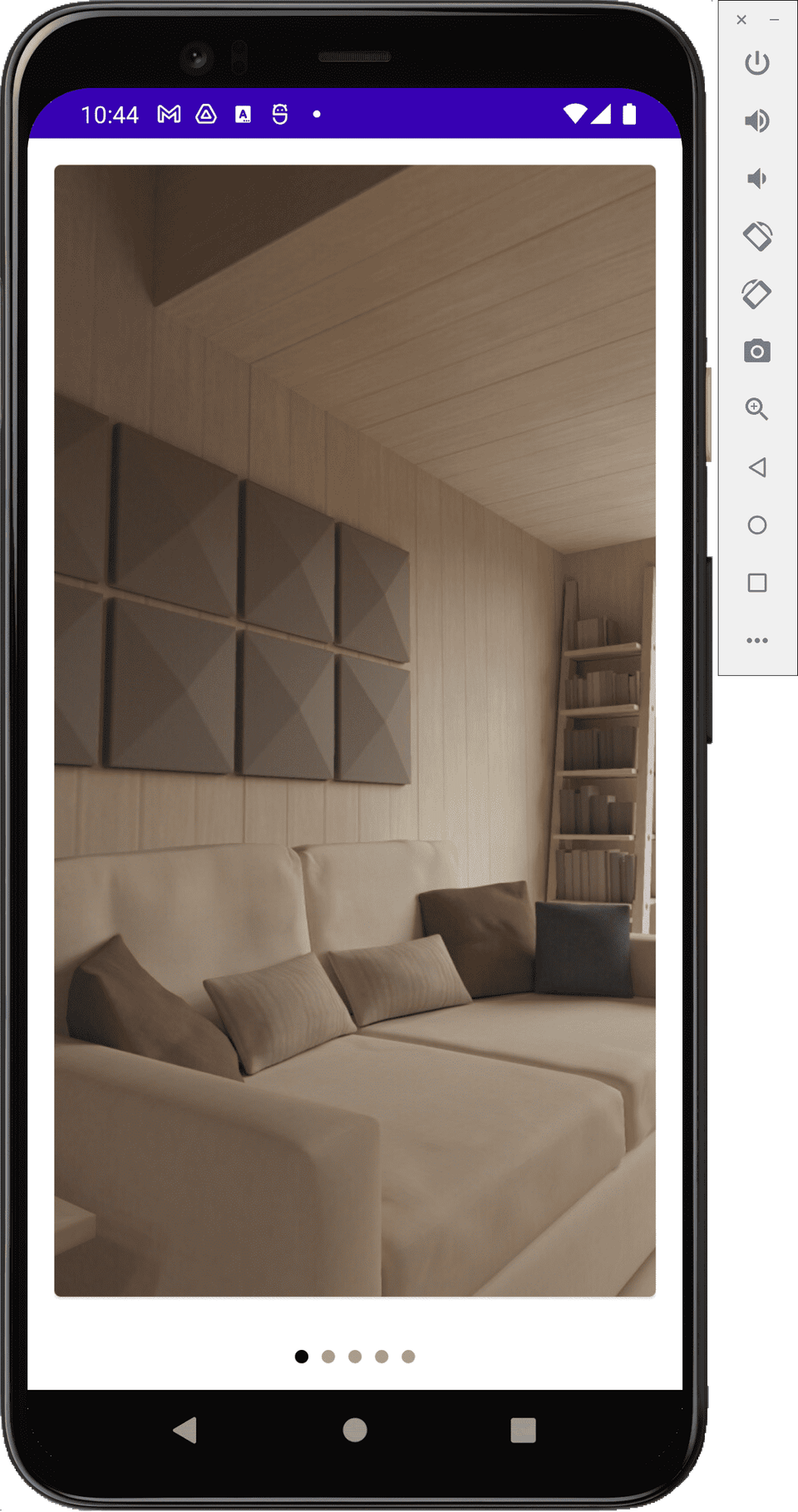
electronic photo frame Screen left and right scrolling, scroll animation
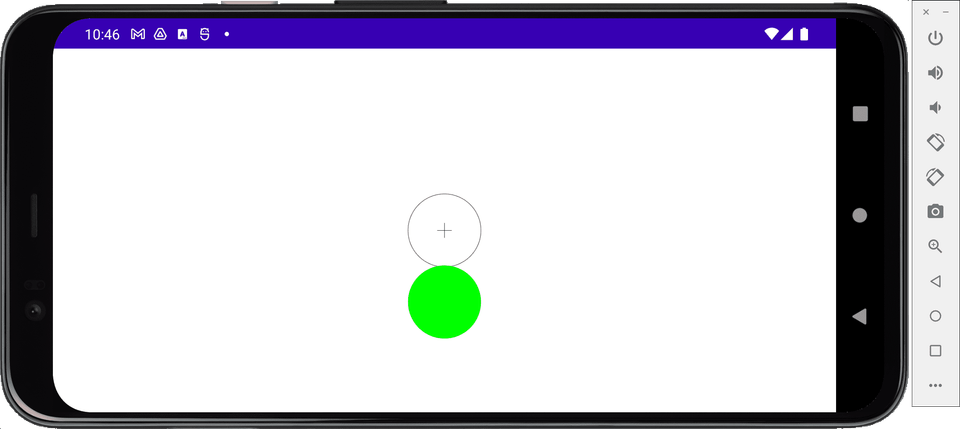
spirit level Canvas, utilizing the accelerometer sensor
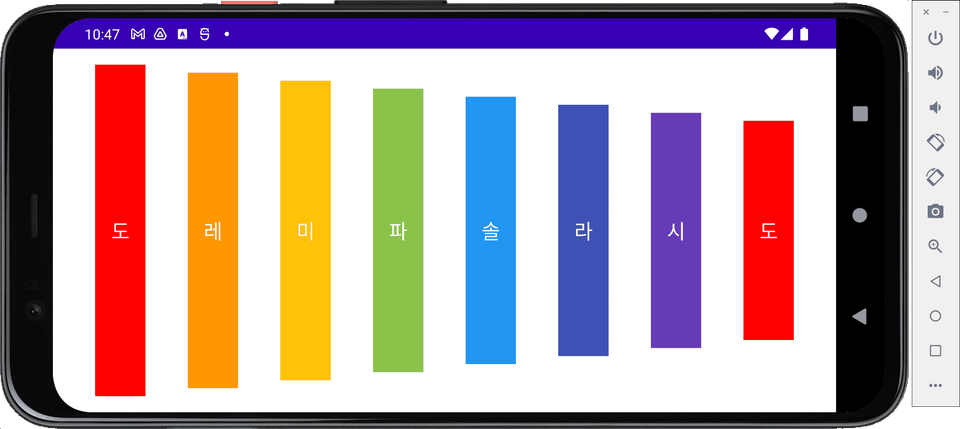
xylophone Easily create sound playback and looping UI
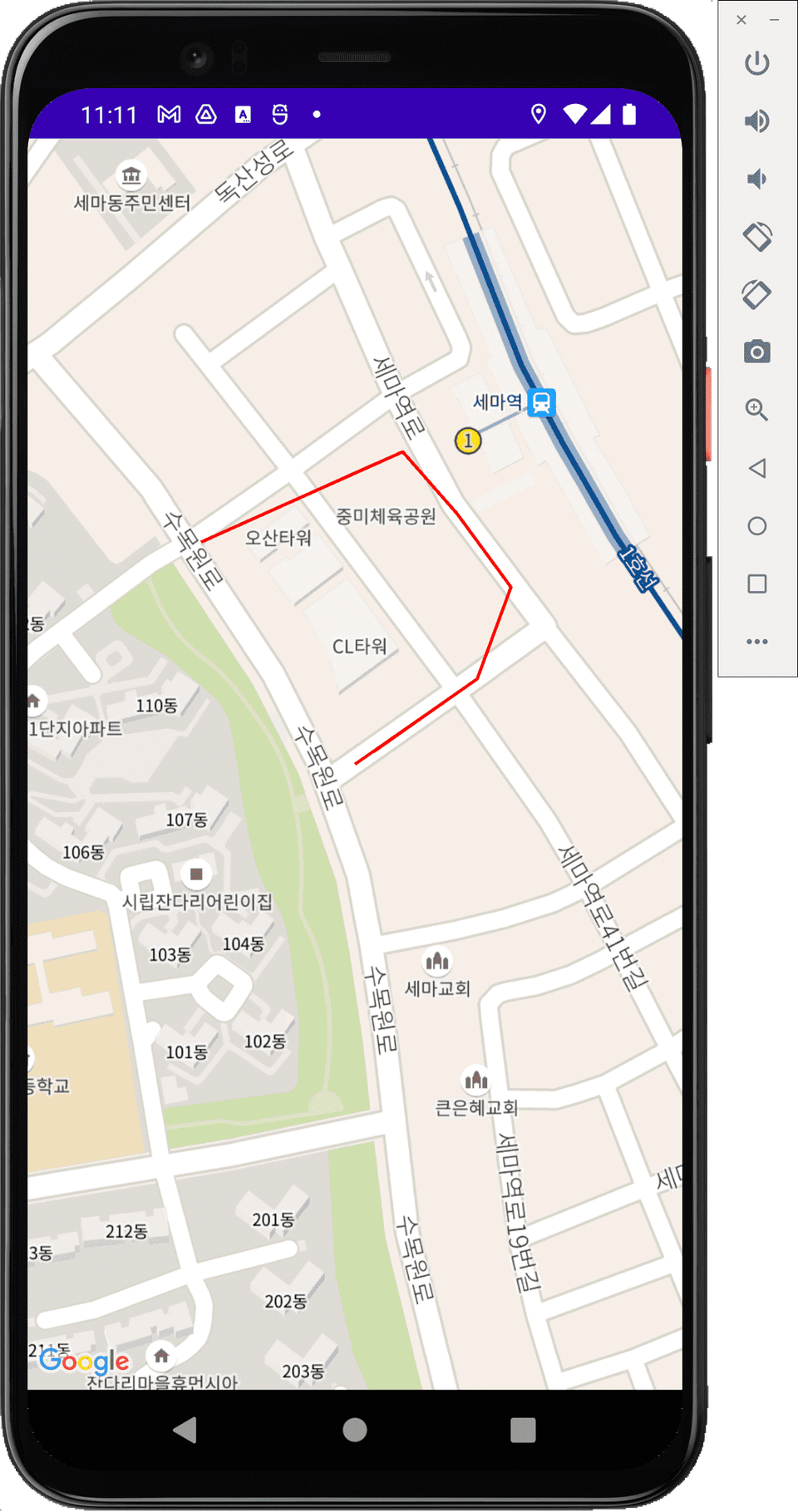
Gps Map Google Maps, location information, drawing a route on a map
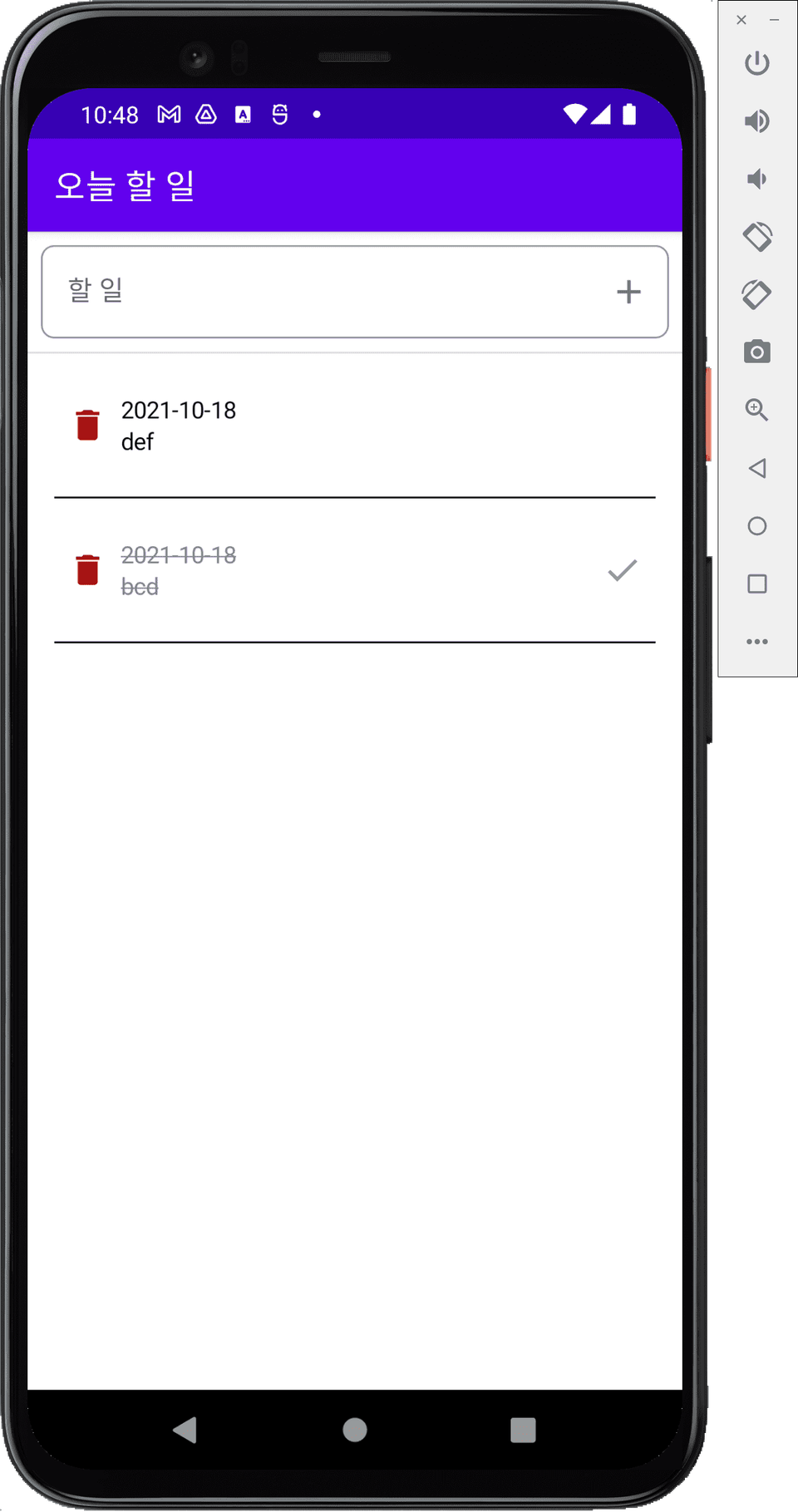
TodoList MVVM pattern, Room
Expected questions Q&A
Q. I'm a beginner in Android. Can I still take this course?
If you've studied Kotlin syntax, you can take this course. Compose is a new skill that you can learn even if you're completely unfamiliar with existing Android development methods. However, I recommend taking the course after having some basic knowledge of the grammar.
Q. Is there any way to find out how the lecture will proceed before taking it?
This course offers a free BMI calculator example. Before taking the course, try the free lecture. If you find it appealing, you can then register for the course.
Q. Is the source code used in the lecture provided?
All the source code covered in the lecture is provided, and the source code for the flashlight example mentioned in "Oh Jun-seok's Android Survival Coding Kotlin" is also provided, although it is not covered in the lecture.
Recommended for these people
Who is this course right for?
Anyone who has learned Kotlin grammar
Anyone who has experience developing Android and is interested in Compose
Anyone who wants to learn new ways of developing apps
Those who have read "Oh Jun-seok's Android Survival Coding Kotlin Edition"
Those who took the course ‘Modern Android - Using Kotlin and Jetpack’
I am Junseok Oh, a developer who teaches and writes books. I run the 'Junseok Oh's Survival Coding' YouTube channel and the Survival Coding (https://survivalcoding.com) educational platform.
Specialties: Android, Flutter
Books Oh Jun-seok's Flutter Survival Coding (Hanbit Media 2020) Oh Jun-seok's Android Survival Coding: Kotlin Edition (Hanbit Media 2018) Android Until It Works (Ruby Paper 2018)
Key Experience CEO of OhRange IT Development Vocational Training Instructor at Semin Vocational Training School Director of Suwon Smart App Development Academy LG Electronics MC Division Security Division, Tokai Rika Co., Ltd., Aichi Prefecture, Japan IT Division, Nihon Techseed Co., Ltd., Aichi Prefecture, Japan
Thank you for making a good lecture.
This is my first time with Android itself.
As a backend developer, I knew the Kotlin grammar.
I think this is a lecture that even those who are new to Compose and Android itself like me can listen to without any hesitation.
The only thing I was a little disappointed about was
I thought it would be a little difficult to apply in practice.
(I think it's probably because it's a beginner's lecture.)
Do you have any plans to make an intermediate lecture?
I would like to try a lecture that is close to practical source code.
Since there is no demand for Android lectures, I am focusing on offline classes for intermediate and advanced levels, but I will think about it. Thank you.
I am currently teaching at the Seoul City Seed Youth Academy. It is an education program for the unemployed, and the next session will be next year. If you have any questions about the offline lectures, please email me at junsuk.oh@survivalcoding.com and I will provide you with more information.
I am doing my best to take the courses whenever I have time.
I would appreciate it if you could also create a Flutter version of the newly made GPS app lecture.
Thank you for the great lecture.
I think it's really good as an introductory course because you explain things through practical exercises.
It helped me a lot in understanding the overall content of Compose.









![[Advanced Android] The Ultimate Guide to Background Services – From Flavor Configuration to MVI ArchitectureCourse Thumbnail](https://cdn.inflearn.com/public/files/courses/341342/cover/01kkc914rtrr9am0fetn6hh89x?w=420)

![[Vibe Coding] Flutter Practical Level-Up: Step 3 Build Flavors and Environment Switching Without Code ModificationCourse Thumbnail](https://cdn.inflearn.com/public/files/courses/340102/cover/ai/1/fad17e6b-9616-4edd-b9b7-7d285ad6f68e.png?w=420)





![[LV2] Jetpack Compose - UI and AnimationCourse Thumbnail](https://cdn.inflearn.com/public/courses/333062/cover/7664ae49-5e6f-402b-95fa-73cb2fd7f549/333062.png?w=420)