강의

멘토링

커뮤니티

Programming

/

Web Development

React Master Class: Part 1 - Understanding the Essence of Rendering and Design Through Missions

This is not just a lecture you listen to and forget. This course aims not for "the moment you understand React," but for "the moment you can actually work with React." In every section, you'll complete missions alongside the lectures, solve practice problems yourself, and learn by implementing core concepts like JSX, Virtual DOM, State, and useEffect with your own hands. When you finish the course, you won't just be a beginner who knows React syntax—you'll be a developer who can explain and utilize everything from component design to rendering flow on your own. "Not a class you just listen to, but learning you build through completion." Understand the essence of React and experience the world of declarative UI firsthand.

(5.0) 6 reviews

91 learners

Level Basic

Course period Unlimited

  • nhcodingstudio
실습 중심
실습 중심
미션기반
미션기반
프론트엔드기초
프론트엔드기초
HTML/CSS
HTML/CSS
JavaScript
JavaScript
React
React
Web Application
Web Application
frontend
frontend
실습 중심
실습 중심
미션기반
미션기반
프론트엔드기초
프론트엔드기초
HTML/CSS
HTML/CSS
JavaScript
JavaScript
React
React
Web Application
Web Application
frontend
frontend

Reviews from Early Learners

What you will gain after the course

  • Structurally understand what role React plays on top of the browser's rendering engine.

  • Shift from thinking about directly manipulating the DOM to "thinking about declaring UI".

  • You can clearly explain the flow of "Rendering = Data(State) → Screen(UI)" through code and concepts.

  • Learn visually how JSX is transformed into React.createElement() through Babel.

  • You can break down the UI into small units, pass data through props, and design a modular structure.

  • I can explain in principle why, when, and how the screen is re-rendered when state changes.

  • Ensures predictable rendering through patterns of copying and updating objects or arrays.

  • Understand why multiple state changes are batched together and how React schedules rendering.

  • Practice the pattern of safely retrieving the previous state (prev) and calculating the new state.

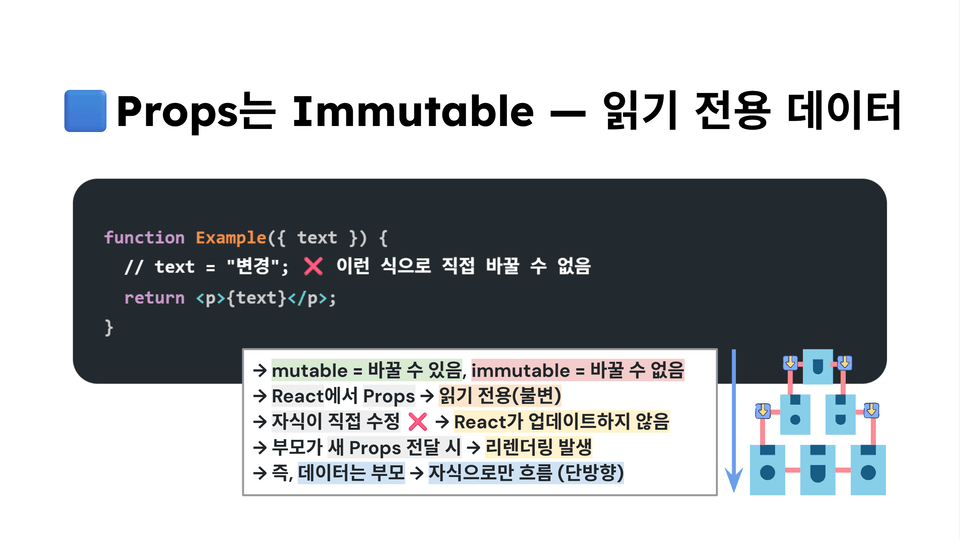
  • Clearly recognize the boundary between data given by the parent (props) and data that changes internally (state).

  • Learn structurally the principle that "data flows from top to bottom" in React.

  • Understand the specific diffing rules of Virtual DOM and component reuse conditions.

  • We'll analyze the rendering process that occurs when state is changed inside an event handler, along with examples.

  • Mastering React's core philosophy: unidirectional, declarative, component-based

  • You can create reusable components through children, props drilling, and destructuring.

  • Implement an interactive UI that responds to user input or button clicks.

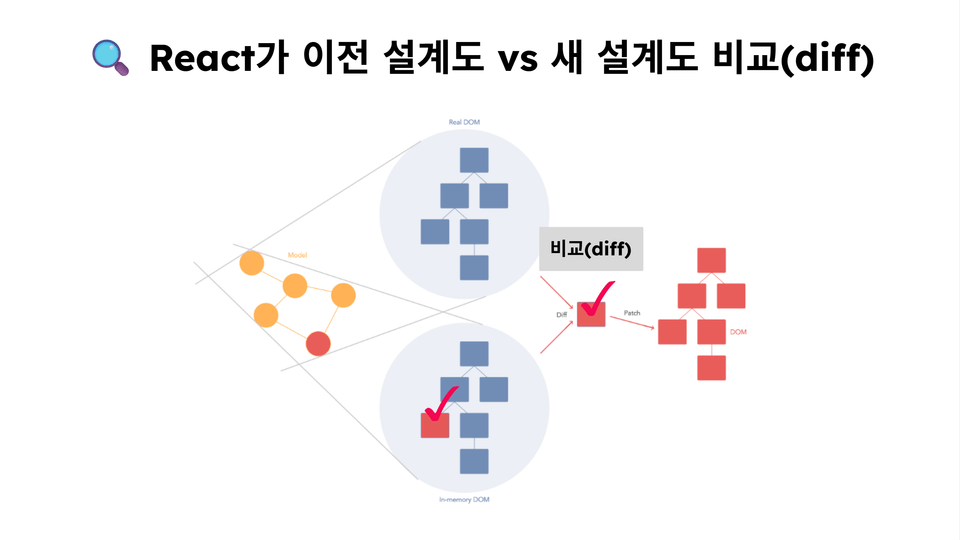
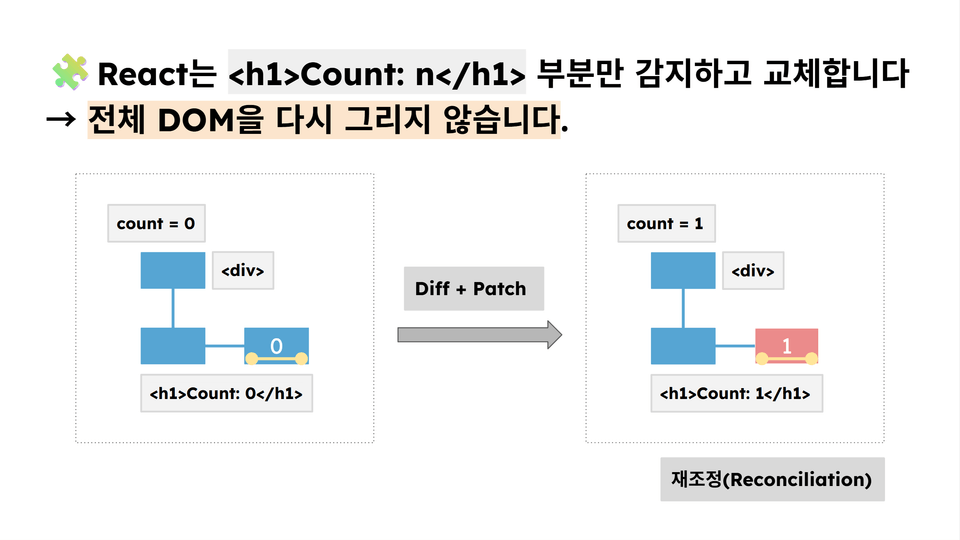
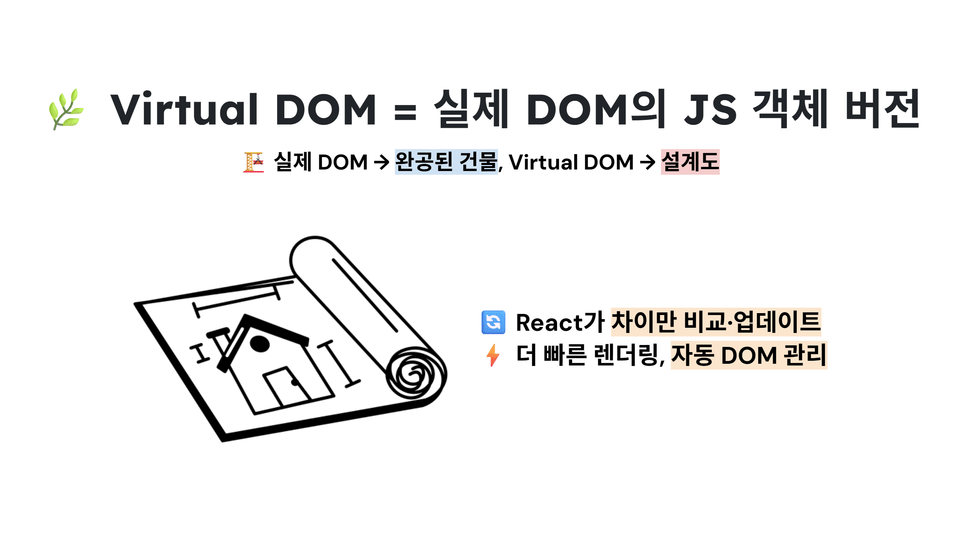
  • Visualizes step-by-step the process of React calculating the Virtual DOM and reflecting it to the actual DOM.

  • You naturally learn to think in terms of connecting data and UI instead of DOM statements.

  • You can track and explain why this part was re-rendered.

  • Through hands-on practice and missions in each section, you'll experience "the essence of rendering" firsthand and learn genuine React thinking.

🎓Learning React the Right Way: Mastering Declarative UI through Missions [Fundamentals]

React is a rendering engine that completely redefines "how changes in data translate to the screen."

This course is a comprehensive introduction that teaches the essence of React, not just its surface,
that is, the principles of rendering and the mindset of declarative UI from the ground up.

Many beginners start learning React with JSX or useState syntax,
but this course begins with "why this syntax came to exist".
HTML DOM Virtual DOMReact rendering structure - we perfectly connect this entire flow,
and you'll see with your own eyes and learn through hands-on practice how React draws the screen, why it re-renders when state changes,
and the entire process.

🧱 Core Philosophy of Course Structure

📌 "Understand the structure rather than memorizing code."
→ Learn how JSX, props, and state work through principles, not syntax.
📌 "Rendering is not magic, it's a flow."
→ You'll feel the process of state change → Virtual DOM → actual screen update at your fingertips.
📌 "Train declarative thinking."
→ Move away from imperative patterns centered on DOM manipulation and learn React's declarative thinking approach hands-on.
📌 "Hands-on Mission-Based Learning"
→ Each section includes missions where you write code yourself and verify the results with your own eyes.

✨ Features of This Course

  1. The only introductory course that helps you visually understand 'the essence of rendering'
    → Directly visualize the process of React comparing the Virtual DOM and reflecting it to the actual DOM.

  2. Step-by-step connection from JSX, createElement, to Virtual DOM
    → Rather than simply using JSX syntax, you'll understand at the code level what function calls occur internally.

  3. Complete connection between State, props, events, and rendering
    → You'll be able to precisely explain "why the screen changes when a button is clicked."

  4. Training to shift thinking from imperative to declarative
    → Train yourself in React's way of thinking centered on "what to show."

  5. Hands-on learning of immutability and batch updates
    → Observe directly through DevTools how rendering optimization works when state changes.

  6. Not just coding practice, but structural thinking training
    → Designed to help you understand "React's entire rendering flow" beyond just lines of code.

  7. All lectures are linked with practical missions
    → Through section-by-section missions, you "verify the concepts you've learned directly with code."

  8. 'Principle-centered' foundation design that lasts once learned
    → Rather than simple follow-along tutorials, you'll develop the ability to apply your knowledge in any situation based on understanding React's operating principles.It becomes the foundation for CRP optimization).


1️⃣ Why React emerged: Understand the necessity of declarative UI by examining the limitations of traditional approaches.

2️⃣ Visualizing DOM and Rendering Structure: Learn the principles of how screens are created and updated.

3️⃣ Establishing Component-Based Thinking: Learn structural thinking by breaking down screens into smaller, reusable parts.

5️⃣ Complete Mastery of the Essence of Rendering: Learn by tracking the process of how React redraws the screen using DevTools.

4️⃣ Understanding the Connection Between Events and State: Experiment firsthand with how clicks trigger screen changes.

6️⃣ Imperative → Declarative Thinking Shift: Train in React's way of thinking by declaring 'what' to render.

7️⃣ Principles of Immutability and Data Flow: Design structures to make screen updates predictable when state changes.

8️⃣ Complete Styling Process Learning: Compare Vanilla CSS, Modules, and CSS-in-JS to learn the right strategy for the right situation.

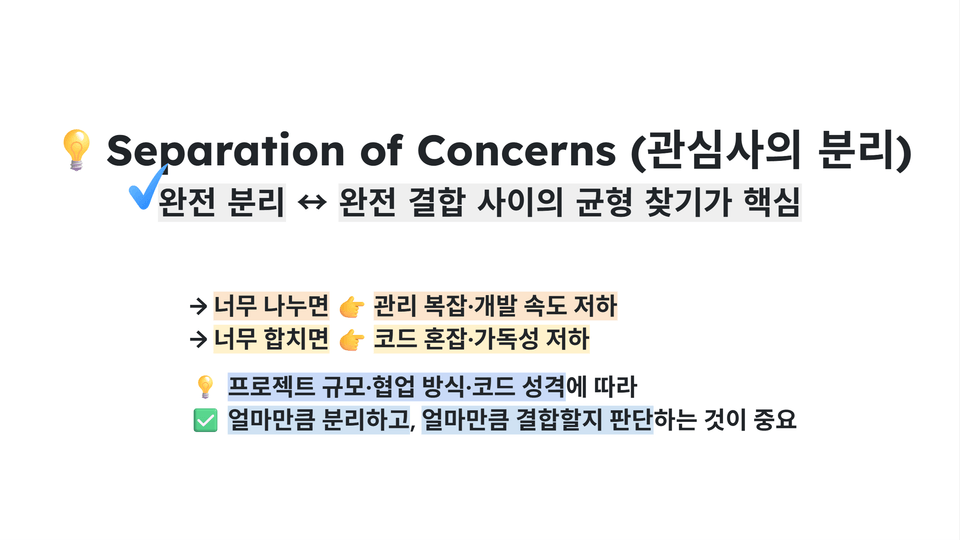
9️⃣ Separation of Design Tokens, Logic, and Views (SoC): Learn the sense of scaling to a structured project architecture

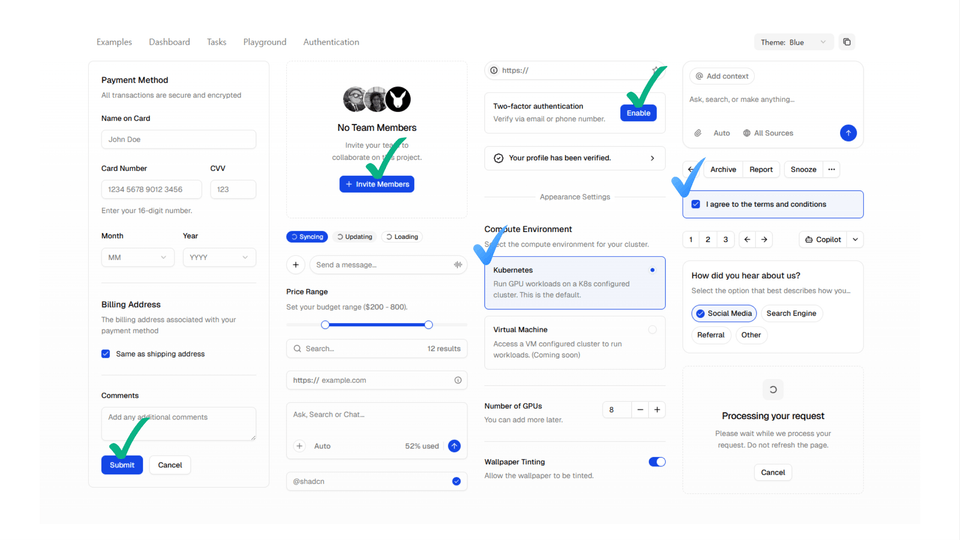
🔟Complete Mastery Through Practical Missions: Experience React's flow firsthand by directly implementing UI elements like buttons, themes, and icons.

Those who know HTML and CSS but are curious about "why" the screen changes

For those who have heard of React but don't know how to actually get started


Those who want to see with their own eyes the real principles of how React re-renders the screen

Those who want to know what the DOM is and how JavaScript makes the screen move

I understand the concept but get stuck when trying to implement it in code


React beginners who want to logically organize the fundamentals

Those who are hearing terms like rendering and state for the first time or are still confused by them


Those who want to move away from imperative coding and shift to more efficient thinking


For those who have the desire to "properly learn React all the way through at least once"

After completing the course

  • You'll be able to explain "why the screen changes this way" yourself.

  • You will understand how HTML, CSS, and JS work together to render UI.

  • You'll fully master the rendering principles where the screen updates with a single button click.

  • You implement the state concept directly in code and visually observe the flow of changes.

  • The immutability mindset of "copying and replacing data instead of directly modifying it" naturally becomes ingrained.

  • You will understand for yourself why event handling and flow control (onClick, onChange, etc.) are important.

  • You will accurately understand the reason for Strict Mode, where React renders twice to check for purity.

  • You'll learn to safely handle object and array state while developing predictable code writing habits.

  • Compare Vanilla CSS, Modules, and styled-components to master modern styling strategies.

  • You'll develop the ability to logically trace "why the screen changes this way" for every line of code.

🎯 React Part 1 – Mission Summary Table


🟩 React Event Handling Practice — Displaying the Name and Index of a Clicked List Item
This is the stage where you first experience React's event system.
When each item is clicked, you'll output the name and index of the selected item
and understand how the onClick event handler works.
You'll directly experience the principle of how JS function calls connect with React's event objects.


🟥 Experience the Power of State in React — Update Screen Numbers with Button Clicks
Realize that React is not just a simple screen library but a "state-based rendering engine."
Learn how numbers automatically update when buttons are clicked and how useState connects with rendering.
Understand React's core philosophy that UI is "the result of data."

🟧 Event and State Integration Practice — Toggle State with Clicks
Combine events and state to create an interactive UI where ON/OFF switches with each click.
Learn the structure where a single state variable changes the entire UI,
and physically grasp the flow where rendering occurs again when setState is called.

🟪 Pure Component Practice — Maintaining Same Input → Same Output Without External Variables
Confirm through practice that the essence of React components is being "pure functions."
Improve code to not depend on external variables and always output the same screen when the same props come in.
Emphasize the importance of predictable component structure.

🟦 I only changed the city, but the screen won't update? — Safely updating nested object state with 'copying'
Learn through real-world examples that React's state uses shallow comparison (reference value comparison).
Experience through code that to modify only part of an object, you must create a new object through copying.
This is a core exercise to build the fundamentals of immutability.

🟩 I added a to-do but the screen won't update! — Three techniques for maintaining immutability in array updates
When updating array state, use functions that return new arrays like concat, filter, map instead of push.
You'll clearly learn why React fails to detect changes,
and why maintaining immutability causes the screen to update immediately.

🟪 Why didn't the screen update when the name changed? — Safely updating nested objects in arrays
Covers advanced state updates when objects are nested inside arrays.
Learn the pattern of using map to find and copy specific objects before modifying them,
and deeply understand the structure where React re-renders only when references change.

🟧 Apply Coupons All at Once! — Batch Update Multiple Items That Meet Conditions with Immutability
Covers the "update multiple items simultaneously" pattern that frequently appears in real-world development.
Combine map with conditional statements to modify only items that meet specific conditions,
and visually confirm how React rendering is reflected across the entire array.

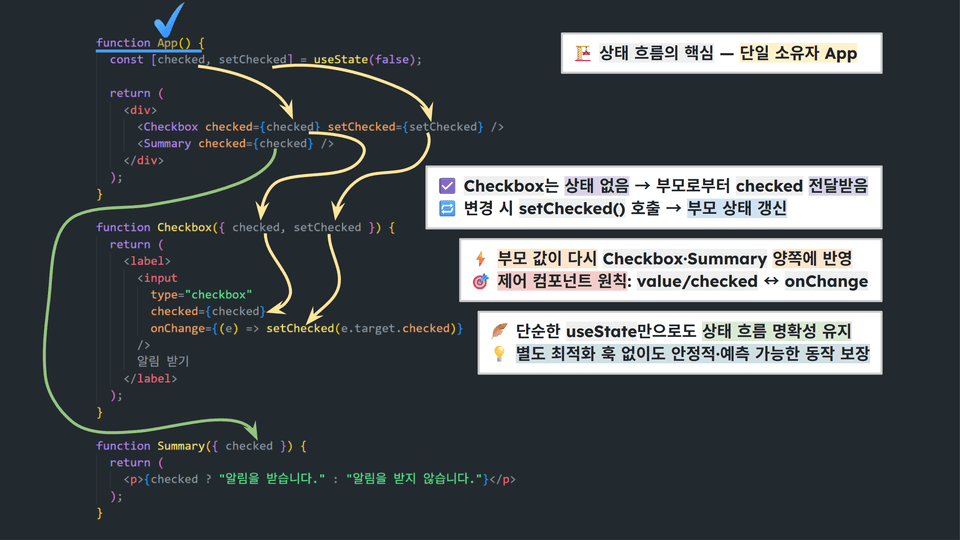
🟫 The Secret to Sibling Components Communicating — Synchronizing by Lifting State Up to the Parent
Implement a structure where two sibling components share the same state.
Learn the concept of "Lifting State Up"
and understand that data flow is unidirectional, experiencing firsthand the importance of passing props.

🟥 React manages the value directly! — Controlling a single input with controlled components
Practice the principle where values in input forms are not stored directly in the DOM, but are "managed instead" by React state.
Understand the connection structure between value and onChange,
and confirm that form inputs become completely predictable through controlled components.

🟧 Creating a Sign-up Form — Controlling Multiple Inputs with Object State
As forms grow larger, managing each input value individually becomes difficult.
Learn the pattern of grouping them into an object state in the form of { name, email, password }
and updating with setState({ ...prev, [key]: value }) for each input change.

🟪 My Preferences Form — Making Select, Checkbox, and Radio All Controlled Components
Connect all various form input types to React state and manage them as a "single source of truth."
Clearly grasp the concept that React directly controls the values instead of relying on browser default behavior.

🟦 Complete the Sign-up Form — Implement Submission Flow and Validation
Validate form input values and complete the flow that displays error messages when conditions aren't met upon submission.
Comprehensively covers onSubmit events, preventDefault(), and simple validation logic.
A practical assignment where you directly design "state-based form logic" with React.

🟩 Dark Mode Toggle — Synchronizing body class with useEffect(…, [dark])
Utilize the dependency array of useEffect to synchronize external environment (DOM) with React state.
Automatically update body.classList whenever the state value changes
to learn the structure where React controls even the actual HTML state.

🟦 Making HTTP Requests with useEffect (JSONPlaceholder Practice)
Experience the actual API call flow and learn that useEffect is a "side effect that runs after rendering."
Implement the basic pattern of fetching data with fetch/axios and managing loading, success, and error states.

🟩 Dark Mode Toggle — Synchronizing body class with useEffect(…, [dark])
Utilize the dependency array of useEffect to synchronize external environment (DOM) with React state.
Automatically update body.classList whenever the state value changes
to learn the structure where React controls actual HTML state.

🟦 Sending HTTP Requests with useEffect (JSONPlaceholder Practice)
Experience the actual API call flow and learn that useEffect is a "side effect that runs after rendering."
Implement the basic pattern of fetching data with fetch/axios and managing loading, success, and error states.

🟩 Mission X — Request Cancellation & Advanced Error Handling + axios Instance Production Patterns
When a component unmounts during an API call or when rapid consecutive requests occur
Learn production patterns for safely canceling requests using AbortController and axios cancellation tokens.
Also learn how to reduce duplication by applying common error handling logic to axios instances.

🟩 Mission Y — Creating a Reusable Data Fetching Hook: useFetchProducts
Abstract the asynchronous processing patterns learned so far into a custom hook (useFetch).
Create a structure that integrates data loading, errors, and result values, and can be easily reused in any component.
Experience production-level React code reusability and scalability.

Things to Note Before Taking the Course

Practice Environment

💻 If you have Node.js (v18 or higher) installed, you can practice immediately in your local environment
🌐 You can also practice using only a browser on CodeSandbox, etc.
🪶 Basic HTML·CSS·JS syntax knowledge is sufficient (complete beginners are OK too)
🧩 All sections are structured in the order of "Concept → Visualization → Practice → Mission"
📘 All lecture PDF learning materials provided (including concept summaries + mission explanations)
🧠 Focus on "the process of running and observing results directly" rather than theory
🧰 Includes examples based on Visual Studio Code / Vite
⚡️ Explains React's "operating principles" rather than just its "appearance"

📘 Learning Materials

  • 🧾 Lecture PDF Materials

    • Key concept summary for each section

    • Visual materials for each step including JSX, state, useEffect, rendering flow, etc.

    • Code snippets + commented explanations + DevTools screenshots included

    • Includes mini quizzes for review and "Key Concepts Summary Checklist"

  • 💻 Example Project Code (ZIP)

    • All examples from Sections 1~10 + solution code for each mission

    • Organized by structure with comments, optimized for practice review

  • 🧩 Additional Practice Mission PDF

    • Bonus assignments that allow you to immediately apply the concepts from each section

    • Includes practice problems for observing DOM structure, rendering tree, and event flow

Recommended for
these people

Who is this course right for?

  • A beginner developer learning React for the first time

  • A frontend beginner who has only worked with HTML/CSS/JS

  • Someone who has existing React experience but has vague understanding of the concepts

  • Someone who wants to develop a sense for component design

  • People who want to logically understand React's internal workings

  • Backend/Full-stack developer looking to transition into frontend development

  • Someone who thought JSX syntax was just a simple HTML extension

  • A prospective learner preparing to study React Hooks (useState/useEffect)

  • People who have experienced 'rendering loops' or 'state tangling' while working on React projects

  • People who want to 'design' with React, not just use it

  • A person aiming to build a design system

  • Someone who wants to see React as a "rendering engine" rather than a "library"

  • Someone who wants to build structural understanding while debugging React code

  • People who want to clearly understand the relationship between useState, props, and rendering timing

  • People who want to broaden their understanding of component-based UI frameworks in general (Vue, Svelte, etc.)

  • College students and non-majors learning React

  • People with existing frontend experience who want to clearly articulate the "React philosophy" in words

  • Job-seeking developers preparing for interviews or building portfolios

  • Someone learning frontend architecture for the first time

Need to know before starting?

  • Basic Understanding of HTML and DOM Structure

  • Basic CSS writing ability

  • Basic JavaScript Syntax

Hello
This is

578

Learners

42

Reviews

10

Answers

4.8

Rating

13

Courses

안녕하세요, 우리동네코딩 스튜디오에 오신 것을 환영합니다!

우리동네코딩 스튜디오는 카네기 멜론, 워싱턴, 토론토, 워터루 등 북미의 주요 대학에서 컴퓨터공학을 전공하고, Google, Microsoft, Meta 등 글로벌 IT 기업에서 실무 경험을 쌓은 개발자들이 함께 만든 교육 그룹입니다.

처음에는 미국과 캐나다의 컴퓨터공학 전공자들끼리 함께 공부하며 성장하고자 만든 스터디 모임에서 시작되었습니다. 각기 다른 대학, 다른 시간대에 있었지만 함께 문제를 해결하고 서로에게 배운 그 시간은 매우 특별했고, 자연스럽게 이런 생각이 들었습니다.

“우리가 공부하던 이 방식, 그대로 다른 사람에게도 전하면 어떨까?”

그 물음이 바로 우리동네코딩 스튜디오의 출발점이었습니다.

현재는 약 30명의 현직 개발자와 컴퓨터공학 전공 대학생들이 각자의 전문 분야를 맡아, 입문부터 실전까지 아우르는 커리큘럼을 직접 설계하고 강의합니다. 단순한 지식 전달을 넘어, 진짜 개발자의 시선으로 배우고 함께 성장할 수 있는 환경을 제공합니다.

“진짜 개발자는, 진짜 개발자에게 배워야 합니다.”

저희는 웹 개발의 전 과정을 처음부터 끝까지 체계적으로 다루되, 이론에 머무르지 않고 실습과 실전 중심의 피드백을 통해 실력을 키워드립니다.
수강생 한 사람, 한 사람의 성장을 함께 고민하고 이끌어가는 것이 우리의 철학입니다.

🎯 우리의 철학은 분명합니다.
"진정한 배움은 실천에서 오고, 성장은 함께할 때 완성된다."

개발을 처음 시작하는 입문자부터, 실무 능력을 키우고 싶은 취업 준비생, 진로를 탐색 중인 청소년까지.
우리동네코딩 스튜디오는 모두의 출발점이자, 함께 걷는 든든한 동반자가 되고자 합니다.

이제, 혼자 고민하지 마세요.
우리동네코딩 스튜디오가 여러분의 성장을 함께하겠습니다.


Welcome to Neighborhood Coding Studio!

Neighborhood Coding Studio was founded by a team of developers who studied computer science at top North American universities such as Carnegie Mellon, the University of Washington, the University of Toronto, and the University of Waterloo, and went on to gain hands-on experience at global tech companies like Google, Microsoft, and Meta.

It all began as a study group formed by computer science students across the U.S. and Canada, created to grow together by sharing knowledge, solving problems, and learning from one another.
Though we were attending different schools in different time zones, the experience was so meaningful that it led us to one simple thought:

“What if we shared this way of learning with others?”

That thought became the foundation of Neighborhood Coding Studio.

Today, we are a team of around 30 active developers and computer science students, each taking responsibility for their area of expertise—designing and delivering a curriculum that spans from foundational knowledge to real-world development.
We’re not just here to teach—we’re here to help you see through the lens of real developers and grow together.

“To become a real developer, you must learn from real developers.”

Our courses take you through the entire web development journey—from start to finish—focused on hands-on practice, real-world projects, and practical feedback.
We care deeply about each learner’s growth and are committed to supporting your path every step of the way.

🎯 Our philosophy is simple but powerful:
"True learning comes from doing, and true growth happens together."

Whether you're just getting started, preparing for your first job, or exploring your future in tech,
Neighborhood Coding Studio is here to be your launchpad—and your trusted companion on the journey.

You don’t have to do it alone.
Let Neighborhood Coding Studio walk with you toward your future in development.

Curriculum

All

102 lectures ∙ (4hr 16min)

Course Materials:

Lecture resources
Published: 
Last updated: 

Reviews

All

6 reviews

5.0

6 reviews

  • dackgogisking2009님의 프로필 이미지
    dackgogisking2009

    Reviews 1

    Average Rating 5.0

    5

    35% enrolled

    When I read the React API docs, I found it difficult because I didn't know what to read first to understand it, but now that I've learned the principles, I feel comfortable. I hope you create the next lecture soon.

    • nhcodingstudio
      Instructor

      Hello, Morning Chicken! 😊 Thank you so much for leaving such a valuable review! 🙏 I understand how overwhelming the React official documentation can be when you first encounter it due to its vast scope, so I'm truly proud and fulfilled as an instructor to hear that you felt 'comfortable' through this course. Once you understand the fundamental principles of React and the essence of rendering, you'll be able to absorb even the most complex concepts much more easily in the future. I fully understand your anticipation for the next course! To reward your support, I'm currently working hard to release the [React Part 2] course within 3-4 weeks at the earliest. 🚀 Part 2 will contain substantial content that elevates the foundation you built in Part 1 to a professional level, including practical rendering optimization and deeper state design, so please stay tuned! If you have any questions while studying, feel free to ask anytime, and we're actively communicating with students in the open chat room, so please drop by when you have time. 🌿 Thank you once again, and I wish you a productive day of studying! 🌟 👉 https://open.kakao.com/o/gC10Fnoh

  • janggos772257님의 프로필 이미지
    janggos772257

    Reviews 21

    Average Rating 5.0

    5

    71% enrolled

    The instructor clearly explains definitions to help you understand the concepts. Especially, there's no fluff in the explanations, so there's no waste of time. Also, having [Must Read] sections at the end of each session for a quick reminder and review was great. As you go through the course, you can feel that the instructor is genuinely passionate about teaching. I highly recommend this to anyone who wants to learn React. You won't regret it.

    • nhcodingstudio
      Instructor

      Hello Su Yeoun Lee 😊 Thank you so much for leaving such a thoughtful and warm review! 🙏 I'm truly delighted to hear that you've gained a clear understanding of the concepts through the course. As the creator, it's incredibly rewarding to know that you've recognized exactly what I intended to convey with the 'concise core explanations' and 'reminder sessions'. Your comment that "I could feel the sincerity in the teaching" means more to me than any other compliment. If you've grasped the essence of React and declarative UI through Part 1 Basics, please look forward to what's coming next! I'm currently preparing the [React Part 2] course that many people are waiting for, and I'm doing my best to release it within 3-4 weeks at the earliest. Building on the solid foundation you've established in Part 1, Part 2 will cover more in-depth and practical content, so please stay tuned. If you have any questions while studying, feel free to ask anytime, and I hope we can grow together through communication in the open chat room as well. 🌿 Once again, thank you for your precious support and recommendation, and have a wonderful day! 🌟 👉 https://open.kakao.com/o/gC10Fnoh

  • nhcodingstudio님의 프로필 이미지
    nhcodingstudio

    Reviews 1

    Average Rating 5.0

    5

    85% enrolled

    • rungo님의 프로필 이미지
      rungo

      Reviews 8

      Average Rating 5.0

      5

      95% enrolled

      I finished the entire course today. I've watched several React courses, but this one was the easiest to understand and the most systematically structured. I'll take Part 2 as soon as it's uploaded. After that, I hope you'll create a Next.js course as well. Thank you. ^^!

      • nhcodingstudio
        Instructor

        Hello Dalligo 😊 First of all, sincere congratulations on completing the course! Hearing that my course was the easiest to understand and most systematic among various React courses gives me great fulfillment as a knowledge creator, along with a strong sense of responsibility. Thank you so much for your thoughtful review and warm encouragement. I will continue to think carefully and do my best at every moment to provide practical help for the learning of students like yourself. I'd also like to share news about [React Part 2] that you've been waiting for. Currently, about half of the total content has been completed, and we're accelerating production, so it looks like it could be released within 2 weeks at the earliest. Please wait just a little longer as we're preparing substantial content that will help you significantly boost your practical skills based on the foundation you built in Part 1. The Next.js course you requested will also be well reflected in our future roadmap, and I'll come back with great content. Please feel free to leave questions anytime while studying, and I'll be cheering you on for enjoyable coding today as well! 🌟 👉 https://open.kakao.com/o/gC10Fnoh From knowledge creator nhcodingstudio

    • fined0006806님의 프로필 이미지
      fined0006806

      Reviews 35

      Average Rating 4.7

      5

      65% enrolled

      Although there's a lot of beginner-level content, I'm listening well with the mindset of reviewing.

      Limited time deal

      $23,930.00

      24%

      $25.30

      nhcodingstudio's other courses

      Check out other courses by the instructor!

      Similar courses

      Explore other courses in the same field!