

강의

멘토링

커뮤니티

NEW
Programming

/

Desktop Application

[Electron #2] React + Electron Offline Face Recognition Access and Attendance Management System (With DeepFace)

Based on the experience of wondering how facial recognition works in offline environments on-site, this course will guide you through building the basic structure of a facial recognition-based access and attendance management system using React + Electron and Python's FastAPI-based DeepFace. Rather than focusing on perfection, we focus on understanding the operating principles and laying the foundation for you to expand into your own personal projects.

10 learners are taking this course

Level Intermediate

Course period Unlimited

  • dakgangjung123
React
React
FastAPI
FastAPI
AI
AI
Docker
Docker
SQLite
SQLite
React
React
FastAPI
FastAPI
AI
AI
Docker
Docker
SQLite
SQLite

What you will gain after the course

  • Ability to understand the entire workflow of how facial recognition operates in an offline environment

  • Experience in building an access control and attendance UI in the form of a desktop app using React + Electron

  • Experience in implementing a simple face recognition backend by integrating FastAPI and DeepFace

  • The result of a local AI pipeline configuration, ranging from camera input to recognition result processing.

  • The foundational design sense to expand a facial recognition project into a personal attendance, security, and management tool.

Build your own offline
facial recognition system!

Experience React, Electron, FastAPI, and AI technologies all at once.


The experience of directly designing and implementing an AI-based access/attendance management system that operates in a local environment without cloud dependency is essential for developers.
Through this course, build practical desktop app development skills and AI integration experience.

[Electron #2] React + Electron Offline Face Recognition Access & Attendance Management System (With DeepFace)

YouTube Introduction Video

React, Electron, FastAPI, DeepFace, SQLite, and more
will strengthen your capabilities in building local AI pipelines and desktop app development.

📦 Download completed installation files

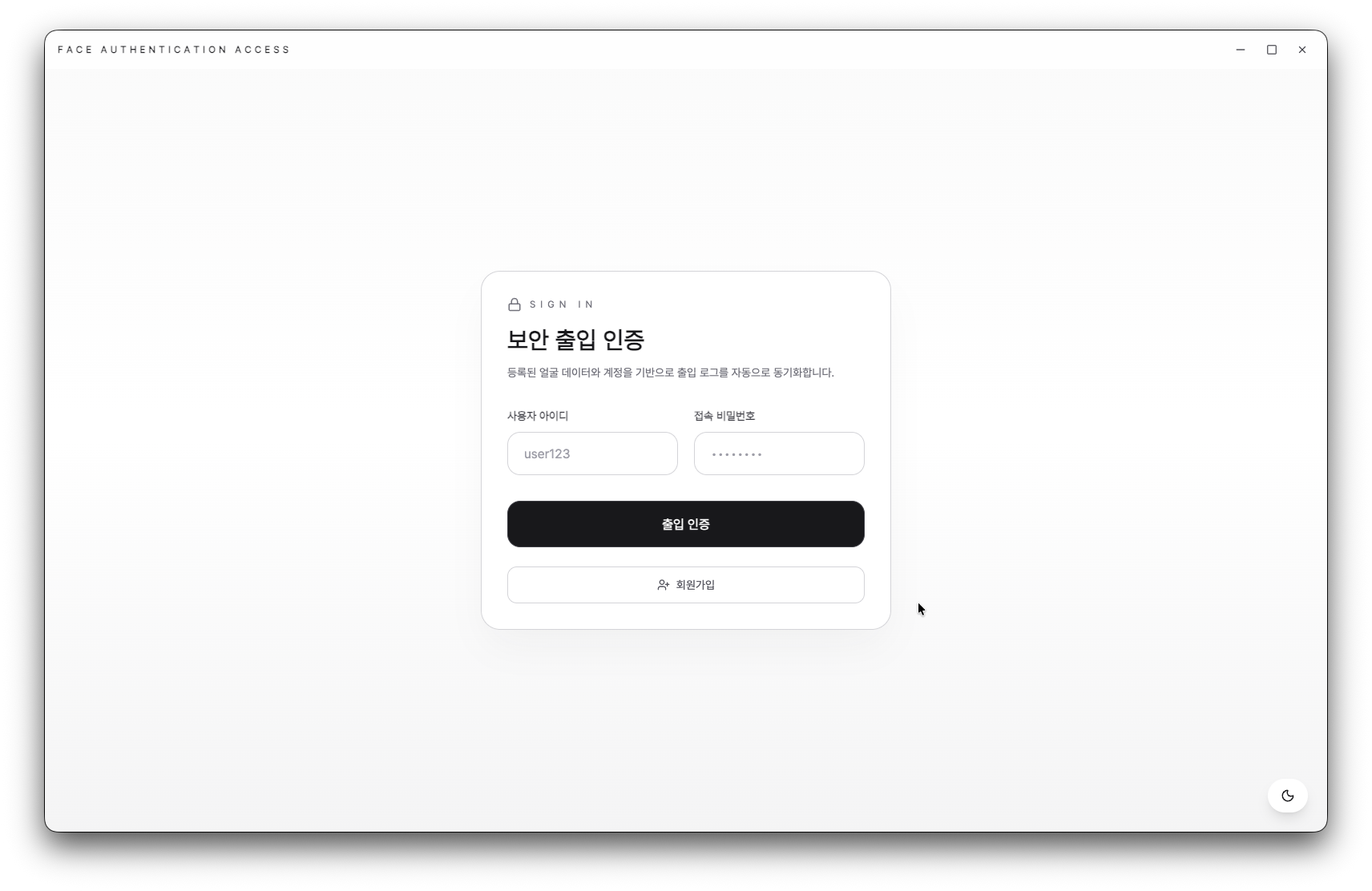
Understand the entire flow from camera input to face recognition and access log management, and complete the basic service structure.

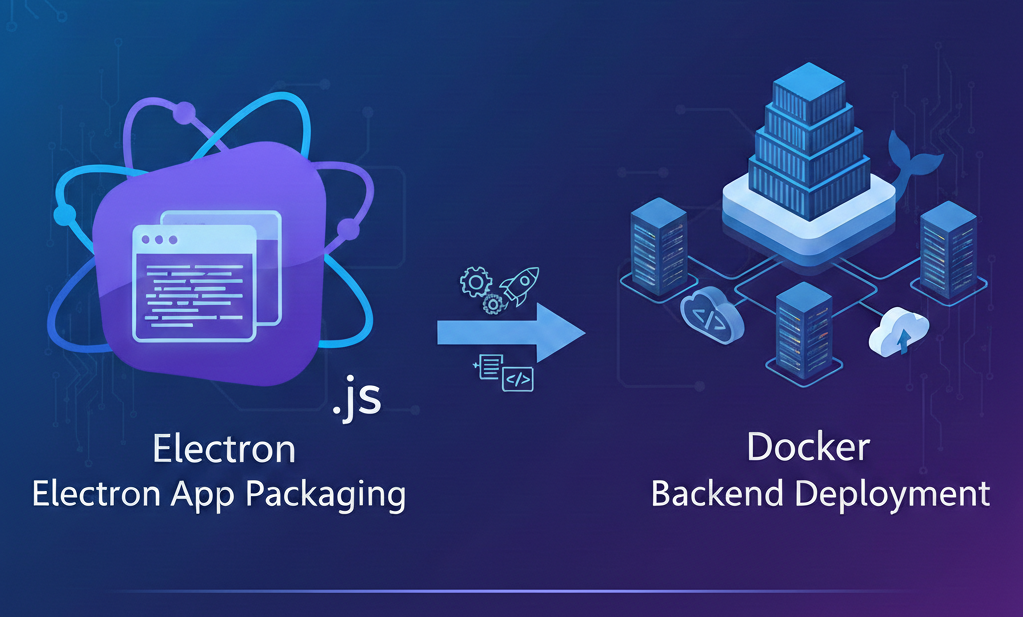
Electron app packaging and Docker

From Electron app packaging to backend deployment using Docker,
you'll gain practical development and deployment experience.


Building an offline facial recognition system

Point 1. Building an Offline Face Recognition System

Build a complete offline facial recognition access and attendance management system based on React and Electron, without relying on the cloud or external APIs. This is ideal for developers who want to gain a deep understanding of how AI operates within a local environment.

You can gain experience in building an AI pipeline from scratch—from camera input to processing recognition results—which can be expanded into personal projects.

Point 2. Strengthening Full-Stack Development Capabilities

You can gain full-stack development experience covering frontend (React, Vite, Electron), backend (Python, FastAPI), database (SQLite), and even AI (DeepFace). We highly recommend this to those who want to understand actual service structures by integrating various technology stacks.

In particular, it offers practical solutions for those who have web development experience but feel overwhelmed by desktop apps or local AI integration.

Point 3. Implementing Practical AI Face Recognition Features

Beyond simply using libraries, you will gain hands-on experience in everything from implementing face recognition logic using the ArcFace model to user registration and face data processing. Through this, you can clearly understand the internal operating principles of AI face recognition features.

By following the real-world examples and implementation processes provided in the lecture, you can build a solid foundation to refine your own attendance, security, and management tool projects.

Point 4. Desktop App Development and Deployment Experience

You will learn the entire process of packaging and deploying a React-based web application as a native desktop app using Electron. You can develop cross-platform application skills that work on various operating systems, including Windows, Linux, and macOS.

You will learn how to build and run FastAPI backend images using Docker, enhancing your understanding of real-world service deployment environments.


Do you want to build your own AI face recognition system
in an offline environment?

This course was created specifically for these people.

✔️ Developers who want to build an independent AI system without relying on the cloud or external APIs

  • Those who want to implement a facial recognition system in a local environment without relying on external services.

  • Those who want to develop by integrating various technology stacks such as React, Electron, and FastAPI.

  • Those who want to gain a deep understanding of the basic principles of AI facial recognition

✔️ Those who have web development experience but feel overwhelmed by desktop app development

  • Those who want to create React-based desktop applications using Electron

  • Those who want to configure an entire local AI pipeline, from camera input to processing recognition results.

  • Those who want to add examples of AI and app integration to their personal projects or portfolios.

✔️ Beginner developers who want to systematically learn how AI face recognition works

  • Those who want to implement actual facial recognition features using the DeepFace library

  • Those who want to design camera input and recognition result processing logic with FastAPI.

  • Those who want to focus on understanding the principles of operation and scalability rather than a highly polished final product.


Now, take on the challenge of building an offline AI system
that once felt vague and out of reach.
Open up the possibilities of AI development by creating it yourself!

Notes before taking the course

Practice Environment

  • Operating System: Windows, macOS, and Linux are all supported.

  • Required software: VS Code, Node.js (LTS version recommended), and Python (3.8 or higher recommended).

  • Recommended Specifications: For a smooth development environment, we recommend at least 16GB of RAM and 50GB or more of SSD storage space.

Prerequisite Knowledge and Important Notes

  • Having experience in React-based web development will be a great help for your learning.

  • It is recommended to have an understanding of basic Python syntax and the FastAPI framework.

  • It is okay if you have no experience using AI models or libraries. They will be covered in detail during the lecture.

  • Since AI models are run in a local environment, please ensure you have sufficient storage space before the practice session.

Learning Materials

  • Lecture slide PDF materials are provided and can be used for review.

  • Example code and project source files are provided through the GitHub repository.

  • You can freely ask and receive answers to any questions that arise during the hands-on practice through the Q&A board.


Recommended for
these people

Who is this course right for?

  • Developers who want to try facial recognition features but find relying on the cloud or external APIs burdensome.

  • People who have experience in web development but feel overwhelmed by desktop apps or local environment integration

  • Beginner and entry-level developers who want to understand the structure of how AI facial recognition works.

  • Students who want to create AI + app integration cases for personal projects or portfolios

Need to know before starting?

  • Understanding basic JavaScript syntax

  • Basic experience using React

  • Familiarity with basic Python syntax

Hello
This is

953

Learners

48

Reviews

59

Answers

4.6

Rating

8

Courses

Hello! I am a graduate of Sogang University's Computer Science and Engineering department, and I am currently preparing for graduate school.

I fell in love with programming in high school when I happened to start full-stack web development and automated trading using Python.

Since then, I have shared my skills and know-how through various projects and programming tutoring activities. Based on these experiences, I am striving to create lectures that make even those new to programming feel, "Wow, this can be so easy!"

I want to help you learn through practical examples and friendly explanations. Thank you.

Go to GitHub Repository (Click!)

Curriculum

All

71 lectures ∙ (19hr 19min)

Published: 
Last updated: 

Reviews

Not enough reviews.
Please write a valuable review that helps everyone!

Limited time deal

$29,040.00

40%

$37.40

dakgangjung123's other courses

Check out other courses by the instructor!

Similar courses

Explore other courses in the same field!