My name is Mark, the manager of Inflearn. I recently wanted to create my own household account book using a spreadsheet, so I took this course. I think it is a very clean and good course. The knowledge sharer's voice and recording quality are also excellent. It covers basic functions used in Excel and spreadsheets, and I felt like I was organizing things just by listening to the course. I would highly recommend it to those who are learning spreadsheets before Excel.
5.0
mrbread
100% enrolled
I completed the course over the weekend. It was so much fun and I improved my skills a lot. Thank you.
5.0
교사 지미정
100% enrolled
It's a good lecture. In a situation where you have to apply it in real life, there is no place to ask questions, but the lecturer answers the questions very thoroughly. The best~!!
What you will gain after the course
Useful Google Spreadsheet Usage Guide for Work
Understanding the sharing features essential for collaboration
How to use basic functions such as sum and average, functions frequently used in work
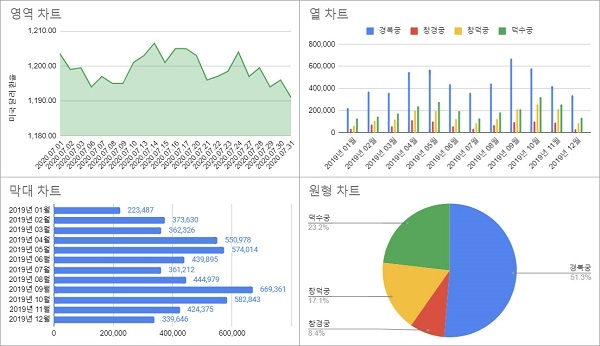
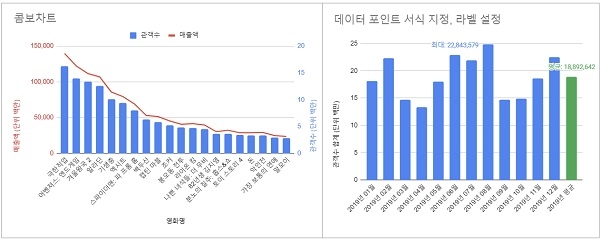
Tips on how to create graphs and choosing the type of graph for your data
How to create a pivot table and practical tips for using it
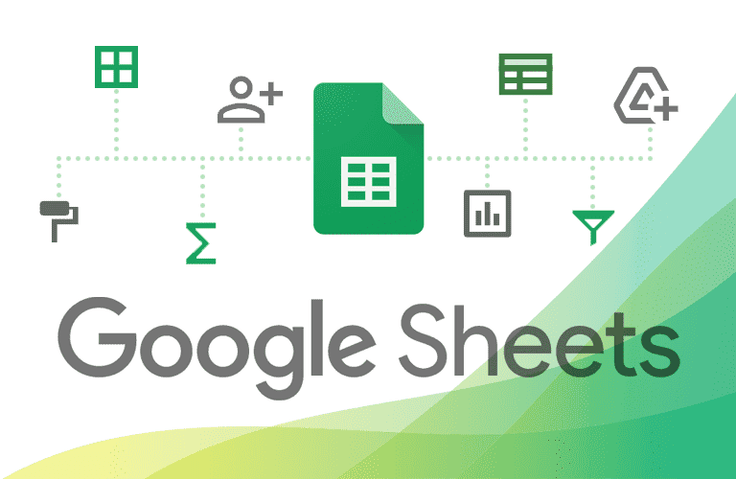
Learn Google Spreadsheets from Smart Agents 📈 We'll teach you practical functions and useful features for data visualization.
Lecture Topic 📖
IntroducingGoogleSheets
You can think of it as an online Excel program provided by Google.
Advantages of Google Spreadsheets
Anyone can use it for free as long as they have a Gmail account.
You can use it with just a web browser that can access the Internet, without having to install a separate program.
Since it is a cloud service, there is no need to manage file versions separately.
Multiple people can collaborate together.
You can use most of the functions you use in Excel.
Lecture Introduction
Basic terms, formulas
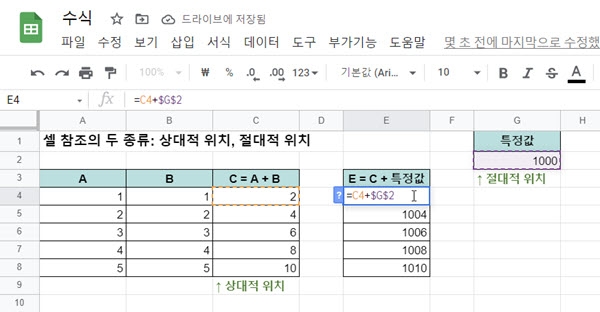
Understanding the basic terms of spreadsheets: values and formats. We will explain important relative and absolute positional references when writing formulas.
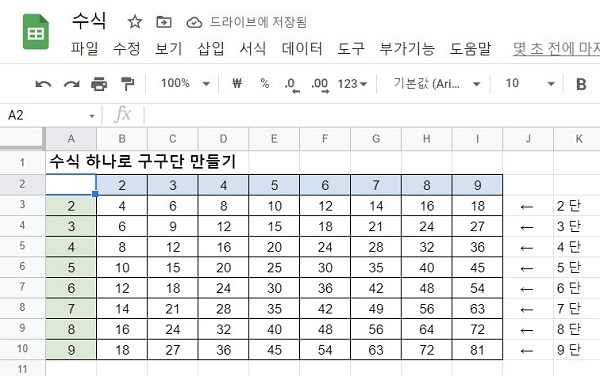
If you understand relative position references and absolute position references, You can create a multiplication table with just one formula.
share
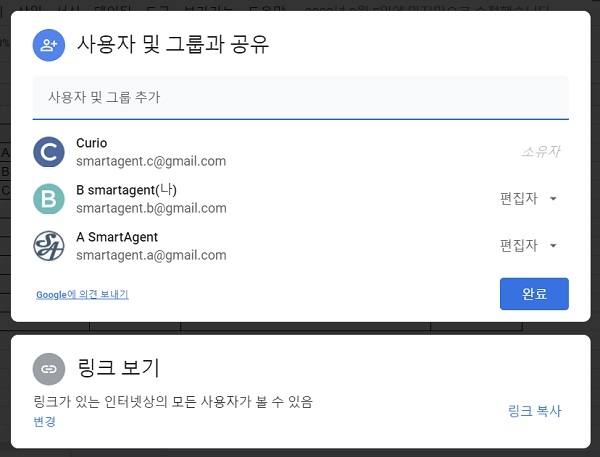
Sharing is essential for collaborative work. How to share a spreadsheet with others We will inform you about detailed settings such as sharing scope and permissions.
We'll also share some useful sharing tips for collaborating with your team.
function
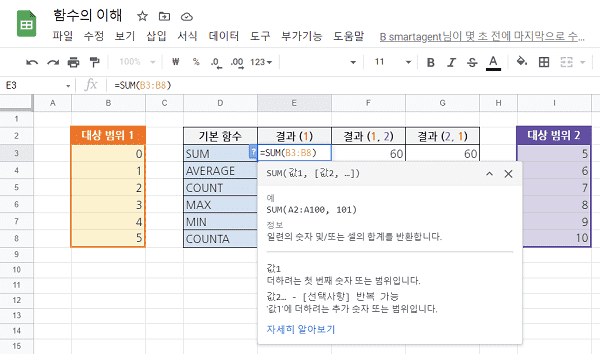
Functions such as SUM to calculate the sum or AVERAGE to calculate the average I think you've probably used it at least once. There are many other functions available in spreadsheets. Among the many functions, we have carefully selected the ones frequently used in work and will teach you how to use them.
Drawing a graph
Graphs are a way to visually present a lot of data. We will teach you how to choose a graph based on the type of graph and data.
Pivot Table
Pivot tables analyze large amounts of data This is a really handy feature for creating graphs and visualizing them. Use this when you want to analyze business data by product, month, or week. We'll explain in detail what pivot tables are and how to use them in your work.
Create a template sheet
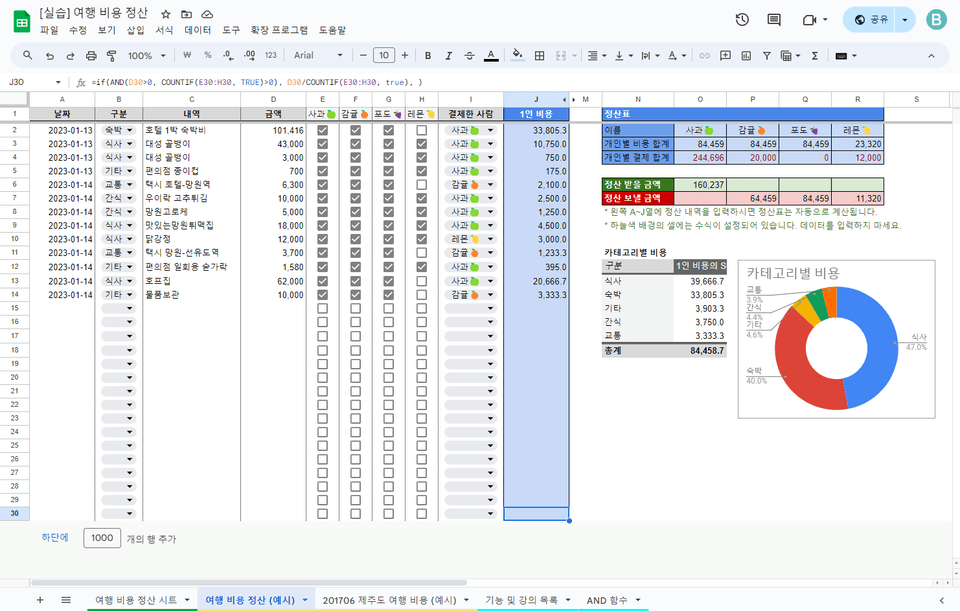
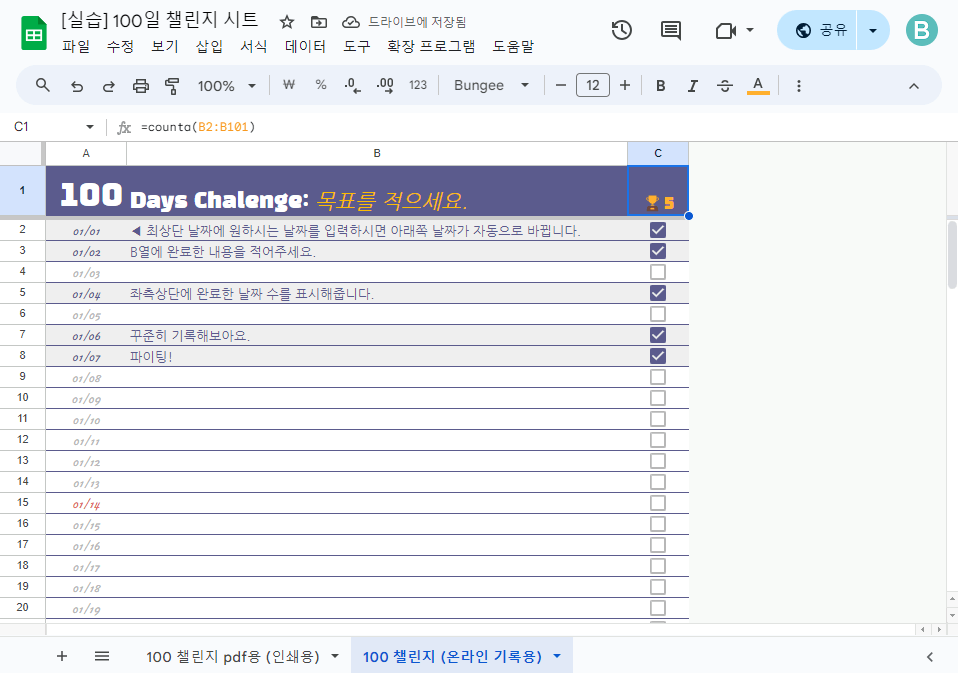
The various functions of the spreadsheet that we learned in the lecture To show you how to use it I'll explain in detail by creating some template sheets myself. Refer to the Applications section to create your own custom template sheet.
📋Travel Expense Settlement Template Sheet
📋100-Day Challenge Template Sheet
Why should I learn 👀
Numeric data management
If your job requires managing large amounts of numeric data:
It may vary depending on the job, but if you have to deal with a lot of numerical data such as sales and expenses, It is easy to organize and manage in a table. Using a spreadsheet You can easily analyze large amounts of data organized in tables using functions or pivot table functions. You can also visualize it by creating a graph.
Online work in the contactless era
If you want to work with others in this remote era where meeting in person is difficult:
You don't need to install a separate program; just use a web browser. It's really convenient to have a spreadsheet that lets you collaborate with other people on the same sheet online.
Are you using Google Workspace at your company?
If your company uses Google Workspace and you work a lot with spreadsheets:
When working at a company, it would be nice to have a management program dedicated to that work.
Unfortunately, you can't create and use a program for every task.
You can use the various functions of the spreadsheet to create a customized work sheet. Although it may not be as smooth as a program, it can make your work run more smoothly and make it easier to track progress.
Lecture Features 🎈
It is composed mainly of functions that are actually frequently used in work.
We will tell you not only the basic usage method, but also useful tips and precautions to take when using it.
I used easy-to-understand example data.
We provide a practice spreadsheet so you can follow along.
Recommended for these people
Who is this course right for?
Anyone who wants to make good use of Google Spreadsheets at work
Anyone who uses Google Workspace at work
For those who want to try other functions besides SUM
Anyone who wants to make good graphs in spreadsheets
Those who want to organize business data by product sales, month, or week
Operator of the 'Practical Google by Smart Agent' blog
I have been using Google Workspace for business (formerly G Suite) at my current company since 2012. As a leader with a background in development, I have utilized Google systems for our team's operations over a long period. I will share practical ways to use spreadsheets that have actually helped in my work, along with my own personal know-how.
It's a good lecture. In a situation where you have to apply it in real life, there is no place to ask questions, but the lecturer answers the questions very thoroughly. The best~!!
My name is Mark, the manager of Inflearn. I recently wanted to create my own household account book using a spreadsheet, so I took this course. I think it is a very clean and good course. The knowledge sharer's voice and recording quality are also excellent. It covers basic functions used in Excel and spreadsheets, and I felt like I was organizing things just by listening to the course. I would highly recommend it to those who are learning spreadsheets before Excel.







![[Basic] Even those with no coding experience can do it! Master Google Sheets task automation in 90 minutesCourse Thumbnail](https://cdn.inflearn.com/public/courses/331717/cover/a395d468-0688-4908-88c2-4d087f24d7b7/thumbnail.jpg?w=420)
![[Template Provided] Mastering Google Sheets in Practice: Completing Automation with Real-Time ConnectivityCourse Thumbnail](https://cdn.inflearn.com/public/files/courses/341571/cover/01kmhbqpxzb2tt0exy2n89vd99?w=420)