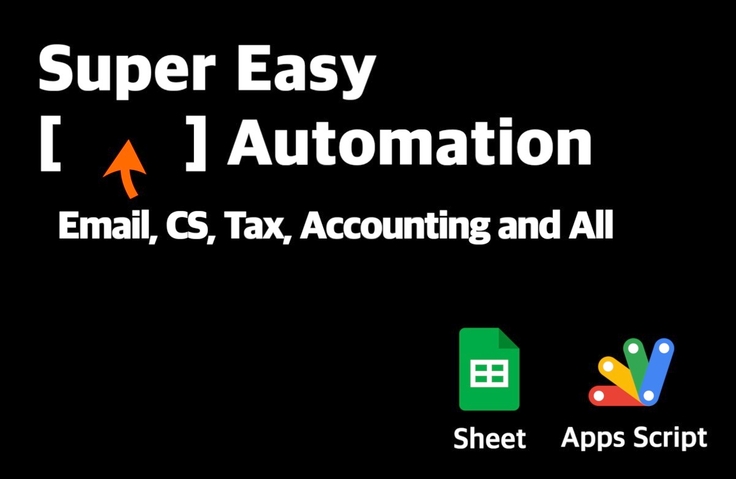
[Basic] Even those with no coding experience can do it! Master Google Sheets task automation in 90 minutes
Google Sheets and Apps Script work automation that even those with no coding experience can do!
I will teach you in the easiest way possible by creating examples that can be used in actual work.
I really understand each line well. I sincerely recommend it to those who have no knowledge of coding and want to try automating work vaguely. The advantages are
1. It explains things in a way that is easy for beginners to understand.
2. The examples in the class are easy to understand and apply to work. It is easy to apply to work such as e-books, membership emails, and CS emails sent to unspecified numbers of people.
3. There are no unnecessarily difficult expressions or methods. This is the part that I am most satisfied with personally. We are not going to become Super Coding Saiyans, right? We want to quickly complete the work that is difficult through automation, and for this purpose, it explains things in a way that is easy for those who applied.
This is the most satisfying of the Inflearn lectures.
I hope the next lecture will have these things.
1. Sending emails only to newly registered columns in a specific sheet such as 'Today', and sending only newly entered data instead of past data
2. Sending text messages, as mentioned in the last video
5.0
따뜻한 바다코끼리
31% enrolled
I'm still taking the class, but the instructor kindly explains it step by step, so I'm getting a lot of help! At first, even though I wasn't familiar with languages like var and function, I started to understand it more intuitively as I kept listening. I want to apply it to my work soon.
5.0
Maitri_7
100% enrolled
It was great to be able to learn about Google AppScript in a short time. I felt that it was explained really easily so that beginners could understand it (I know how to handle Python, so I felt that it was explained from a beginner's perspective, such as arrays and dictionaries)
It's a shame that the lecture is short, but I look forward to the intermediate lecture.
What you will gain after the course
Automation created with Google Sheets and Apps Script
Automation of email delivery for certificates, certifications, and quotes
Google Apps Script Basics
For the many people who repeat the same tasks every time, so that you can leave work early through work automation 🔥
Do you want to leave work early?
To. Startup marketers and managers, solo entrepreneurs, small business operators, non-profit managers, and freelancers!
Are you in charge of various tasks such as member management, financial management, and customer management?
Are you staying late into the evening all by yourself to handle the accounting settlement?
Are you spending a lot of time manually sending emails and text messages to each customer?
Setup complete with just one click.
Without complex development environments or project setups, you can automate finance, tax, HR, customer management, and communication using only 💸free tools like Google Sheets and Apps Script! You will learn easily and enjoyably by creating real-world examples. I will help you build a solid foundation for workflow automation using Apps Script.
Automation you can create with Google Sheets & Apps Script
You can create these kinds of automations with Google Sheets and Apps Script.
Example 1. Send payslips to all employees in just 10 seconds
Example 2. Complete month-end accounting settlement with a single click of a button
Example 3. Send text messages directly from Google Sheets without the hassle of logging into a messaging website
Example 4. A Slack bot that automatically monitors exchange rates, stock prices, and financial data
Techniques and 🍯tips taught very easily by a 'non-developer' who has personally handled various practical tasks
#1
A practitioner who built their own automation after becoming exhausted by multitasking and repetitive tasks in areas such as tax, finance, HR, customer management, and customer communication will guide you.
#2
I will share practical tips on how to share the automation features you've created so your colleagues can use them immediately, and how you can use them even more conveniently yourself.
What you will learn 📚
In this class, we will directly create an example of 'Customer and Employee Email Communication Automation.'
Part 1. Apps Script Basics Learn how to integrate Apps Script with Google Sheets.
Part 2. Sending Bulk Emails Learn how to send emails with different recipients, subjects, and content based on the data written in the sheet.
Part 3. Creating Personalized PDFs and Sending Them via Email Learn how to generate unique PDF files (certificates, completion certificates, quotes) for each individual and send them as email attachments.
Frequently Asked Questions Q&A 💬
Q. When and for whom would this lecture be most beneficial?
Small business owners who stay late alone at the end of every month to do accounting settlements Small startup managers and marketers who have to do all customer management tasks by hand Non-profit organization operators who have to handle membership management while juggling other tasks Freelancers who suffer from the same tax and settlement tasks every time!
If you feel like something could be automated but don't know where to start, I am confident that taking this course will help you find that starting point. Once you understand the methods a bit more, new possibilities will become visible.
Q. I've never coded before; will it be okay? What is the level of the class?
Yes, it is perfectly fine even if you have no coding experience at all. I explain everything step-by-step so that even a "complete beginner" can take the course. Even I, who never formally studied coding, learned only the necessary parts as I went along while building the automation features I needed.
Q. What will I be able to create after taking this course?
The course is conducted through "hands-on practice." In this course, you will learn how to send personalized emails in bulk and how to send emails containing personalized attachments to customers. By applying these exercises immediately, you can automate the creation and delivery of awards, completion certificates, certifications, membership cards, and quotes. Furthermore, you will be able to brainstorm the features you need and develop them freely on your own.
About the Instructor ✒️
Hello! I'm Duggy, the creator of this course. I also started task automation while handling various tasks (tax, finance, accounting, CS, customer management, HR management, etc.) as a non-developer and co-founder. I hope this helps more people become free from repetitive work!
Over 5 years of experience in business automation development
<Business Automation> lecture in progress
<Automation with Google Sheets and Apps Script> Workshop Conducted
Recommended for these people
Who is this course right for?
Freelancers, small business owners: one person handles a wide range of responsibilities
Startup Manager: In charge of Finance, Tax, and HR
Marketers, Customer Success Managers: In charge of communication and CS
Non-profit organization employee: In charge of member management and project operations
I am conducting Work Automation / Google Sheets / Apps Script lectures for freelancers, solo entrepreneurs, startup managers, and operators. I will teach you in an easy and fun way, packed with the experience and know-how I've gained from working as a multi-player in operations, finance, tax, and CS😇
I really understand each line well. I sincerely recommend it to those who have no knowledge of coding and want to try automating work vaguely. The advantages are
1. It explains things in a way that is easy for beginners to understand.
2. The examples in the class are easy to understand and apply to work. It is easy to apply to work such as e-books, membership emails, and CS emails sent to unspecified numbers of people.
3. There are no unnecessarily difficult expressions or methods. This is the part that I am most satisfied with personally. We are not going to become Super Coding Saiyans, right? We want to quickly complete the work that is difficult through automation, and for this purpose, it explains things in a way that is easy for those who applied.
This is the most satisfying of the Inflearn lectures.
I hope the next lecture will have these things.
1. Sending emails only to newly registered columns in a specific sheet such as 'Today', and sending only newly entered data instead of past data
2. Sending text messages, as mentioned in the last video
I'm still taking the class, but the instructor kindly explains it step by step, so I'm getting a lot of help! At first, even though I wasn't familiar with languages like var and function, I started to understand it more intuitively as I kept listening. I want to apply it to my work soon.
Hello! Warm Sea Elephant:)
I tried to explain it as easily as possible so that even those without coding experience can apply it right away.
Instead of learning all the theories first, if you learn the necessary coding little by little as you go, you will remember it better and be able to use it usefully later.
If you have any questions during the lecture, please leave a question at any time :)
Thank you
It was great to be able to learn about Google AppScript in a short time. I felt that it was explained really easily so that beginners could understand it (I know how to handle Python, so I felt that it was explained from a beginner's perspective, such as arrays and dictionaries)
It's a shame that the lecture is short, but I look forward to the intermediate lecture.
The content is really rich and good! I think I can apply it to my work right away. Thank you for the great lecture, and I will definitely take the intermediate lecture!
I really enjoyed it! There are many work automation lectures, but I think this is the most practical and outstanding. I'm surprised that you managed to cover so much content in 90 minutes.
Also, for the LMS function you showed at the end, does it use an external API? Even if it's not an LMS, it would be helpful if you could show us the work you do by bringing in an external API. Thank you.
Functions outside of Google, such as external LMS, require the use of external APIs. In the next lecture, I will prepare to include the use of external APIs :)







![[SMART WORK ORDER] AI Task Automation System for HR, General Affairs, Administration & OperationsCourse Thumbnail](https://cdn.inflearn.com/public/files/courses/344648/cover/01m3yk2wvf5v3e9wfr9rtmjht3?w=420)
![[Template Provided] Mastering Google Sheets in Practice: Completing Automation with Real-Time ConnectivityCourse Thumbnail](https://cdn.inflearn.com/public/files/courses/341571/cover/01kmhbqpxzb2tt0exy2n89vd99?w=420)

![[Pass ITQ Excel A in One Go] in 3 daysCourse Thumbnail](https://cdn.inflearn.com/public/courses/329652/cover/b44e11b6-a47e-4993-86ea-a85da9836bb5/329652-eng.png?w=420)
![[Episode] Excel + Python (Basic)Course Thumbnail](https://cdn.inflearn.com/public/courses/332174/cover/4bff11a1-9859-43f4-8e17-6374ee50e6d6/332174-eng.png?w=420)
![[Basic Part 2.5] OpenClaw.AI Master Class: Fundamentals of Multi-Agent Team Design and Role SeparationCourse Thumbnail](https://cdn.inflearn.com/public/files/courses/341784/cover/01knxyn4p6xrrydvz16tkf6yvb?w=420)