

Hello. I am a knowledge sharer, Smart Agent.
Added application section
To show you how to use the spreadsheet's functions in various ways, we will create a template sheet.
Section 7. [Application] Added Creating template sheets using various functions .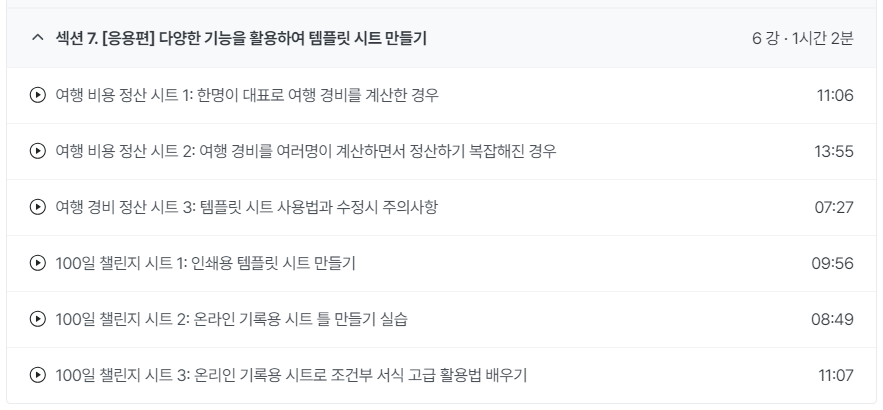
This is a template sheet created using the functions I explained in my lecture.
I have compiled the functions and related lectures used to create the sheet and shared them in the lecture materials.If you are a new student who has registered for a course or if you are making slow progress in the course after registering,
Please first look at the [Application] section that was added this time, and then go through the related lecture links organized in the lecture materials.
You can also try going through the lectures in the order in which you listen to the lectures on specific functions used to create the template.
I think it will help you learn.With the addition of this lecture, the total lecture time will be a little over 5 hours.
My lecture speed is not that fast, so I recommend that you listen at a slightly faster playback speed.Why I added a template sheet lesson
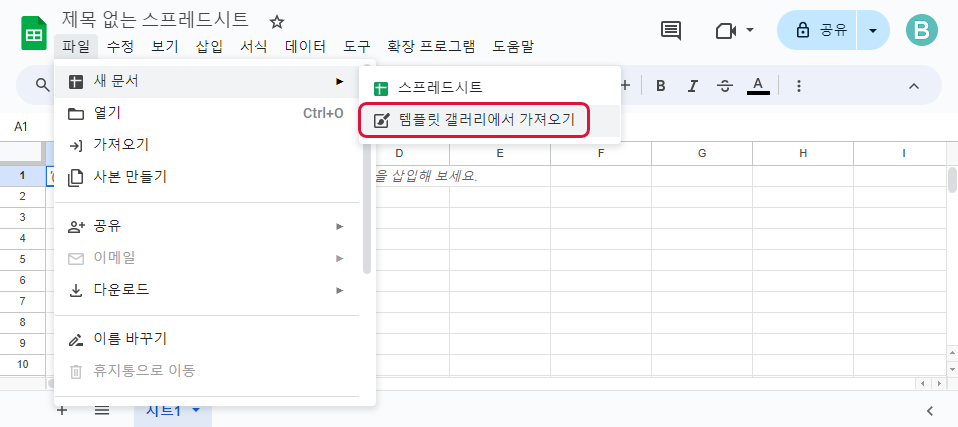
In your spreadsheet, click the File > New Document > Import from Template Gallery menu.
You can see a variety of templates provided in the Template Gallery .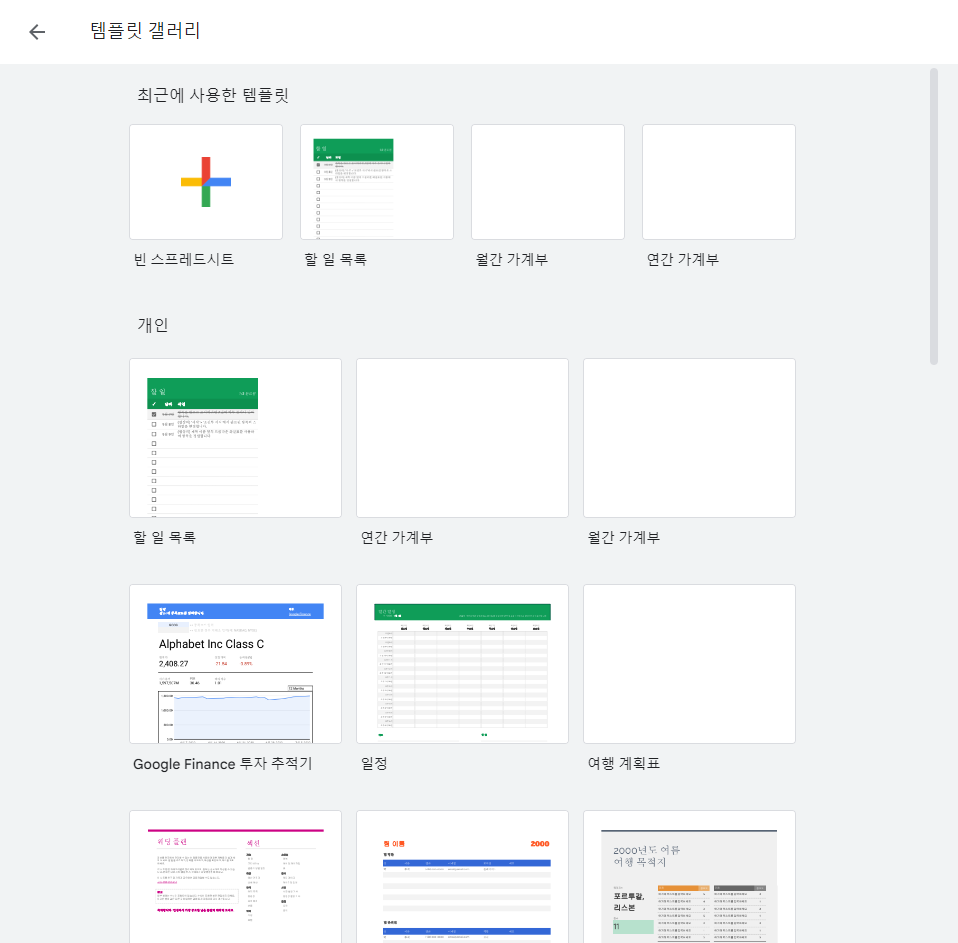
As you can see, there are a variety of templates available in the template gallery.
The lecture materials I provide in my lectures, etc.
Alternatively, it is not difficult to find the template sheet you want through a search.But if you bring in a shared template sheet and use it,
Because it lacks the features you really need or has different usability preferences.
There will certainly be times when you feel it is a shame to use a template as is.If you are using a shared template sheet and want to check it in the middle, please do so.
By utilizing the functions learned in the lecture, you can improve yourself more comfortably.
We have created an application course to help you create and use your own custom template .You can check the changed UI
The UI for the pivot table and drop-down function has changed a bit since the beginning of the lecture.
You can see how it looks in use with the changed UI.⬇ Pivot Table Editor
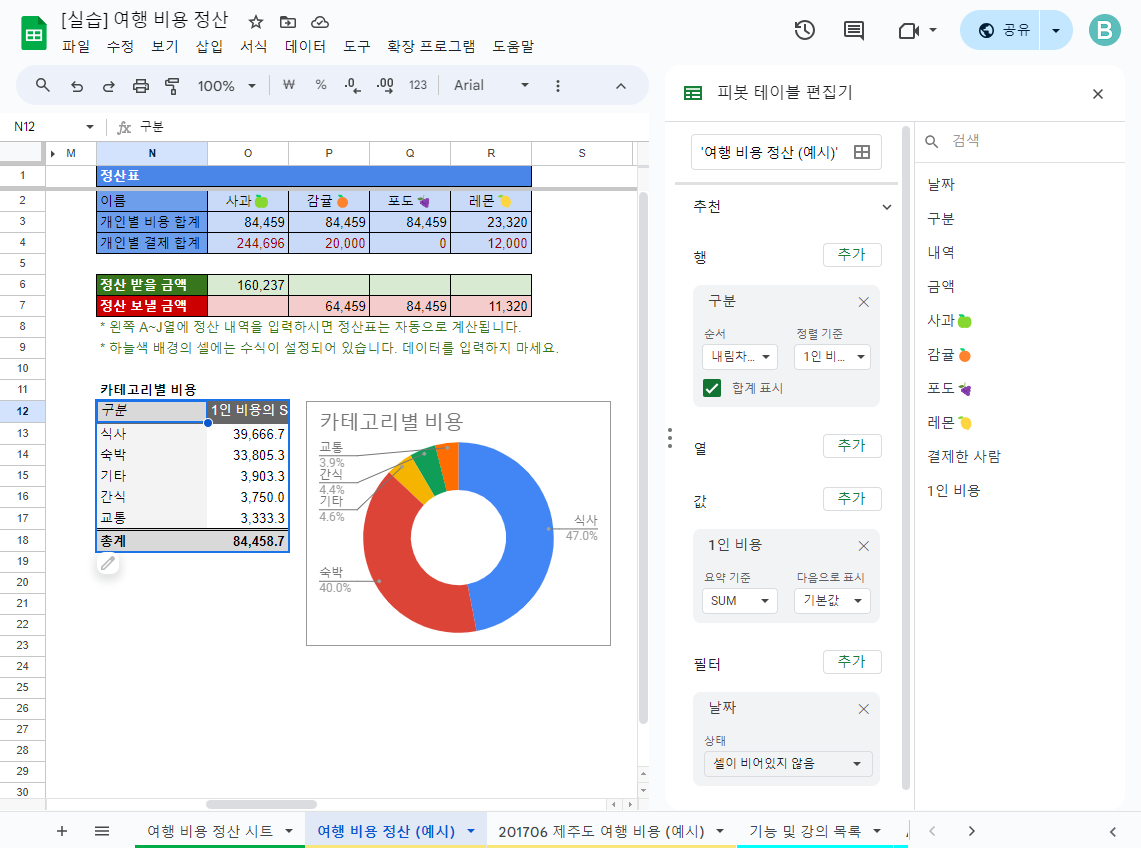
⬇ Data validation rules that can set dropdown
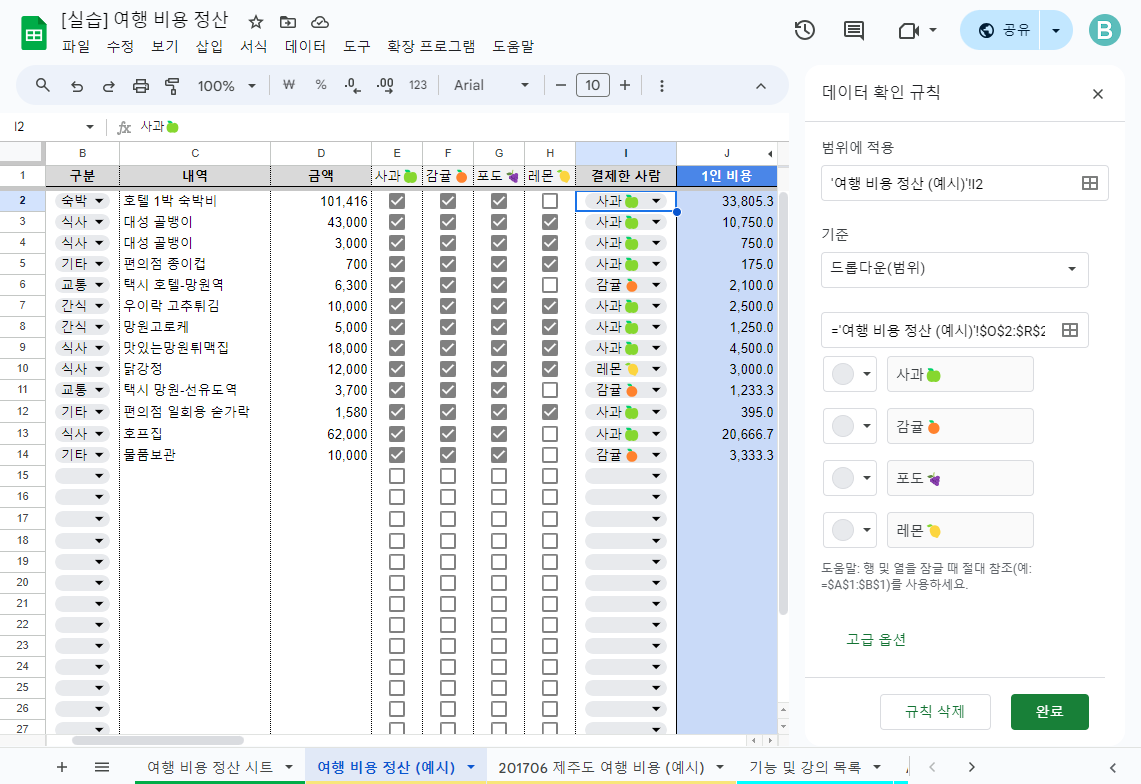
If you have any questions during the course, please post them through the community.
We will respond as soon as possible.And if you found the lecture helpful, please leave a review.
Thank you for listening to my lecture!Hello. This is Smart Agent.
We would like to inform you that the location of the Pivot Table menu in the spreadsheet has changed.
Previously it was under the data menu,
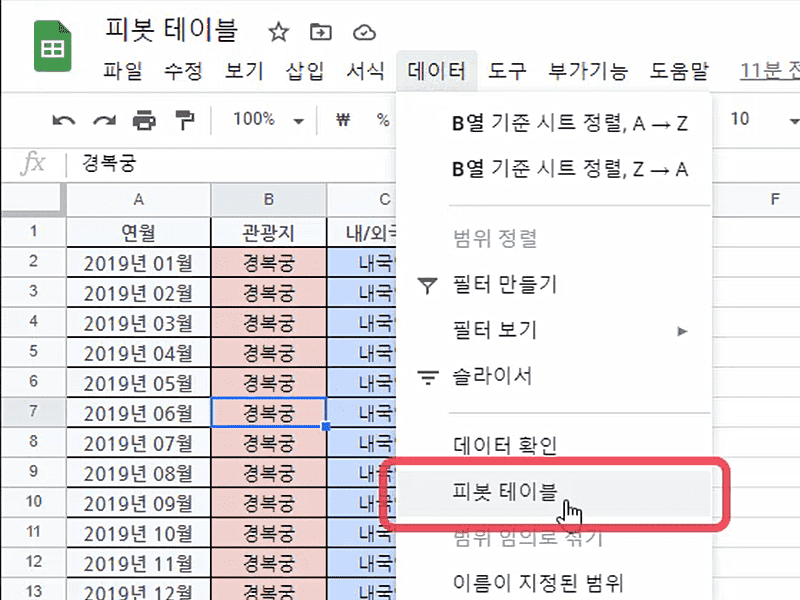
It's currently under the Insert menu.
Please keep this in mind when practicing pivot tables.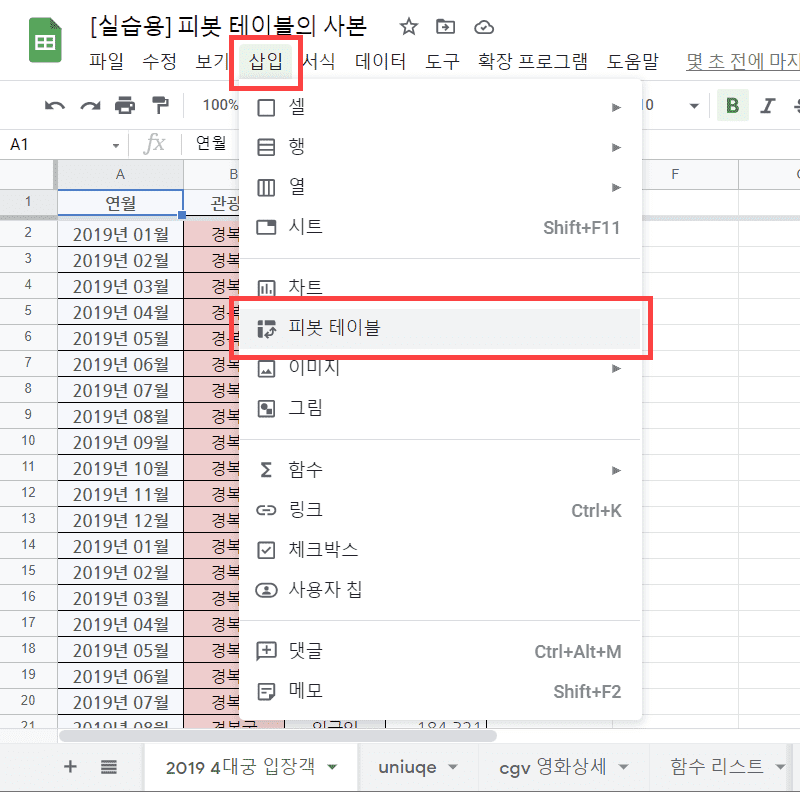
thank you
