Resilience4j - CircuitBreaker for creating fault-free services
foo
We'll show you a quick and easy way to implement CircuitBreaker to create a fault-tolerant service.

Intermediate
resilience4j, Spring Boot, circuit-breaker
The method of logging directly into a server to check log files has several limitations. First, when operating multiple servers, you must access each server individually, which is time-consuming and complicates management. Second, it is difficult to monitor logs in real-time, making it hard to respond quickly when problems occur. Furthermore, because log searching and analysis are performed manually, important information can be missed, and it may take a long time to discover errors. This approach is particularly inefficient in large-scale distributed systems and can negatively impact service stability and user experience. Therefore, it is necessary to adopt a more systematic and automated log management method.
Log management is more than just recording errors; it is a vital tool for understanding the heartbeat of an application and predicting problems in advance. Especially in today's complex distributed systems, log management can determine the stability of a service and the quality of the user experience. In practice, the ability to quickly identify and resolve issues amidst vast amounts of data and traffic is essential.
In this lecture, "Log Management for Developers," we will cover various strategies and tips that can be applied directly in practice, from what logs to record to how to utilize them. You will systematically learn the entire process of log management from start to finish and experience firsthand how logs can be utilized in service operations.
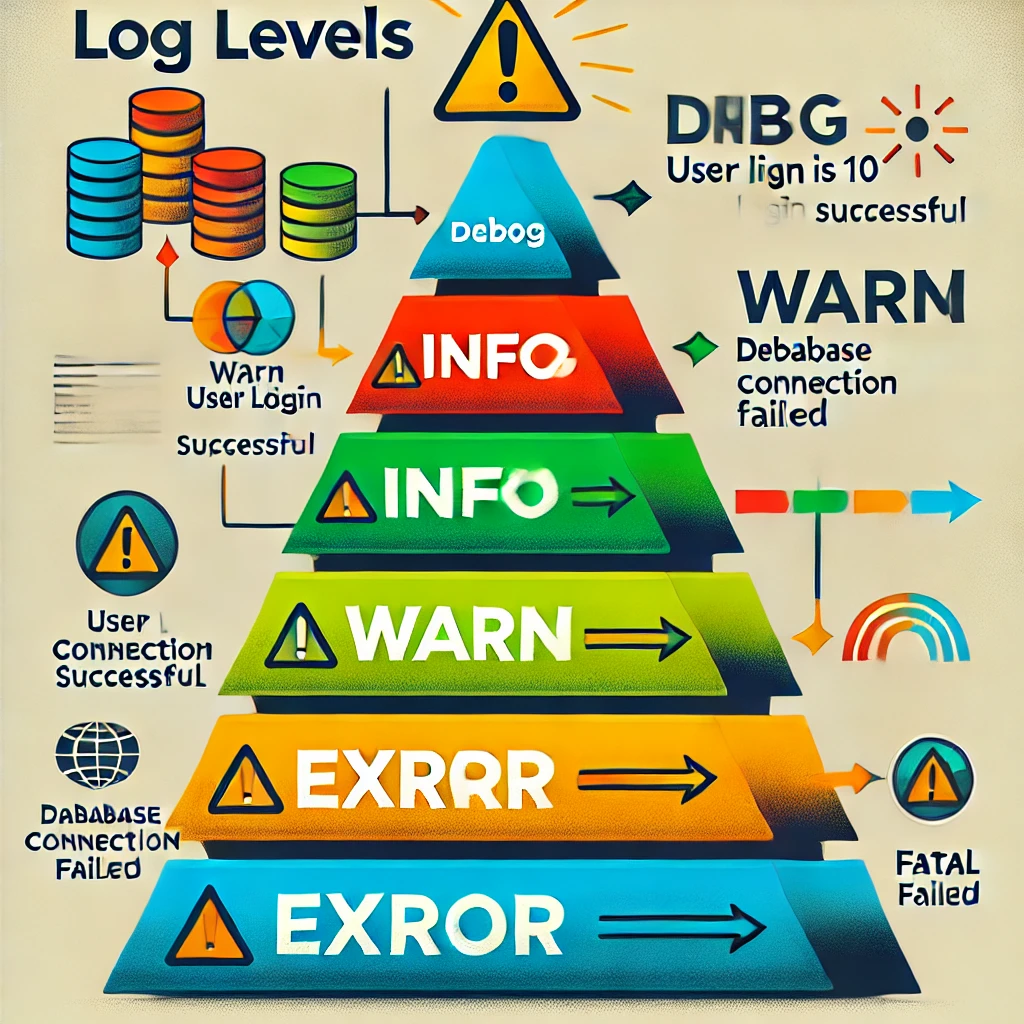
First, we will cover the basic knowledge of logging. In this course, you will understand the basic concepts and importance of logs, and learn what information should be logged, how to utilize logs during exception handling, and the meanings and applications of various log levels. Through this, you will recognize the importance of logs in the development process and master how to record logs effectively.
Second, we cover Logback configuration. We explain the basic concepts of Logback and its connection with Slf4j, and learn how to create actual Logback configuration files through hands-on practice. You will acquire practical configuration skills such as using various Appenders to separate logs into multiple files, managing logs on a daily basis, and compressing log files. Additionally, you will learn how to implement flexible log management by applying different Logback configurations for each development environment.
Next, we introduce the importance of log collection and how to use Elasticsearch and Logstash as tools for this purpose. We will practice installing Elasticsearch and Logstash using Docker and the process of delivering logs to Elasticsearch via LogstashAppender. You will learn how to efficiently collect and manage logs in a distributed environment, as well as how to effectively check the logs collected in Elasticsearch.
Finally, we cover log visualization and utilization methods. You will learn how to visualize log data using Kibana and monitor logs in real-time through dashboards. We will study how to improve log readability by adding service and host information to log data and how to build a system that enables rapid response to errors through alarm settings. Additionally, through hands-on practice connecting with Jenkins to receive alarms via Slack, you will be able to build a log monitoring environment that can be immediately applied in real-world scenarios.
This course provides essential content for developers and engineers who wish to systematically learn everything from the basics of log management to advanced configurations. It will be of great help to anyone looking to enhance system stability through effective log management and build the capacity to respond quickly when issues arise.
<configuration>
    <property name="LOG_FILE" value="application.log"/>

    <!-- Appender to send to Logstash -->
    <appender name="LOGSTASH" class="net.logstash.logback.appender.LogstashTcpSocketAppender">
        <destination>localhost:5044</destination>
        <encoder class="net.logstash.logback.encoder.LogstashEncoder" />
    </appender>

    <!-- Console Output -->
    <appender name="CONSOLE" class="ch.qos.logback.core.ConsoleAppender">
        <encoder>
            <pattern>%d{yyyy-MM-dd HH:mm:ss} %-5level [%thread] %logger{36} - %msg%n</pattern>
        </encoder>
    </appender>

    <!-- File Output -->
    <appender name="FILE" class="ch.qos.logback.core.rolling.RollingFileAppender">
        <file>${LOG_FILE}</file>
        <rollingPolicy class="ch.qos.logback.core.rolling.TimeBasedRollingPolicy">
            <fileNamePattern>application.%d{yyyy-MM-dd_HH-mm}.log.gz</fileNamePattern>
            <maxHistory>5</maxHistory>
        </rollingPolicy>
        <encoder>
            <pattern>%d{yyyy-MM-dd HH:mm:ss} %-5level [%thread] %logger{36} - %msg%n</pattern>
        </encoder>
    </appender>

    <!-- Logger Settings -->
    <root level="trace">
        <appender-ref ref="CONSOLE" />
        <appender-ref ref="FILE" />
        <appender-ref ref="LOGSTASH" />
    </root>
</configuration>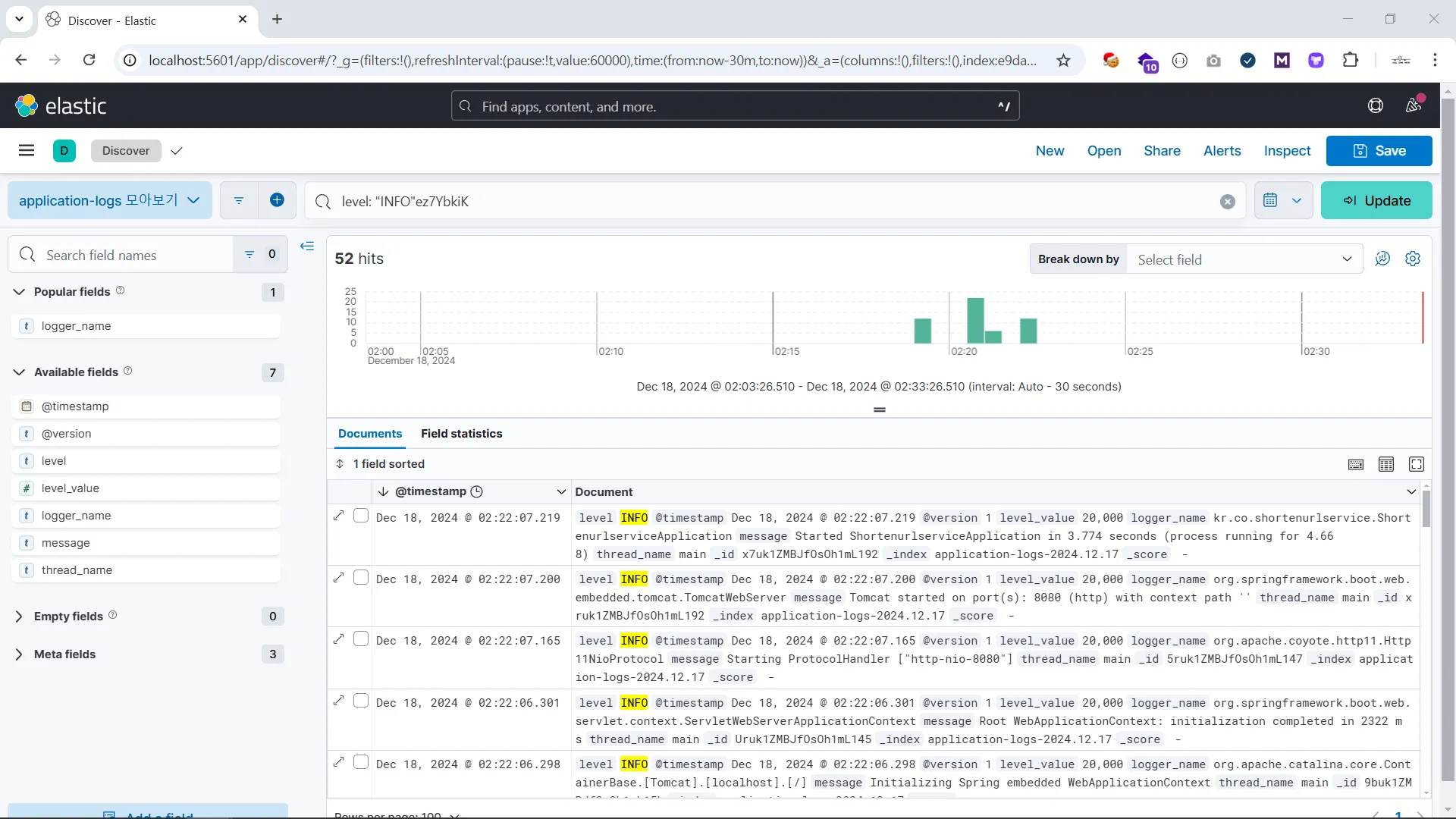





![Create your first server with Java and Spring Boot, from development to deployment, easily! [All-in-one server development package]Course Thumbnail](https://cdn.inflearn.com/public/courses/330186/cover/3bb38317-e5c5-4975-b1df-9baa6f19b73d/330186-eng.png?w=420)




![[From JSP to Spring Boot] The Unwavering Path to SpringBootCourse Thumbnail](https://cdn.inflearn.com/public/files/courses/334897/cover/01k2j21p3rz09cqh5s0frefaa5?w=420)
![[Season 1] Spring AI in Practice: Developing a Premium Reservation AI AgentCourse Thumbnail](https://cdn.inflearn.com/public/files/courses/339732/cover/01kb2qr7zw5gf0724jvv4rndns?w=420)



![[Season 2] Spring AI in Practice: Developing Multi-AI Agent SystemsCourse Thumbnail](https://cdn.inflearn.com/public/files/courses/339915/cover/01kbqgcec3hb576vxxdf9ch76y?w=420)