Have you seen a lecture that only collects CSS? In this lecture, you will implement everything from the most basic layout composition to responsiveness while working on a total of two projects! Now, if you are ready, let's get started.
I just studied Java, but I wanted to try CSS, so I happened to take the class. First of all, most of the lectures are about the instructor talking excitedly and beating drums and janggu, but I'll give this class six stars ★★★★★★.
Pros:
1. The instructor of this class maintains a calm and stable tone of voice even though it's a long class.
Live coding is possible
2. The lecture is not distracting. (I like that I don't have to go back and forth between developer tools.)
3. The flex, position, grid, and transition parts are really good.
When explaining flex or grid, PPT seems to be a godsend.
4. The instructor is very meticulous. He rarely talks too much or glosses over it.
5. He teaches about 70% and then assigns 30% as homework. This system is also very good...
5.0
hry
65% enrolled
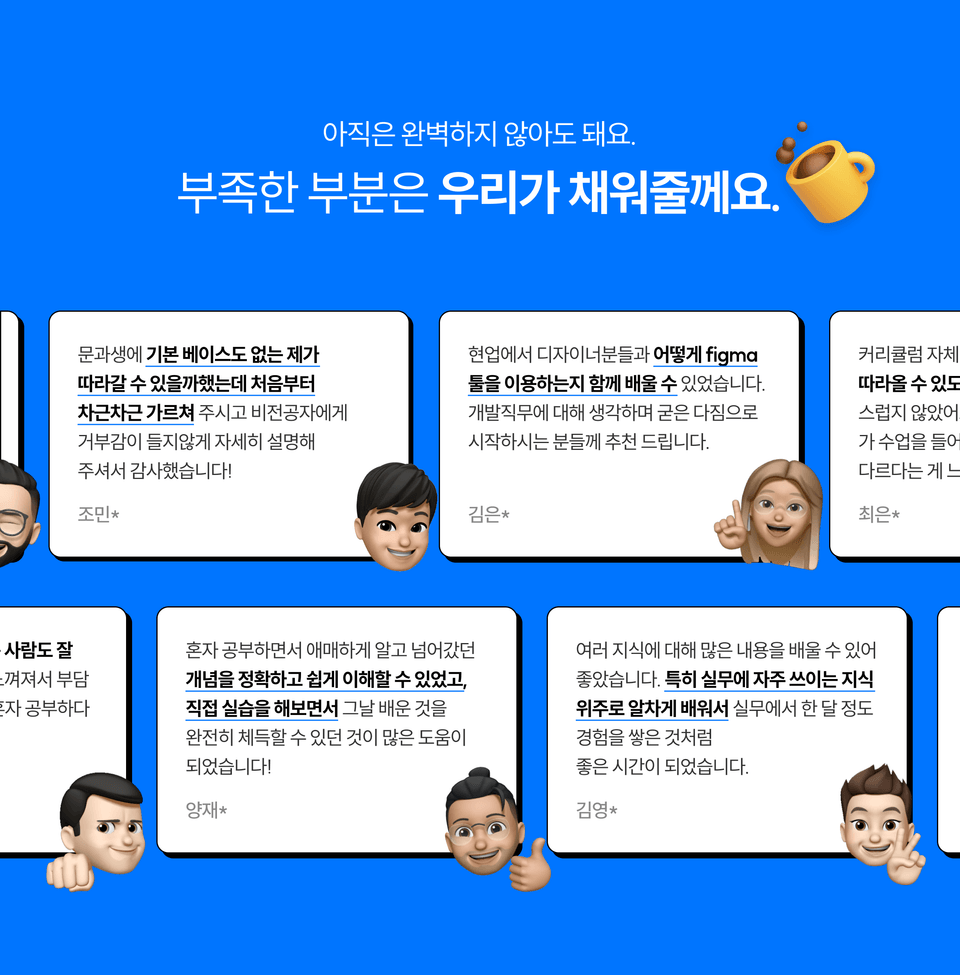
I took the class because I thought I lacked CSS knowledge. After the lecture, I applied what I learned through the practice at the end and created a result. I especially listened to Section 7. Animation and Section 9. Responsive Layout. And the instructor's voice was nice, so I listened comfortably. I should refactor it by referring to the content of the personal project lecture I did before.
5.0
수양
100% enrolled
As a beginner developer without a sense of design, I always seem to get stuck the most in CSS and spend the most time on it. Maybe it's because I started off with a poor understanding of the basics^ㅜ So I thought I should take free lectures on Inflearn to build a solid foundation of CSS, and this lecture was offered at a low price. The best part was that it explained only the essential key points very calmly, so I could follow along by writing them down while studying. While I was listening to it, I wanted to listen to other lectures as well, so I paid for them all. I'm looking forward to completing the other lectures.
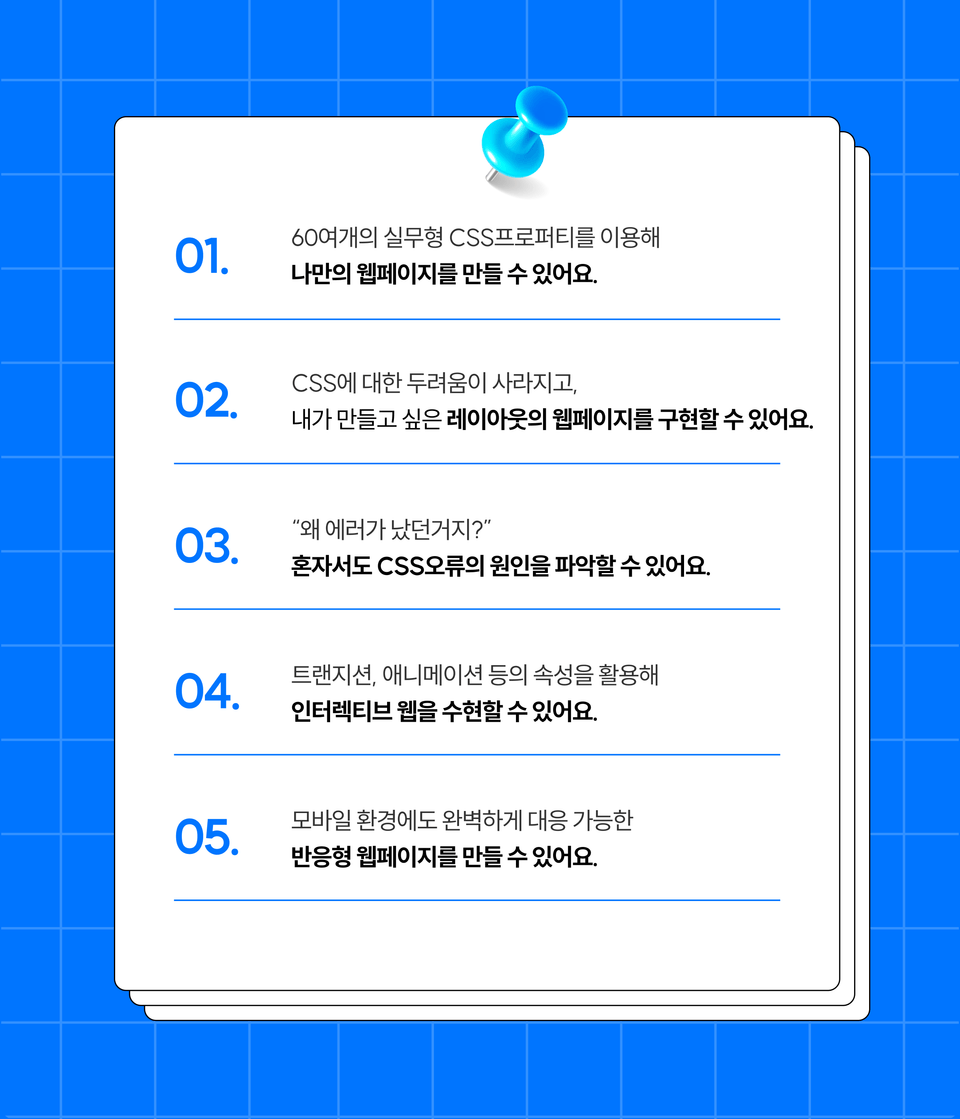
What you will gain after the course
Stop following along and start creating your own code!
Increase your understanding of reactivity
Ability to implement real responsive websites
Handling real-time communication with servers
More than 60 cutting-edge properties used in practice
Chapter 02: Teaching Coding Basics Powerful CSS!
Build strong CSS skills to build real responsive websites!
With over 60 properties Everything CSS in one place.
[Powerful CSS] is ✨
A collection of over 60 of the latest properties and important CSS concepts. One of the things that junior developers find difficult is 'CSS'. If you're wondering, "The grammar is simple, so why can't I do it the way I want?", you've come to the right place. Now, let's learn about the basic principles and characteristics of CSS and find out the reasons step by step!
We'll learn practical CSS by building our own responsive website. This isn't just a course where you simply follow along with the code. We'll explain the meaning of each line of code and teach you practical CSS . By creating your own online store through this project, you'll gain the skills to create the responsive website you desire.
If you follow along like taking baby steps from A to Z, Before I knew it, I had the website I wanted ! 🎁
Project 01. "How was your day?" Make your diary online.
"The text and objects are all messed up... Can't I organize them as I like to make them prettier?" You can solve any problem with CSS you've mastered. Learn the fundamental principles and usage of CSS while creating your own personal journal. Don't miss out on any difficult concepts and properties!
Project 02. Learn the basics of website development by creating your own shopping mall.
Understand CSS's Flex layout system through your own online store. Study Flex and Grid, essential for modern web layouts, and learn how to utilize them by cloning and coding actual web pages.
Project 02. Advanced + α Let's directly implement 'responsiveness', which is essential in development!
How to make your website look beautiful on various platforms! Responsive design is the answer. Using services built on websites, you'll learn advanced CSS techniques like grid layout and responsive web design. Learn dynamic CSS elements like transitions, keyframes, and animation to enrich your webpage's user experience!
After taking [Powerful CSS] class You can be a beginner like this. 💪🏻
Wait! Please check before registering. 📢
💡 We recommend that you create a schedule and study regularly and consistently . 💡 Please create a Notion account, a collaborative tool, to receive learning materials. 💡 Learning materials required for the course are provided in Notion (link) . ※ CodeCamp owns the copyright to this learning material. Unauthorized use, distribution, or duplication is prohibited.
Have any questions? 💬
Q. Can I take the course without any prior knowledge? A. A basic knowledge of HTML is required! If you'd like to take this course after building a more solid foundation in HTML, CSS, and other areas, I recommend the [Start with Free Camp!] course.
Q. Is there a separate textbook? A. Please use the [lecture materials] provided by Notion!
Q. Is there any program I need to install before taking the course? A. Yes, please install Chrome and VSCode in advance! We'll install other programs together during the lecture!
Q. What courses would you recommend after taking [Powerful CSS]? A. I recommend the [Warm JavaScript] course. Wouldn't it be great if I could enhance my code to fill in the gaps?
Introducing Team CodeCamp 💑
Recommended for these people
Who is this course right for?
(★Recommendation★) [Start with Free Camp] Class Attendees
Publishers or front-end developers who want to learn the latest properties
For those interested in front-end development
UI/UX designers who want to increase their understanding of publishing
People who want to develop themselves through coding
For those who want to build a solid foundation for responsive web/apps
Need to know before starting?
(★Recommendation★) [Start with Free Camp] Lecture Learning
"Try anything, Try everything!" Code Camp aims to cultivate competent developers and change the future of development. We have arrived on Inflearn to provide career transition opportunities to everyone, regardless of their social, economic, or educational background. Take on the challenge of a career jump with Code Camp!
I took the class because I thought I lacked CSS knowledge. After the lecture, I applied what I learned through the practice at the end and created a result. I especially listened to Section 7. Animation and Section 9. Responsive Layout. And the instructor's voice was nice, so I listened comfortably. I should refactor it by referring to the content of the personal project lecture I did before.
I just studied Java, but I wanted to try CSS, so I happened to take the class. First of all, most of the lectures are about the instructor talking excitedly and beating drums and janggu, but I'll give this class six stars ★★★★★★.
Pros:
1. The instructor of this class maintains a calm and stable tone of voice even though it's a long class.
Live coding is possible
2. The lecture is not distracting. (I like that I don't have to go back and forth between developer tools.)
3. The flex, position, grid, and transition parts are really good.
When explaining flex or grid, PPT seems to be a godsend.
4. The instructor is very meticulous. He rarely talks too much or glosses over it.
5. He teaches about 70% and then assigns 30% as homework. This system is also very good...
Hello, I wrote the same thing, but it didn't work out😊
Thank you for giving me 6 stars! We were really impressed that you listed the advantages that students can feel in detail☺️ We plan to open many more useful lectures in the future, so please look forward to it and show us a lot of interest :)
Hello, Ttoldak 😊
I'm so glad that you understood flex and grid after watching CodeCamp's practical CSS lecture! Only consistent practice can help you stay in your hands💪 Stay strong!
As a beginner developer without a sense of design, I always seem to get stuck the most in CSS and spend the most time on it. Maybe it's because I started off with a poor understanding of the basics^ㅜ So I thought I should take free lectures on Inflearn to build a solid foundation of CSS, and this lecture was offered at a low price. The best part was that it explained only the essential key points very calmly, so I could follow along by writing them down while studying. While I was listening to it, I wanted to listen to other lectures as well, so I paid for them all. I'm looking forward to completing the other lectures.
Hello, Suyang😊
Thank you for taking the CodeCamp course! In fact, CSS is the most difficult part for junior developers, so this course was created with this in mind :) I hope you will complete the course and become a developer who can implement web pages in your own style💪












![[Code Camp] Highly concentrated backend course created at boot campCourse Thumbnail](https://cdn.inflearn.com/public/courses/329996/cover/2be99a0c-5d5a-4e15-b85b-53c09879058a/thumbnail-backnew.png?w=420)


![[VOD] 6-Week Complete! High-Concentration Vibe Coding for Development Practice (Cursor AI, Figma)Course Thumbnail](https://cdn.inflearn.com/public/files/courses/338156/cover/01k4c77bftwd8ec4k0yakavbrc?w=420)

![[Code Camp] The 'Perfect' Frontend Course Created at BootcampCourse Thumbnail](https://cdn.inflearn.com/public/courses/335397/cover/133267ea-9728-4642-927e-74a76eaac4c3/335397.png?w=420)


![[CSS&JS Master] - Create a trendy emotional diaryCourse Thumbnail](https://cdn.inflearn.com/public/courses/335863/cover/836195ea-22e0-4a97-84a9-5c520b028729/335863.png?w=420)
![[Code Camp] Javascript Algorithm Theory + Practice for BeginnersCourse Thumbnail](https://cdn.inflearn.com/public/courses/330604/cover/9c8dddcb-bd3b-4f3d-93af-ea382b6835c0/thumbnail.png?w=420)
![[Code Camp] A highly concentrated front-end course created at BootcampCourse Thumbnail](https://cdn.inflearn.com/public/courses/329963/cover/26550c58-624a-41c8-86dc-fea75b6c3b22/thumbnail-frontnew.png?w=420)
![[Code Camp] Warm JavascriptCourse Thumbnail](https://cdn.inflearn.com/public/courses/329922/cover/364e7406-3569-437b-b719-7f146cad3d60/thumbnail-js.png?w=420)
![[Code Camp] Start with Pre-CampCourse Thumbnail](https://cdn.inflearn.com/public/courses/329913/cover/eee923cc-911b-4c2d-a445-9fddee8e5992/thumbnail-precamp.png?w=420)
![[2026 Examination Standards] Perfect Guide for the Web Design & Development Technician Practical ExamCourse Thumbnail](https://cdn.inflearn.com/public/courses/324878/course_cover/12211037-e74b-46b3-8942-46d465b81bba/webdesign-cover-02.png?w=420)
![Responsive Web Development Using Bootstrap [Basic Concepts] BootcampCourse Thumbnail](https://cdn.inflearn.com/public/courses/333092/cover/5a3043a4-fc2d-4b25-9096-306c8f707b5b/333092.jpg?w=420)


![A Solid Front-End Bootcamp for Full-Stack Developers (HTML, CSS, Vanilla JavaScript + ES6) [Full-Stack Part 2]Course Thumbnail](https://cdn.inflearn.com/public/course-326306-cover/4ea213de-f786-4af1-a9d0-b8932263885a?w=420)