
강의

멘토링

커뮤니티

NEW
Design

/

Photography & Video

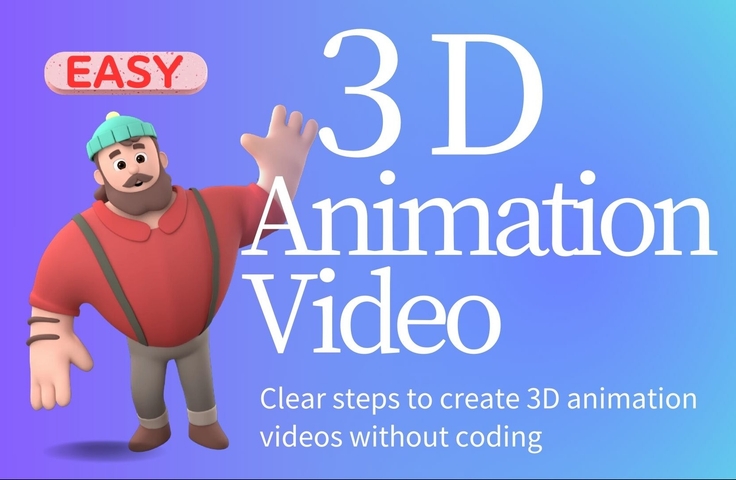
[Beginner] Learn how to create 3D animated videos with no-code using CreateStudio3, even if it's your first time [Super Easy]

■ Course Overview Are you interested in 3D video production but feel it might be too difficult? Or do you want to create unique videos that stand out from the crowd? With CreateStudio3, you can easily create professional 3D animated videos without any coding. In this course, you will learn the basics of video production through step-by-step explanations that are easy for even beginners to understand. Through this course, you will master the basic operations of CreateStudio3 in a short period and become able to create your own original 3D animated videos. ■ What You Will Achieve By taking this course, you will be able to: - Experience and internalize the basic operations of CreateStudio3 through hands-on practice. - Create unique 3D animated videos. - Create highly flexible scenes by moving viewpoints and angles. - Achieve marketing and promotional results using video. - Acquire simple video production skills. ■ Who This Course Is For - Those who tried complex software like Blender but gave up. - Those who feel paid tools like VYOND are too expensive. - Those who want to create videos easily without coding. - Those who want to share unique 3D videos on social media or YouTube. - Those who want to publish videos without showing their face. ■ Required Tools and Costs - A computer *The instructor uses a Mac, but Windows is also supported. - Purchase of CreateStudio3 is required. (Detailed instructions on how to purchase it at a great price will be explained within the course.) Take this opportunity to master CreateStudio and start creating professional 3D animated videos. This experience is sure to be a major plus for your career. The main contents of this course are as follows: - Basic operations of CreateStudio3 - Basic techniques for 3D animation - Creating character animations - How to use effects - Scene settings and video updates - How to move the viewpoint - Video exporting and specific output methods I look forward to seeing you in the course. Hiroshi Wada

1 learners are taking this course

Level Beginner

Course period Unlimited

  • WADA
Movie
Movie
3d
3d
3d-modelling
3d-modelling
AI
AI
Movie
Movie
3d
3d
3d-modelling
3d-modelling
AI
AI

What you will gain after the course

  • You can experience and learn the basic operations of CreateStudio3 through hands-on experience.

  • Acquire basic video production skills.

  • Achieve marketing and promotional results through the use of video.

  • You can create unique 3D animation videos.

  • You can create scenes with a high degree of freedom by moving the viewpoint and angles.

■ Course Overview

Are you interested in creating 3D videos but feel like it might be too difficult? Do you also want to create unique videos that stand out from the rest?
With CreateStudio3, you can easily create professional 3D animation videos without any coding.


In this course, you will learn the basics of video production through step-by-step explanations that are easy for even beginners to understand.


Through this course, you will master the basic operations of CreateStudio3 in a short period of time and become able to create your own 3D animated videos.


■ What you will be able to do after taking this course

By taking this course, you will be able to do the following:

  • Experience and master the basic operations of CreateStudio3 through hands-on practice

  • Create unique 3D animated videos

  • You can move viewpoints and angles to create scenes with a high degree of freedom.

  • Achieve marketing and promotional effects through the use of video

  • Acquire simple video production skills


■ This course is suitable for the following people:

  • Those who tried complex software like Blender but gave up.

  • Those who feel that paid tools like VYOND are too expensive

  • Those who want to easily create videos without coding.

  • Those who want to share unique 3D videos on social media or YouTube.

  • Those who want to publish videos without showing their face.


■ Required tools and costs

- Computer
*The instructor will use a Mac for the explanation, but it is also compatible with Windows.

・Purchase of CreateStudio3 is required.
Detailed instructions on how to purchase it at a great value will also be explained in the course.


Why not take this opportunity to master CreateStudio and start creating professional 3D animation videos?


This experience is sure to be a significant asset to your career.


The contents of this main course are as follows:

  • Basic operations of CreateStudio 3

  • Basic techniques for 3D animation

  • Creating character animations

  • How to use effects

  • Scene settings and video updates

  • How to move the point of view

  • Video Exporting and Specific Output Methods


We look forward to your participation.

Hiroshi Wada

Recommended for
these people

Who is this course right for?

  • Those who have tried complex software like Blender but ended up giving up.

  • Those who feel that paid tools like VYOND are too expensive

  • Those who want to easily create videos without coding.

  • Those who want to share unique 3D videos on social media or YouTube.

  • Those who want to publish videos without showing their face

Need to know before starting?

  • PC

  • Purchase of CreateStudio3 is required. I will also explain in detail how to purchase it at a great price during the course.

Hello
This is

Hello, I'm Hiroshi Wada, an administrative assistant who leverages AI. For many years, I have worked in administrative roles, supporting the organization of back-office operations and the reduction of daily administrative burdens.

Currently, as an online administrative assistant, I provide small to medium-sized enterprises and solopreneurs with reliable administrative processing and the creation of waste-free workflows. I am also exploring efficient administrative operations using AI.

■ Background

- Graduated from Waseda University, School of Political Science and Economics - Served as an administrative official in local government for 28 years - Currently independent as an administrative professional, operating "Online Administrative Support Jimusuki" under the catchphrase "AI-driven administrative outsourcing" - Striving daily to provide "sincere, prompt, and forward-thinking support" built on a career as an Administrative Scrivener and former civil servant

■ Subsidies with a proven track record of preparation

- Management Innovation Support System for SMEs (Management Innovation Plan) - Sustainability Subsidy for Small Businesses - Tokyo Metropolitan Government Subsidy for Strengthening Inbound Tourism Capability - Business Result Reports for the Business Restructuring Subsidy - Kyotanabe City SME "Wisdom Management" Step-up Project

■ Speaking Experience

・Tokyo Metropolitan Small and Medium Enterprise Support Center: "Top 3 Things I'm Glad I Did to Prepare for Starting a Business" ・Tokyo Metropolitan Small and Medium Enterprise Support Center: "I Started My Business with XX!"

■Qualifications / Certifications

• Administrative Scrivener / Nissho Bookkeeping Level 3 / Financial Planner Level 3 / Eiken Grade 2

■Available Tools

General proficiency in ChatGPT, Claude3, SunoAI, Createstudio3, Gamma, Clickup3.0, Canva, Prezi, GoogleWorkspace, MicrosoftOffice, Numbers, Pages, etc.

I look forward to working with you.

Hiroshi Wada

Curriculum

All

15 lectures ∙ (38min)

    Published: 
    Last updated: 

    Reviews

    Not enough reviews.
    Please write a valuable review that helps everyone!

    Limited time deal ends in 7 days

    $68.20

    31%

    $99.00

    Similar courses

    Explore other courses in the same field!