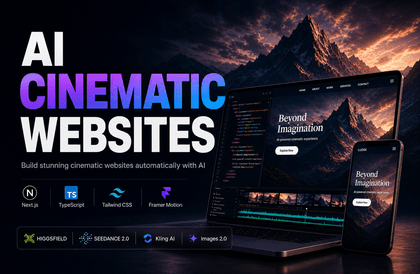
Learn a practical web production workflow that can be applied immediately in the field—from homepages, landing pages, and interactive websites to AI Agent-based CMS—using AI image/video generation tools and Vibe Coding.
This course is not just about creating a single screen with AI. It covers the process of generating images and videos using the latest AI tools such as OpenAI Images 2.0, Kling, and Higgsfield, and utilizing them as hero images, background videos, transition videos, and interaction assets for actual websites.
Based on Next.js, you will step-by-step implement cinematic landing pages, game-like interactive homepages, inquiry pages, and blog content pages, mastering structures and workflows that professionals can refer to immediately when creating homepages or landing pages.
In particular, this course does not stick solely to traditional admin-page-style CMS. You will implement an AI Agent-based CMS structure where AI Agents like Codex and Claude Code organize content and image assets based on predefined skills and upload rules, then upload them to Neon DB and Vercel Blob Store.
In other words, instead of an administrator manually entering data into forms one by one, you will experience an operational method where you provide blog topics, reference materials, and image assets, and the AI Agent organizes the content structure and uploads it in a consistent format. Later, this structure can be further enhanced into traditional admin pages, approval workflows, or automation pipelines as needed.
Furthermore, it doesn't end with production; we will prepare elements necessary for actual operation, including Vercel deployment, GoDaddy domain connection, SEO meta tags, favicons, OG images, sitemaps, and robots.txt settings.
The course also covers the process of registering sites and verifying ownership on Google Search Console, Bing Webmaster Tools, and Naver Search Advisor, as well as setting up Google Analytics and Google Tag Manager to track visitor data.
By the end of the course, you will be able to independently reproduce a professional web production workflow that spans AI-driven planning, image/video asset creation, Next.js implementation, SEO optimization, deployment, search engine registration, analytics tool setup, and AI Agent-based content operation.


![Web Design Development Technician [2025] Complete Practical Course (KakaoTalk Q&A Available)Course Thumbnail](https://cdn.inflearn.com/public/courses/332868/cover/3a2245ca-bb9f-414a-ba67-403cfcb2b7c9/332868.jpg?w=420)


![[Fantasy Pig's Feet] From design to codingCourse Thumbnail](https://cdn.inflearn.com/public/courses/332845/cover/5d0ef569-50e5-4300-96ed-3205d526795b/332845.png?w=420)




![[10 Minutes a Day] From work automation to financial management with Notion AI! + Creating your own AI assistant teamCourse Thumbnail](https://cdn.inflearn.com/public/files/courses/341768/cover/01kp29491pth451yaxs6syr5s9?w=420)
![R Statistical Techniques Using LLM [Introductory] [First Steps in Data Analysis with an AI Tutor]Course Thumbnail](https://cdn.inflearn.com/public/files/courses/342561/cover/ai/2/4e17e997-9033-40b9-b055-09b8fc496282.png?w=420)
![[AI Techniques for Time Creation] ElevenLabs from Basics to Advanced: Streamline Tedious Recording and Accelerate Productivity in Your Main Job and Side HustleCourse Thumbnail](https://cdn.inflearn.com/public/files/courses/340580/cover/01kftrjgqh88sbf425rbn5hn9v?w=420)
![[AI Cheat Sheet] Reshaping the Game: Artificial Intelligence × Human IntelligenceCourse Thumbnail](https://cdn.inflearn.com/public/files/courses/340718/cover/ai/0/506ad926-381d-4363-882b-528c1409d7fb.png?w=420)
![[Season 1] Spring AI in Practice: Developing a Premium Reservation AI AgentCourse Thumbnail](https://cdn.inflearn.com/public/files/courses/339732/cover/01kb2qr7zw5gf0724jvv4rndns?w=420)