
inflearn logo

Flex Solution - 2025 Web Design Specialist (A3, B4, C1, D3, E4, F3)

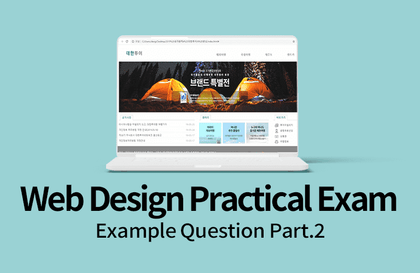
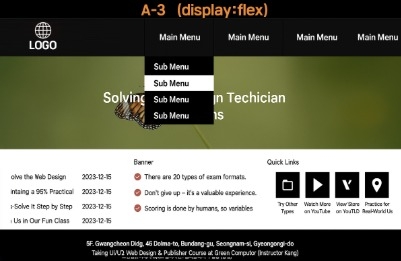
Through this course, you can learn how to solve the Web Design Specialist (Craftsman Web Design) exam problems A3, B4, C1, D3, E4, and F3 using display:flex. The workflow is fast, so please pause the video as you watch.

5 learners are taking this course

Level Basic

Course period Unlimited

HTML/CSS
HTML/CSS
jQuery
jQuery
HTML/CSS
HTML/CSS
jQuery
jQuery

What you will gain after the course

  • html, css, jquery

  • Craftsman Web Design & Development

This lecture is a video where I solve the problems together with students preparing for the Web Design Technician Practical Exam.

This task requires the integrated use of all three technologies: HTML, CSS, and jQuery.


First, in the HTML part, we introduce how to set up the basic structure of a document and how to use tags that frequently appear in the exam (e.g., header, nav, section, footer, etc.). In the practical exam, it is especially important to correctly use basic elements such as <ul> lists, <a> links, and <img> image insertions. This lecture will guide you step-by-step through examples on how to accurately place these elements and apply their attributes.


Next, in the CSS section, we cover linking external stylesheets, using various selectors, and setting style properties. For example, we explain core style properties such as position, flex, margin, padding, text-align, and font through practical examples. We also cover implementation strategies for style layouts frequently featured in the practical exam (such as top menus, banners, content boxes, and footers), helping you develop a sense of how to realize a design using CSS.


Finally, the jQuery part explains the implementation of dynamic functions primarily required in the exam. jQuery has the advantage of quickly implementing simple interactions such as toggling HTML elements, show/hide effects, tab menus, image changes, and adding/removing classes. Starting from the basic syntax of jQuery, the lecture covers code that can be directly applied to the practical exam, including setting up the basic structure using $(document).ready(), event handling on button clicks, and dynamic control of specific areas.


This video goes beyond simple explanations and focuses on demonstrating the practical sense and coding sequence required at the test site in real-time. It is explained in a kind and step-by-step manner so that even beginners can understand, and the learning efficiency is very high because it goes through the code line by line and explains the intention behind each part. It also includes examples similar to the actual exam, making it useful for review.


Through this lecture, we will help you approach the exam with confidence, and you will be able to master the entire flow from HTML structure creation to CSS styling and jQuery implementation. If you are aiming for a high score on the practical exam, please make sure to watch until the end!

Recommended for
these people

Who is this course right for?

  • For those who want to solve it using display:flex

  • Those who want to pass the certification exam

Need to know before starting?

  • Basic HTML knowledge

  • Basic CSS Knowledge

  • Basic knowledge of jQuery

Hello
This is dunopi

476

Learners

6

Reviews

25

Answers

4.7

Rating

7

Courses

Web Design Technician Practical Exam

With a national average pass rate of 60%

But our class has a 90% pass rate~ yong-yong~

Curriculum

All

19 lectures ∙ (8hr 30min)

Course Materials:

Lecture resources
Published: 
Last updated: 

Reviews

Not enough reviews.
Please write a valuable review that helps everyone!

dunopi's other courses

Check out other courses by the instructor!

Similar courses

Explore other courses in the same field!

25% off for new members

$28.50

25%

$38.50