
inflearn logo

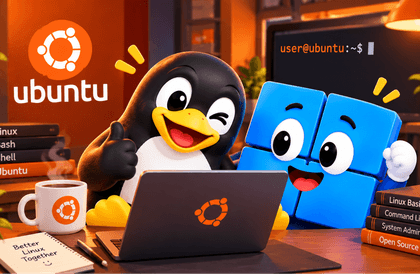
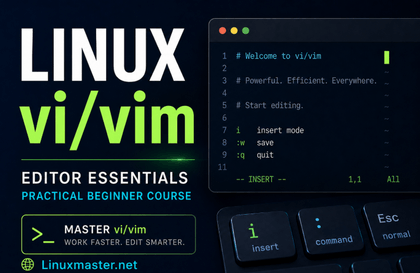
[ Linux in the AI Era ] - Getting Started with Linux the Right Way

If you are afraid of the black screen, things are about to change. Meet the Linux terminal in just 10 minutes with WSL. ● Beginners and non-majors ● Computer Engineering and Computer Science students ● Developers in need of basic training ● Those who are intimidated by white text on a black screen ● Those who feel overwhelmed trying to launch an actual service Practice Environment: WSL / Virtualbox / Ubuntu 24.04 / Rocky 9 An instructor with 26 years of experience will guide you at a beginner's level. One hour a day for one week, and you will start to see Linux.

22 learners are taking this course

Level Beginner

Course period 6 months

bash
bash
Vim
Vim
shell-commands
shell-commands
AI
AI
manuals
manuals
bash
bash
Vim
Vim
shell-commands
shell-commands
AI
AI
manuals
manuals

What you will gain after the course

  • I felt that Linux was worth a try. I used to think it was difficult and distant...

  • The things I had only vaguely thought about started to make sense one by one through this course.

  • I found a definitive starting point for studying Linux.

[Course Introduction] AI Era - Getting Started with Linux Properly

● I'm taking a Linux class at school, but I just can't understand it at all.

● I am at the final stage of completing a service at an educational institution, but I am stuck at the deployment phase.

● I was terrified when I joined the company and they said I absolutely had to know Linux.

● I became curious because they say most services in the AI era run on Linux.

● I have a lot of interest in system programming, firmware, and hardware, but Linux has been holding me back.

● I want to delve deep into Linux to handle it professionally, but I don't know how to start with the basics.


For people like this, we provide a guide on how to properly start learning Linux.

◆ This course is not for you!

This course is for beginners.

If you can handle files and know how to use the Vi editor, I recommend a course that is appropriate for your level.

Please note that content requiring root privileges has been separated into the Linux Administration course.

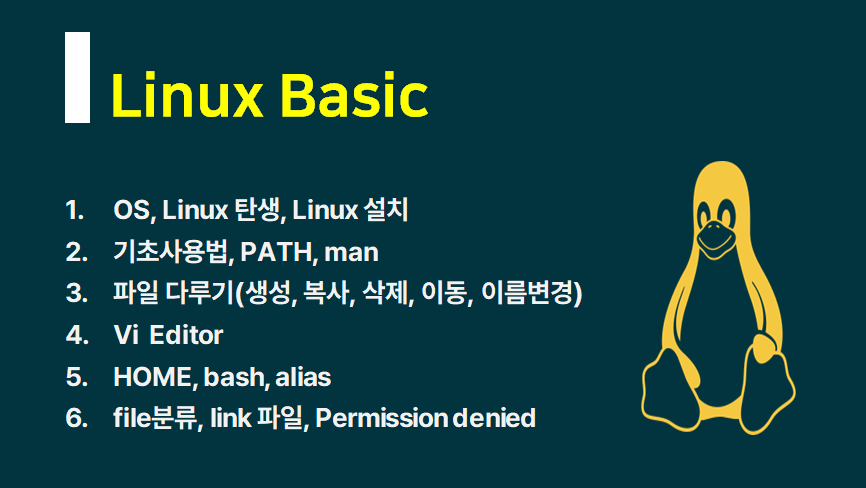
▲ You will learn the content mentioned above.

▲ Learning curriculum by section

Recommended for these people

Who should take this course (1)

Those who were afraid of white text on a black screen

Freshmen majoring in Computer Science


Who should take this course (2)

Those who have repeatedly procrastinated on learning Linux despite knowing they need to.

Who should take this course (3)

Even if it takes time, Linux

Those who want to study it properly

After taking the course

  • You will experience how the keyboard is more powerful than the mouse.

  • You will understand why servers prefer a CLI environment without graphics.

  • You can handle files in Linux and code stylishly using the vi editor.

  • You will be able to understand the saying that "everything is a file."

  • You will grasp the concept of Multi-User systems, where multiple people use the system simultaneously.

  • You can understand how to effectively collaborate with Artificial Intelligence (AI).

The person who created this lecture

  • Yang Ju-jong (ahalinux@naver.com) : Computer Science, lecturing since 2000

  • I have been using and teaching Linux for a long time. It’s not because I know a lot, but simply because I enjoy it.

  • Having taught for a long time, I have a deep understanding of the perspective of beginners and the areas they find difficult.

  • I am an instructor who can breathe and synchronize with students according to their level.

  • I will be an instructor who takes responsibility for lifelong A/S for every student.


Do you have any questions?

Q. Why is the enrollment period 6 months?


"A course with a high completion rate"

This is to achieve that goal.

That is why I have divided the subjects into appropriately sized segments for taking the course.

For a complete beginner, studying one hour a day for about two weeks is enough to complete the course, including the hands-on practice.

Lecture materials are provided in PDF and text formats, so if you download them while taking the course,

you can use them permanently.


You don't have to worry, as lifetime after-sales support is provided through the two channels below.

The course period is 6 months, but support will continue as long as I am alive.


YouTube Channel: Operating since 2016 (Subscribers: 14,700 as of March 2026)

Naver Cafe: Operating since 2010 (16,700 members as of March 2026)


Once you have carefully chosen and made your decision, please make sure to complete the course.

Q. Why did you divide the subjects into several parts?


  • It is to increase the completion rate.

  • It is to reduce unnecessary waste of time.

  • Your time and money are precious, so please choose and take only the courses you absolutely need.

Q. Does the Linux distribution and version matter?


This course is not dependent on a specific distribution or version.

Ubuntu 24.04 based on WSL2 and

It covers both Virtualbox / Ubuntu 24.04 and Rocky 9 versions.


You can simply use the same version used by your school, training center, or company.

Notes before taking the course

Practice Environment

  • Operating System and Version (OS): Windows 10/11 does not matter.

  • For macOS, you can use the built-in terminal. While zsh is the default, you can simply run bash.

Learning Materials

  • PDF materials for printing and the code used are provided as text files.

Prerequisite Knowledge and Precautions

  • None. Since Linux was created using the C language, knowing C will be helpful.

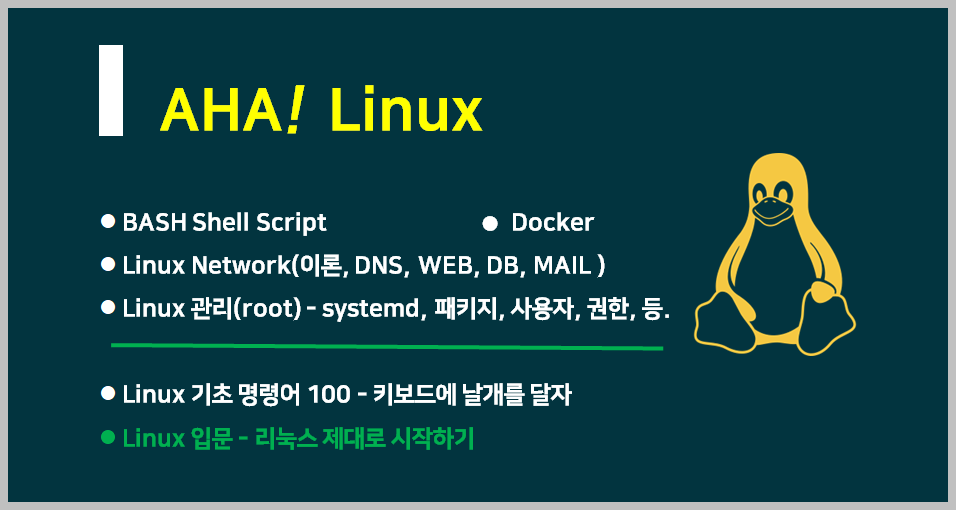
▲ AHA! Linux Full Curriculum Roadmap
(Introductory level consists of two courses: Linux Introduction + 100 Basic Commands)


Recommended for
these people

Who is this course right for?

  • Those who want to properly study servers that are operated by deploying services as a developer

  • Those who thought they only needed to know the practical basics, but realized after trying it that they need to learn the fundamentals properly.

  • A student majoring in a computer-related field who wants to make up for the lack of practical experience needed for learning operating systems.

Need to know before starting?

  • None. It helps if you have learned C before. Linux was made with C.

Hello
This is ahalinux

Learning and sharing IT knowledge.

Yang Ju-jong (ahalinux@naver.com)

Majored in Computer Science. Teaching IT fundamentals since 2000.

Subjects: Linux · Python · C · C++ · Java · Database · Data Structures

Observing the changes in Artificial Intelligence (AI) and striving to adapt.

I have communicated with approximately 15,000 students through public enterprises, large corporations, education centers, and special university lectures.

I focus on lectures for beginners and entry-level students.

▶ You can continue to find me on the IT Basics channel.

YouTube Channel IT Fundamentals: Operating since 2016 (Subscribers: 14,700 as of March 2026)

Naver Cafe IT Basics: Operating since 2010 (16,700 members as of March 2026)

Naver Blog IT Basics: Operating since the early days in 2003 (Total visitors: 3,380,000 as of March 2026)

Even after the course period ends, we promise lifetime after-sales support through the channels above.

More

Curriculum

All

38 lectures ∙ (7hr 32min)

Course Materials:

Lecture resources
Published: 
Last updated: 

Reviews

Not enough reviews.
Please write a valuable review that helps everyone!

Similar courses

Explore other courses in the same field!

Limited time deal ends in 05:02:50

$6.60

70%

$22.00