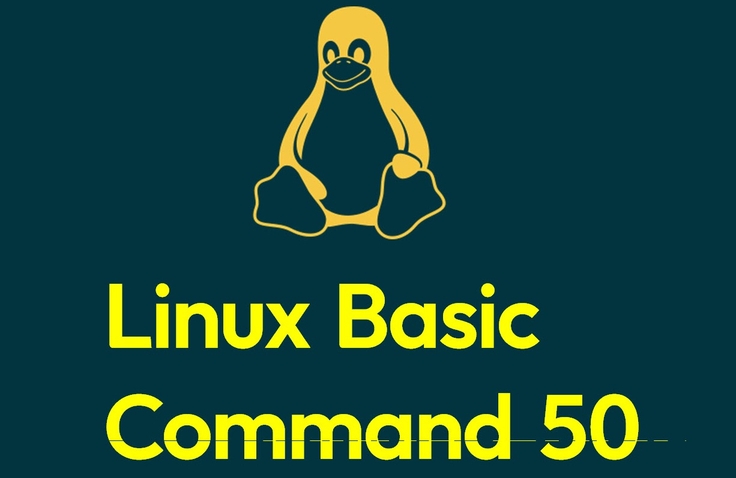

50 Essential Linux Commands Learned by Hand - Practice-Oriented Introduction to Linux

Instead of theory and memorization, you will naturally master 50 basic Linux commands through practice-oriented learning where you type and execute them yourself. With 95% of the entire course dedicated to hands-on practice, you can gain muscle memory for essential practical functions such as file management, permission settings, and process control. The goal is not to memorize commands, but to become familiar with Linux.

20 learners are taking this course

Level Beginner

Course period 3 months

Linux
Linux
Shell Script
Shell Script
devops
devops
system-administration
terminals
terminals
Linux
Linux
Shell Script
Shell Script
devops
devops
system-administration
terminals
terminals
Thumbnail

What you will gain after the course

  • Ability to perform core Linux tasks such as file system navigation, permission management, and process control

  • Practical application skills for 50 essential commands for real-world tasks, including cat, ls, grep, awk, and chmod

  • Understanding the basics of Linux system operation, including environment variables, PATH, and disk management

[Course Introduction] 50 Basic Linux Commands - Linux command 50

● I'm taking a Linux class at school, but I just can't understand it at all.

● I'm at the final stage of a service at an educational institution, but I'm stuck at the deployment phase.

● I was scared because after joining the company, they told me I absolutely had to know Linux.

● I became curious because they say most services in the AI era run on Linux.

● I am very interested in system programming, firmware, and hardware, but Linux has been holding me back.

● I want to delve deep into Linux to handle it professionally, but I don't know how to start with the basics.


For people like this, we provide guidance on how to properly start learning Linux.

◆ This course is not for you!


This course is for beginners.

If you are already able to handle files and know how to use the Vi editor, I recommend a course that is appropriate for your level.

Please note that content requiring root privileges has been separated into the Linux Administration course.


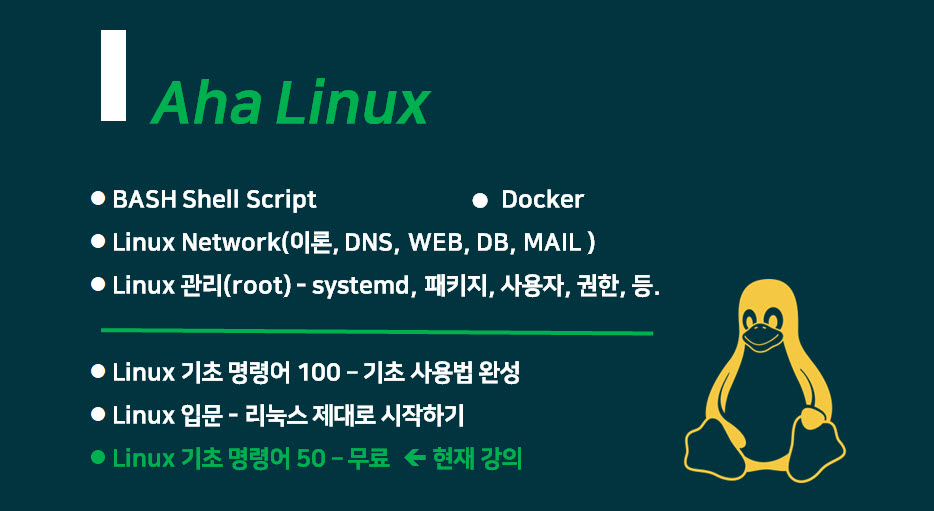
This is a guide to the complete AhaLinux course series.

AhaLinux Full Curriculum

Recommended for these people


* Beginners starting Linux for the first time

* Those who want to start studying server management

* Those preparing for fields in Network, Cloud, and DevOps

* Those who need to use Linux but lack foundational knowledge

* Those who want to learn through practice rather than theory


After taking the course

  • You will experience how the keyboard is more powerful than the mouse.

  • You will come to understand why servers prefer CLI environments over graphics.

  • You can handle files in Linux and code stylishly using the vi editor.

  • You will be able to understand the saying, "Everything is a file."

  • You will grasp the concept of Multi-User systems, where multiple people use the system simultaneously.

  • You can understand how to effectively collaborate with Artificial Intelligence (AI).

The person who created this lecture

  • Yang Ju-jong (ahalinux@naver.com) : Computer Science, lecturing since 2000

  • I have been using and teaching Linux for a long time. It's not because I know a lot, but simply because I enjoy it.

  • Having taught for a long time, I understand the perspective of beginners and the areas they struggle with better than anyone else.

  • I am an instructor who can breathe with the students by matching their level.

  • I will be an instructor who takes responsibility for lifelong A/S for every student.


Do you have any questions?

Q. Why is the enrollment period 3 months?


"A course with a high completion rate"

It is to achieve this goal.

That is why I divided the subjects into appropriately sized portions for taking the course.

For a complete beginner, this is an amount that can be fully completed, including practice, in about 2 weeks by spending 1 hour a day.


You don't have to worry, as lifelong after-sales support is provided through the two channels below.

The course period is 3 months, but support continues as long as I am alive.


It may be converted to a paid service in the future, so please complete the course quickly.


YouTube Channel: Operating since 2016 (Subscribers: 14,700 as of March 2026)

Naver Cafe: Operating since 2010 (16,700 members as of March 2026)


▶ Once you have carefully chosen and decided, please make sure to see it through to the end.

Q. Why did you divide the subjects into several parts?


  • It is to increase the completion rate.

  • This is to reduce unnecessary waste of time.

  • You can choose and take only the necessary subjects without wasting money and time.

Q. Does the Linux distribution and version matter?


This course is not dependent on a specific distribution or version.

Ubuntu 24.04 based on WSL2 and

It covers both Virtualbox / Ubuntu 24.04 and Rocky 9 versions.


You can simply use the same version used by your school, training center, or company.

Notes before taking the course

Practice Environment

  • Operating System and Version (OS): Windows 10/11 does not matter

  • For macOS, you can use the built-in terminal. While zsh is the default, you can also run bash.

Prerequisite Knowledge and Precautions

  • None. Since Linux was created using the C language, knowing C will be helpful.

Recommended for
these people

Who is this course right for?

  • Beginners who are new to Linux and want to build a foundation in basic server management

  • Developers preparing to enter the fields of DevOps, Cloud, and Networking

  • Practitioners who need to work in a Linux environment but are not familiar with using commands

Need to know before starting?

  • Basic computer operation skills (understanding of file and folder concepts)

  • Basic understanding of the terminal or command-line interface

  • Access to a Linux practice environment (Virtual Machine, WSL, Cloud, etc.) is available

Hello
This is ahalinux

Career Verified

Learning and sharing IT knowledge.

Yang Ju-jong (ahalinux@naver.com)

Majored in Computer Science. Teaching IT fundamentals since 2000.

Subjects: Linux · Python · C · C++ · Java · Database · Data Structures

Observing the changes in Artificial Intelligence (AI) and striving to adapt.

I have communicated with approximately 15,000 students through public enterprises, large corporations, education centers, and special university lectures.

I focus on lectures for beginners and entry-level students.

▶ You can continue to find me on the IT Basics channel.

YouTube Channel IT Fundamentals: Operating since 2016 (Subscribers: 14,700 as of March 2026)

Naver Cafe IT Basics: Operating since 2010 (16,700 members as of March 2026)

Naver Blog IT Basics: Operating since the early days in 2003 (Total visitors: 3,380,000 as of March 2026)

Even after the course period ends, we promise lifetime after-sales support through the channels above.

More

Curriculum

All

29 lectures ∙ (7hr 58min)

Published: 
Last updated: 

Reviews

Not enough reviews.
Please write a valuable review that helps everyone!

Similar courses

Explore other courses in the same field!

Free