
inflearn logo

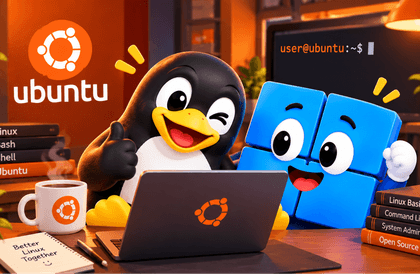
[In the Age of AI] ▶ Getting Started with Linux the Right Way

With a good guide, the black terminal window is no longer something to fear. I’ll be your reliable companion as you journey through the world of Linux. ● Beginners with no technical background ● Students majoring in computer engineering or computer science ● Developers who need foundational training ● Those who are intimidated by a black window with white text ● Those who feel overwhelmed about launching a real service Practice environment: WSL / Virtualbox / Ubuntu 24.04 / Rocky 9 An instructor with 26 years of experience will guide you at a beginner-friendly level. One hour a day for one week, and you’ll start to see Linux.

(4.0) 2 reviews

242 learners

Level Beginner

Course period 6 months

Vim
Vim
bash
bash
manuals
manuals
AI
AI
shell-commands
shell-commands
Vim
Vim
bash
bash
manuals
manuals
AI
AI
shell-commands
shell-commands

What you will gain after the course

  • I thought Linux might be worth trying. It had always seemed difficult and out of reach...

  • The things I had only vaguely thought about began to make sense one by one through this course.

  • I’ve found a solid entry point for studying Linux.

[Course Introduction] The AI Era - Getting Started with Linux the Right Way

● I’m taking a Linux class at school, but I just can’t understand it.

● At an educational institution, the service was in the final stage of completion, but I got stuck at deployment.

● I was scared when I joined the company and was told that I absolutely had to know Linux.

● I became curious after hearing that most services in the AI era run on Linux.

● I’m interested in system programming, firmware, and hardware, but Linux has held me back.

● I want to delve deeply into Linux so I can work with it professionally, but I don't know how to get started with the basics.


▶ We’ll guide you on how to properly begin learning Linux for people like this.

◆ This course is not suitable for those who!

This course is for beginners.

If you can handle files and know how to use the Vi editor, we recommend an appropriate course suited to your level.

Topics requiring root privileges have been separated into a Linux administration course, so please keep that in mind.

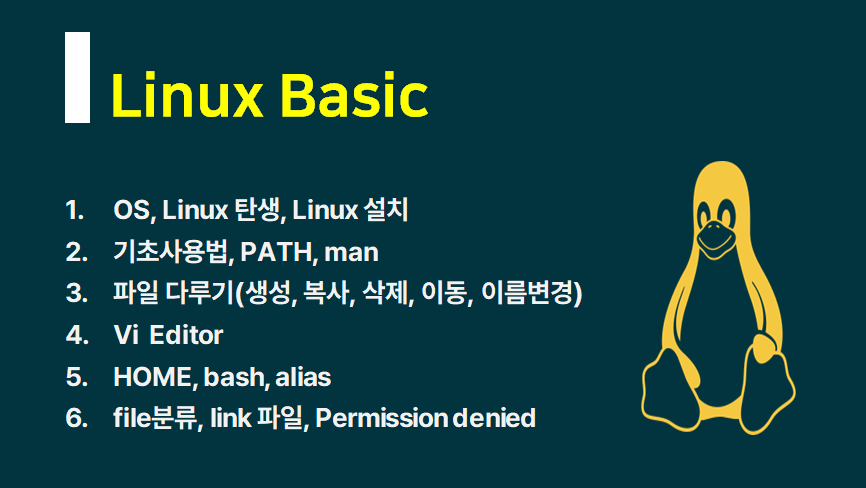
▲  You will learn the content above. 

▲ Learning Curriculum by Section

Recommended for people like these

Those who should take this course (1)

Those who were afraid of a black screen with white text

New college students studying computer science-related fields


Those who should take this course (2)

Those who kept putting it off despite knowing they should learn Linux

Who should take this course (3)

Even if it takes time, Linux...

Those who want to study Linux properly

▶ After completing the course,

  • You will experience how the keyboard is more powerful than the mouse.

  • You will understand why servers prefer a CLI environment without a graphical interface.

  • You will be able to manage files in Linux and code stylishly with the vi editor.

  • You can understand the saying, “Everything is a file.”

  • You will grasp the concept of Multi-User systems used by multiple people simultaneously.

  • You can understand how to collaborate effectively with artificial intelligence (AI).

The person who created this course

  • Yang Ju-jong (ahalinux@naver.com): Computer Science, teaching since 2000

  • I have been using Linux and teaching it for a long time. Not because I know a lot, but simply because I like it, so I’ve kept at it for many years.

  • Having taught for a long time, I understand beginners’ perspectives and the areas they find difficult.

  • I am an instructor who can work in sync with students at their level.

  • Once you enroll, I will be an instructor who takes responsibility for your lifetime support.


Do you have any questions?

Q. Why is the course access period six months?


"A course with a high completion rate"

This is to achieve this goal.

So I divided the subject into manageable sections for you to take the course.

For a complete beginner, the material is enough to finish the exercises in about two weeks by studying one hour a day.

The lecture materials are provided as PDFs and text, so if you download them while taking the course,

You can use it indefinitely.


You don't have to worry because lifetime support is available through the two channels below.

The course access period is six months, but support will continue for as long as I am alive.


YouTube channel: Operating since 2016 (Subscribers: 14,700 as of March 2026)

Naver Cafe: Operating since 2010 (16,700 members as of March 2026)


▶ If you have chosen and decided carefully, please be sure to complete the course.

Q. Why have you divided the subjects into several courses?


  • This is to increase the course completion rate.

  • This is to reduce unnecessary waste of time.

  • Since your time and money are valuable, please choose and take only the courses you truly need.

Q. Does the Linux distribution and version matter?


The courses are not tied to any specific distribution or version.

Ubuntu 24.04 on WSL2 and

We cover both VirtualBox / Ubuntu 24.04 and Rocky 9 versions.


You can use the same version used by your school, training center, or company.

Notes Before Taking the Course

▶ Practice Environment

  • Operating system and version (OS): Windows 10/11—either is fine.

  • On macOS, you can use the built-in Terminal. zsh is the default, but you can run bash.

▶ Learning Materials

  • PDF materials that can be viewed by printing them out and the code used are provided as text files.

▶ Prerequisites and Notes

  • None. Since Linux was created in C, knowing C is helpful.

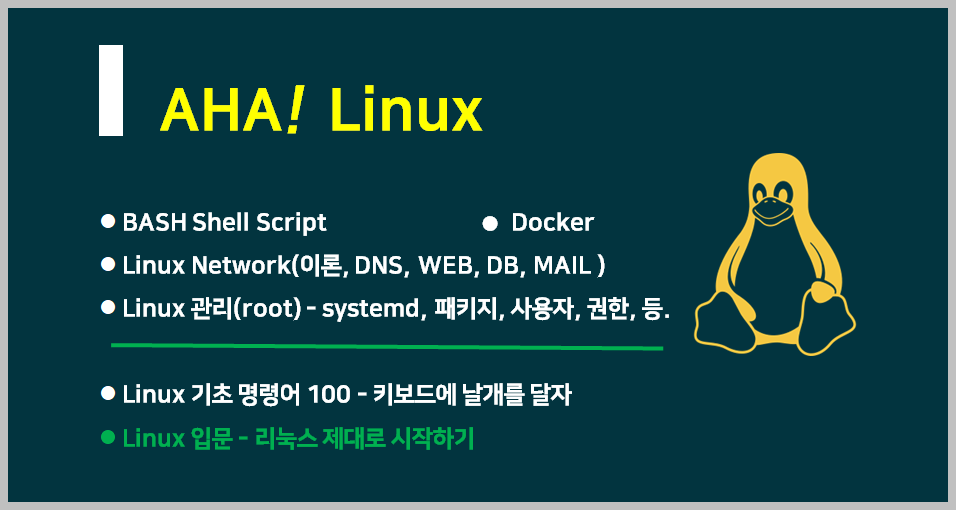
▲ AHA! Complete Linux Course Roadmap
(The introductory section consists of two courses: Introduction to Linux + 100 Basic Commands)


Recommended for
these people

Who is this course right for?

  • Those who want to properly study servers that are deployed and operated as a service developer

  • People who thought they only needed to know this for practical work, but found that they really needed to understand the basics properly from the ground up.

  • A computer science major who wants to make up for the lack of hands-on practice needed to study operating systems

Need to know before starting?

  • None. Having learned C is helpful. Linux was created in C.

Hello
This is ahalinux

Career Verified

515

Learners

7

Reviews

4.6

Rating

4

Courses

Learn and share IT knowledge.

Yang Joo-jong (ahalinux@naver.com)

Computer Science major. Teaching foundational IT subjects since 2000.

Subjects: Linux · Python · C · C++ · Java · Database · Data Structures

Watching the changes in artificial intelligence (AI) and striving to adapt.

I have communicated with approximately 15,000 learners through public enterprises, large corporations, educational centers, and special university lectures.

I focus on courses for beginners and those new to the subject.

▶ You can continue to meet me on the IT기초탄탄 channel.

YouTube channel IT Gichotan-tan: Operating since 2016 (Subscribers: 14,500 as of October 2026)

Naver Cafe IT Basics Solid: Operating since 2010 (16,600 members as of October 2026)

Naver Blog IT Basics: Operated since 2003 in its early days (total visitors: 3,380,000 as of October 2026)

Even after your course access period ends, we promise lifelong after-sales support through the channels above.

More

Curriculum

All

38 lectures ∙ (7hr 32min)

Course Materials:

Lecture resources
Published: 
Last updated: 

Reviews

All

2 reviews

4.0

2 reviews

  • mhwan20101661님의 프로필 이미지
    mhwan20101661

    Reviews 45

    ∙

    Average Rating 4.9

    5

    32% enrolled

    • ahalinux
      Instructor

      Seyoon, thank you for the feedback. Linux becomes enjoyable gradually. I’m cheering you on as you complete the course.

  • beskosh192님의 프로필 이미지
    beskosh192

    Reviews 4

    ∙

    Average Rating 4.3

    Edited

    3

    100% enrolled

    The course covers the most fundamental aspects of practical work before joining a company, and it is especially beneficial for those preparing for the Linux Master certification exam.

    • ahalinux
      Instructor

      Hanny, you’ve completed 100% of the course. Congratulations. This was the most basic Linux course. I hope it was helpful, even in a small way. The topics needed for practical work— including root, network, and Shell Script— will be covered in five upcoming courses. I hope you continue to grow steadily after joining the company. Thank you for being the first to provide feedback on the course.

ahalinux's other courses

Check out other courses by the instructor!

Similar courses

Explore other courses in the same field!

25% off for new members

$12.00

25%

$22.00