
강의

멘토링

커뮤니티

NEW
Design

/

UI/UX

SaaS Presentation Animation: From UI Design to Motion in After Effects-2026

SaaS explainer videos are everywhere, but many designers struggle when starting from a blank timeline in After Effects. Over the years, I’ve worked on real SaaS presentation and explainer projects where clarity, structure, and intentional motion were more important than flashy effects. In this course, I guide you step by step through a proven workflow used in real client projects. You’ll learn how to turn a script into a visual storyboard, prepare UI designs from Figma, organize complex scenes, and animate clean, modern SaaS presentations in After Effects. Instead of guessing what to animate next, you’ll learn how to think about motion design decisions that clearly communicate product value.

1 learners are taking this course

Level Basic

Course period Unlimited

  • Brendan LI
after-effects
after-effects
ui
ui
Motion Graphic
Motion Graphic
Figma
Figma
adobe-illustrator
adobe-illustrator
after-effects
after-effects
ui
ui
Motion Graphic
Motion Graphic
Figma
Figma
adobe-illustrator
adobe-illustrator

What you will gain after the course

  • Structure a professional SaaS explainer video from script to final animation

  • Convert written scripts into clear visual storyboards

  • Prepare and optimize Figma UI designs for animation

  • Organize and animate complex UI scenes efficiently in After Effects

  • Create smooth transitions, readable motion, and polished UI animations

  • Animate product demos, cursor interactions, and UI flows

  • Improve timing, clarity, and motion quality for client-ready results

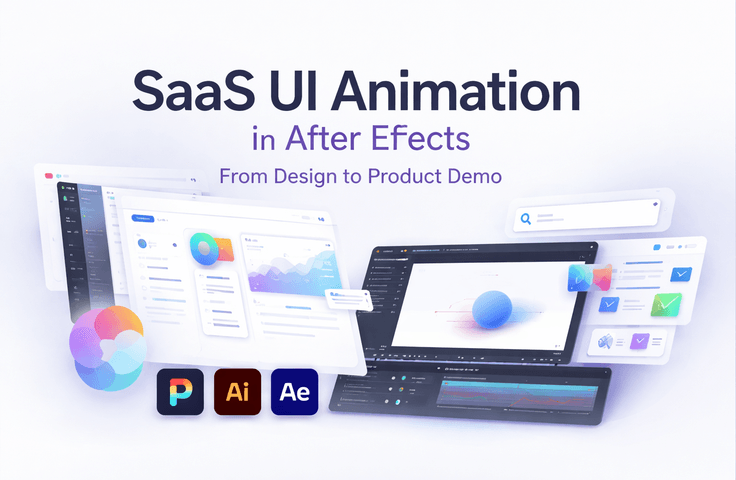
SaaS UI Animation in After Effects: From Design to Product Demo

This course teaches you how to create professional SaaS presentation and explainer animations using Adobe After Effects. The skills taught in this course are commonly used in SaaS marketing, UI/UX design, product demos, motion design, and tech startups.

You’ll learn how to transform static UI designs into clear, engaging animations that communicate product value. The course follows a real-world workflow used in client projects, from script planning and UI preparation to polished motion design.

What You’ll Learn

Section (1): SaaS UI Animation Workflow

In this section, you’ll learn how to plan and structure SaaS explainer animations from scratch.

You will learn how to:

  • Break down a SaaS explainer script into clear visual scenes

  • Convert written scripts into readable visual storyboards

  • Prepare and optimize UI designs from Figma for animation

  • Organize complex UI layouts using Illustrator and After Effects

  • Build a clean and efficient animation structure before animating

Section (2): UI Motion, Transitions & Product Demos

This section focuses on animation techniques used in real SaaS presentation projects.

You will learn how to:

  • Animate UI elements with clean, readable, and intentional motion

  • Create smooth transitions between screens and scenes

  • Animate product flows, UI demos, and feature explanations

  • Add cursor interactions, click animations, and drag-and-drop demos

  • Use 3D layers and camera movement to enhance depth

  • Refine timing, spacing, and motion clarity for professional results

Before You Enroll

Prerequisites & Notices

Required Knowledge
This course requires basic experience with Adobe After Effects.
You should already be comfortable with:

  • The After Effects interface

  • Keyframes and simple animations

  • Layers and basic composition workflows

This course is not suitable for complete beginners.

Audio & Video Quality

  • High-quality screen recordings

  • Clear voice explanations

  • Step-by-step demonstrations using real project files

Learning & Support

  • Students can ask questions in the course Q&A section

  • Course updates may be added to improve clarity or reflect workflow improvements

Copyright & Usage Notice
All course materials, project files, and demonstrations are provided for educational purposes only.
Students may apply the techniques learned to their own projects, but redistribution or resale of course assets is not permitted.

Recommended for
these people

Who is this course right for?

  • Motion designers who know the basics of After Effects but feel stuck when starting SaaS or UI animation projects

  • Designers who struggle with structuring animations and making motion feel clean, intentional, and professional

  • Freelancers or in-house designers who want to create better SaaS demos for clients or portfolios

Need to know before starting?

  • Yes. Students should be familiar with Adobe After Effects, including the interface, keyframes, layers, and simple animations. This course is not suitable for complete beginners who have never used After Effects.

Hello
This is

Brendan is a UCLA grad and ex-Technology Investment Banker specialized within the AI/ML field. He has helped leading founders in the AI / no-code space implement growth strategies and exit businesses at 9 figure valuations.

He has a strong passion for helping anybody build complex apps with AI, even with no technical knowledge.

Curriculum

All

25 lectures ∙ (12hr 3min)

Published: 
Last updated: 

Reviews

Not enough reviews.
Please write a valuable review that helps everyone!

$27.50

Brendan LI's other courses

Check out other courses by the instructor!

Similar courses

Explore other courses in the same field!