inflearn logo

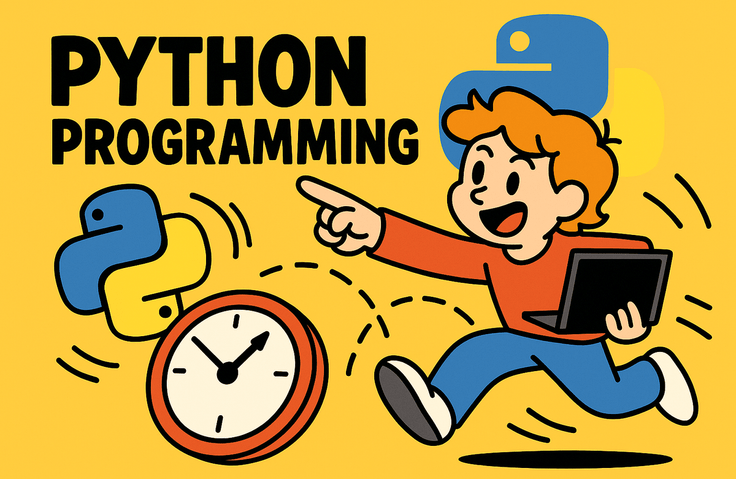
Python for Non-Majors - 10 Lectures Starting from Day 0 of Coding

It is perfectly fine if you have no prior programming experience. We will learn step-by-step, from environment setup to error troubleshooting and basic syntax, while building a working program in every single lecture. After completing the 10-lecture course, you will be able to design and implement simple programs on your own.

1 learners are taking this course

Level Beginner

Course period Unlimited

crash
crash
memory-mapped-io
memory-mapped-io
python3
python3
socket-programming
socket-programming
Business Problem Solving
crash
crash
memory-mapped-io
memory-mapped-io
python3
python3
socket-programming
socket-programming
Business Problem Solving

What you will gain after the course

  • Python development environment configuration and error message troubleshooting skills

  • Write a program using variables, data types, conditional statements, loops, and functions

  • Completion of a practical program using file I/O and external libraries

Course Introduction

Is this your first time programming? Then you've come to the right place.

I created this course for those who say, "I want to learn coding, but I don't know where to start."

Whether you're a non-major, not tech-savvy, or someone who tried before but gave up during the installation phase—yes, this course is specifically aimed at people just like you.

It consists of ten lectures, totaling two hours. Once you finish them all, you will be left with a program you built with your own hands.


Why do most people give up on introductory Python?

There are already many introductory Python courses. However, not many people finish them. The reason is not that the grammar is difficult.

First, people get stuck during installation. The lecture screen and your computer screen look different. You miss a single checkbox, leading to a strange error with no known cause. Then, you just close the window.

Second, people break down at the first error. The moment red text fills the screen, you start thinking, "As expected, I'm just not cut out for this." In reality, that message is a helpful guide telling you exactly what went wrong, but no one teaches you how to read it.

Third, you get exhausted because nothing is being created. Variables, data types, and loops keep appearing, but nothing is actually being built. You lose interest and naturally drift away.

This course focuses on solving these three issues. The goal is not to teach a lot, but to ensure that you stay until the very end.


This course is different in these ways

An entire lesson is dedicated to installation

I dedicate an entire lecture to a section that other courses breeze through in just 5 minutes. We will go slowly through everything from the installation sequence and essential checklists to how to verify if everything was set up correctly. Once you get past this part, the rest will be much easier.

I will teach you how to read errors

At the end of Lesson 1, you will learn how to read error messages. I will show you where to start reading and what to search for. You will become capable of resolving the hundreds of errors you may encounter in the future on your own.

I intentionally show you errors first

If you are given the answer right away, you won't remember it. This course lets you experience "situations where things don't work" first before providing the solution. We leave one error at the end of Lesson 2 and resolve it in Lesson 3.

The scope has been intentionally narrowed

We cover only four data types and four list functions. I have boldly removed content that is not used at the introductory level. You need the confidence that "this is all I need to know" to make it to the end.

A final product remains at the end

In Lesson 10, we will create a household account book program. You will record expenses, view lists, calculate totals, and save them to a file. There is no new grammar to learn here. You will simply be assembling what you learned from Lesson 1 to Lesson 9.


You will learn things like this

  • Setting up a Python development environment directly on my computer

  • How to read error messages and solve problems on your own

  • Variables and data types, the basics of storing and handling values

  • Managing multiple data points with lists and dictionaries

  • Giving your program decision-making abilities with conditional statements

  • Automating repetitive tasks with loops

  • Organizing and reusing code with functions

  • Saving data to a file and loading it back again

  • Installing and utilizing external libraries

  • From requirements to completion, building a single program from start to finish


Recommended for these people

  • Those who have never tried programming before

  • Those who tried coding in the past but gave up due to installation issues or early errors

  • Non-majors who want to learn task automation or data analysis and are looking for a place to start

  • Those who are studying alone with books or documents but got stuck and want someone to explain it to them by their side.

  • Those who want to grasp the big picture in a short amount of time


This course is not suitable for the following people

  • Those who have already used other languages and want to quickly skim through Python syntax.

  • Those looking for intermediate or advanced syntax, such as classes and decorators

  • Those who want to start web development or data analysis tasks immediately

If you fall into the categories above, this course will feel too slow for you. It would be better to take an intermediate or advanced level course.


Prerequisites

It is not necessary. It is sufficient if you can save files on a computer and perform internet searches.

There are claims that you need to be good at math or English, but neither is necessary at the introductory level. The only math featured in this course is addition and multiplication.


Materials provided together

  • Full lecture slides (PDF, 53 pages)

  • Completed code files for each lecture

  • Practice problems and answer codes

  • Installation guide documents (Windows and Mac respectively)

  • A cheat sheet summarizing the ten most common errors and the steps to resolve them


Notes before taking the course

I recommend 20 minutes a day for ten days. Spending 20 minutes every day for ten days is much more effective than binge-watching for two hours on the weekend. Skill is proportional to the number of repetitions, not the total time invested.

Please do not copy and paste. You must type the code out by hand. While watching the video, it may feel like you understand everything, but once you close the window, nothing will remain. There are no exceptions to this.

Try the practice exercises on your own first. There will be six pause prompts throughout the lecture. Even if you get stuck, try to work through it by yourself for ten minutes. Those ten minutes are what build your skills.

You will inevitably encounter errors. It's not because you're not good enough; it's a normal part of the process. No one codes without errors.


Frequently Asked Questions

Q. I'm older; will I be able to do it? Yes, it's possible. One of the reasons for choosing Python is that its syntax reads like a sentence. Because there are few symbols, you can guess the meaning of code even if you're seeing it for the first time.

Q. Does it work on Mac? Yes, it does. The videos were filmed based on Windows, but a separate installation guide is provided for Mac. Only the installation process is different; the code thereafter is exactly the same.

Q. Do I need a high-spec computer? No. Any laptop with internet access is sufficient. The programs covered in this lecture are very lightweight.

Q. Will I be able to get a job after finishing this course? No. It is only right to be honest with you. This is an introductory course, and job preparation requires several more steps beyond this. However, I will make sure you firmly complete the first step of that journey.

Q. What should I do after finishing the course? You can choose a direction that interests you among task automation, web crawling, or data analysis. I will give you a brief glimpse of those starting points in Lesson 9.

Q. Can I ask questions? If you leave them on the course Q&A board, I will provide an answer. I can help you much more accurately if you upload the entire error message along with the code you wrote.


Finally,

Programming is not a matter of talent. It is natural not to get it right at first, it is normal to encounter errors, and if you solve them one by one, there will come a moment when things start to work.

By the time you finish this lecture, you will be someone who can read and write Python. That is enough for the first step.

Let's go through these two hours together.

Recommended for
these people

Who is this course right for?

  • Adult learners who have never encountered programming before

  • Office workers who are interested in coding but feel overwhelmed about where to start

  • Non-developers who want to learn Python for task automation or data processing

Need to know before starting?

  • Basic computer operation skills (file saving, folder management)

  • Internet search and web browser usage experience

  • Willingness to learn and motivation for course completion

Hello
This is jjangkbg7719

Career Verified

175

Learners

9

Reviews

5.0

Rating

3

Courses

Hello, I'm Frank.

I am an infrastructure engineer who has been wrestling with servers for over 20 years. Starting with Linux server operations, I am now in charge of the cloud infrastructure for a large-scale payment service. My daily life involves migrating from data centers to AWS, managing hundreds of instances, and tracing the causes of failures in the early hours of the morning.

The reason I created this course is simple.

I often received questions like these from those around me: "I managed to connect to the server, but I don't know what to do next." "There are so many instance types; which one should I choose?" These are the exact same points where I got stuck at first. However, when I looked for resources, I found that most of them were written for people who already knew what they were doing.

So I decided to create the course I wish I had when I first started learning.

My lectures are based on three principles.

First, I help you understand rather than memorize. Instead of just listing commands, I explain why we use them in the first place.

Second, I boldly omit unnecessary content. I do not increase the volume by including information that is useless to beginners right now.

Third, I also talk about what doesn't work. Instead of just listing the pros, I clearly point out cases where it might not be a good fit. For someone who has to make decisions in the field, that is more important.

If you feel a sense of "Ah, I should start from here" after listening to the lecture, then my goal has been achieved.

Please feel free to leave any questions you may have at any time.

More
Published: 
Last updated: 

Reviews

Not enough reviews.
Please write a valuable review that helps everyone!

Similar courses

Explore other courses in the same field!

Limited time deal

$3.30

62%

$8.80