
inflearn logo

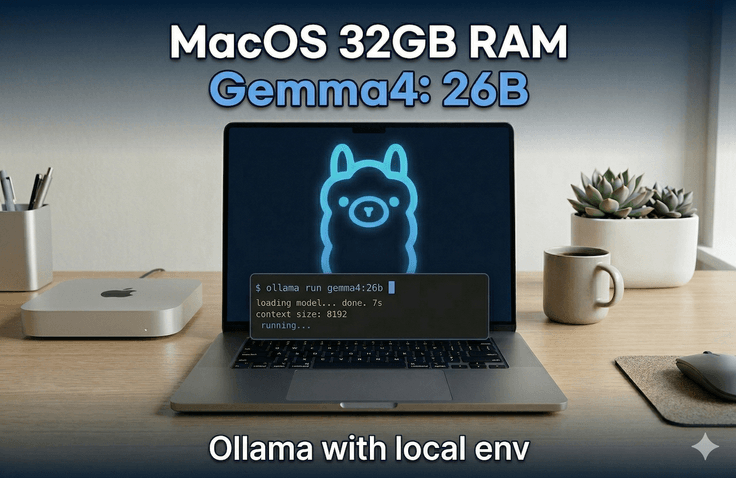
Mastering Local Execution of Gemma 4

Learn the entire process of running the latest Gemma 4 model directly on your MacBook without the burden of paid API costs. You will master performance maximization techniques using Apple Silicon's Metal API and optimal parameter settings for different VRAM capacities, while gaining the ability to build production-level local AI infrastructure based on FastAPI.

2 learners are taking this course

Level Intermediate

Course period 1 months

macOS
macOS
quantization
quantization
AI
AI
LLM
LLM
Gemma
Gemma
macOS
macOS
quantization
quantization
AI
AI
LLM
LLM
Gemma
Gemma

What you will gain after the course

  • Installing Gemma 4 Models on MacBook Pro M2/M3 and Performance Optimization Based on Metal API

  • Selecting Optimal Parameters by VRAM Capacity and Practical Ollama Troubleshooting Solutions

  • Wrapping Local LLM API Servers and Production Deployment Using FastAPI

This course is designed to help you master the entire process of running Google's latest model, Gemma 4, directly on your own computer without the burden of paid cloud-based API costs or concerns about privacy leaks. Beyond simply teaching you how to install the model, this course provides a deep understanding of the architecture and optimization strategies for different hardware.


Gemma 4 utilizes a Hybrid attention mechanism that alternates between Local sliding window attention and Global full attention. The final layer always ends with Global attention, and it shares Key-Value pairs and applies Proportional RoPE for memory optimization. Thanks to this design, VRAM usage does not explode even when using a 256K context.

In particular, the gemma4:26b model loads with only about 18 GB of VRAM based on Q4 Quantization thanks to its MoE efficiency, putting significantly less pressure on memory than dense models of the same size. This is the optimal recommended model, personally verified in an M2 Max 32GB environment, and it is the clearest choice for utilizing the full context comfortably even in RTX 3090 or RTX 4090 environments.


We also provide a guide for selecting model formats tailored to the user's hardware environment. If mixed CPU and GPU offloading is required, the GGUF format is recommended for its granular control, while the EXL2 format is advantageous if processing speed is the top priority in an NVIDIA GPU-only environment. However, since running GGUF on a CUDA 13.2 runtime can cause output quality degradation issues, we cover practical troubleshooting such as how to maintain a safe CUDA 12.x environment. For Mac users, Apple Metal API is automatically detected to accelerate the GPU, so no separate CUDA configuration is necessary. Additionally, since the "file does not exist" error commonly encountered during Ollama installation occurs in versions below v0.20.0, we also share the know-how to resolve this by directly downloading darwin.zip from GitHub.


Beyond just running the model, you will also learn how to wrap Ollama into a REST API server that can be called from external apps using FastAPI. The base code provided in the lecture is for local development only; therefore, you will also learn essential security architecture design methods that must be added when exposing it as an actual service, such as Bearer token header validation middleware, rate limiting, HTTPS termination settings, and input length restrictions. We look forward to welcoming engineers who wish to build a production-level Local AI Server rather than a simple hobbyist installation.


Recommended for
these people

Who is this course right for?

  • AI engineers and startup developers who want to reduce the cost of expensive paid APIs

  • A backend developer who needs to build a local LLM infrastructure in an environment where data security is critical.

  • AI researchers who want to make the most of the hardware performance of the MacBook Pro M2/M3 series

Need to know before starting?

  • Experience with basic Python syntax and using terminal commands

  • Possess Apple Silicon hardware of MacBook Pro M2 or higher

  • Basic understanding of API server concepts and RESTful communication

Hello
This is joheejin

Hello, I am Heejin Cho, an AI Engineer and Full-Stack Developer. I focus on creating 'living services' that deliver real value to users, rather than just running models. Practical Tech Stack: Based on Python (FastAPI, Django, LangChain) and JavaScript/TypeScript (React, Next.js), I design full-stack architectures that seamlessly connect complex AI logic with smooth user experiences. Proven Expertise: I have achieved success in global technical competitions, including winning the NASA Space Apps Challenge and being selected as a national representative for the Hult Prize. I also possess the know-how gained from directly launching and operating real-world services, such as the real-time interview assistance service 'InterviewMate'. In-depth Research: Going beyond simple application, I delve deep into the principles of the latest AI technologies by conducting research on prompt architecture and reasoning frameworks (STAR Framework), including publishing papers on arXiv. "I teach code that works in the market, not just code for studying." If you have felt frustrated by vague AI theories, come experience the problem-solving process of building actual products with me.
More

Curriculum

All

4 lectures ∙ (40min)

Course Materials:

Lecture resources
Published: 
Last updated: 

Reviews

Not enough reviews.
Please write a valuable review that helps everyone!

Similar courses

Explore other courses in the same field!

Limited time deal ends in 3 days

$23.10

70%

$77.00