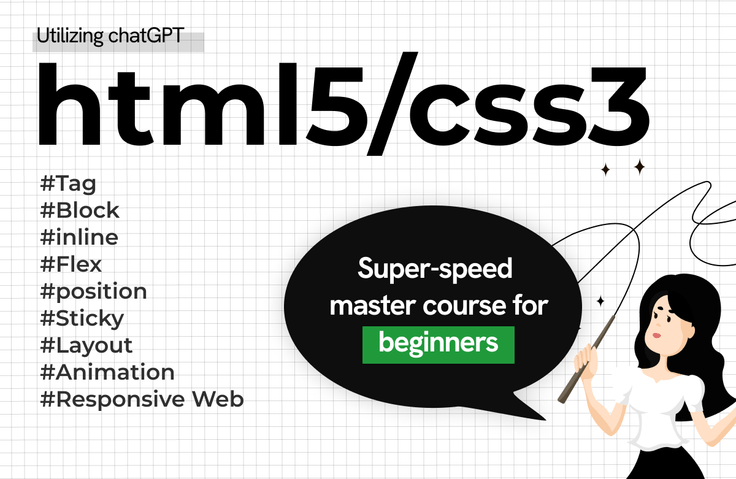
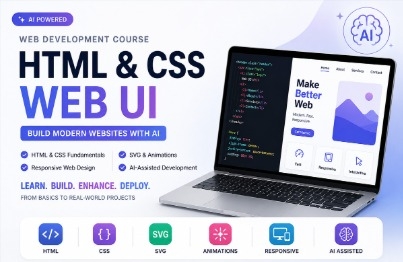
2024 HTML/CSS Basic Solid Super Speed Complete Course

It is aimed at beginners of html/css, and it builds a solid foundation, and of course, you can learn practical responsive layout creation.

(5.0) 40 reviews

1,100 learners

Level Beginner

Course period Unlimited

HTML/CSS
HTML/CSS
Flex
Flex
css3
css3
html-layout
html-layout
HTML/CSS
HTML/CSS
Flex
Flex
css3
css3
html-layout
html-layout

Reviews from Early Learners

5.0

5.0

kimday365

100% enrolled

You explained the HTML / CSS basics in an easy-to-understand way, and the sample examples were good for applying to work, so it's also really good for applying them :) Please keep up the good lectures!

5.0

둘리둘리

64% enrolled

The lecture is fun.

5.0

김성관

91% enrolled

Are you a genius?

What you will gain after the course

  • Key Practice Tags

  • Layout Production Core Block Attribute Elements

  • When decorating content, use the inline property

  • FlexBox, the king of layout creation

  • Free Layout Position

  • Mouseover event hover effect

  • Position Sticky when scrolling

  • Using virtual selectors

  • Action on your web pages! Keyframe animation

  • Responsive web development (tablet mode, mobile mode)

[HTML5 & CSS3] Super-speed, complete course for absolute beginners! 🤔

For absolute beginners in HTML5 & CSS3
It is organized so that you can easily understand the essential core knowledge from basic to responsive web development.

* It is structured to be mastered within 10 days, with 10 lectures of 15-20 minutes each, one lecture per day.


The best learning method for beginners~!

  • Whether you know it or not, you must complete it from Lesson 1 to Lesson 10!!

  • Again, from the 2nd to the 10th round, it is a tough battle.

  • If you can complete all 3 to 10 levels again!!!

You can improve your understanding and application skills in creating web layouts.


Features of this course

📌 [html5/css3] It is structured so that it can be easily understood by beginners.

📌 This new version was created in 2024 with the know-how gained from helping over 400 people find jobs at agencies and large corporations as a web publisher.

📌 With continuous upgrades after the 10th lecture, you can develop solid web publishing skills with just this lecture.

I recommend this to these people

As a publisher and front-end developer
Those who have taken their first step toward employment
Publisher, coding designer,
Aiming for front-end developers
[html/css] from the basics
Those who want to be crushed

Anyone who wants to increase the value of their designer
I am currently working as a designer,
Develop publishing skills to increase your value
Those who want to raise

Layout creation is difficult!!
Those who want to solidify their HTML/CSS basics and develop solid layout creation skills

After class

  • You can develop basic HTML/CSS skills as well as application skills.

  • You can develop your understanding and application skills in layout creation.

  • You can develop basic skills as a web publisher.


Learn about these things.

FlexBox

You will be able to understand the concept of FlexBox and have a solid understanding of creating layouts using FlexBox.

Understanding the concept of postion 1

You can understand the concept of Position and learn more free layout creation techniques.

Understanding the concept of postion 2

You can learn the technique of creating free layouts using positions.

Animation production

You can learn how to create Key Frame Animation, Transform, Transition, virtual selectors, etc., and master animation production techniques.

Responsive Web Development
You can learn the basics of responsive web design (tablet mode, mobile mode) and develop your skills in using it.

Sticky screen fixation when scrolling
You can fix the screen when scrolling with position: Sticky, and move it to the top of the screen when you click the Top button.

Who created this course

  • Instructor with 25 years of practical experience and teaching experience


  • Over 400 people have advanced to become web publishers, coding designers, and front-end developers!

  • Over 4,000 students, online and offline!

  • Currently working as a practical director and teaching UIUX & web portfolio in Gangnam (over 90% of students are promoted to practical positions)

Things to note before taking the course

Learning Materials

  • The lecture uses the Visual Studio editor.

  • The lecture source is linked in the More section below the lecture video.

Player Knowledge and Precautions

  • No prior knowledge required.

Recommended for
these people

Who is this course right for?

  • For those who are new to coding

  • People who have no basic knowledge of HTML or CSS

  • For those who want to solidify their foundation in HTML and CSS

  • For those who have difficulty creating layouts

  • Anyone who wants to become a web publisher

  • Anyone who wants to lay the foundation for becoming a front-end developer

Hello
This is jyoung

9,767

Learners

426

Reviews

242

Answers

4.8

Rating

13

Courses

Hello.

I am J.Young, a UI/UX Full-Stack Design Director utilizing AI.

I have over 20 years of practical experience in web and app service planning, design, and development,
and I am currently working as an instructor for UI/UX web planning, design, and front-end bootcamps.

Based on my practical experience, I have helped over 500 students find employment in the design and IT fields, and I am currently focusing on teaching practical skills and new portfolio creation methods suited for the AI era.


My teaching philosophy is!

Building capabilities that can be immediately applied in the field

Instead of simply learning how to use tools, I help you build capabilities that can be applied immediately in the field by experiencing the same process as actual work, from planning to design, development, and deployment.

Focusing on core competencies required in the field

We focus on learning AI utilization skills, problem-solving abilities, and collaboration skills required in the rapidly changing job market.

Creating a portfolio that leads to employment

We focus on creating projects and portfolios that can capture the interest of interviewers.


In the AI era, design alone is not enough.

Now, you need the
capabilities of a Fullstack Creator who can plan, design, implement, and deploy.
You will gain basic proficiency in design tools and create actual services using Claude, Codex, and Figma,
experiencing how to produce results alongside AI.

- If you are feeling lost on where to start,
- If you want to increase the competitiveness of your portfolio,
- If you want to grow faster by utilizing AI, I will be your reliable guide.

I will be with you until the moment your results are complete.

Professional Experience

  • 2017~Present | Digital Product Director & UX Consultant

  • 2015~2017 | Executive Director, EliEsel Inc.

  • 2003~2015 | Executive Director, Amusingware Inc.

  • 2003 | Head of Design, Seowoo C&D


Lecturing Experience

  • Employment Portfolio Creation and Project Mentoring

  • Corporate lectures and practical competency enhancement training

  • Practical lectures for universities, corporations, and educational institutions

  • Design · Development Portfolio Consulting and Group Mentoring

  • Team coaching and portfolio guidance based on practical projects

  • Practical training for corporate employees and job seekers

  • AI-based UI/UX · Frontend Practical Education and Consulting


    - Current) Full-time Instructor for UIUX Planning · Design · Frontend Bootcamp (EZEN DX Academy - Gangnam Branch)
    - Specialized Lectures on Design/Development Portfolios and Team Group Lectures


    * YouTube Channel in Operation (Coding Designer)

For smoother learning, if you join the Jalnan Web-D open chat room operated by J.young,
I will provide answers to lecture questions and feedback on your portfolio.

- Open Chat Room Name: Jalnan Web-D
- Code: jyoung

 

More

Reviews

All

40 reviews

5.0

40 reviews

  • kimday365님의 프로필 이미지
    kimday365

    Reviews 4

    Average Rating 4.8

    5

    100% enrolled

    You explained the HTML / CSS basics in an easy-to-understand way, and the sample examples were good for applying to work, so it's also really good for applying them :) Please keep up the good lectures!

    • angelwan0013850님의 프로필 이미지
      angelwan0013850

      Reviews 62

      Average Rating 4.6

      5

      100% enrolled

      I enjoyed the Html css lecture. It was very helpful.

      • jyoung
        Instructor

        Thank you, angelwan001, for your help. In the next step, Coding Designer [Well-known Web Designer] YouTube has a lot of content that will help you create layouts and implement fancy interactive elements. Please show a lot of interest. Thank you. J.young Dream

    • jjhgwx님의 프로필 이미지
      jjhgwx

      Reviews 923

      Average Rating 4.9

      5

      27% enrolled

      Thank you for the great lecture

      • 100million0732님의 프로필 이미지
        100million0732

        Reviews 19

        Average Rating 5.0

        5

        64% enrolled

        The lecture is fun.

        • 123123123123123님의 프로필 이미지
          123123123123123

          Reviews 35

          Average Rating 3.6

          5

          91% enrolled

          Are you a genius?

          jyoung's other courses

          Check out other courses by the instructor!

          Similar courses

          Explore other courses in the same field!

          Free