
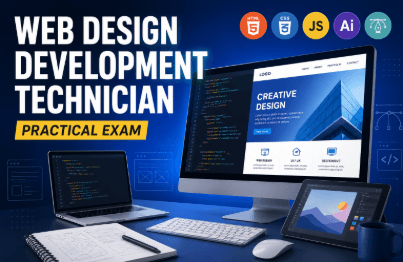
Web Design Technician Practical (Design)
dunopi
This is a class for web design specialists (designers). If you try it a few times, you will be able to follow along without difficulty. However, you must know how to use Photoshop.
Basic
Photoshop
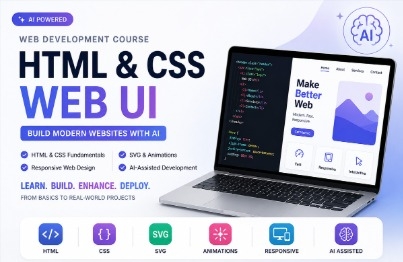
Practical Web UI Development Using HTML & CSS-Based AI
1 learners are taking this course
Level Basic
Course period Unlimited
Web Design Basics
Web Production Expert
Portfolio Direction
AI expert
To create a webpage, simply memorizing HTML tags and CSS syntax is not enough.
You need to think about how to structure the page,
implement the design with HTML and CSS,
apply the necessary animations and interactions, and
complete it responsively for PC and mobile environments.
And now, the ability to leverage AI has also become an important competitive advantage in web development.
In this course, you will learn the fundamentals of web development while also actively leveraging AI to build faster, make edits more easily, and create better results.
We start by understanding HTML, the foundation of the web.
Rather than simply learning how to use tags, you’ll examine how actual web pages are structured and build one yourself.
Once you understand the structure of HTML, even while looking at a design,
"What structure should this screen be built with?"
You will be able to determine for yourself, “What structure should this screen be built with?”
You will create web UIs in earnest by applying CSS to structures built with HTML.
Learn step by step, from basic styling such as text, colors, and spacing to creating layouts using Flex, Grid, Position, and more.
Rather than simply following a design mockup,
you will develop the ability to analyze screens and write the necessary CSS yourself.
Web pages don’t end with static screens alone.
Create various UIs that respond to user actions using SVG, CSS animations, scroll interactions, and more.
SVG Graphics
SVG Stroke
CSS Animation
Transition
Scroll Interaction
Various UI Motion
Go beyond a simple webpage and implement a dynamic web UI.
A webpage that looks good on a PC cannot simply be displayed the same way on mobile.
Understand the basic principles of responsive web design and implement layouts and UIs that naturally adapt to different screen sizes.
Desktop → Tablet → Mobile
You will learn practical responsive web development by creating screens tailored to each environment yourself.
In this course, AI is not used merely as a tool that writes code for you.
While creating a webpage, use AI to
turn your ideas into reality → write the code → check the results → fix problems → improve the final product
Experience the actual development process.
Learn how to use AI to write HTML/CSS code,
analyze complex code,
identify the cause when errors occur,
improve existing UIs, and
modify responsive code.
What matters is not using AI-generated code as-is, but having the ability to understand AI-generated results and modify them as desired.
It doesn’t end with studying syntax one piece at a time.
While applying what you’ve learned to creating actual web pages
HTML structure design
↓
CSS UI Implementation
↓
SVG & Animation
↓
Interactive UI
↓
Responsive Web
↓
AI 활용
↓
Complete a real-world webpage
You’ll experience the entire production process through to completion.
While taking the course, you will implement a variety of UIs yourself that can be used in actual web development, rather than just creating simple example screens.
Basic Website Layout
Various UI components
Responsive web pages
SVG graphics
Animated UI
Scroll Interaction
Mobile-responsive web page
Creating Web UIs with AI
The more AI creates code for us, the more important it is to have
the fundamentals to understand code and achieve the results you want.
In this course, you will properly master the fundamentals of HTML and CSS, then expand your skills to SVG, animations, and responsive web design,
Finally, you'll learn how to use AI to create web pages faster and more efficiently.
From those just starting out with the web
to those who want to take their existing web development methods one step further,
Experience the process of building it yourself, improving it with AI, and completing a webpage.
Who is this course right for?
People who want to use AI for work
UX Directionality
1,446
Learners
21
Reviews
24
Answers
4.7
Rating
11
Courses
Web Design Technician Practical Exam
With a national average pass rate of 60%
But our class has a 90% pass rate~ yong-yong~
All
62 lectures ∙ (21hr 3min)
Course Materials:
Check out other courses by the instructor!
Explore other courses in the same field!