inflearn logo

Don't write code - design, direct, and verify (Claude Code workflow)

As "Vibe Coding" becomes a trend, courses are flooding the market. But if you look closely, they are all the same. "How to use Cursor," "Mastering Copilot," "Building apps with this tool." Tools change. Tools that were the standard six months ago are now used by no one. Copilot was the trend, then Cursor arrived, and now that Cursor is the trend, Claude Code has arrived. If you only learn how to use a specific tool, everything you've learned becomes zero the moment that tool changes. This course teaches a workflow that applies even when tools change. It can be applied to any language, any framework, and any project.

(4.6) 10 reviews

151 learners

Level Beginner

Course period Unlimited

claude
claude
Vibe Coding
Vibe Coding
claude
claude
Vibe Coding
Vibe Coding

Reviews from Early Learners

4.6

5.0

채티

67% enrolled

At first, I kept failing because I only said "make this for me," but now I realize what it means to have it design first. I tried following the parallel development part right away, and there's no going back now.. 🥹 I'm so glad I took this! The best part was that these methods can be used even if the AI tools change.

5.0

하동원

100% enrolled

I used to develop by simply asking to "make this feature" without any design, and only provided detailed explanations when bugs occurred; I think I was using AI without much thought. Through this lecture, I feel like I've gained a solid understanding of the concept of a "workflow," and it has inspired me to continue improving it in my own way. Thank you.

5.0

동해바다

67% enrolled

This course focuses on teaching Claude Code to those who have no prior knowledge of development. If you are someone with IT experience, you might find it a bit frustrating because very obvious and minor details are repeated frequently.

What you will gain after the course

  • AI coding workflows that can be applied even when tools change

  • Parallel development methods for working like a team by yourself

  • Context design skills that change AI outcomes

As "vibe coding" becomes a trend, lectures are pouring out. But looking at them, they are all similar.

"How to use Cursor", "Mastering Copilot", "Building apps with this tool".

Tools change. Tools that were popular six months ago are no longer used by anyone today. Copilot was the trend, then Cursor arrived, and while Cursor was the trend, Claude Code emerged.

If you only learn how to use a specific tool, everything you've learned becomes worthless the moment that tool changes.

This course teaches a workflow that remains applicable even when tools change. It can be applied to any language, any framework, and any project.


You asked the AI to do it, so why aren't you getting the results you want?

"Make a login function."

AI writes the code. It works. But it's not the way I wanted.

You ask for revisions. It's still not right. "No, that's not what I meant..." You repeat this several times.

In the end, you find yourself digging into the code yourself and starting over from scratch.

Doesn't this situation sound familiar?


Why it doesn't work even if you write good prompts

Many people try to fix their prompts. "Should I be more specific?" or "Should I assign a role?"

But the real problem isn't the prompt.

For AI to produce good results, it needs good context, not just good prompts. The information environment—which files the AI has read, what this project is building, and what the constraints are—is what determines the outcome.

Even with the same prompt, the results can vary completely depending on the context.


Even if you learn how to use the tools, they will become useless in six months.

AI coding courses are pouring out. Most of them say, "Press this button for this, and press that shortcut for that."

But think about it.

Copilot was the trend, then Cursor arrived, and Cursor was the trend, then Claude Code arrived. In six months, another new tool will emerge.

If you only learn how to use a specific tool, everything you've learned becomes zero the moment that tool changes.

This course does not teach you how to use a specific tool. It teaches you the way of working itself, which can be applied even when tools change.


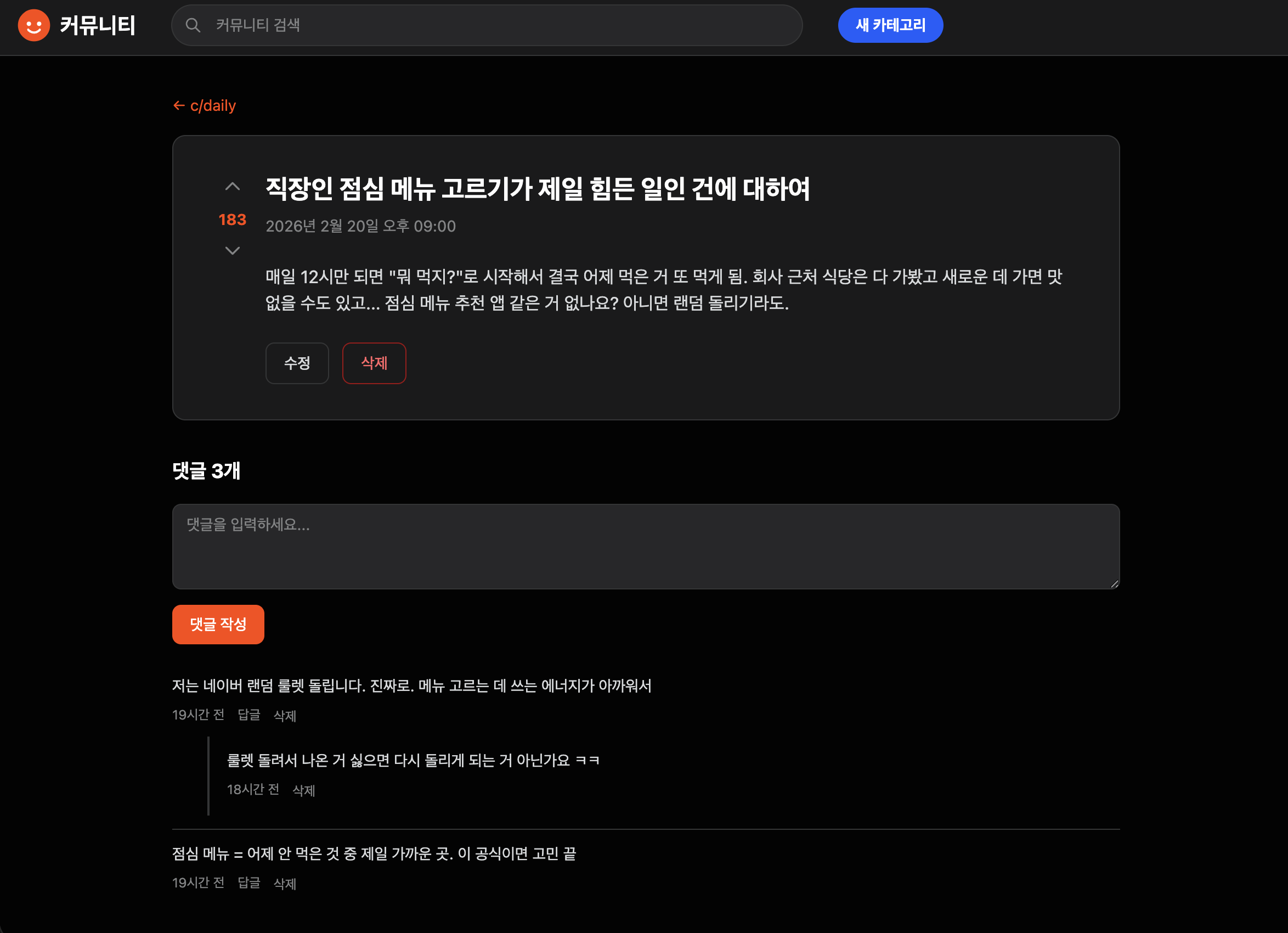
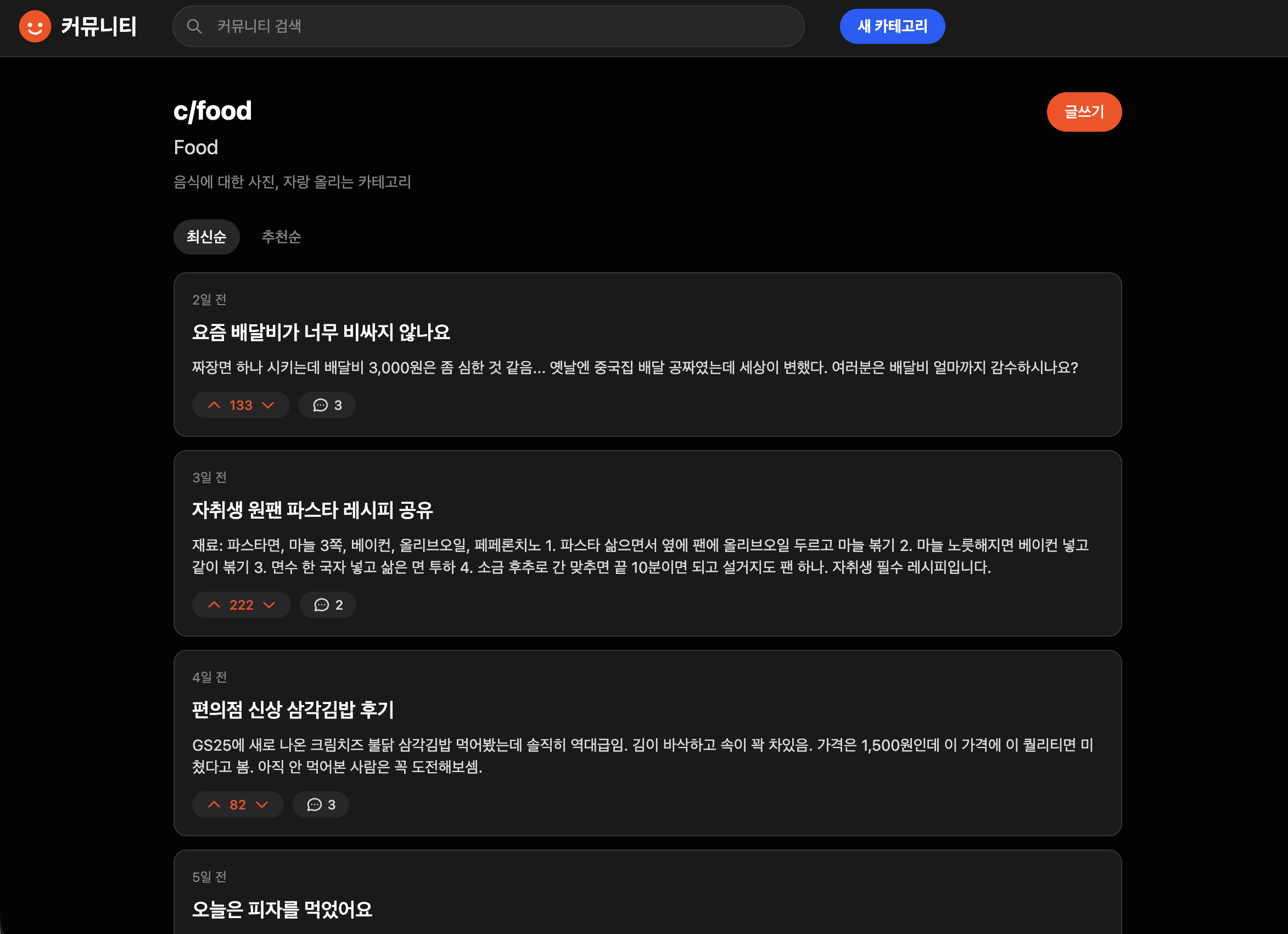
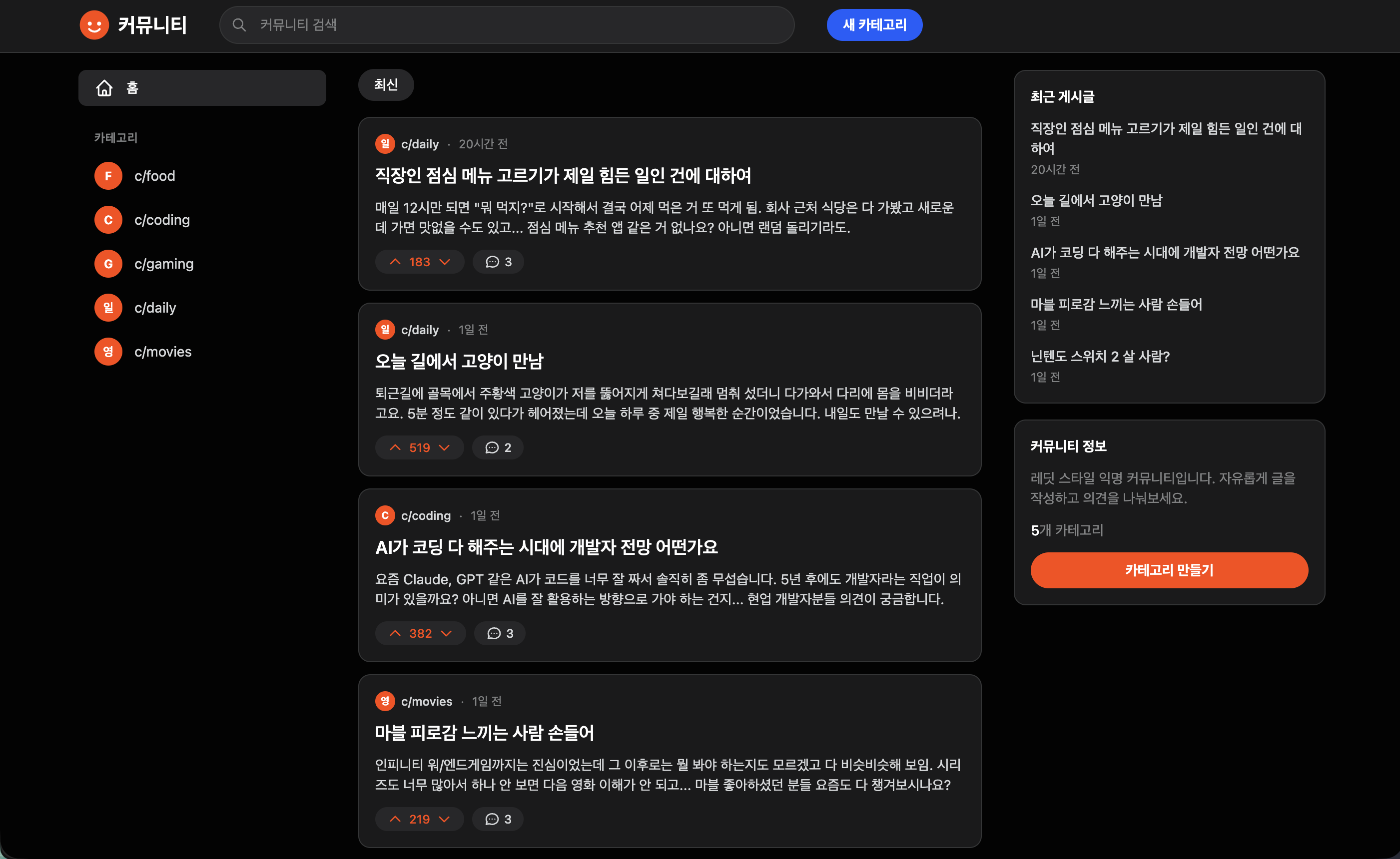
What you will build in this course (Actual deliverables)

Category Creation · List / Post Creation · Edit · Delete

Post Detail Page / Search (Title + Body)

Voting (Like/Dislike) / Comments

Sorting (Latest · Popular) / Reference-based design

Responsive Layout


What you will learn in this lecture: Design, Delegate, and Verify

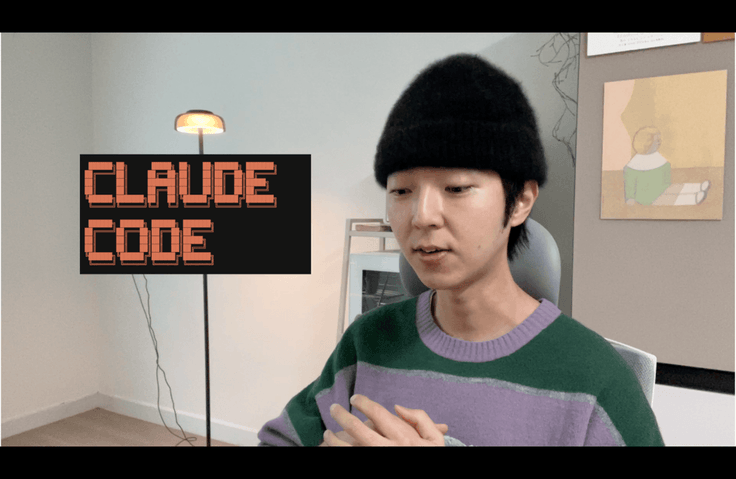
I have written almost no code myself at companies like Toss Securities. 99% of it was written by AI.

I worked by designing, directing the AI, and then verifying the results. This course demonstrates that workflow through 4 hours and 36 minutes of practical application.

  • Context Design — By setting up the information environment the AI sees, the results change even with the same instructions.

  • Design first, code later — if you have it start coding right away, the direction will go astray. By having it design first, you save 30 minutes with just 5 minutes of work.

  • Break it down — If you assign everything at once, you won't know where it went wrong. Break it down, verify, and then move on to the next step.

  • Parallel Development — One terminal is one developer. If you open five, five people are working simultaneously.

We will build a Reddit-style anonymous community from scratch without writing a single line of code ourselves—covering everything from categories, posts, search, voting, and comments to the final design.

Just because I didn't write the code doesn't mean I didn't use my brain.

Design, command, and verify. This one sentence is everything this course is about.


So, this is specifically what you will learn

You will learn the necessary workflows for each stage by building a single project from start to finish.


Ch1. Environment Setup

From installing Claude Code to starting your project. Just follow along and you're done.


Ch2. Giving Context to the Agent

How to tell the AI "what our project is." This setup must be in place to prevent the AI from producing irrelevant results. This is exactly what the "design" referred to in the lecture is about.


Ch3. Creating Agents and Features

We repeat the process of actually assigning tasks, checking the results, and making revisions. This chapter spends the most time on the concept of "Assign and Verify."


Ch4. Parallel Development

How to create features simultaneously by opening multiple terminals. This is how to do the work of several people by yourself.


Ch5. Using it as more than just a coding tool

It covers how to utilize AI across all development tasks beyond just writing code, including debugging, refactoring, and documentation.

> The five chapters are connected as a single project. You will set up the environment in Ch1, design in Ch2, build in Ch3, accelerate in Ch4, and expand in Ch5.

Recommended for
these people

Who is this course right for?

  • Those who have felt frustrated because they didn't get the results they wanted after asking an AI to "make this."

  • Those who are using AI coding tools but aren't sure if they are utilizing them properly.

  • Those who feel they have reached the limits of their productivity while developing alone

Need to know before starting?

  • macOS environment

  • We use the Anthropic paid subscription plan in class.

Hello
This is effy

9,208

Learners

456

Reviews

17

Answers

4.6

Rating

4

Courses

Former Toss Securities/Kakao Developer | Real Vibe Coding with Claude Code

YouTube | Newsletter

Curriculum

All

6 lectures ∙ (4hr 37min)

Course Materials:

Lecture resources
Published: 
Last updated: 

Reviews

All

10 reviews

4.6

10 reviews

  • seungsu035671님의 프로필 이미지
    seungsu035671

    Reviews 1

    Average Rating 5.0

    Edited

    5

    100% enrolled

    This course focuses on workflows and covers the essential core elements. The final remark, that those who use AI well will be the ones who remain, really resonated with me.

    • ha901110935님의 프로필 이미지
      ha901110935

      Reviews 1

      Average Rating 5.0

      5

      100% enrolled

      I used to develop by simply asking to "make this feature" without any design, and only provided detailed explanations when bugs occurred; I think I was using AI without much thought. Through this lecture, I feel like I've gained a solid understanding of the concept of a "workflow," and it has inspired me to continue improving it in my own way. Thank you.

      • effy
        Instructor

        Thank you so much for the high praise 🙇 I will always repay you with high-quality lectures.

    • chuing님의 프로필 이미지
      chuing

      Reviews 17

      Average Rating 4.9

      5

      67% enrolled

      This course focuses on teaching Claude Code to those who have no prior knowledge of development. If you are someone with IT experience, you might find it a bit frustrating because very obvious and minor details are repeated frequently.

      • chatty님의 프로필 이미지
        chatty

        Reviews 1

        Average Rating 5.0

        5

        67% enrolled

        At first, I kept failing because I only said "make this for me," but now I realize what it means to have it design first. I tried following the parallel development part right away, and there's no going back now.. 🥹 I'm so glad I took this! The best part was that these methods can be used even if the AI tools change.

        • effy
          Instructor

          Thank you !!

      • donnie님의 프로필 이미지
        donnie

        Reviews 8

        Average Rating 5.0

        5

        100% enrolled

        • effy
          Instructor

          Thank you for taking the course & for the review 🙇

      Similar courses

      Explore other courses in the same field!

      $123.20