MusicGame
박강사
$29.70
Beginner / Unity, Unity6, C#
5.0
(6)
Experience the joy of game development by creating your own music game with Unity. Learn how to make your own music game easily and enjoyably!
Beginner
Unity, Unity6, C#
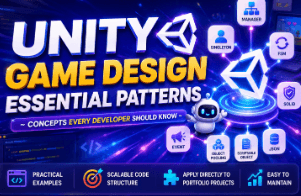
Once you are able to move characters, create monsters, and implement various game features in Unity, the next important step is how to design your code. As a project grows, these concerns begin to arise: "The code is getting more complex; how should I manage it?" "Do I have to keep modifying existing code every time I add a new feature?" "When and why should I use Singletons, Managers, Events, and FSMs?" In this course, you will learn core design patterns and code structures that every Unity developer must know, along with practical Unity examples. By learning about Singletons, Managers, ScriptableObjects, SOLID, Delegates, Actions, Events, FSM, Object Pooling, JSON, and more, the goal is not just to follow along and write code, but to understand why each concept is necessary and in which situations they can be applied. This design experience will serve as a crucial foundation when designing and developing your own game projects or building a portfolio for employment. Moving one step beyond simply 'making the game work,' Growing into a Unity developer who considers the project structure and can explain the reasoning behind their code design. That is the goal of this course.
8 learners are taking this course
Level Basic
Course period Unlimited
You can structurally design code for increasingly complex Unity projects.
You can understand the flow of how the Unity code you wrote is executed as an actual game.
You can understand core design patterns frequently used in Unity development and apply them to actual projects.
As you learn Unity and implement various features like character movement, attacks, monsters, and UI, you will eventually encounter these concerns.
"I can build the features, but the code is getting increasingly complex."
"I see Singleton and Manager being used a lot, but I don't know why they are used."
"As the project grows, I don't know where to start organizing the code."
This course was created to solve these concerns.
Learn core concepts and design methods that every Unity developer must know, such as Singleton, Manager, ScriptableObject, SOLID, Delegate, Action, Event, FSM, Object Pooling, and JSON, through practical Unity examples rather than difficult theories.
It doesn't just end with simply following and writing the code,
"Why use this structure?"
"In what situations should this be used?"
The goal of this course is to understand these concepts together.
If you have experience creating character movement or simple game functions but are unsure of what to study next, you can learn core design concepts one by one.
If your scripts have increased and started to become tangled as you continue to add features, you can learn how to divide and manage code according to their roles.
Recommended for those who want to easily learn the core design concepts essential for Unity development, such as Singleton, Manager, ScriptableObject, SOLID, Event, FSM, and Object Pooling, starting from the basics.
You can understand structures frequently used in Unity, such as Singleton, Manager, and ScriptableObject.
Through SOLID, Delegate, Action, and Event, you can learn to consider the roles and relationships within your code.
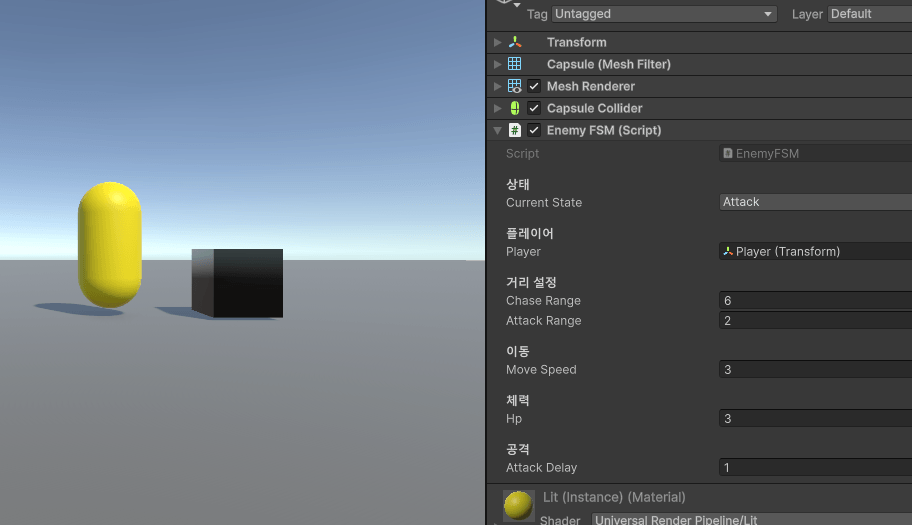
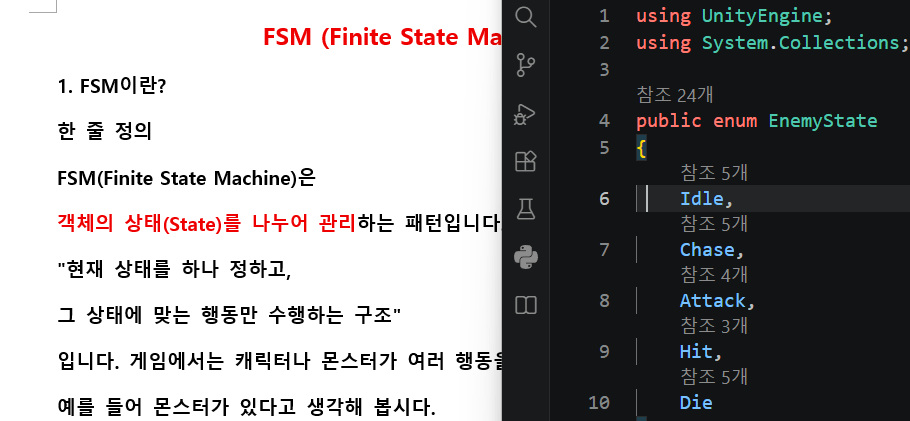
You can systematically manage the states of players or monsters using FSM.
You can understand structures that reduce repetitive creation and deletion through Object Pooling.
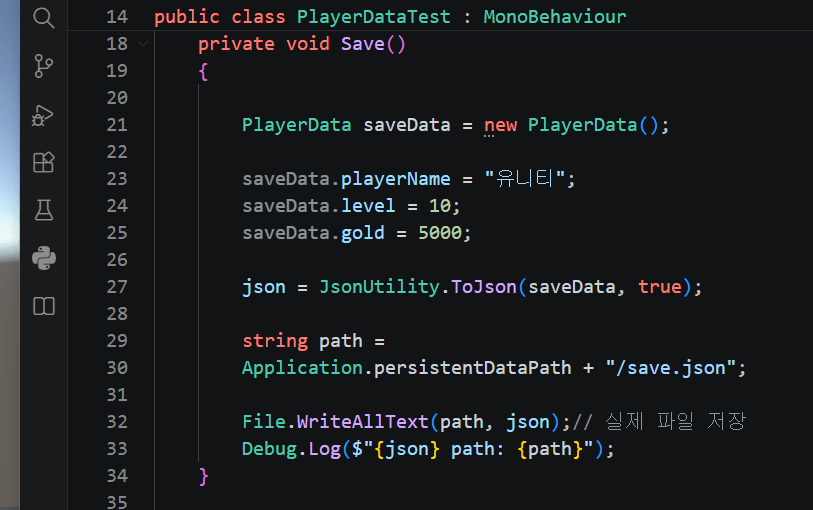
You can understand the basic game data storage method using JSON.
Through the roles of SSD, RAM, CPU, and GPU, you can understand the process by which the Unity code you write translates into the actual game screen.
Above all, rather than simply memorizing code,
"Why did you write the code this way?"
We are building the foundation for you to grow into a developer who can explain the reasoning behind your code with your own thoughts when asked, "Why did you write the code this way?"
We explain design concepts, which may feel difficult at first, in an easy-to-understand way through learning materials.
Understand core design concepts easily and simply through learning materials.
Directly write, practice, and learn how to apply the concepts you've learned using Unity and C# code.
Hello. I am Unity Instructor Jungsik Park.
I have built experience in game development practice and educational fields based on Unity (C#), and I am currently operating Raon Studio, conducting S/W development and IT education.
Based on my experience directly developing Unity projects as a developer and various teaching experiences, such as a dedicated instructor at a vocational school and a lead Unity instructor at IT educational institutions, I prioritize delivering content used in actual development in a way that is easy to understand, even for those learning for the first time.
Key Experience
CEO of Raon Studio
Master of Science in Computer Science
Unity Development and Researcher Professional Experience
Unity Lead Instructor at a Vocational Training School
Lead Unity Instructor and Project Educator at IT educational institutions
Unity/C# game development and educational activities
In this lecture as well, rather than simply following along with the code, I aimed to convey why we use such structures and how they can be applied in actual Unity projects in a simple and concise manner.
I hope that the experiences and knowledge I have shared will be of some help to those studying Unity in moving beyond simple functional implementation to understanding code structure and design.
Write at least 3 questions and answers that prospective students might be curious about before taking the course.
Rather than cliché or formal responses, we recommend answers that reveal the instructor's unique personality.
Q. Can Unity beginners take this course?
Yes. If you have some experience using Unity and C# at a basic level, that is enough. Even difficult design concepts are explained easily starting from the basics.
Is it okay if I don't know about design patterns or architecture?
Yes. Even if you are encountering concepts like Singleton, Manager, FSM, and Object Pooling for the first time, we explain everything step-by-step, from the core concepts to examples and code, so that you can understand them easily.
Q. Please write some questions that potential students might ask.
As you develop, you will naturally encounter core design concepts such as Singleton, Manager, Event, FSM, and Object Pooling. In particular, an understanding of code structure and design becomes crucial as project scales grow, or as you build portfolios and prepare for employment. In this course, you will learn these concepts in advance and easily understand how to apply them in actual Unity projects.
Operating System: Windows recommended
Programs Used: Unity, Visual Studio, or Visual Studio Code
A PC environment capable of running basic Unity projects is required.
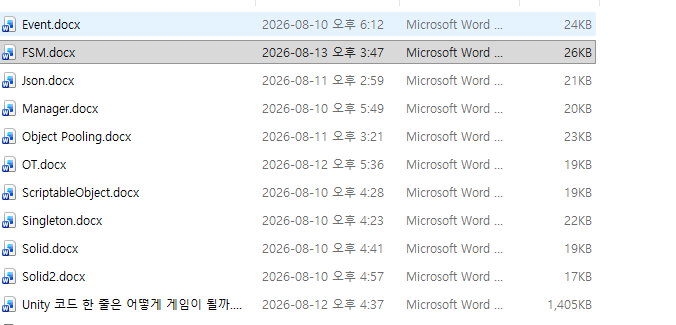
We provide Word (.docx) study materials for each lecture.
You can refer to the materials summarizing conceptual explanations and hands-on practice along with the lectures.
It is sufficient if you have some experience with basic use of Unity and C#.
Even difficult design concepts are explained easily, starting from the basics.
The course will be conducted based on the Windows environment.
Who is this course right for?
Those who want to understand core Unity design patterns
Those who have learned the basics of Unity but find their code becoming increasingly complex as their projects grow.
Need to know before starting?
It is helpful to have a basic understanding of how to use Unity.
You only need to know the basic syntax of C#.
Career Verified
71
Learners
7
Reviews
6
Answers
5.0
Rating
4
Courses
Hello. I am Unity instructor Instructor Park.
I am active in the field of Unity (C#) based development and education, and I am currently operating Raon Studio, conducting S/W development and IT training.
I have gained practical experience as a developer and researcher, and since then, I have been conducting Unity lectures and project-based training at vocational schools and various IT educational institutions.
CEO of Raon Studio
Master of Science in Computer Science
Unity Developer and Researcher
Unity Instructor at Vocational Training School
Lead Instructor and Educational Operations for Unity at IT educational institutions
Rather than simply following along and writing code, I aim to convey why this structure is used and how it can be applied in actual game development as easily as possible.
I hope that my knowledge and experiences will be of some help to those studying Unity, and that they can provide a small boost in the process of designing and developing your own games in the future.
You can also check out the Unity project results of the students who have studied with us so far on the YouTube channel below.
Student Project Portfolio
https://www.youtube.com/@박강사-u2e/playlists
As a developer and instructor who is also constantly learning and growing, I will continue to strive to share my experiences in an easy-to-understand way.
Thank you.😊
All
20 lectures ∙ (5hr 37min)
Course Materials:
1. OT
09:35
4. Manager Pattern
14:52
5. ScriptableObject
20:18
Check out other courses by the instructor!
Explore other courses in the same field!
25% off for new members
$19.70
25%
$29.70