

inflearn logo

Claude Code Harness Engineering: Advanced CLI Harness Engineering Practice

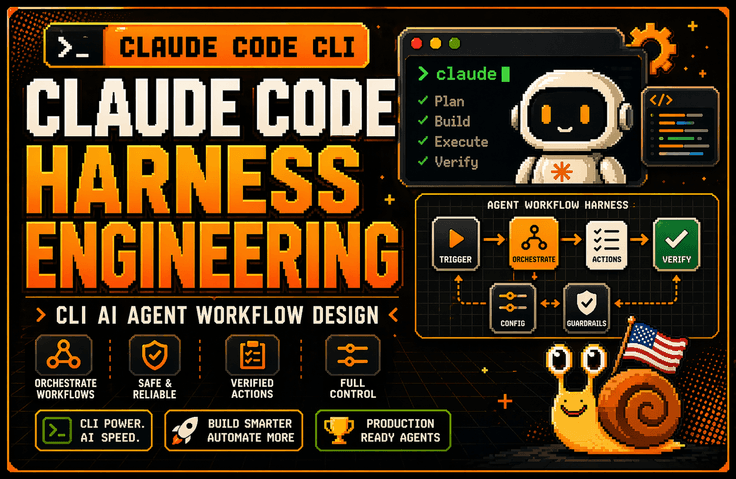
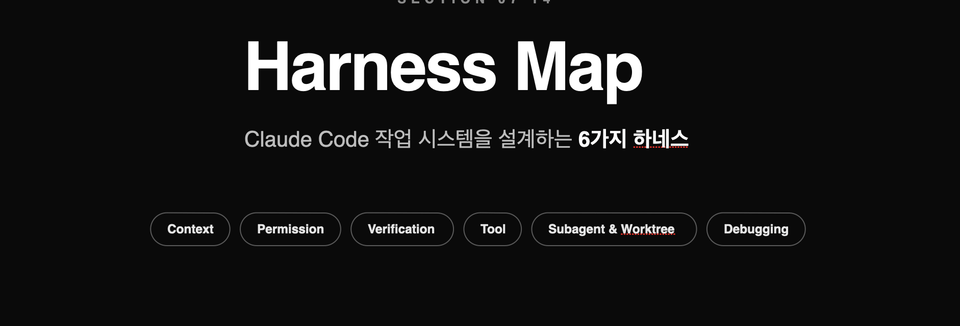
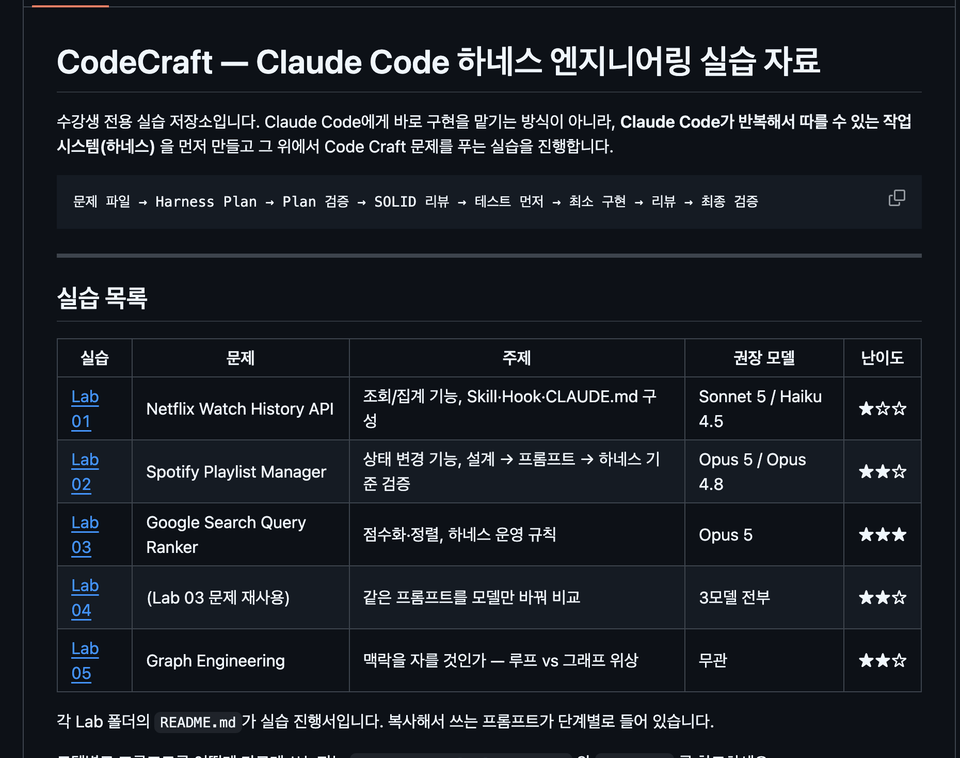
The lecture explains why the harness is more important than the model through the Claude Code architecture. It covers how to design the Claude Code task system using six structures: Context Harness, Permission Harness, Verification Harness, Tool Harness, Subagent & Worktree Harness, and Debugging Harness. Afterward, it connects these concepts to CLAUDE.md, session management, large codebase control, worktree parallel operations, error log analysis, and tracking environment variables and configuration scope issues, establishing the standards for continuously using Claude Code in practical backend and DevOps workflows.

62 learners are taking this course

Level Basic

Course period Unlimited

AI
AI
claude
claude
Vibe Coding
Vibe Coding
harness
harness
AI
AI
claude
claude
Vibe Coding
Vibe Coding
harness
harness

What you will gain after the course

  • Harness design criteria for integrating Claude Code CLI into real-world projects

  • Ability to design workflows for large codebases through CLAUDE.md, session management, and context control

  • Ability to design permissions and authorization policies that define the scope of actions Claude can perform.

  • Practical sense of using a Verification Harness to verify Claude's outputs through tests, diffs, and counterexamples rather than trusting them blindly.

  • Subagent & Worktree operational capabilities to safely isolate multi-tasks using worktrees and parallel sessions

  • Practical skills in creating a Debugging Harness to organize error logs, environment variables, configuration scopes, and hard-to-reproduce bugs so that Claude can solve them.

Claude Code in the GUI can be fun.

However, in the harness design of the CLI, Claude Code becomes profitable.

This course does not introduce Claude Code CLI as a simple AI coding tool. Instead, it covers how to establish Claude Code within actual backend and DevOps workflows from the perspectives of Context, Permission, Verification, Tool, Subagent, and Debugging Harness. You will learn how to design a working system where Claude can operate safely in real projects, connecting everything from log analysis, bug fixing, and test recovery to CLAUDE.md design, session management, and parallel worktree operations.

Recommended for these people

Developers who have installed Claude Code but find themselves unable to use it consistently in real-world projects

If you found yourself comfortably asking and receiving answers in the GUI, only to return to the terminal in practice to read logs, run tests, review diffs, and organize Git branches, then you need this course. This course provides the standards to transform Claude Code from a "tool you try out briefly" into a "tool you use continuously in real-world projects."


A non-major developer who spent 5 hours on something Claude could have finished in 30 minutes in a large codebase

The problem is likely not just model performance, but a lack of design regarding what information Claude should see and within what scope it should operate. In this course, we cover practical patterns to prevent Claude from getting lost in large codebases through Context Harness, CLAUDE.md, session management, and context redesign.

Developers and non-majors who want to elevate their use of AI coding tools from "knowing how to use them well" to "operating them at a professional system level"

I recommend this to those who need practical standards beyond simple feature introductions—such as which tasks to delegate to Claude versus which require manual judgment, which results must be verified through tests and diffs, and which automations should be expanded using Hooks, MCP, or Skills. It is particularly suitable for backend developers, DevOps engineers, and tech leads.

After completing the course,

After taking this course, you will no longer view Claude Code as merely a "tool for entering good prompts." Instead, you will be able to determine what Claude needs to look at, the extent of its permitted actions, how to verify results, when to clear/compact/restart if a session becomes contaminated, and how to manage worktrees and parallel sessions.

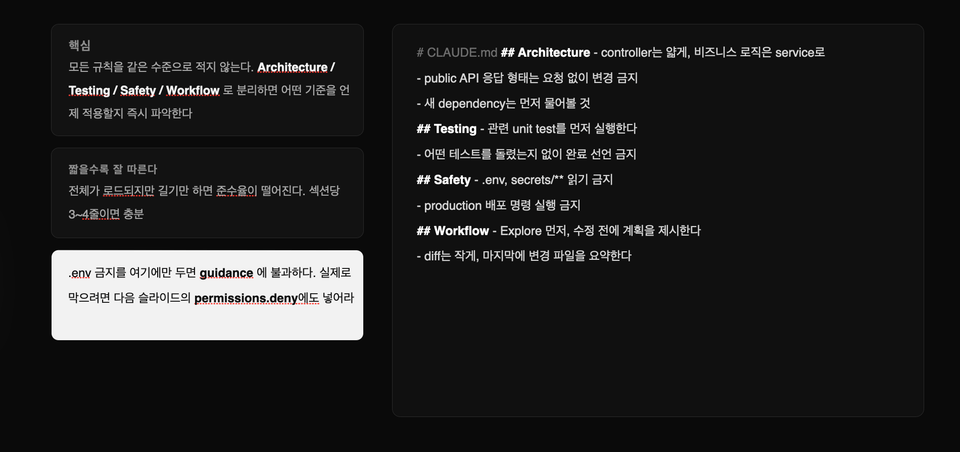
Specifically, you will be able to structurally fix project rules and prohibitions in CLAUDE.md, organize issues regarding logs, environment variables, and configuration scopes into a format that Claude can solve, and review Claude's proposed fixes through a test-diff-counterexample verification loop. In other words, you will elevate Claude Code from a GUI-based auxiliary tool to a level where it can be integrated into actual backend and DevOps workflows.

Features of this course

1. Instead of just explaining features, it teaches from the perspective of "Harness Engineering" based on research papers.

This course does not simply list Claude Code's features like official documentation. Instead, it explains how to design Context, Permission, Verification, Tool, Subagent, and Debugging Harnesses so that Claude Code can work safely within real-world projects. As a result, you will be less affected by rapidly changing version updates and will be left with standards that are applicable to actual projects.

2. Covers large codebases and actual practical problems as the standard

This course goes beyond building simple demo apps; it covers how to prevent Claude from getting lost in large codebases, ways to reduce session pollution, how to safely manage worktrees and parallel sessions, and how to connect the GitHub Issue → PR workflow with Claude. We start from the actual pain points encountered in real-world practice.


What you will learn

Getting Started with Claude Code CLI in Practice /

Architecture / Memory / CLAUDE.md / Plan Mode / Skills

In the first section, we clearly define the differences between the GUI-based Claude and the CLI. Rather than simply comparing interface differences, we explain why the GUI often limits you to "asking and receiving answers," whereas the CLI allows you to connect directly to actual logs, testing, Git, and deployment preparation. Afterward, we explore the Claude Code architecture to understand why the harness is more important than the model itself, and examine the roles of session memory and CLAUDE.md, Plan/Thinking Mode and Subagents, and the differences between Skills and Tool use.

Harness Map / Context Harness / Permission Harness / Verification Harness / Tool Harness / Subagent & Worktree / Debugging Harness

The second section is the core of this lecture.

It explains the six harnesses required to integrate Claude Code into an actual project as a single operational system. It provides a big-picture overview of what information Claude should see, the extent of its permitted actions, how to verify results, which tools to attach in what structure, how to isolate parallel tasks, and how to transform logs and environment variables into a format suitable for troubleshooting. You will actually implement this map in the subsequent hands-on sections.

The person who created this course

  • Silicon Valley Survivor | US Snail

    Based on the experience and know-how accumulated at the forefront of the Global Tech Scene, I present a path for non-majors to overcome technical barriers and become masters of their business.

    • Current) Founder of a Silicon Valley AI Coding Agent Startup

      • Operating self-developed AI tool 'Snailer CLI' (11K+ downloads)

      • Selected for the Google for Startups Program

    • Former) Engineer career at US Big Tech and promising startups

      • Reached the final stage at Amazon, but gave it up to start a company

      • Silicon Valley AI Fintech Startup Engineer

      • OpenAI / Meta / Apple / Adobe / Amazon Full-Stack Fellowship

      • Domestic search engine portal, fintech development

      • AI Startup AR/B2B/SDK Development

    • Proven Educational Capabilities

Do you have any questions?

Q. I've used Claude Code a little bit before; will this lecture still be helpful?

Yes. In fact, those who have already used Claude Code, even briefly, are more likely to find this lecture deeply impactful. If you’ve experienced the frustration of it seeming convenient at first, but then getting lost when applied to a real project—or if you felt disappointed that final steps like testing, Git, and deployment still required manual human intervention—this lecture addresses exactly those issues. Rather than just introducing features, this course focuses on the "structure that makes you keep using it."

Q. Can't I just look at the official documentation?

Official documentation is the most up-to-date and accurate reference point. However, simply reading the documentation makes it difficult to gain practical judgment criteria, such as "when to use which feature," "why it fails in large codebases," "which rules should go into CLAUDE.md versus permissions," or "how to recover when a session becomes polluted." While this course mentions the official documentation, it is based on research paper content. It provides structures and standards that can be immediately applied to real-world tasks.

Q. What level does this course cover?

This course is not an introductory "build an app quickly" type of lecture.

This is an intermediate-level practical course designed to integrate Claude Code CLI into actual projects and workflows such as mobile app development, backend, frontend, and DevOps. Therefore, it will cover topics ranging from log analysis, session management, CLAUDE.md, context redesign, and parallel worktree operations, to bonus lectures on model routing and context budget management.

Notes before taking the course

Hands-on Environment

  • macOS is the most recommended operating system, and Windows users are encouraged to use a WSL environment. You can follow along similarly in a Linux environment as well. The practice sessions will focus on the Claude Code CLI, so prior experience with using a terminal will make things much easier. Since we will be handling project structures and using Git/worktree to some extent, it is best to have a basic development environment already set up.

Learning Materials

  • PPT, Notion

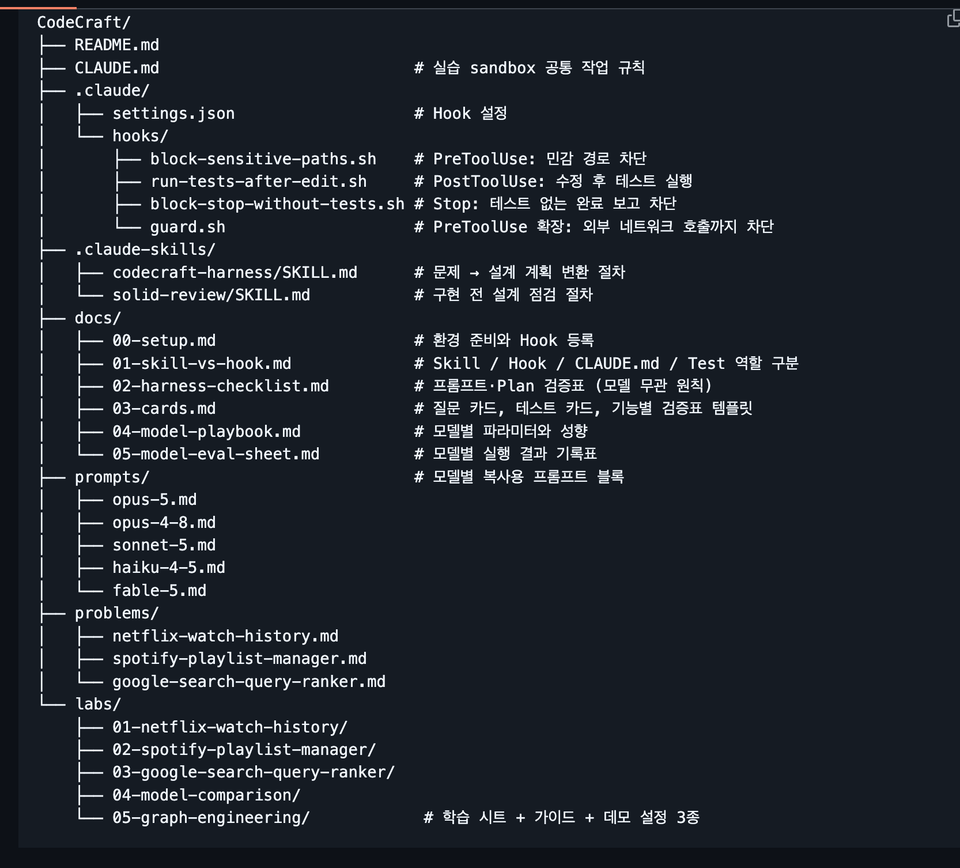
  • The course provides materials centered on templates and reference tables that can be applied directly to practical work, rather than just a collection of simple links. For example, it is structured so that you don't have to re-watch the videos from the beginning when reviewing, by providing resources such as CLAUDE.md templates, context pack examples, session summary prompts, worktree operation playbooks, and model routing reference tables.

Prerequisites and Notices

  • It is best if you have basic development experience, experience using the CLI, and an understanding of Git concepts.

  • Rather than a course for just "dipping your toes" into Claude Code for fun, this course focuses on creating a structure that can be used continuously in real projects. Therefore, we provide harness engineering techniques suitable for all students, regardless of whether they are non-majors or majors.

Recommended for
these people

Who is this course right for?

  • Developers who have installed Claude Code but haven't been able to make it a consistent part of their actual projects.

  • Developers who feel limited by the GUI version of Claude and need practical CLI-based usage methods.

  • Those who want to learn about CLAUDE.md, permissions, hooks, MCP, and subagents based on practical application rather than just feature introductions.

  • Developers who want to elevate their use of AI coding tools from "just trying them out" to "operating them as a core workflow system."

Need to know before starting?

  • Experience using LLMs such as ChatGPT and Claude is preferred.

Hello
This is americasnail

714

Learners

28

Reviews

33

Answers

4.5

Rating

5

Courses

  • Silicon Valley Survivor | US Snail

    Based on experience and know-how accumulated at the forefront of the global tech scene, I present a path for non-majors to overcome technical barriers and become masters of their own business.

    • Current) Founder of a Silicon Valley AI Coding Agent Startup

      • Operating self-developed AI tool 'Snailer CLI' (11K+ downloads)

      • Selected for the Google for Startups Program

    • Former) Engineer Career at US Big Tech and Promising Startups

      • Reached the final stage at Amazon, but gave it up to start a business

      • Silicon Valley AI Fintech Startup Engineer

      • OpenAI / Meta / Apple / Adobe / Amazon Full-stack Fellowship

      • Domestic search engine portal and fintech development

      • AI startup AR/B2B/SDK development

    • Proven Educational Capabilities

      • Double major in Computer Science and Business Administration at a 4-year university in Seoul, with extensive experience in multiple startups.

      • Produced 700+ cumulative students, 3.9K+ social media followers, and 440+ Substack educational content subscribers

More

Curriculum

All

21 lectures ∙ (2hr 6min)

Course Materials:

Lecture resources
Published: 
Last updated: 

Reviews

Not enough reviews.
Please write a valuable review that helps everyone!

americasnail's other courses

Check out other courses by the instructor!

Similar courses

Explore other courses in the same field!

Limited time deal

$1,313,500.00

29%

$68.20