inflearn logo

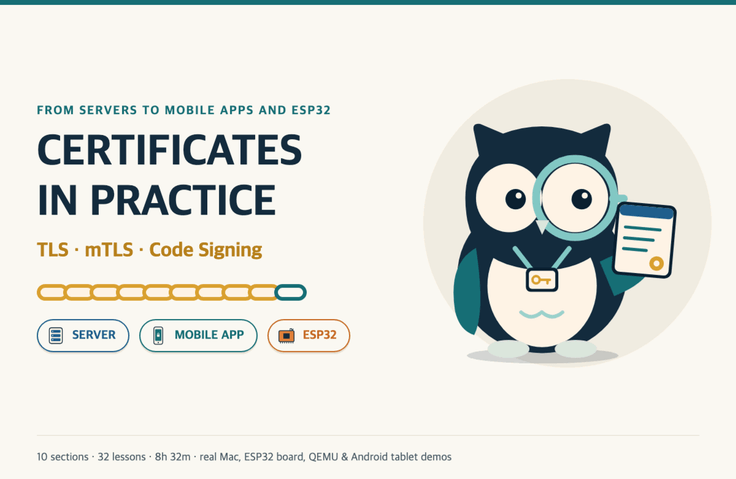
Certificates in Practice: TLS, mTLS, and Code Signing Across Servers, Apps, and ESP32s

A hands-on certificate course for an era when certificate lifetimes are shrinking to 47 days—learn server TLS, mTLS, and internal CAs, as well as server verification, signed updates, and hardware key attestation for mobile apps and ESP32, using real console, board, and tablet screens.

1 learners are taking this course

Level Basic

Course period Unlimited

tls
tls
openssl
openssl
Android
Android
esp32
esp32
tls
tls
openssl
openssl
Android
Android
esp32
esp32

What you will gain after the course

  • The ability to read certificate error numbers and depths to find where the chain breaks

  • Configure automatic renewal, reload, and expiration monitoring (ARI, my certificate list) for a 47-day lifetime

  • Experience issuing short-lived certificates and SSH certificates using an internal CA (offline root + step-ca intermediate CA)

  • How to Set Up mTLS Between Services and Avoid Operational Pitfalls Like Front-End Termination, Header Spoofing, and Replacing Overlapping CAs

  • How the ESP32 and mobile app verify the server, and how to diagnose three failure causes (name, root, and clock)

  • A structure that protects device and app code through signed OTA updates, app signing, and Secure Boot

  • A 12-Point Checklist for Verifying Hardware Key Attestation on the Server—and Its Limitations

  • Operational practices for preparing for a broken chain, including the pros and cons of CT monitoring, CAA, and pinning

  • Order for Introducing Certificate Automation to My Services and Devices


If a single certificate fails, the server, app, and device all stop working.


Learn how TLS certificates are created, trusted, and where they break, tracing them from servers to mobile apps and ESP32 boards. This course covers real-world scenarios involving certificates, including HTTPS for web services, mTLS between services, internal CAs, signed updates for apps and firmware, and hardware key attestation on devices.

  • In each lesson, you’ll follow the sequence explanation (animation) → reenactment (real incident) → demo (actual screen), then see the principle put into practice on a terminal, board, or tablet in the same video.

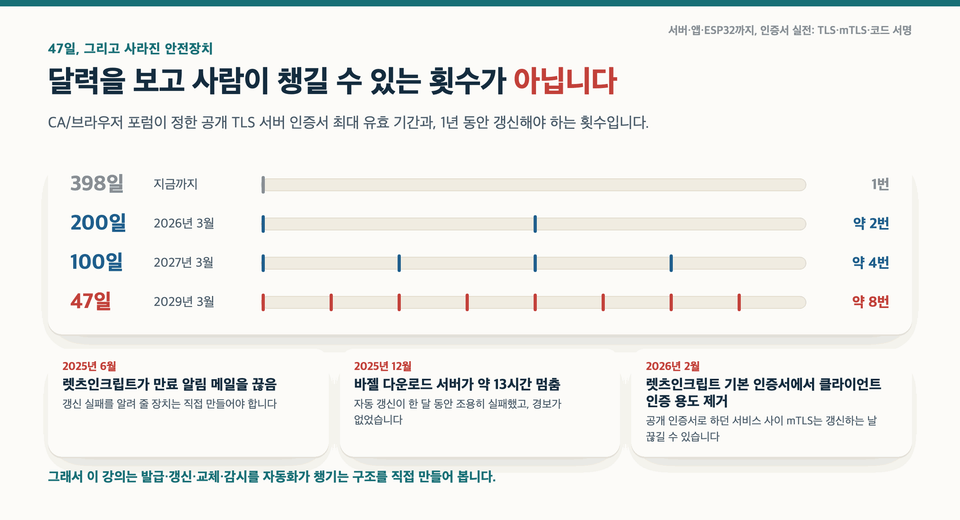
  • The maximum validity period for publicly trusted TLS certificates will be reduced to 200 days in March 2026, 100 days in March 2027, and 47 days in March 2029. At 47 days, certificates will need to be renewed about eight times a year.

  • 10 sections, 32 lessons, and 8 hours 32 minutes in total. You can choose the learning path that best fits your work from three options: server, mobile app, or ESP32.

Why did I create this course? Imagine two teams experiencing outages on the same day. The web team’s payment page certificate expires in the early hours of the morning, while ten thousand devices shipped from the factory can’t connect to the server. They seem unrelated, but trace them back and you’ll find they share a link in the same certificate chain. A web server can be fixed with a single line of configuration, but devices already in the field and apps already installed may not even be able to receive an update. In fact, in December 2025, the download server for the Bazel build tool was down for about thirteen hours after automatic renewal had silently failed for a month and its certificate expired. There are plenty of courses on certificates, but most stop at server configuration. In this course, we’ll put servers, apps, and devices on the same chain and build a system where automation, not people, takes care of renewal and monitoring.

What You'll Learn


Section (1) Introduction · Two Incidents, Course Roadmap, Lab Setup

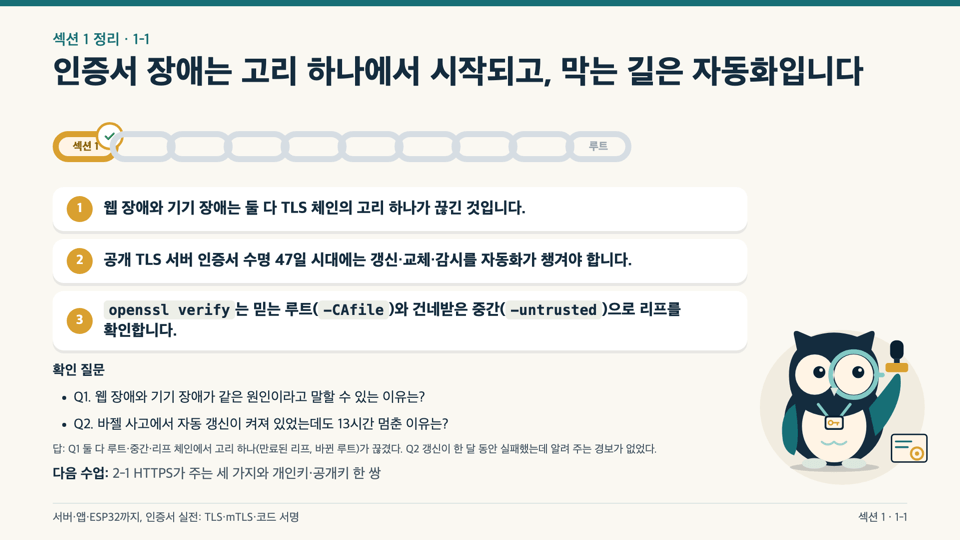
Following a web certificate expiration and connection failures across ten thousand devices that occurred on the same day, you’ll see how a certificate incident can begin with a single link in the chain. You’ll distinguish what server TLS, app signing, and firmware OTA each trust and build on, then get the lab repository and complete your first chain verification.


Section (2): Key Pairs and TLS · Private and Public Keys, TLS 1.3, Post-Quantum Resistance

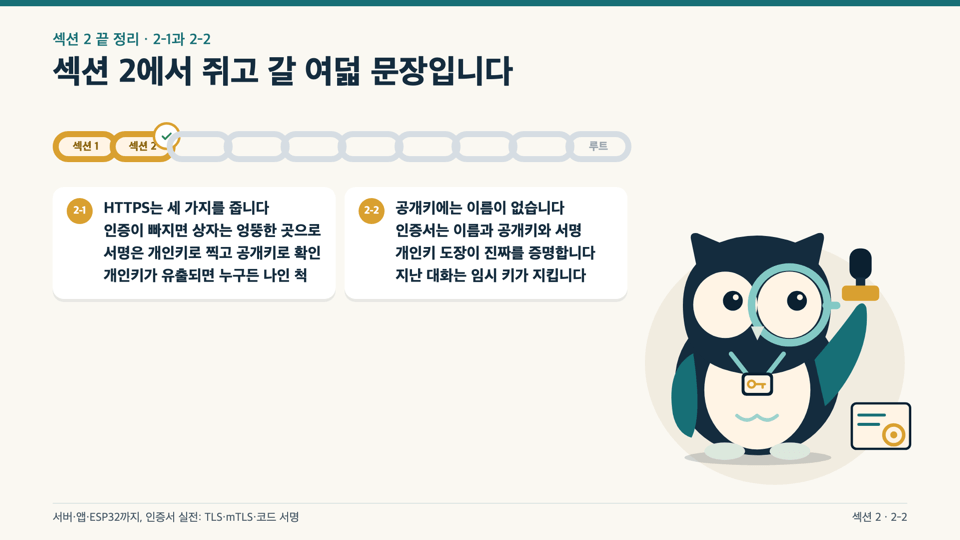
We start with the three things HTTPS provides (confidentiality, integrity, and authentication) and a private/public key pair. We read an actual TLS 1.3 handshake log line by line and check the quantum-resistant hybrid key exchange (X25519MLKEM768) selected by default in OpenSSL 3.5.


Section (3) Certificates and Trust Chains · Certificate Structure and Five Ways a Chain Can Break

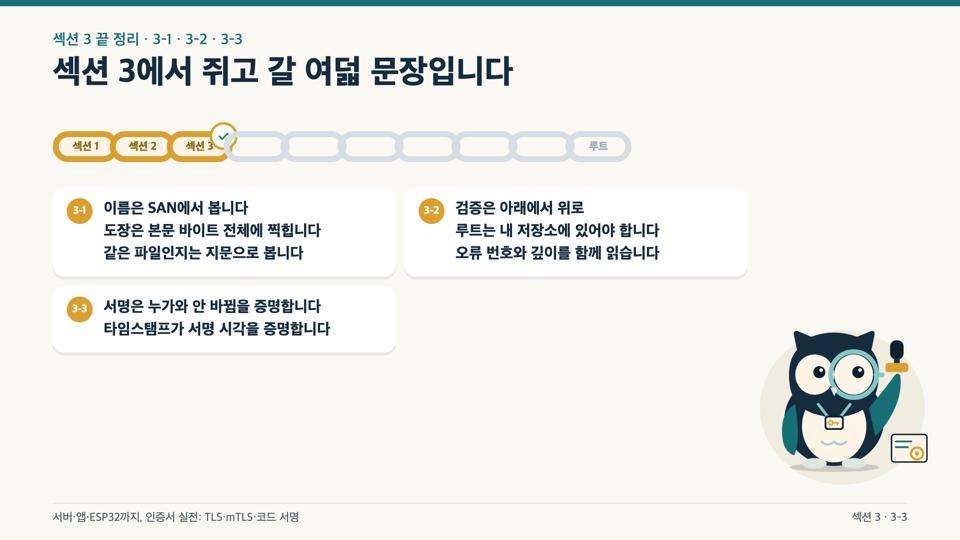
Read a certificate field by field and manually verify the chain from root to intermediate to leaf. Run five deliberately broken chains through the same command to learn how to find where the chain breaks using the error number and depth, then connect the same principles to digital signatures, timestamps, and JWTs.

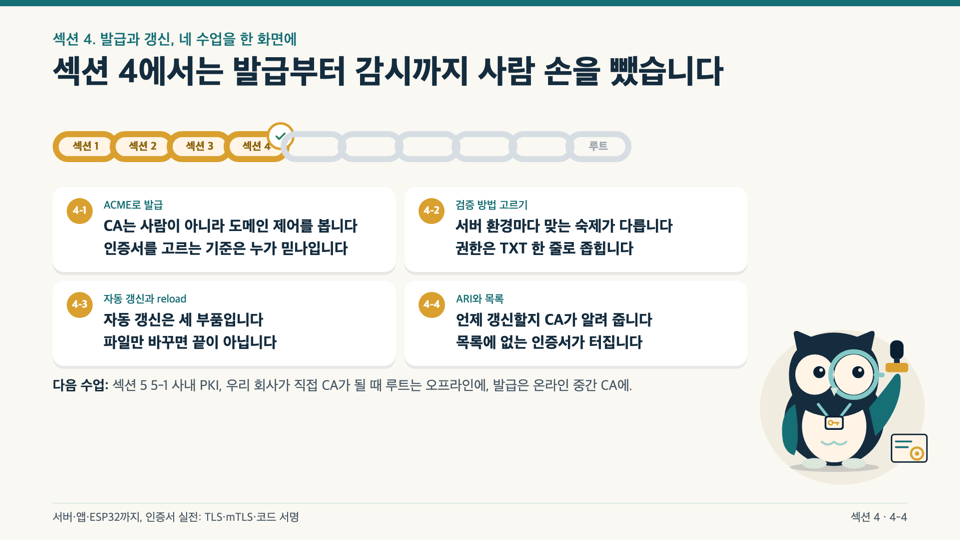
Section (4) Issuance and Renewal · ACME, HTTP-01/DNS-01, Automatic Renewal, ARI

Follow the issuance of a single certificate from start to finish using a test ACME server running on your PC. We’ll cover how to choose between HTTP-01 and DNS-01, why automatic renewal isn’t enough if it only replaces the files (reload), how a CA uses ARI to suggest when to renew, and how to create an inventory of your certificates.

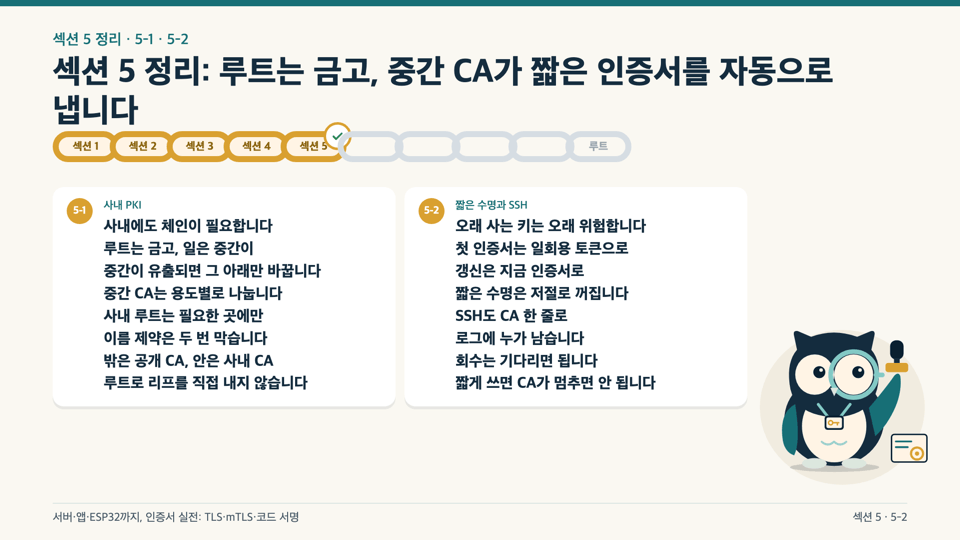
Section (5) Internal CA · Offline Root, step-ca, Short-Lived Certificates

We build the structure for when our company becomes its own CA. The root stays in an offline vault, while the online intermediate CA (step-ca) automatically issues short-lived certificates and SSH certificates.

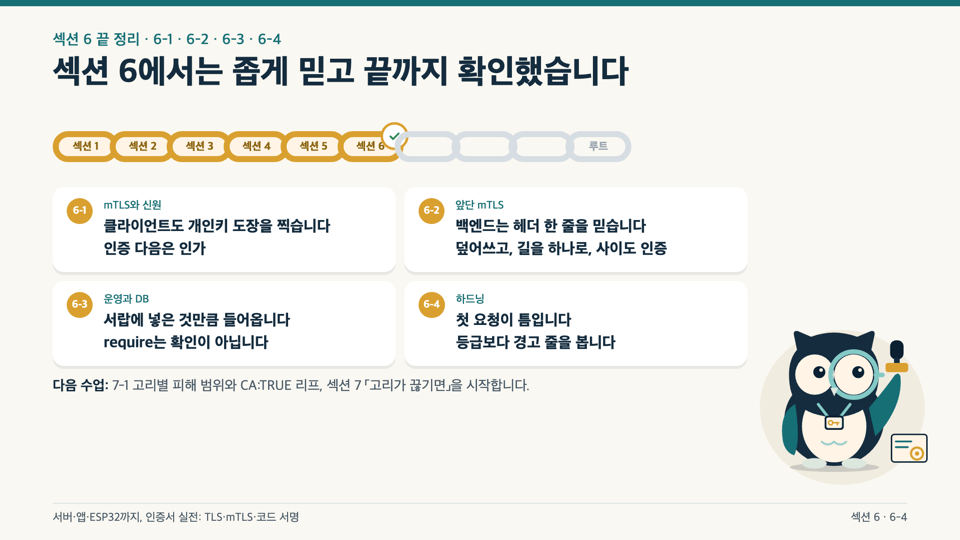
Section (6) mTLS and TLS Operations · Certificates as Identity, Header Spoofing, HSTS

We’ll enable mTLS between services one step at a time and examine an architecture where the certificate itself is the identity. We’ll cover operational pitfalls, including header spoofing when mTLS is terminated at an edge proxy, how to rotate certificates by overlapping two CAs, sslmode for database connections, and TLS hardening and HSTS to prevent downgrades.

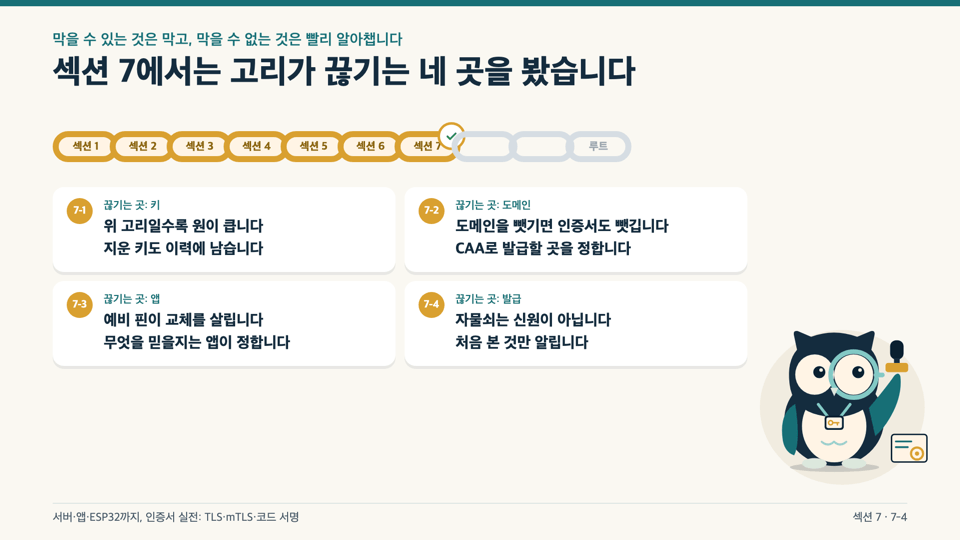
Section (7) When the Chain Breaks · CA:TRUE Leaf Certificates, CAA, Pinning, and CT Monitoring

We break down what fails at each link and assess the scope of the damage. We’ll look at leaves with CA:TRUE, CAA and subdomain takeover, the pros and cons of mobile app trust stores and pinning, and how to monitor certificates issued for your domain through CT logs.

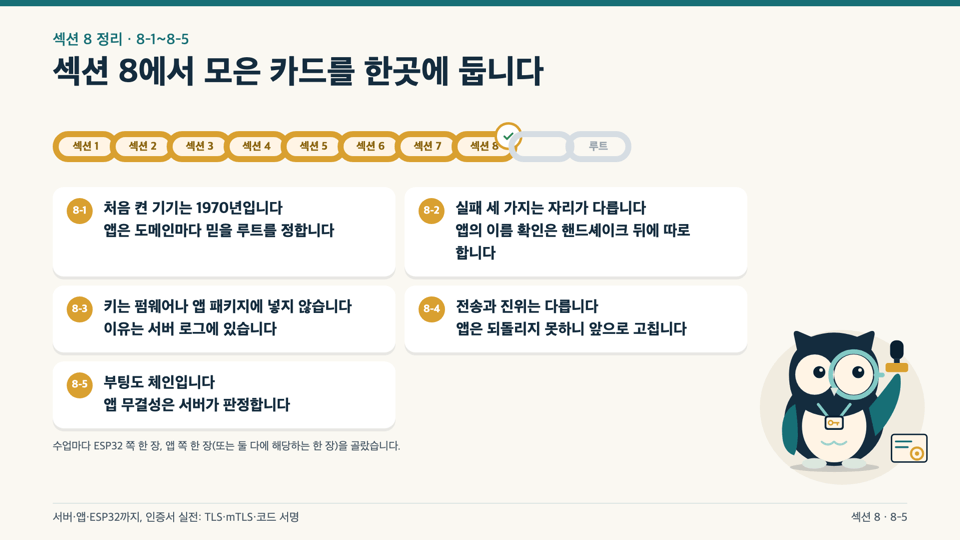
Section (8) How Devices and Apps Trust Servers · ESP32 and Mobile Apps

We look at the same concepts side by side in ESP32 firmware and mobile apps. We examine firmware certificate bundles and the 1970 clock problem, three reasons server verification can fail, mTLS for devices and apps, signed OTA updates and APK signing and rollback, and Secure Boot (QEMU) and app integrity checks on actual boards and tablet screens.

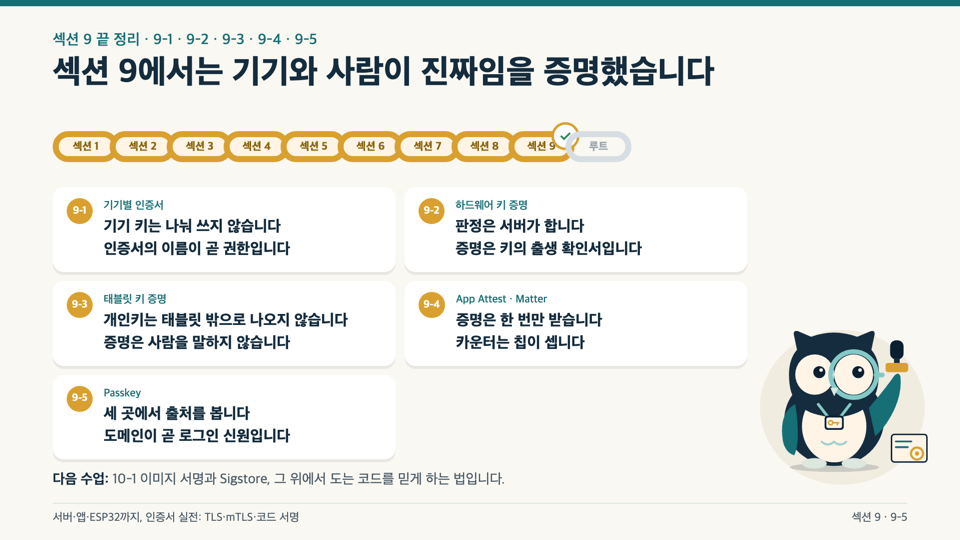
Section (9) Device Certificates and Hardware Key Attestation · 12-Line Attestation Checklist, Passkey

Starting with the risks of 100 devices sharing the same certificate, we move on to obtaining certificates for each device. We create keys inside the chip of a real Android tablet and evaluate the attestation chain using a 12-line server-side checklist. We also cover Apple App Attest, Matter device attestation, Passkeys, and .well-known.


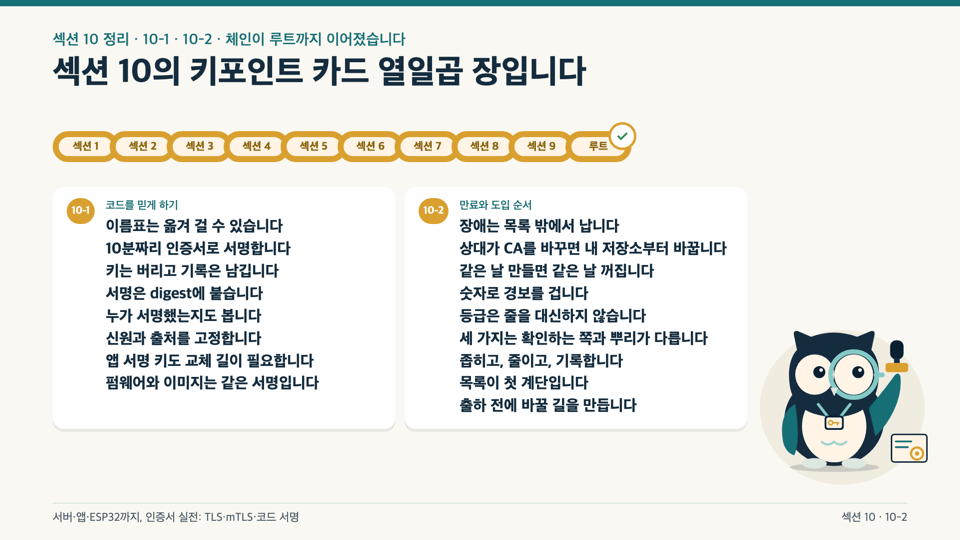
Section (10): Supply Chain and Operations · Image Signing, Sigstore, and Adoption Order

We’ll look at how to sign container images and code and verify them with Sigstore. Finally, we’ll review certificate types that fail when they expire and outline the order for adopting them in your service and devices starting today.

Notes Before Taking the Course

Practice Environment

  • Operating system: The course is demonstrated on macOS. You can follow along on Linux using the same commands. For Windows, we recommend following along in WSL2 (Ubuntu recommended). (We have not recorded and verified the Windows/WSL2 environment ourselves.)

  • Tools used: OpenSSL 3.5 or later, Docker, Python 3.12, and Git. They’re all free; no paid plans, real domain, or public CA certificate is required. All servers run only on your PC (127.0.0.1).

  • Hardware (optional): An ESP32 board (recorded with ESP32-C5, ESP-IDF v5.5) and an Android device (Android 9 or later; recorded on an Android 15 tablet). If you don’t have them, you can complete the relevant demo by watching the actual screen. Irreversible board settings such as Secure Boot are only tried in QEMU, not flashed to a board. No physical iPhone is used.

  • PC requirements: No special specifications are needed. Some exercises involve running several Docker containers at once, so having some spare memory is helpful. No graphics card is required.


Learning Materials

  • Slide textbook PDF (698 pages): Includes illustrations, commands, actual output, and troubleshooting cards for every lesson. The front matter explains how to use the textbook, outlines three learning paths, and includes a table of contents. PDF bookmarks let you jump straight to any lesson. The file is about 106 MB.

  • Course introduction PDF (19 pages): Each section has a page outlining what to check first, what to try yourself, and the criteria for completion.

  • Hands-on repository (public on GitHub, MIT): 22 exercise folders covering chain creation, broken chains, an ACME test server, step-ca, mTLS, nginx hardening, CT monitoring, ESP32 firmware, an Android demo app, key attestation decisions, Passkeys, and image signing. No key files are included; all keys and certificates are generated from scratch on your PC when you run the exercises.

Prerequisites and Notes

  • Prerequisites: You should be able to run commands in a terminal and read the output. No knowledge of certificates or cryptography is required. Unfamiliar terms are briefly explained in each lesson. You only need to be able to read firmware and app code.

  • Videos and Recommended Study Methods: The videos are in 1080p, with AI-generated narration. Every lesson has subtitles. Each lesson is 12–22 minutes long, and the timestamp guide at the top of the lesson notes lets you jump straight to the section you want (explanation, walkthrough, or demo). Choose the server (22 lessons), mobile app (22 lessons), or ESP32/IoT (18 lessons) track based on what you do.

  • Questions and updates: If you get stuck, post in the Q&A forum. If certificate lifecycles or tool versions change, we’ll update the practice repository and materials.

  • Copyright: Unauthorized copying or distribution of course videos and PDF materials is prohibited. Code in the practice repository is free to use under the MIT License. Do the exercises only on your own PC and devices; do not test them on someone else’s servers or devices.

Recommended for
these people

Who is this course right for?

  • Backend and infrastructure developers who manually renew HTTPS certificates or are concerned about 47-day certificate lifetimes

  • A developer looking to switch service-to-service authentication to mTLS or an internal CA

  • A firmware developer who designs server connectivity, OTA updates, and device certificates for IoT devices such as the ESP32.

  • An Android/iOS developer working with app trust stores, pinning, app integrity, and passkeys

  • For anyone who’s resorted to searching every time they run into a certificate error and wants to understand the fundamentals from the ground up.

Need to know before starting?

  • You just need to be able to run commands in a terminal and read the output. No knowledge of certificates or encryption is required.

  • It’s enough if you can read the firmware and app code. You don’t need to build it yourself to follow along.

Hello
This is brunoleebi8302

Career Verified

I took my first steps as a server developer during the Y2K era, a time of upheaval in the IT industry. Since then, I have moved between developer and infrastructure engineer roles across a wide range of industries, gaining hands-on experience with everything from the fundamentals of technology to complex infrastructure ecosystems. Building on my experience constructing and refining countless systems, I have recently been creating new value in the fields of IT security and convergent technologies.
More

Curriculum

All

32 lectures ∙ (8hr 31min)

Course Materials:

Lecture resources
Published: 
Last updated: 

Reviews

Not enough reviews.
Please write a valuable review that helps everyone!

brunoleebi8302's other courses

Check out other courses by the instructor!

Similar courses

Explore other courses in the same field!

Limited time deal

$96,250.00

30%

$106.70