inflearn logo

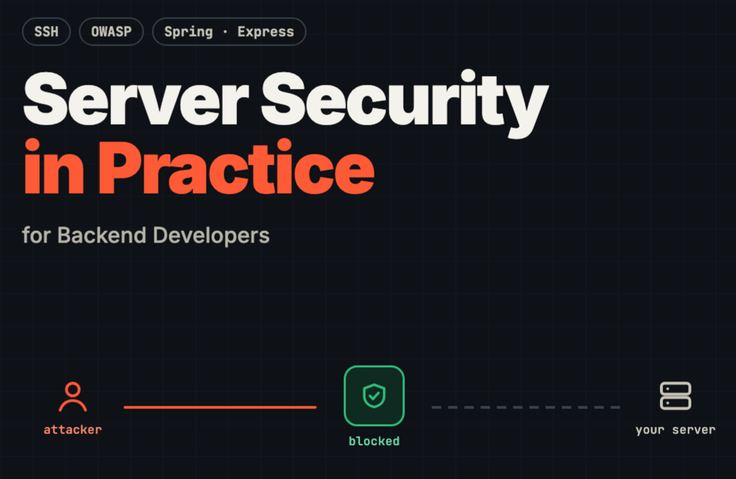
Practical Server Security for Backend Developers: From Hacking Defense to Information Leak Prevention

If you’re responsible for a server but don’t know where to start with security, visually observe how attacks come in and block them one by one directly on your server and in your Spring·Express code. Complete 54 hands-on exercises covering everything from SSH hardening to injection, authentication, information-leak prevention, and incident response.

1 learners are taking this course

Level Basic

Course period Unlimited

security training
security training
Linux
Linux
Spring Security
Spring Security
owasp
owasp
Express
Express
security training
security training
Linux
Linux
Spring Security
Spring Security
owasp
owasp
Express
Express

What you will gain after the course

  • The ability to harden my internet-exposed server with SSH key authentication, automatic patching, a firewall, and centralized logging

  • The ability to directly reproduce SQL/NoSQL injection, SSRF, and file upload attacks and prevent them with Spring and Express code

  • The ability to securely design sessions, JWTs, OAuth (PKCE), and passkeys, and to find and fix authorization flaws such as IDOR.

  • Development standards to prevent personal information leaks through secrets, KMS encryption, log masking, and backups

  • Attack reproduction tests and CI security checks (SAST·SCA·DAST) to prevent fixed vulnerabilities from recurring

  • Incident response procedures for the first hour and an operational routine for incorporating actively exploited vulnerabilities (KEV) within 72 hours

  • Class-specific checklists, command summaries, hands-on walkthroughs, and example repositories that run as-is

I’ve taken over the server—where should I start with security?


When I opened the logs, I found thousands of login attempts from unfamiliar IP addresses. The security assessment report listed one issue after another—"SQL injection possible" and "unnecessary open ports"—but no one told me which lines of my code actually needed fixing.


This course turns that uncertainty into 54 step-by-step hands-on exercises. You’ll see the flow of an attack with your own eyes, block each vulnerability directly in your server and Spring·Express code, and leave behind tests that prove it has been blocked.


- I’m taking responsibility for the server for the first time and don’t know where to start with SSH, the firewall, and patches.

- Web hacking courses were presented from the attacker’s perspective, making them difficult to apply directly to my service.

- I don’t know how to address security audit findings and ISMS-P issues from the development side

- If an incident occurs, I don’t know what to do first or by when it must be reported.

If even one of these applies to you, this course starts exactly there.


Why Server Security Now?

In August 2025, a telecommunications carrier was fined 134.79 billion won for a USIM hacking incident, and in June 2026, a commerce company was fined 624.681 billion won (including related violations) for an incident in which the personal information of approximately 37.5 million people was leaked.

The amended Personal Information Protection Act, which took effect on September 11, 2026, allows fines of up to 10% for serious or repeated violations, in addition to the general cap of 3% of total revenue. If prior investment in protective measures is recognized, the fine may be reduced by up to 40% (excluding cases of intent or gross negligence). A new obligation to notify has also been introduced, even when only the possibility of a data breach has been confirmed.

However, even major incidents usually start with basic gaps: SSH left open with a password, services that weren’t patched in time, unnecessarily open ports, code that directly appends input to queries, and keys left in repositories. This course covers how backend developers can close those gaps themselves.


Features of this course

1. See the Attack Flow Visually

In every lesson covering an attack, a single diagram walks through the stages: normal request → attack begins → damage occurs → defenses are applied → the same attack fails. You can see at a glance where the system is breached and where it is blocked.


2. Comparing Spring and Express Side by Side

We compare side by side how Spring Security with secure defaults enabled (Spring Boot 4) and Express 5, where you assemble the necessary middleware yourself, respond differently to the same attacks, using vulnerable and fixed code.


3. An Example Repository You Can Follow Along with Exactly as Shown in the Video

The GitHub example repository contains both the vulnerable code (/lab) that allows the attack and the fixed code (/api). Reproduce the same attack from the video on your PC and directly verify that the same request is blocked by the fixed code. The commands in the video have been actually run and verified.


4. Servers and Code in One Course

It covers the full range of responsibilities that backend developers actually handle, from server hardening such as SSH, patches, firewalls, logs, OS baselines, and nginx, through application security including injection, authentication, APIs, and data protection, to vulnerability assessments, supply chains, containers, Kubernetes, cloud, and incident response.


5. Prove with tests that it has been blocked.

We create attack-reproduction tests (JUnit·MockMvc, Jest·supertest) and integrate them into CI so that if the same vulnerability reappears during refactoring, it is caught before merging. We also cover how to integrate SAST·SCA·DAST into PRs and staging.


6. Ready-to-Use Checklists and Operational Practices

Every lesson ends with a checklist, and in the final lesson, you assess your service’s current level across four stages: beginner, intermediate, advanced, and operational. You’ll also take away an operational routine for addressing vulnerabilities actively being exploited (KEV) within 72 hours, along with an automated comparison script.


Curriculum at a Glance

It consists of 8 sections and 54 lessons, totaling 5 hours and 9 minutes. Each lesson is 3–8 minutes long, allowing you to follow through on a single topic without interruption.

- 0. Orientation (22 minutes): Attack vectors in recent data breaches, the revised Personal Information Protection Act, threat modeling, and the practice environment

- 1. Server Hardening (48 minutes): SSH key authentication, accounts and sudo, automated patching, firewalls, logs, OS baseline hardening, nginx, PHP web shells

- 2. Treat All Input as Suspicious (43 minutes): OWASP Top 10, input validation, SQL·NoSQL injection, command injection·path manipulation, file uploads, SSRF, deserialization, attack reproduction testing

- 3. Authentication and Authorization (40 min): Password storage, sessions vs. JWT, OAuth·OIDC, IDOR·BOLA, brute-force attacks, MFA·passkeys, authorization testing

- 4. API Security (27 minutes): Mass assignment and mobile backend validation, XSS·CSP, webhook signing, rate limiting·idempotency keys, CORS·CSRF

- 5. Data Protection and Information Leak Prevention (41 minutes): TLS, KMS encryption, secret management, privacy-focused development standards, egress controls, backups, breach incident reconstruction

- 6. Detection, Supply Chain, Cloud, and Incident Response (1 hour 7 minutes): Vulnerability assessments, anomaly detection and automated blocking, SAST·SCA·DAST, supply chain, containers·Kubernetes, cloud IAM, threat hunting, incident response and reporting

- 7. Operations (22 minutes): Subscribe to security intelligence sources (KISA·CVE·KEV·EPSS), 72-hour integration workflow, KEV automatic comparison script, level assessment


Student materials

- Example repositories (GitHub): Example services built with Spring Boot 4·Java 25 / Express 5·Node 24 (bulletin board·file uploads·payment webhooks·login). Includes pre-fix code, fixed code, attack reproduction tests, and operational scripts

- Hands-on Follow-Along Guide (PDF): Step-by-step instructions for adapting the commands from the video to commands for your PC and practice VM, including expected results, checkpoints, and common stumbling blocks.

- Class-by-class checklist (PDF): 8 section-specific booklets + a complete compilation, with a level assessment checklist at the very beginning

- Quick Command Reference (PDF): Commands shown in the videos, arranged in lesson order

- Summary textbook (PDF): Key points for each lesson, lecture content, code, and configurations

- Mid-section quizzes (PDF): 37 questions, including answers and explanations


Please check before enrolling

- Prerequisites: Basic Linux terminal commands and experience creating a simple API with Spring Boot or Express. Experience with Docker (Compose) is helpful.

- Lab environment: A PC with Docker and a virtual lab server (Ubuntu 24.04 or RHEL 9 family, each with approximately 2 cores and 4 GB of memory). Setup instructions are provided in Lesson 0-5. An AWS account is not required; some cloud exercises are optional and can only be followed if you have an account.

- Safe practice: The code before modification in the examples is intentionally vulnerable. Run it only on your own PC or on a practice server you manage. Testing the attacks from this course on unauthorized systems is illegal.

- Legal information: The Personal Information Protection Act and reporting obligations are explained to the extent that developers need to know. This is not legal advice; before applying it, check the latest laws and the original text of the relevant notices.

- AI Voice: The narration for this lecture was produced using an AI voice. The screens, script, and example code were designed directly by the knowledge provider and verified through actual execution.

Recommended for
these people

Who is this course right for?

  • A backend developer who has taken on server administration but feels overwhelmed about where to start with SSH, firewalls, and patching

  • Developers who have received findings during security audits or ISMS-P assessments but don’t know what to fix in their code

  • Those who have taken web hacking courses from an attacker’s perspective but couldn’t apply what they learned to their Spring·Express services

  • For those worried about what might happen if something goes wrong while handling infrastructure and backend on their own at a startup or small team.

  • For those who, as developers, don’t know where to start preparing for the revised Personal Information Protection Act and the 72-hour breach notification requirement

Need to know before starting?

  • You should be able to use basic Linux terminal commands (cd, ls, sudo, and an editor).

  • Experience building simple APIs with Spring Boot or Express is required.

  • Experience launching containers with Docker (Compose) is preferred.

Hello
This is brunoleebi8302

Career Verified

I took my first steps as a server developer during the Y2K era, a time of upheaval in the IT industry. Since then, I have moved between developer and infrastructure engineer roles across a wide range of industries, gaining hands-on experience with everything from the fundamentals of technology to complex infrastructure ecosystems. Building on my experience constructing and refining countless systems, I have recently been creating new value in the fields of IT security and convergent technologies.
More

Curriculum

All

54 lectures ∙ (5hr 6min)

Course Materials:

Lecture resources
Published: 
Last updated: 

Reviews

Not enough reviews.
Please write a valuable review that helps everyone!

Similar courses

Explore other courses in the same field!

Limited time deal

$16.50

68%

$51.70