Learn assembler
usefulit
Free
Basic / C
4.6
(37)
4,700+
This is an assembler course provided by Smoothie TV.

Basic
C

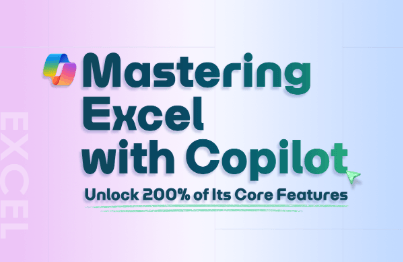
This foundational course covers the differences between Microsoft 365 Copilot and Copilot Chat, along with their licensing and security frameworks. You’ll get hands-on experience configuring workplace agents with Copilot Studio and integrating them with Power Automate to automate repetitive tasks. You’ll learn how to use organizational data securely and adopt generative AI-powered ways of working together.
1 learners are taking this course
Level Basic
Course period 12 months
Can understand and explain the components, licensing, and security framework of Microsoft 365 Copilot.
You can use Copilot Studio to create and publish work agents connected to instructions and knowledge sources.
You can design automated workflows by connecting AI prompts to Power Automate flows and integrating Forms, Outlook, and other services.

These are the core tools for building a generative AI work environment based on Microsoft 365.
Microsoft 365 Copilot
Based on the paid license
Copilot Studio
Power Automate
Generative AI
In Part 1, you’ll build a solid foundation in Copilot’s overall structure, licensing, and security framework.
You can understand the differences between the two services and how orchestration works, then determine how best to use Copilot for your work.
You can distinguish between paid licenses and pay-as-you-go pricing models and design a cost policy suited to your organization’s size and intended use.
You can understand how organizational data is exposed to AI and create a secure collaborative environment for generative AI.
Who is this course right for?
Practitioners preparing to adopt Microsoft 365 Copilot or learn the fundamentals.
A planner looking to build their own AI agent for work using Copilot Studio
Professionals looking to automate repetitive tasks by combining Power Automate and AI
Need to know before starting?
Experience with Microsoft 365 accounts and basic Office applications such as Word, Excel, Teams, and Outlook.
Understanding How to Use Generative AI Chat Services and Write Basic Prompts
General computer skills, such as uploading files and managing folders.

8,281,661
Learners
6,693
Reviews
4.6
Rating
375
Courses
I will help you grow through useful IT lectures.
All
11 lectures ∙ (2hr 40min)
Course Materials:
Check out other courses by the instructor!
Explore other courses in the same field!
25% off for new members
$14.20
25%
$24.20