








inflearn logo

Introduction to the Complete Guide to Dante’s Codex

The time when your imagination becomes reality—welcome to the world of 'Vibe Coding.' We prepared this course for those of you who may not know coding but know exactly what you want to create. With the emergence of AI tools like ChatGPT and Claude, people say that anyone can develop software. But what happens when you actually try? - "It writes simple code well, but once the number of files increases, the AI forgets what came before." - "It looks plausible, but when I run it, errors occur—and when I ask it to fix them, it gives me even more unrelated code." You’ve probably had experiences like these at least once. I experienced the same frustrations when I first started collaborating with AI. AI was an excellent 'assistant,' but it had limitations because it couldn’t see the entire forest. However, after discovering OpenAI Codex CLI and learning a new approach called 'Vibe Coding,' my development process completely changed. This course will solve the problems you’re experiencing while transforming you from someone who isn’t a coder into a director who commands AI agents. Equip yourself with the powerful tool Codex CLI, and join me on the exhilarating journey of Vibe Coding, where imagination becomes reality.

(4.5) 17 reviews

127 learners

Level Beginner

Course period Unlimited

frontend
frontend
codex
codex
AI
AI
Vibe Coding
Vibe Coding
frontend
frontend
codex
codex
AI
AI
Vibe Coding
Vibe Coding

What you will gain after the course

  • Cultivate the ability to “vibe code”—turning ideas into software without coding knowledge by collaborating with the AI agent 'Codex'

  • You can acquire the essential AI development knowledge needed for vibe coding.

  • You can learn techniques for embedding memories and rules in agents.

  • You can connect AI-generated code to a real service.

Updated with the latest content in October 2026.

This course is continuously updated whenever Codex changes. From GPT 5.6 through the latest GPT 6.1, it covers the latest features and usage of Codex in the ChatGPT app.

Newly added sections: Open API and web crawling (Section 14), and harness engineering (Section 15). Loop engineering and graph engineering will also be released in sequence.

Updated lessons have [GPT6.1 Update] added before the title, and the practice files are available on GitHub.


Stop worryingabout what and how to study in the age of AI!

AI technology changes every day, and it feels like you’ll fall behind if you don’t learn it.

Have you never programmed before and do you feel nothing but anxious?


My vibe coding feels off

The agent doesn’t seem to understand my request.

Prompt engineering, context engineering..

Isn’t this content too difficult and dry for beginners?


Don't worry! From now on

Using OpenAI's Codex

Without code, turn your imaginationinto reality

Developers who direct AI agents achieve a level of efficiency and output that is in a different league from developers who write code themselves. We will help you take your first step.


You can learn step by step, from the basics to practical applications.

Are you frustrated because AI forgets what came before and gives you the wrong code?

News outlets, various media, and YouTube constantly worry you by insisting that you need to learn AI, but are you only becoming more concerned about where to start?

Now experience firsthand what it’s like to have AI follow a plan and catch its own errors.

No coding knowledge? No problem. Learn how to direct AI agents as a director and begin the amazing experience of turning your ideas into software.


Autonomy beyond ChatGPT,
the experience of turning ideas into reality with the AI agent Codex,

No coding experience is needed.
Become a director who commands AI with precision and carefully build your product.


Understanding the Concept and Autonomy of Agentic AI Beyond Generative AI


With AI agents, your ideas become reality. No programming knowledge is required.

  • You no longer have to feel frustrated writing complex code yourself. Learn “vibe coding,” a method that solves the issues AI tools like ChatGPT and Claude miss—such as forgetting the context of projects made up of multiple files or generating irrelevant code. You’ll become a director who guides AI agents rather than a coder, experiencing what it’s like to turn everything you imagine into software.


✔️

Why this course is the fastest solution

How to code
with AI agents

Do you want to turn your ideas into reality without any coding experience? This course teaches you how to become a director who gives clear instructions to AI instead of writing complex code, through the “vibe coding” approach of collaborating with the AI agent 'Codex.'
Beyond simple code generation, you will learn the concept of agentic AI—where AI autonomously plans, executes, and solves problems—and how to apply it in practice.

Learn Vibe Coding Through a Real-World Project

Starting with the installation of the Codex CLI, you will build a real-world project step by step, from integrating Git and GitHub to using VSCode integrations.
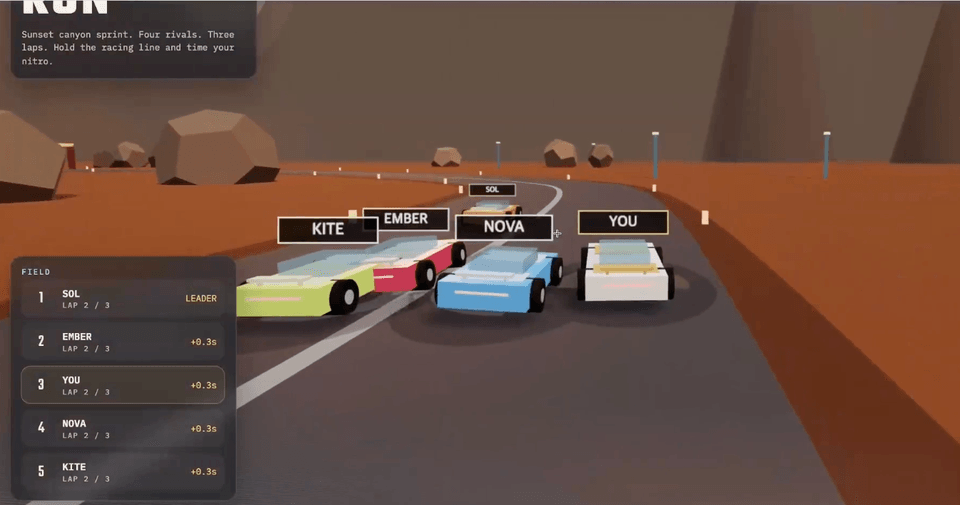
Through various hands-on exercises, including creating a game with a single prompt, developing a session summary program, and building a conference landing page, you will develop the ability to code alongside AI.

3D Racing Game

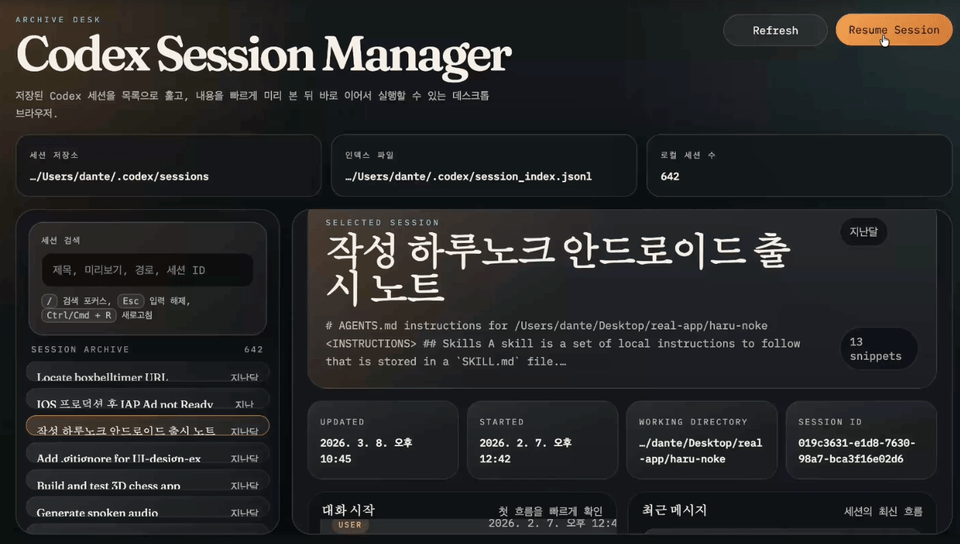
Session summary program

Marketing Videos Created by Codex

A rich development environment and
resources provided

Throughout the course, we provide detailed guidance on the latest AI development tools and environment setup methods, including Codex CLI, the VSCode extension, MCP (Model Context Protocol), skills, the Codex app, and Codex mobile.
We also provide setup guides and sample code that can be applied directly to real-world projects, along with context management know-how such as AGENTS.md, helping you further enhance your development skills.

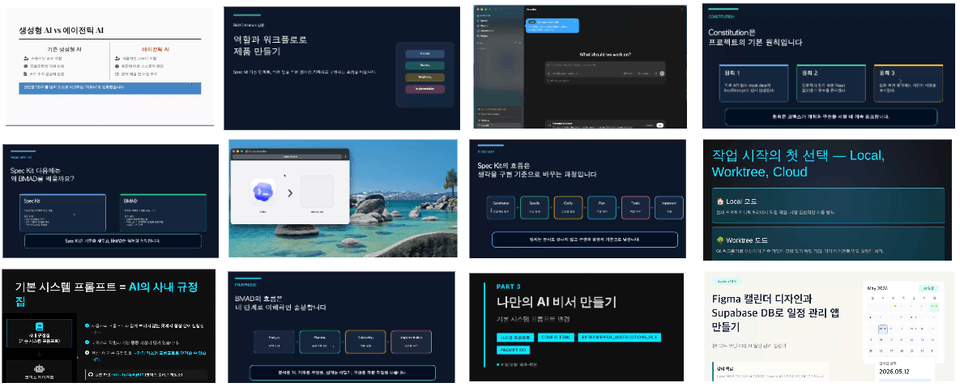
Course materials and actual lecture demonstrations


A solid and approachable curriculum tailored specifically for beginners


Section 1

Introduction to Agentic AI and Vibe Coding

Understand the concept and autonomy of agentic AI beyond the limitations of generative AI, and learn the fundamental principles of vibe coding, a new development approach that involves collaborating with AI. Learn how AI agents operate autonomously and why this is important.

Section 2

Codex CLI Installation and Basic Setup

Learn how to install Codex CLI on macOS and Windows and configure the terminal environment. Learn the CLI’s built-in commands, how to log in using an API key, and session management features.


Section 3

Git and GitHub usage and vibe coding practice

Learn the basic concepts of Git and GitHub, essential tools for collaborative development, and how to apply them to real-world projects. Experience vibe coding through a hands-on practice developing a racing game based on a single prompt.


Section 4

Advanced Codex CLI Configuration and Using Session Information

Learn how to maintain project context by installing VSCode and using the Codex CLI’s session management features. Improve your code management skills through hands-on practice developing a summarization program using session information.


Section 5

Codex Environment Configuration and Custom Model Usage

Learn how to configure the Codex environment using the config.toml file and integrate custom profiles and external models such as Claude. You will also learn how to use non-interactive mode.


Section 6

Master Advanced Codex CLI Usage

Learn to receive outputs in custom formats, manage session history, and understand Codex’s memory mechanism. Master advanced techniques for creating a customized AI assistant using system prompts.


Section 7

Using the Codex app, automation, and sub-agents

Explore the Codex app in a GUI environment beyond the CLI, and practice frontend development using worktree mode. Learn how to use the browser, visualization features, memory, and automation functions.


Section 8

VSCode Integration and Productivity-Boosting Tools

Install the Codex extension for VSCode, familiarize yourself with its interface, and learn how to improve development productivity using Plan mode.


Section 9

Prompt Engineering and Context Engineering

Learn prompt engineering techniques for effectively instructing AI, as well as context engineering for managing various contexts, including files and threads. Includes hands-on web application development using AGENTS.md.


Section 10

Connecting Codex with external tools using MCP

Learn how to connect Codex with external tools using MCP (Model Context Protocol). Work on practical projects using various MCPs, including OpenAI Docs, Context7, Figma, Supabase, and Cloudflare.


Section 11

AI Agent Skills: Developing a Real-Time Guestbook App

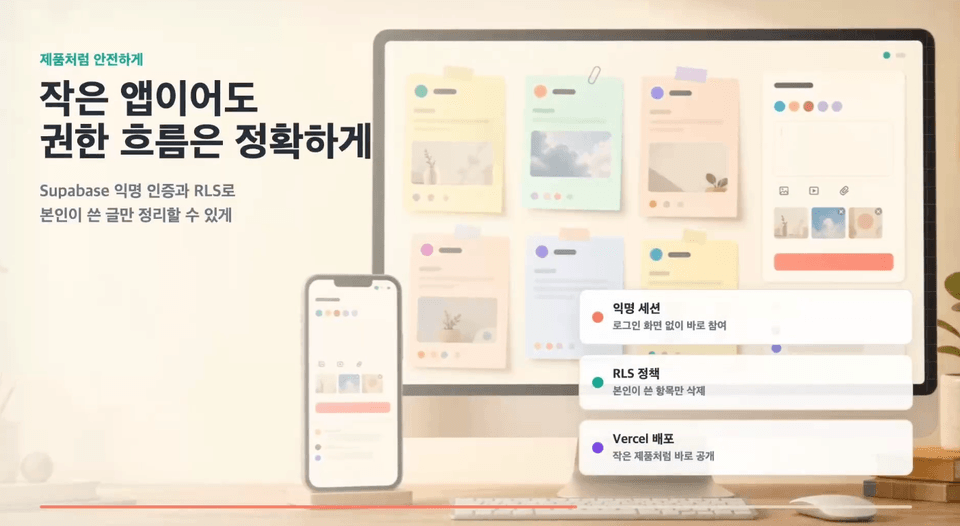
Understand the concept of Agent Skills and open standards, and use them to develop a real-time guestbook app that includes planning, PRD creation, UI design, database integration, deployment, and media generation.


Section 12

Using Codex Cloud, Mobile, and Worktrees

Explore Codex Cloud and mobile environments that enable work without a computer, and use the cloud environment in VSCode. Practice concurrent workflows using worktrees and sub-agents.


Section 13

Hands-on Project: Using Spec Kit, BMAD, and the /goal Loop

Learn specification-driven development and role-based product development through the Spec Kit and BMAD frameworks. Use the /goal loop to complete the remaining epics and stories in the project through a hands-on project.


Section 14

[GPT6.1 Update] Open APIs and Web Crawling

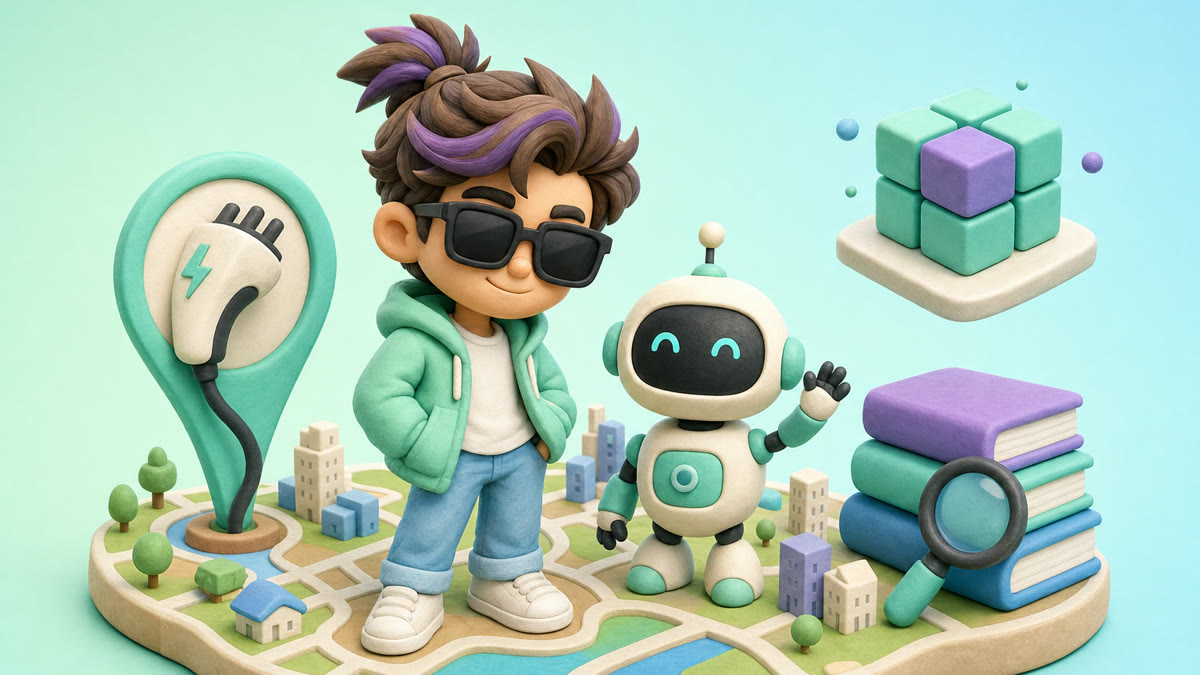
Obtain an API key from the Public Data Portal, and have Codex retrieve electric vehicle charging station data and display it on a 3D map. Compare detailed and short prompts, and proceed with hands-on practice collecting web data through web crawling and Playwright.


Section 15

[GPT6.1 Update] Harness Engineering

We’ll first explore what harness engineering is, where it originated, and what frameworks are available. Then, using AGENTS.md and hooks, we’ll create a work environment where Codex follows the rules.

Learn with confidence using the author’s proven materials and lessons.


The Codex Beginner’s Course by the Author of The Complete Codex Guide


It can solve the challenges faced by people like these!


📌

Vibe coding beginners

Those who have many ideas but struggle because they lack coding experience and don’t know how to make specific requests to AI. Those who have tried ChatGPT but have no experience using it to build an actual product.

📌

Those who want to adopt new AI development methodologies

A practicing developer who wants to introduce a new collaborative approach using the latest AI development methodologies and Codex CLI at their current company. Someone who wants to apply AI agents’ autonomy and problem-solving abilities to real-world projects.

📌

Working professionals who want to automate tasks using natural language

Office workers with no programming experience who want to create their own applications to handle repetitive tasks using only natural language. Those who want to use AI to turn their ideas into real software.


Don’t put it off any longer!

Boost your productivity with Codex


Notes Before Taking the Course


Practice environment

  • Operating system: MacOS or Windows (WSL2 installation required)

  • Required tools to install: Node.js, Git, Visual Studio Code

  • Paid subscription: OpenAI ChatGPT Plus (required to use Codex CLI)

Prerequisites and Notes

  • No programming experience is required.

  • It is suitable for those who want to implement ideas expressed in natural language as code.

  • Recommended for those who want to gain a new perspective on collaborating with AI.

  • Purchasing the book is optional.

Learning Materials

  • Code examples and hands-on practice materials provided in the course

  • Official Codex CLI documentation and related tutorials

  • Visual aids and diagrams to help with understanding the concepts


Recommended for
these people

Who is this course right for?

  • A non-major who has a paid ChatGPT subscription and wants to experience vibe coding

  • Aspiring entrepreneurs who want to start vibe coding using OpenAI’s latest technology

  • A working developer who wants to disseminate new AI development methodologies and skills within their company.

  • Office workers with no programming experience who want to create their own work-related applications using natural language.

Need to know before starting?

  • I use a paid ChatGPT subscription in class.

Hello
This is dante

Career Verified

132

Learners

17

Reviews

4.5

Rating

2

Courses

Hello! I'm Dante.
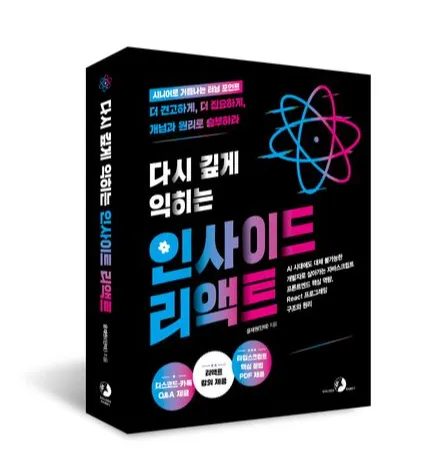
I am the author of The Complete Guide to Vibe Coding Codex and Deep Dive into Inside React.

I have experience working as a software engineer at leading major corporations such as Coupang and Naver, and I have met with over 400 mentees to provide consulting on the practical application and learning methods of AI agents, as well as front-end development and learning strategies.

XL

The Complete Guide to Modern Vibe Coding Codex

If you are interested in my mentoring,

Please check https://mentoring.inflearn.com/mentors/1535 :) nhé :)

스크린샷 2025-08-14 오후 9.49.00.png.webp

Inside React: Deep Dive Again

Kyobo Book Centre https://bit.ly/4mbixaE

Aladin https://bit.ly/4m9tOYO

Yes24 https://www.yes24.com/product/goods/151041836

More

Curriculum

All

90 lectures ∙ (9hr 53min)

Course Materials:

Lecture resources
Published: 
Last updated: 

Reviews

All

17 reviews

4.5

17 reviews

  • khs9999kr3449님의 프로필 이미지
    khs9999kr3449

    Reviews 6

    ∙

    Average Rating 5.0

    5

    60% enrolled

    This is a lecture that meticulously organizes many concepts that I used to overlook or only understand superficially because I was busy at work.

    • dante
      Instructor

      Thank you, Lonely Bungeo. Enjoy learning :)

  • juho07301208님의 프로필 이미지
    juho07301208

    Reviews 11

    ∙

    Average Rating 4.6

    5

    100% enrolled

    I have gained a detailed overall understanding of Codex. Thank you for the great lecture.

    • dante
      Instructor

      Thank you, Igeonmeoji. Have a fun learning experience :)

  • smkwon5616님의 프로필 이미지
    smkwon5616

    Reviews 1

    ∙

    Average Rating 5.0

    5

    30% enrolled

    • dante
      Instructor

      Thank you, Sunmok. Happy learning :)

  • seungyeoul님의 프로필 이미지
    seungyeoul

    Reviews 4

    ∙

    Average Rating 5.0

    5

    32% enrolled

    • dante
      Instructor

      Thank you, Mr. Choi Seung-yeol. Enjoy learning! :)

  • hyeonwootak4457님의 프로필 이미지
    hyeonwootak4457

    Reviews 2

    ∙

    Average Rating 5.0

    5

    60% enrolled

    • dante
      Instructor

      Thank you. Tak Hyun-woo, have a pleasant learning experience :)

Similar courses

Explore other courses in the same field!

25% off for new members

$72.30

25%

$102.30