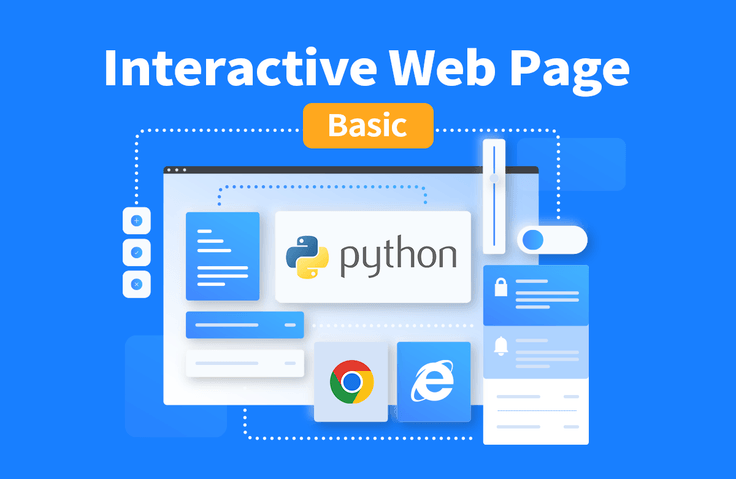
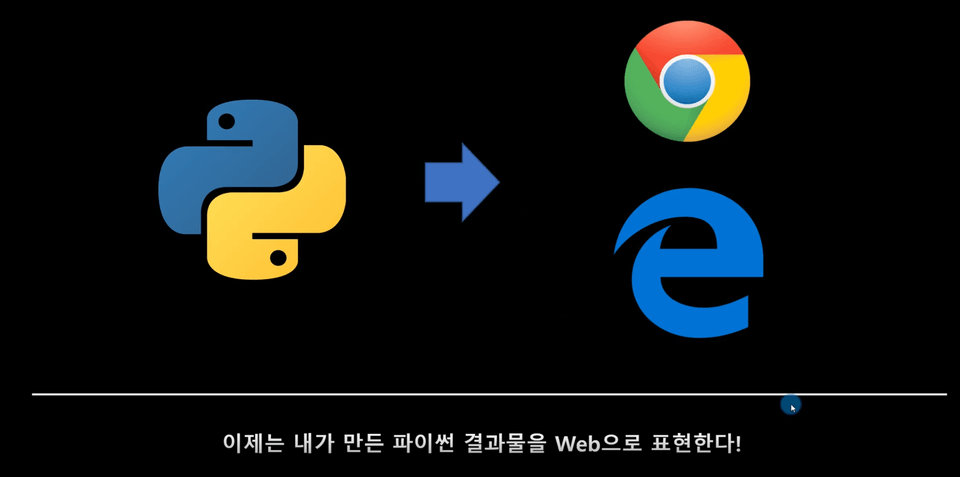
Now display Python results as web pages! You can create your own web page using only Python. This is an opportunity to create an Interactive Dashboard that allows you to check results created with Python, such as data analysis and machine learning, on a web page!
I think it was easy to finish the course because you explained the core contents well, focusing on the necessary parts. I think it would be good if you added the web distribution part in the next step, and included the actual web search content. However, during the lecture, the mouse tip part was circled and dark and did not disappear, so the screen in that part was not visible, making it difficult to understand the text in the latter part. I think it would be less distracting if you used a lighter color in the next lecture. Thank you for your hard work in the lecture.
What you will gain after the course
Plotly
Dash
Callback function
Create your own web page with Python
Now display your Python output on the web!
Without HTML, CSS, or JS Web pages made entirely with Python! 🖥️
Now I can display my Python output on a web page!😎
What's the purpose of the lecture 'Building Your Own Webpage with Python Part 1'?😎
1. If you've only learned code to create results, such as data analysis and machine learning using Python, now you'll learn Python code to create a webpage that displays your results and can be used as a tool!
2. Rather than simply displaying your own Python code results on the web, you can modify parameters and create a web page that displays the modified results on the web again!
3. No more hassle of modifying parameters, stopping code execution to output the results again, modifying parameters, and then re-running the code!
4. If you create a web page using only Python, you can modify parameters and check the modified results immediately on the web page without stopping the code execution or modifying the code!
5. You'll learn how to write code for "presentation," such as how to display your results and what parameters to input through a webpage, so you can differentiate yourself from others with Python code!
A Curriculum for Creating Interactive Web Pages Using Only Python😎
(Please refer to the Intro lecture for detailed curriculum and project information!)
 Setion1. Plotly

 - Learn a Python module for displaying graphs on a web page.
 Setion2. Dash

 - Learn 'Dash', a module for creating web pages using only Python.
 Setion3. Callback Function

- Just like the search engines we use! They take parameters from web pages and code the results.
  Callback function required to create a web page that can be checked immediately without modification
  Let's learn
 Section 4. Project

 - Classify the sectors of KOSPI & KOSDAQ companies listed in Korea, and classify companies within the same sector.
 Let's create a web page where you can compare stock prices.
Create your own web page, It's possible with just Python! 😎
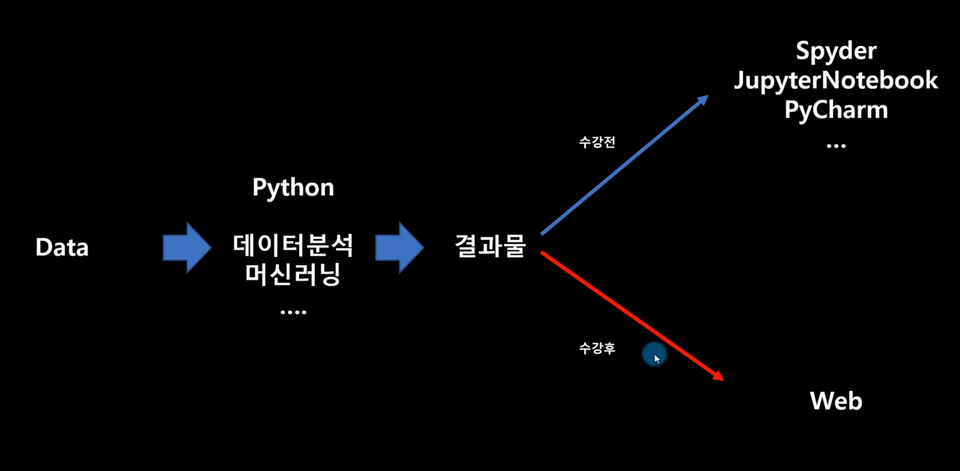
Have you ever used Python to create various results, such as data analysis or machine learning? If so, it's time to consider how to present those results. Try presenting your Python results on the web, not within your development environment (Spyder, Jupyter Notebook, PyCharm)!
In this course, you'll create your own webpage using only Python, without any knowledge of HTML, CSS, or JS. You'll create an interactive webpage that displays, displays, and allows you to view and edit your results.
The course provides the code for each section as a Jupyter Notebook file. You can easily follow the lecture by referring to the Jupyter Notebook manual provided in the course.
I recommend this to these people 🙆♀️
Anyone with experience analyzing data using Pandas
For those who want to create their own web page before studying the web in earnest
Anyone who has experience creating results such as data analysis or machine learning using Python
After attending the lecture, you will
✅ You will be able to write code that can display the results created with Python on a web page.
✅ Create your own Interactvie Web Page and instantly see the results of modified variables without stopping your code.
✅ When writing code, you will develop the ability to not only focus on producing results, but also think about how to present those results.
Q&A 💬
Q. Can I take the course even if I don't have any knowledge of HTML/CSS/JS or the web?
Yes! This course is taught solely in Python.
Q. How much Python knowledge do I need to have?
Anyone who has experience with data analysis using Pandas can do this! Of course, Pandas isn't essential for creating web pages. However, I'm suggesting Pandas because the course project uses it for data analysis.
Q. Are there any Advanced courses after Basic?
Yes! After the Basic course begins, we'll plan an Advanced course based on student feedback and requests. The Basic course will cover only the basics of displaying Python output on a web page and creating interactive web pages using callback functions.
Recommended for these people
Who is this course right for?
Students who want to create web pages using only Python
Now, students who want to display their Python results as web pages rather than IDEs (Spyder, JupyterNotebook, PyCharm)
Students who want to create an interactive web page
I think it was easy to finish the course because you explained the core contents well, focusing on the necessary parts. I think it would be good if you added the web distribution part in the next step, and included the actual web search content. However, during the lecture, the mouse tip part was circled and dark and did not disappear, so the screen in that part was not visible, making it difficult to understand the text in the latter part. I think it would be less distracting if you used a lighter color in the next lecture. Thank you for your hard work in the lecture.
Hello, Jae-an Ryu
First of all, thank you so much for listening to my lecture.
And thank you so much for letting me know about the inconveniences in my lecture and the contents to be covered in the future.
I will take note and make sure to supplement it in Part 2.
I am currently working on 'Creating a Python Trading Room for Quant Investment - Part 3', so it seems like it will be difficult to film a follow-up lecture within this year.
After creating Part 3 of Creating a Trading Room, I will create Part 2 of the lecture on Creating a Webpage.
Thank you so much!
HP, CHOI
Thank you so much for taking the course
I hope that you will be able to use the course content to create your own web page and display the results of Python using only Python.
In Part 2, we will create a web page and share it with others.
Please look forward to Part 2. Thank you for taking the course.
I was surprised that I could easily create a web page using python.
I feel like I found a pearl in the mud.
If you upload a pdf or csv file,
it would be nice to have a series of processes that go through a certain analysis process,
present it to the user, and save it in the DB.
I want to solve this part by googling.
I will wait and look forward to the second part (advanced version).
Thank you so much for taking asd203n's lecture.
And thank you for giving me some direction.
I will also think about what asd203n said. It's something I haven't thought about... I will think about the curriculum while making part 2.
I am currently making 'Creating a Python Trading Room for Quant Investment Part 3', so I will seriously consider the curriculum for Part 2 of the webpage.
Thank you so much for taking the lecture, and if you have any ideas for making lectures, please let me know anytime. It is so helpful.
Thank you!











![[New Revised Edition] This is Real Crawling - Basic CourseCourse Thumbnail](https://cdn.inflearn.com/public/courses/327774/cover/e25c692a-f39a-41ec-9da7-bdd7922e6553/327774.png?w=420)
![[AI] Implementing Ideas with Prompts Only_Vibe Coding BasicsCourse Thumbnail](https://cdn.inflearn.com/public/files/courses/336725/cover/01jr2vbd3dr8hh1n4qn2jcyj02?w=420)
![[Author-Led Lecture] Linear Algebra for AI Development with PythonCourse Thumbnail](https://cdn.inflearn.com/public/files/courses/343749/cover/01m31n81d7amdtg1vpnsa2dan0?w=420)
![[Side Projects After Work] Big Data Analysis Engineer Practical Exam (Task Types 1, 2, and 3)Course Thumbnail](https://cdn.inflearn.com/public/courses/329972/cover/dcfb28fd-48c1-4bb1-ab31-d59eac874194/329972-original.png?w=420)