Real! Website Creation! Step by Step! (Musin_Responsive Web)
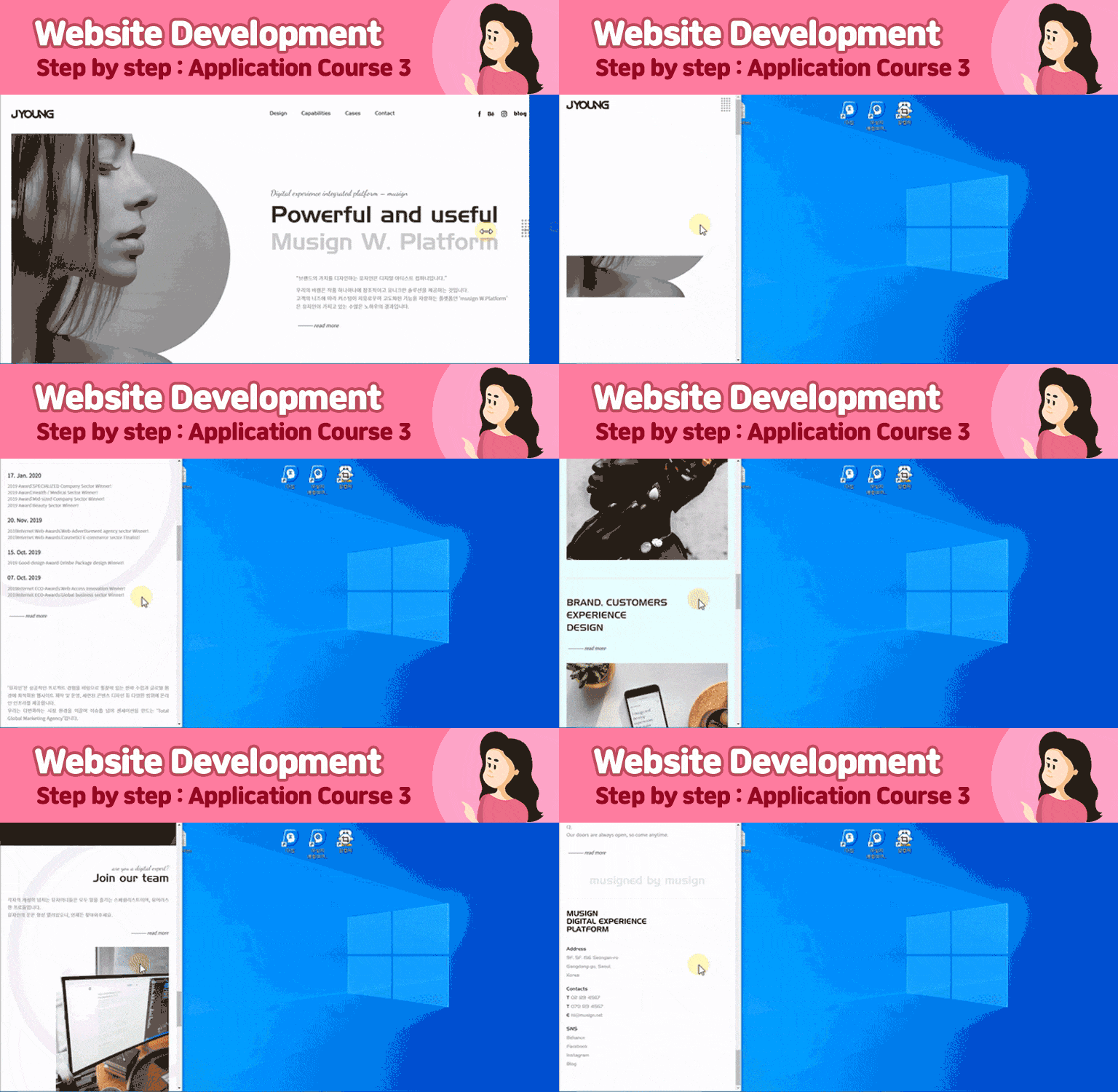
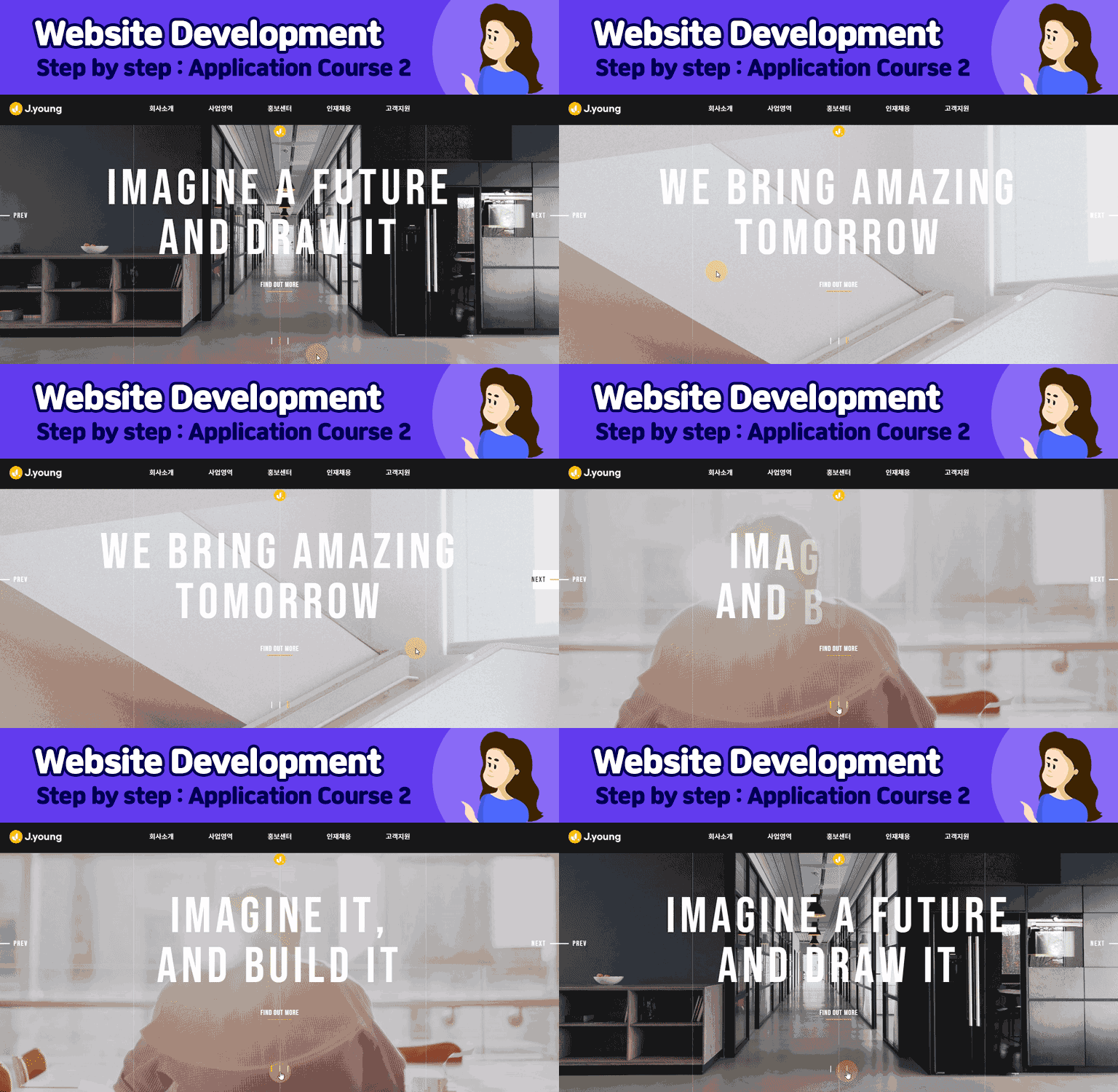
[Website Creation Step By Step] This is a 3-step course that will teach you how to create the main page of Musign (https://musign.net) as is. This course will teach you the core practical know-how to create complex layouts easily and quickly by creating and implementing the gorgeous interactive web that is contained in the site.^^
I wanted to try responsive web without using tools like bootstrap, and the lecture was so calm and clean that I finished it in 3 days. I was able to understand it very easily while working on creating a responsive web.
The length of the first lecture was appropriate, and
overall, there were no unnecessary details or difficult explanations.
I think it will be very helpful for my future studies:)
Thank you.
5.0
uj06214
100% enrolled
The teacher explained it in such detail and detail that it was easy to understand and it was a very helpful class. He also provided all the materials and was very kind!! Especially, since I am a beginner in coding, it was difficult to make a layout, but he explained it so easily and clearly that I felt like my skills were improving quickly as I studied. Thank you~~
5.0
ssssssso11
100% enrolled
It was a lecture that explained everything step by step from the basics, so I was able to take the class without difficulty. Although it is an online lecture, it seems like a very informative lecture that goes into detail as if I was listening to it in person! Since it is so intense, I quickly created a website. Thank you.
What you will gain after the course
Responsive web publishing optimized for various devices (Media query)
Animation using SVG
Image animation using virtual selectors (before, after)
Interactive text animation using the Transform property
Scroll event animation jQuery (scrolla.js) utilization and application
Effect that changes background color based on scroll position (jQuery)
GNB animation with underline following mouse over (jQuery)
GNB Hamburger Menu Open Animation
If you only know HTML and CSS
Webpage & Interactive Web production OK!
This course is designed for those with basic knowledge of HTML and CSS and will proceed by implementing actual web pages .
Step By Step! Get started right now.
You can learn everything from the basics of jQuery to its use in creating web pages. We help you create beautiful and colorful web pages in a short period of time by utilizing libraries and plugins.
Through webpage lectures composed of interactive elements essential for practical work. You can acquire business skills and core practical know-how at once.
The real deal is speed and scalability. Only those who can quickly complete high-quality projects within the given timeframe will be recognized and treated as skilled designers and publishers.
Let's build a Muse site together and learn the know-how to quickly create a gorgeous website !
1. How to create a super simple layout using HTML and CSS 2. Text animation using transfrom 3. Animation using mask effect 4. SVG production application and animation 5. Animation that occurs when scrolling
*Responsive web page creation
- Responsive web design for PC mode resolutions of 1720px to 1401px - Responsive web design for tablet resolutions of 1400px to 1025px - Responsive web design for tablet resolutions of 1024px to 68px
*Responsive web page creation
- Responsive web design for mobile resolutions of 767 to 321px - Responsive web design up to 320px on mobile
* Create menuOpen bar
* How to use developer tools
Afterthe lecture is over What you get :D
1. Solid layout production skills
When creating a webpage, creating an accurate layout based on HTML and CSS is paramount . Even if you have a basic understanding of HTML and CSS but no understanding of layout design , that's okay. If you diligently follow this course, which thoroughly covers the fundamentals , you'll soon find yourself with a solid foundation in layout creation!
2. Increase work productivity!
To increase your work productivity, you need to be able to quickly create interactive websites using libraries and plugins. This course will cover everything from webpage layout creation to responsive page creation. You'll also learn practical skills like scripts, plugins, and animations to create webpages. By consistently practicing while taking the course, you'll find yourself improving your work skills in no time!
3. High-quality portfolio
A high-quality portfolio is one of the most effective tools for demonstrating your professional capabilities and securing new opportunities. By attending lectures and practicing, you'll build your own portfolio. By consistently implementing web pages in subsequent website creation workshops, in addition to this lecture, you'll be able to build a portfolio that will become your most valuable weapon in your job search.
4. Open chat room operation
For a smoother learning experience, join the Jalnan Webdi open chat room run by J.young. We'll share some great tips and free webinar links related to Figma, UI/UX, coding, and portfolio creation.
- Open chat room name: Jalnan Webdi - Code: jyoung
I am J.Young, a UI/UX Full-Stack Design Director utilizing AI.
I have over 20 years of practical experience in web and app service planning, design, and development, and I am currently working as an instructor for UI/UX web planning, design, and front-end bootcamps.
Based on my practical experience, I have helped over 500 students find employment in the design and IT fields, and I am currently focusing on teaching practical skills and new portfolio creation methods suited for the AI era.
My teaching philosophy is!
Building capabilities that can be immediately applied in the field
Instead of simply learning how to use tools, I help you build capabilities that can be applied immediately in the field by experiencing the same process as actual work, from planning to design, development, and deployment.
Focusing on core competencies required in the field
We focus on learning AI utilization skills, problem-solving abilities, and collaboration skills required in the rapidly changing job market.
Creating a portfolio that leads to employment
We focus on creating projects and portfolios that can capture the interest of interviewers.
In the AI era, design alone is not enough.
Now, you need the capabilities of a Fullstack Creator who can plan, design, implement, and deploy. You will gain basic proficiency in design tools and create actual services using Claude, Codex, and Figma, experiencing how to produce results alongside AI.
- If you are feeling lost on where to start, - If you want to increase the competitiveness of your portfolio, - If you want to grow faster by utilizing AI, I will be your reliable guide.
I will be with you until the moment your results are complete.
Professional Experience
2017~Present | Digital Product Director & UX Consultant
2015~2017 | Executive Director, EliEsel Inc.
2003~2015 | Executive Director, Amusingware Inc.
2003 | Head of Design, Seowoo C&D
Lecturing Experience
Employment Portfolio Creation and Project Mentoring
Corporate lectures and practical competency enhancement training
Practical lectures for universities, corporations, and educational institutions
Design · Development Portfolio Consulting and Group Mentoring
Team coaching and portfolio guidance based on practical projects
Practical training for corporate employees and job seekers
AI-based UI/UX · Frontend Practical Education and Consulting
- Current) Full-time Instructor for UIUX Planning · Design · Frontend Bootcamp (EZEN DX Academy - Gangnam Branch) - Specialized Lectures on Design/Development Portfolios and Team Group Lectures
For smoother learning, if you join the Jalnan Web-D open chat room operated by J.young, I will provide answers to lecture questions and feedback on your portfolio.
- Open Chat Room Name: Jalnan Web-D - Code: jyoung
Thank you for explaining things so calmly and well. It was a great help ^^ Coding was so difficult, but I'm learning little by little and having fun watching the lecture!! I'm learning a lot about how to organize and design complex responsive layouts easily~~ Please continue to provide great lectures!!!
Thank you for your review, jjarajan1213.
Coding may seem difficult at first, but if you keep making 4-5 websites (more than 2 pages),
I think you will gain confidence in how to make a website.
I hope you study hard and achieve your goals^^
I will come back with a good lecture.
Thank you^^
J.young Dream
I wanted to try responsive web without using tools like bootstrap, and the lecture was so calm and clean that I finished it in 3 days. I was able to understand it very easily while working on creating a responsive web.
The length of the first lecture was appropriate, and
overall, there were no unnecessary details or difficult explanations.
I think it will be very helpful for my future studies:)
Thank you.
The teacher explained it in such detail and detail that it was easy to understand and it was a very helpful class. He also provided all the materials and was very kind!! Especially, since I am a beginner in coding, it was difficult to make a layout, but he explained it so easily and clearly that I felt like my skills were improving quickly as I studied. Thank you~~
I am more encouraged by uj06214's course review.
I am even happier that you seem to have accepted the course easily.
I will always come back with good courses.
Thank you.
It was a lecture that explained everything step by step from the basics, so I was able to take the class without difficulty. Although it is an online lecture, it seems like a very informative lecture that goes into detail as if I was listening to it in person! Since it is so intense, I quickly created a website. Thank you.
It has both the core and practicality of the trend. It is a lecture that cannot be easily found anywhere else. I think it will be useful in practice. Thank you for the great lecture :) I will continue to take only j.young's classes in the future.





.gif?w=960)
.gif?w=960)
.gif?w=960)
.gif?w=960)
.gif?w=960)












![Modern Web Interactive CSS3 [PART2/3]Course Thumbnail](https://cdn.inflearn.com/public/courses/335745/cover/db39333d-68a5-4ca7-9629-dac891711a94/335745.jpg?w=420)