[Smart Working Practice] Working Smarter with Notion
A course to quickly learn the core features and pro-tips of Notion, a collaboration tool that offers various functions easily and conveniently! Learn systematically from sign-up to effective utilization, and boost your work efficiency and collaboration productivity!
I signed up for this course because I didn't know how to start organizing among countless templates and various components. Above all, I wanted to use Notion's database to organize my weekly schedule and even apply an agent, but it was difficult to grasp every single function of Notion amidst my busy work schedule.
However, thanks to the clean and concise summary of the database functions, I was able to configure it exactly the way I wanted.
5.0
superhsy333
100% enrolled
It was great to easily grasp the unfamiliar Notion usage.
What you will gain after the course
How to manage your work in one place, all at once, without the hassle of using multiple tools
Efficient time management skills and high work performance
The habit of meticulously organizing and checking hectic daily routines and complex task lists.
Smart features for efficient collaboration and joint task management with team members
Essential Digital Transformation collaboration features for everyday work
Mastering Notion! We help make your work easier and more convenient.
📖What is Notion?
Notion is a tool that is gaining increasing attention and is frequently used in both workplaces and schools due to its utility and convenience, and it is becoming more and more popular. Notion(Notion) has the following characteristics.
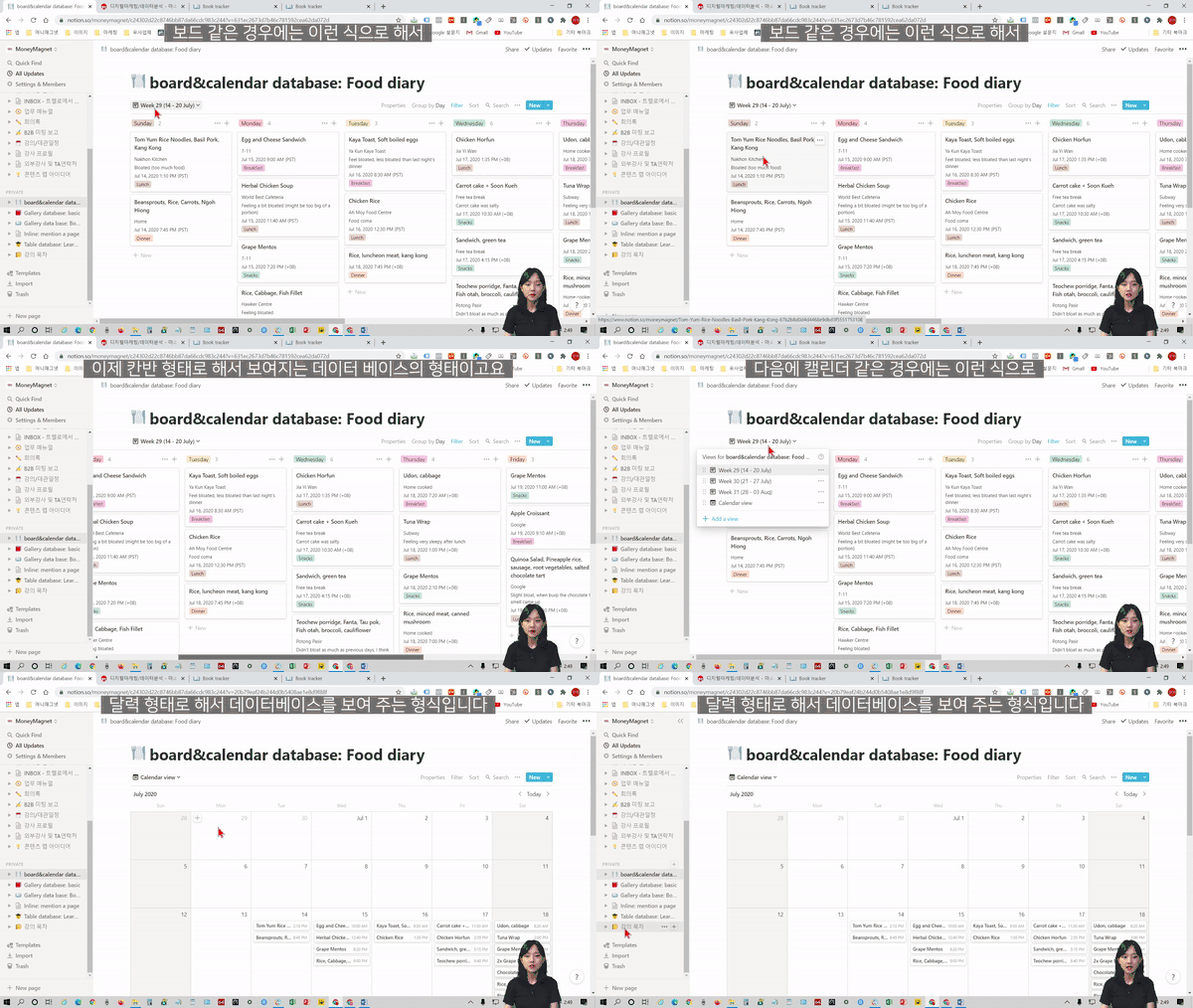
- Project management and sharing, information archiving, writing, and Kanban boards are just some of the various features provided as an all-in-one collaboration tool on a single page.
- There is no need to use multiple complex tools, and systematic management is possible without dispersing data
- Can be used by freely transforming the format according to the purpose
- Quickly and easily share my schedule and the team's work progress
🔑 Highly recommended for these people
- Those who want to manage their schedules more systematically and meticulously
- Those who want to easily and immediately know the progress of team tasks and projects
- Those who want an integrated tool to help with company work instead of using multiple complex and time-consuming tools
- Those who have already tried Notion, but found it difficult to utilize the necessary and hidden features because the degree of freedom was too high
Those who have struggled with schedule management, those who have felt frustrated with collaborative work processes, please focus here. You're already busy enough working; there's no need to find and learn multiple tools because Notion will solve everything for you.
Those who have had difficulties with Notion will also be able to use the tool freely through this course. Maso Campus will help you cut your work time in half and manage your tasks much more systematically!
✨ Course Features
STEP 1. Learn everything from basic function explanations to specific application methods, and plus tips through case studies Easily master the essential and convenient functions everyone needs through lectures in real-world environments, while also learning about convenience features that are easy to overlook.
STEP 2. Practice-oriented lectures allow you to immediately follow what you've learned and apply it to real-world tasks Instead of just providing explanations, we guide you to try it out and learn by doing so that you can apply what you've learned and use it in your work this very day.
STEP 3. A systematic structure that even Notion beginners can easily follow. This course is designed to guide those new to Notion so they can use it with ease, allowing anyone to learn by following along. As you progress through the lectures, you will be amazed to find yourself becoming a Notion expert.
STEP 4. Enable effective document creation and sharing, and cultivate efficient project management skills It's different from a simple schedule management tool! Through Notion, which has infinite possibilities depending on how you use it, you can achieve work performance improvements that will surprise both your company and yourself. Beyond improving an individual's efficiency, you can effectively share projects across your team, and your entire company, minimizing time loss in collaborative processes such as communication.
📜 After completing "Working Smart with Notion"
<Working Smart with Notion>After taking this course,
You will be able to acquire the following competencies.
-Schedule Management: The ability to plan, and execute on time without missing anything
-Collaborative Work Sharing: The ability to easily check progress and communicate
-Work Material Management: The ability to store work materials for easy retrieval and share them when necessary
-Visibility Management: The ability to manage tasks by section for only the user, or by designating specific members
You can develop all the essential skills for work and schedule management. Master Notion faster and more solidly than anyone else.
📚What you will learn
💬예상 질문 Q&A
Q. Do I need prior knowledge of the Notion program? A. You don't need any at all. This course explains things kindly and in detail so that even complete Notion beginners can easily follow along. So don't worry and just start taking the course. After completing the course, you'll be able to 'properly' manage your work with Notion.
Q. Are there any requirements or prerequisites for taking the course? A. Since this is a practice-oriented course, it is recommended to have a dual monitor or an extra device to separate the lecture screen from the practice screen. Also, as the practice sessions are based on Windows OS, we recommend taking the course in a Windows environment.
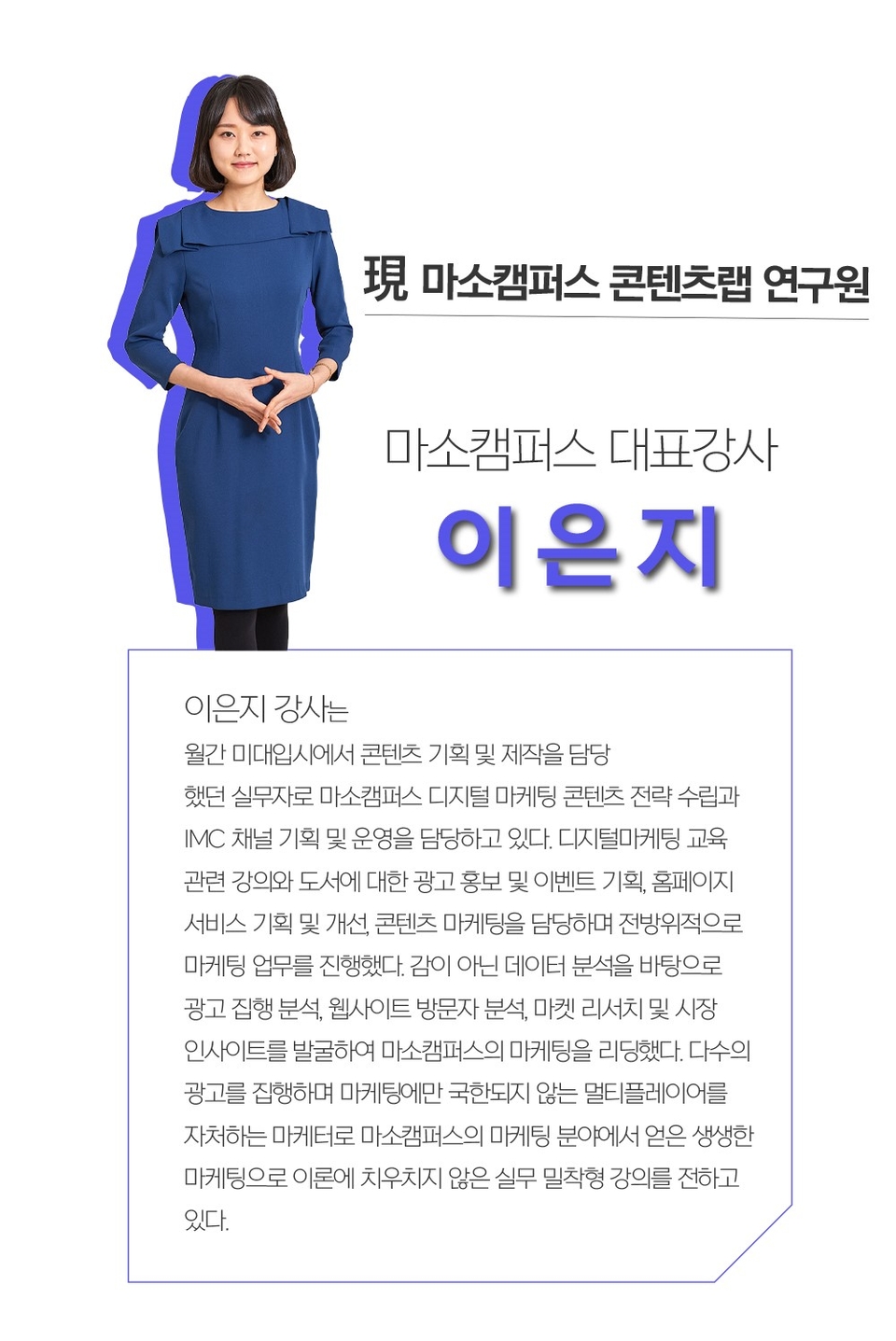
✒ ️지식공유자 소개
✔ ️Please check before taking the course!
-Since this is a practice-oriented course, it is recommended to prepare a dual monitor or an extra device to separate the lecture screen and the practice screen. Additionally, as the practice is based on Windows OS, we recommend taking the course in a Windows environment.
-Lecture notes and practice files are located in section 00.
-The audio for this lecture was recorded at a somewhat low volume. Please be sure to check the [Preview] lesson before taking the course.
Recommended for these people
Who is this course right for?
Those who want to collaborate more efficiently with team members while navigating the separation and integration of their personal and professional lives.
Those who want to maximize work efficiency and productivity by learning only easy and simple tool usage methods.
Those who haven't been able to use Notion properly because they weren't sure how to use it
Those who want to systematically manage and check their own tasks, team members' tasks, and schedules all at once.
Those who want to collaborate smartly through Digital Transformation in everyday life
Need to know before starting?
There are no special requirements or prerequisites, and anyone can take the course.
All you need is the willingness to learn how to work smartly and efficiently.
As this is a practice-oriented course, we recommend using dual monitors or an extra device to separate the lecture screen from your practice screen.
Thank you for explaining it so easily. It helped me understand Notion! I really like that I can take unlimited courses and retake them anytime! I will use it well and master Notion~
Thank you for the detailed lecture.
However, I was a little disappointed that there was not more detailed information about project management.
Overall, it was content that could be applied well to practical work, so it was very helpful in learning the tool~
I signed up for this course because I didn't know how to start organizing among countless templates and various components. Above all, I wanted to use Notion's database to organize my weekly schedule and even apply an agent, but it was difficult to grasp every single function of Notion amidst my busy work schedule.
However, thanks to the clean and concise summary of the database functions, I was able to configure it exactly the way I wanted.
Thank you so much for your valuable review😊 We are delighted to hear that our lecture was helpful to you😊
A new lecture on utilizing Notion AI is scheduled to be released soon, so please stay tuned. Miso Campus will continue to provide informative courses that can be immediately applied in the workplace!

























![[Smart Working in Practice] Working Smarter with Monday.comCourse Thumbnail](https://cdn.inflearn.com/public/courses/328127/cover/b5f0e902-1c41-4ac5-8778-2165c1b4a0d7/328127-eng.png?w=420)
![[HR Insight] Agile, Design the Best Team!Course Thumbnail](https://cdn.inflearn.com/public/courses/327586/cover/2324c5cc-ea1d-4000-be64-bf16f2723aaa/327586-eng.jpg?w=420)
![[SMART WORK ORDER] Planning/Office AI Task Automation SystemCourse Thumbnail](https://cdn.inflearn.com/public/files/courses/344646/cover/01m3yjkt9ynxgdf3gc48ckssz7?w=420)




![[30 Years of Planning] 600 Pages / Romance of the Three Kingdoms: Rule of Three / Reference BookCourse Thumbnail](https://cdn.inflearn.com/public/files/courses/340964/cover/01khf3fpcaftgj2604r79c2g4v?w=420)
![[30 Years of Planning Experience] The Rule of Romance of the Three Kingdoms 3 / Self-Study / 150-page Textbook + 333-page WorksheetCourse Thumbnail](https://cdn.inflearn.com/public/files/courses/340999/cover/01khqrpwr7s0yy748na4jhdk1p?w=420)