inflearn logo

[First in Korea] ChatGPT × Word Practical Applications: Document Automation for Everyone

A first in Korea! This course teaches you how to automate Word documents for business using ChatGPT. You can easily create various questionnaires, business reports, meeting minutes, and contracts, and apply them directly to your work through hands-on practice.

(4.0) 3 reviews

20 learners

Level Basic

Course period 12 months

MS-Office
MS-Office
Business Productivity
ChatGPT
ChatGPT
MS-Office
MS-Office
Business Productivity
ChatGPT
ChatGPT

What you will gain after the course

  • This is the first course in Korea to fully apply ChatGPT to practical Word document creation.

  • If you've been wanting to escape repetitive Word document tasks, now is the perfect time to start.

[First in Korea] ChatGPT × Word Practical Usage: Report Automation for Anyone to Start Easily

A first in Korea! A full-scale practical automation course for ChatGPT × Word

Through this course, you will learn techniques to quickly create and automate frequently used business documents by combining ChatGPT and Microsoft Word. From reports and promotional materials to surveys and contracts—a new way of document creation opens up, where everything is handled with a single prompt.

This is especially beneficial for people like this

  • Practitioners who want to process document tasks such as reports, meeting minutes, promotional materials, and contracts quickly and accurately

  • Office workers who want to automate Word documents and achieve smart work using ChatGPT

  • Those who are familiar with document writing but take a long time because they always start every draft from scratch.

Learning Objectives

  • Develop the ability to automate various practical business documents using ChatGPT.

  • You will master the entire workflow of document automation, from prompt engineering to final output editing.

  • Save time and increase accuracy on repetitive document tasks such as drafting, summarizing, organizing, and formatting.

  • Upgrade your document writing skills to the next level based on ChatGPT (improving speed and efficiency).

5 Key Features of This Course

  1. 🚩 Korea's first Word automation course — Innovating practical document creation through the combination of ChatGPT and Word.

  2. Guide to writing optimal prompts for problem-solving — "How you ask" determines the result.

  3. Focus on workflow automation — It automates the entire process, not just simple copy-pasting.

  4. Includes various practical business tips used in the field — organized around actual use cases such as automatic generation of meeting minutes, surveys, contracts, and emails.

  5. Beginner-friendly — Explained simply so that anyone who can open ChatGPT and Word can follow along.

Main Course Content

Section 1:

  • 5 tips for writing ChatGPT prompts

  • Limitations of Generative AI and Precautions for Practical Use

  • Drafting reports and automatically organizing reference materials

  • Practical Tips: Creating a self-introduction letter from a resume, creating a Word report from Excel data

  • Practical Tip: Automatically organizing meeting content and completing meeting minutes

Section 2:

  • How to create various new product promotional materials

  • Automatic generation of various types of questionnaires

  • Practical Tips: Automated contract drafting, report summarization, and automated generation of emails and official documents

  • Practical Tips: Automating document formatting, such as batch cleaning of Word table styles and batch highlighting of titles

The person who created this course

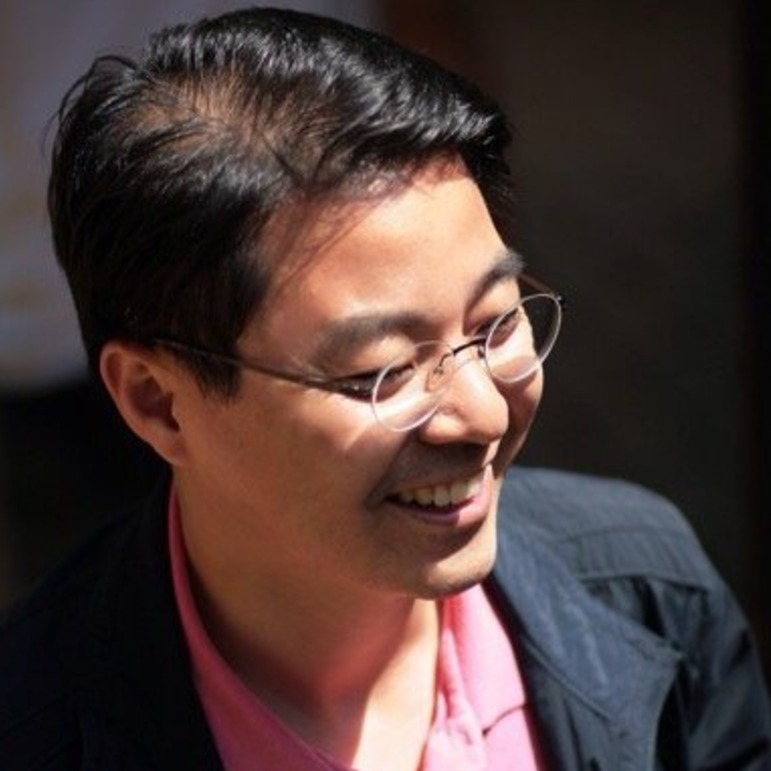
  • Name: Kwon Hyun-wook (Exceller)

  • CEO of iExceller.com, Microsoft Excel MVP (Most Valuable Professional), Excel Programmer, Author

  • Served as Amorepacific Group Strategy Team Leader, Innovation Team Leader, SKINFOOD CFO, and Professor at Korea National Open University (taught VBA for 4 years in the Department of Industrial Engineering at Prime College).

  • Performed various Excel & VBA-related activities, including winning the Microsoft Excel Template Contest, receiving the Microsoft Community Star Award, and being selected as a Microsoft MVP.

  • He has been operating "iExceller.com" for 25 years and provides online lectures on the YouTube channel "Exceller TV."

  • He has authored over 10 books, including <The Standard of ChatGPT + Excel Business Automation>, <The Standard of Copilot + Excel Business Automation>, <The Standard of Excel>, and <The Standard of Excel VBA Power Coding>, and has contributed to various media outlets, including the computer magazine <Monthly PC Love>.

Frequently Asked Questions (FAQ)

Are you still hesitating to take the course? Please check the following questions and answers before making your decision!

Q1. This is the first lecture on Word automation using ChatGPT; was there really nothing like it in Korea before?

I believe this course is the first in Korea to be designed as a specialized lecture on automating Word tasks using ChatGPT. While previous courses focused primarily on Excel automation, this is a practical course that covers actual document creation workflows.

Q2. Can beginners of ChatGPT or Word follow along?

It is okay if you do not know advanced Word features. The key is to utilize ChatGPT effectively, and this course focuses on how to properly "question" ChatGPT.

Q3. How much will I learn about prompts?

We provide guidance focused on practical examples that can be used immediately in the workplace, rather than just simple prompts. It also includes exercises where you can directly input and practice modifying them.

Q4. Can I apply what I learn to my work immediately after taking the course?

Yes. The prompt examples provided in the lecture are designed to be used directly in actual document preparation.

Things to note before taking the course

Learning Materials

  • Practice examples that you can follow along with while watching the lectures are added for each video.

  • Due to the nature of the lecture, [Lesson 1] does not have an example file. Since it involves simple prompts, please follow along one by one while watching the video to master the principles.


Prerequisites and Important Notes

  • This course is intended for beginner Microsoft Word users who want to perform tasks efficiently using ChatGPT.

  • This course assumes that you have already signed up for a ChatGPT account. Even if you haven't signed up, you can still follow the lecture, but it is recommended to refer to the internet and complete the registration for your convenience.

  • The screen layout or interface of ChatGPT may change without prior notice depending on OpenAI's internal circumstances. You can easily follow along by focusing on the prompt window and the response window.

  • Due to the nature of generative AI, ChatGPT's results may vary every time, even when using similar or even the same prompts.

Recommended for
these people

Who is this course right for?

  • Practitioners who want to process document tasks such as reports, meeting minutes, promotional materials, and contracts quickly and accurately

  • Office workers who want to automate Word documents and achieve smart work using ChatGPT

  • Those who are familiar with document writing but take a long time because they always start every draft from scratch.

Hello
This is iexceller

Career Verified

152

Learners

28

Reviews

2

Answers

4.6

Rating

3

Courses

Nice to meet you. I am Kwon Hyun-wook (Exceler).

I will become a solution provider for everyone who seeks to improve work efficiency.


  • Current: CEO of iExceller.com

  • Current: Excel Programmer Solution Provider Author

  • Current: YouTube Creator Channel Name: Exceller TV

  • Current: Microsoft Excel MVP

  • Previous: Amorepacific Group Strategy Team Leader, Innovation Team Leader, Planning Team Manager

  • Former: Skinfood Chief Financial Officer (CFO, Managing Director), Director of Management Support

  • Former: Professor at Korea National Open University | Department of Industrial Engineering, Prime College

  • Former: Samsung SDS Multicampus Tutor

  • Former: Tutor and Inspection Committee Member at 'Baeumnara', Korea Agency for Digital Opportunity and Promotion

More

Curriculum

All

5 lectures ∙ (1hr 36min)

Published: 
Last updated: 

Reviews

All

3 reviews

4.0

3 reviews

  • xlpowercoding5221님의 프로필 이미지
    xlpowercoding5221

    Reviews 1

    Average Rating 5.0

    5

    100% enrolled

    It was a truly informative lecture that showed me how AI can be used with Word in such a way. I really enjoyed it!!!

    • hyunjoonoh4047님의 프로필 이미지
      hyunjoonoh4047

      Reviews 2

      Average Rating 3.5

      2

      60% enrolled

      • j8391212님의 프로필 이미지
        j8391212

        Reviews 17

        Average Rating 5.0

        5

        100% enrolled

        iexceller's other courses

        Check out other courses by the instructor!

        Similar courses

        Explore other courses in the same field!

        25% off for new members

        $30.70

        25%

        $40.70