


설치 환경 설정 시 다음과 같은 에러 메시지 발생
393
작성한 질문수 1
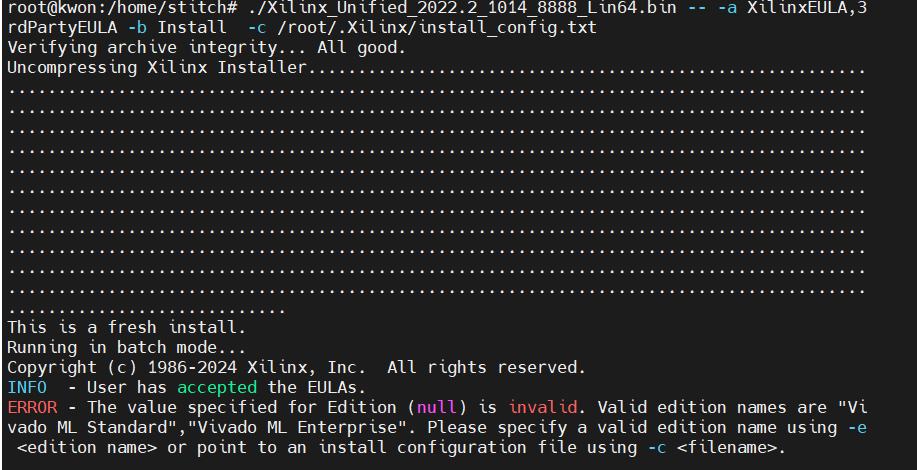
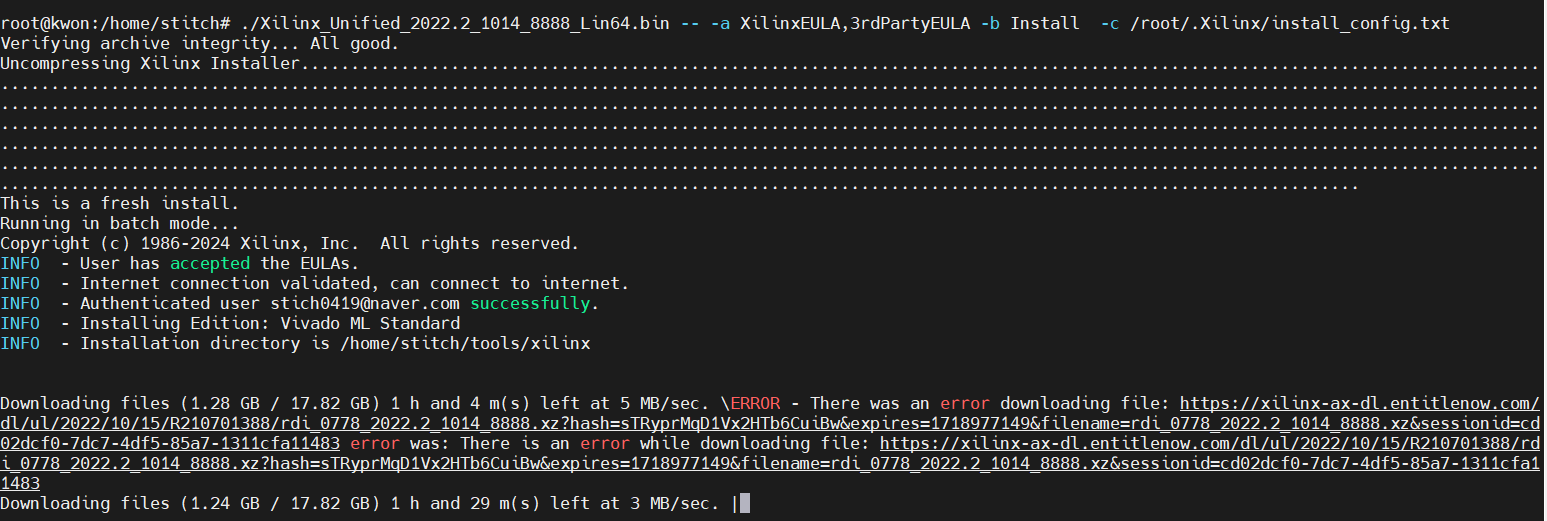
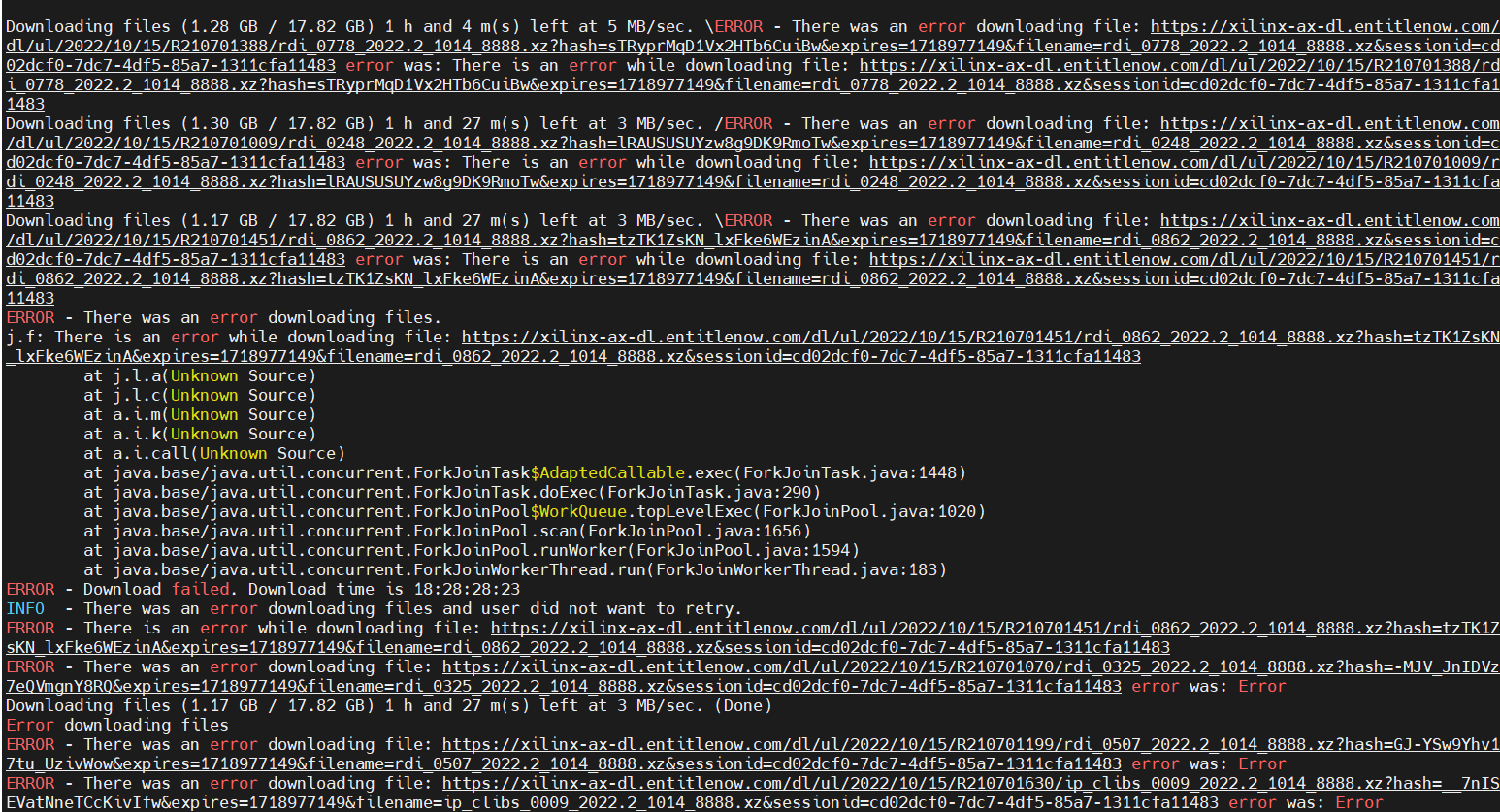
안녕하세요 . 동영상 첫번째 그대로 설치 방법을 따라하는데 설치 과정에서 다음과 같은 에러가 발생합니다.
오류 원인 및 해결 방안이 궁금합니다.
감사합니다.
(설치 버전은 영상과 동일한 버전을 설치하였습니다. )
This is a fresh install.
Running in batch mode...
Copyright (c) 1986-2024 Xilinx, Inc. All rights reserved.
INFO - User has accepted the EULAs.
ERROR - The value specified for Edition (null) is invalid. Valid edition names are "Vi vado ML Standard","Vivado ML Enterprise". Please specify a valid edition name using -e <edition name> or point to an install configuration file using -c <filename>.
답변 1
0
안녕하세요. 친절한 설명 감사합니다 🙂
설정을 확인해보고 싶은데요.
root 계정상태에서
vim ~/.Xilinx/install_config.txt
명령어를 치셔서 나오는 text 화면을 비교해보시겠어요?
저는 다음과 같이 나옵니다. diff 해보셔서 다른 부분을 찾아보세요.
아니시면 제꺼를 복사해서 붙여넣으신 후에 설치과정을 한번 더 확인 부탁드릴께요
#### Vitis Unified Software Platform Install Configuration ####
Edition=Vitis Unified Software Platform
Product=Vitis
# Path where Xilinx software will be installed.
Destination=/home/matbi/tools/Xilinx
# Choose the Products/Devices the you would like to install.
Modules=Virtex UltraScale+ 58G:1,Virtex UltraScale+ 58G ES:0,Versal Prime Series ES1:0,Install Devices for Kria SOMs and Starter Kits:1,Vitis IP Cache (Enable faster on-boarding for new users):0,Zynq-7000:1,Versal AI Edge Series:1,Kintex UltraScale+:1,Artix UltraScale+:1,Spartan-7:1,Install devices for Alveo and Xilinx edge acceleration platforms:1,Engineering Sample Devices for Custom Platforms:0,Versal AI Core Series:1,Versal Premium Series ES1:0,Artix-7:1,Zynq UltraScale+ MPSoC:1,Virtex UltraScale+ HBM:1,Kintex-7:1,Virtex UltraScale+:1,Versal AI Core Series ES1:0,Vitis Model Composer(Xilinx Toolbox for MATLAB and Simulink. Includes the functionality of System Generator for DSP):1,Versal Premium Series:0,Kintex UltraScale:0,Virtex UltraScale:0,Versal Prime Series:0,Versal HBM Series ES1:0,Zynq UltraScale+ RFSoC:0,Virtex-7:0,Virtex UltraScale+ HBM ES:0,Versal AI Edge Series ES1:0,Zynq UltraScale+ RFSoC ES:0
# Choose the post install scripts you'd like to run as part of the finalization step. Please note that some of these scripts may require user interaction during runtime.
InstallOptions=
## Shortcuts and File associations ##
# Choose whether Start menu/Application menu shortcuts will be created or not.
CreateProgramGroupShortcuts=1
# Choose the name of the Start menu/Application menu shortcut. This setting will be ignored if you choose NOT to create shortcuts.
ProgramGroupFolder=Xilinx Design Tools
# Choose whether shortcuts will be created for All users or just the Current user. Shortcuts can be created for all users only if you run the installer as administrator.
CreateShortcutsForAllUsers=0
# Choose whether shortcuts will be created on the desktop or not.
CreateDesktopShortcuts=1
# Choose whether file associations will be created or not.
CreateFileAssociation=1
# Choose whether disk usage will be optimized (reduced) after installation
EnableDiskUsageOptimization=1
 해결 방안이 궁금합니다.
 0
안녕하세요 🙂
다음으로 넘어가셨군요!
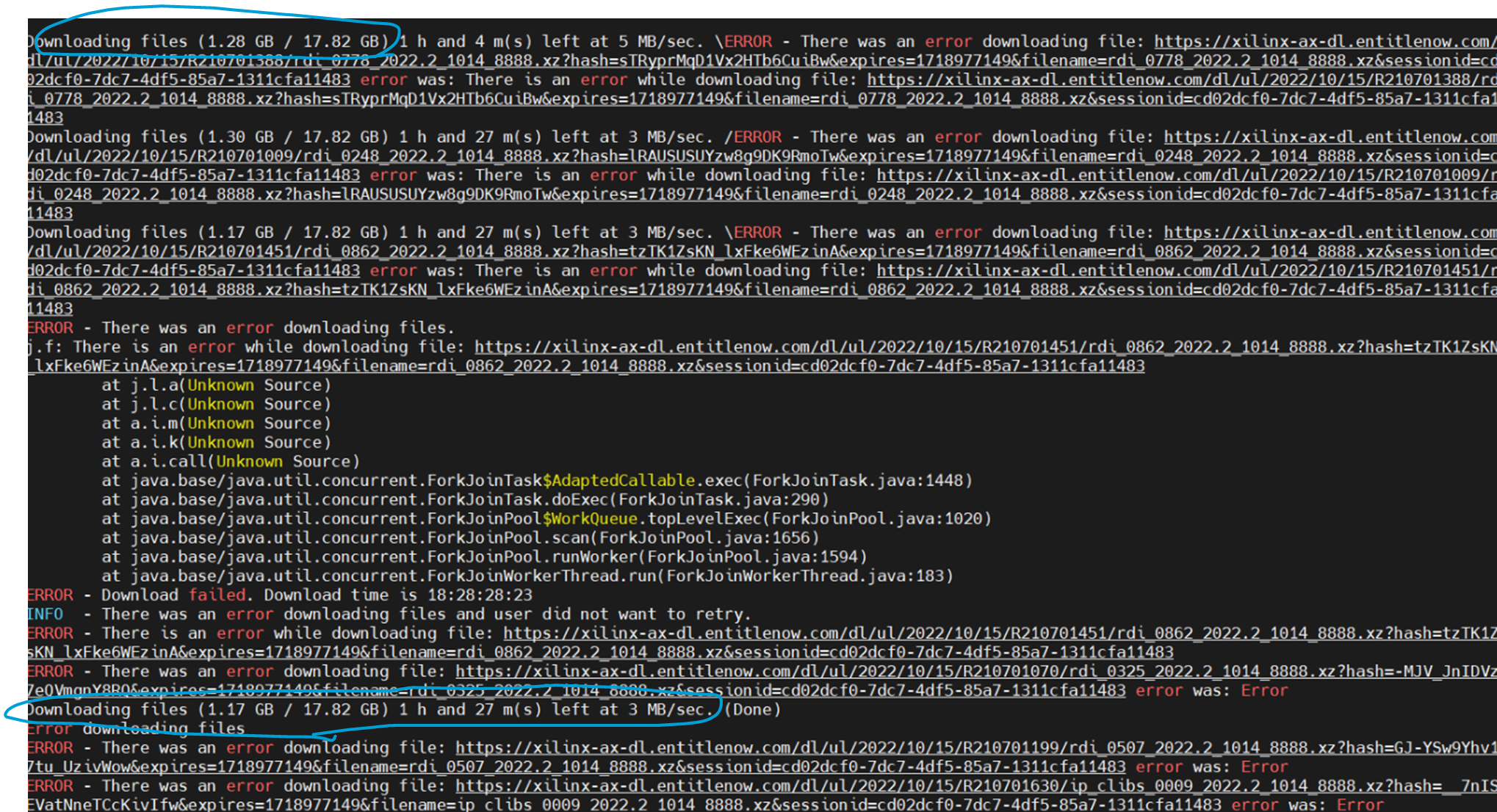
다운로드시 네트워크에 문제가 있는 것 같은데요.
여기 하늘색 다운로드의 숫자가 올라가지 않으실까요?
Error 메세지가 나와도 기다리면 network 가 붙어서 올라가거나 하는 경우가 있어서요.
latency 개념 구현
1
126
3
비바도 all os버전
1
93
2
초기화를 reset_n 이 '1'일 때가 아닌 '0' 일 때 실행시키는 이유 질문
1
100
2
다운로드용량
1
82
2
비바도리눅스설치
1
97
2
전체path복사넣기
1
73
2
Vivado 2025.2 리눅스 설치 후 실행 에러와 솔루션 (libxv_commontasks.so)
1
181
2
explorer.exe오류
1
119
3
mobaxterm설치오류
1
102
2
./build시, waveform 'divide color' 사용
1
62
2
Latch와 관련하여 (Time borrowing, Latch-based design)
1
149
2
clean 명령어가 안되는데, 따로 저장해줘야 하는지 궁금합니다.
0
73
1
안녕하세요 설치 관련 질문 드립니다.
1
72
3
16장 mealy 설계.
1
81
2
14장 Cycle 관련, Testbench 코드.
1
75
2
21강(16장) 초기값 설정이 적용되는 시점 질문
1
68
1
20강(15장) - 밀리 머신 관련하여 질문 드립니다.
1
76
2
build에러 질문
0
63
2
1장 ./build에서 에러가 나요
1
82
2
FPGA 강의 보드 문의 드립니다.
1
117
2
5장 DFF특성에 대한 질문
1
87
3
vivado linux 사용 이유.
1
152
2
메모리의 형태가 전체설계에 미치는 영향이 궁금합니다.
1
114
2
디스코드 멤버쉽 등업 관련 문제
1
98
2