This is a training course for beginners, so if you think it will help you with your office work, it would be more helpful if you didn't take it. It is content that elementary school students would listen to after school, so please refer to it and apply.
5.0
everick9
20% enrolled
Thank you~!
5.0
사람
10% enrolled
I heard it well
What you will gain after the course
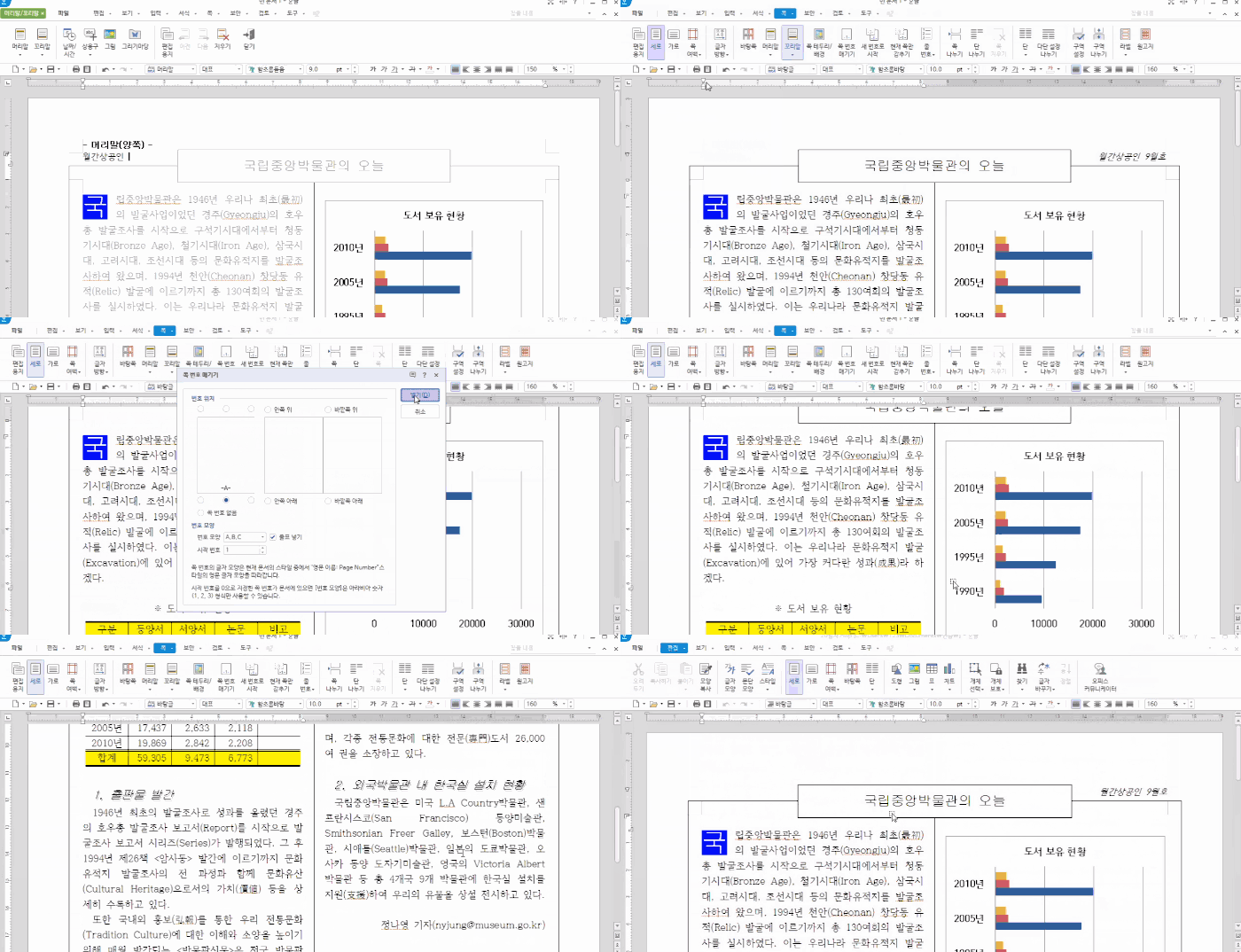
Hancom Office Hangul Basic Screen Layout and Functions
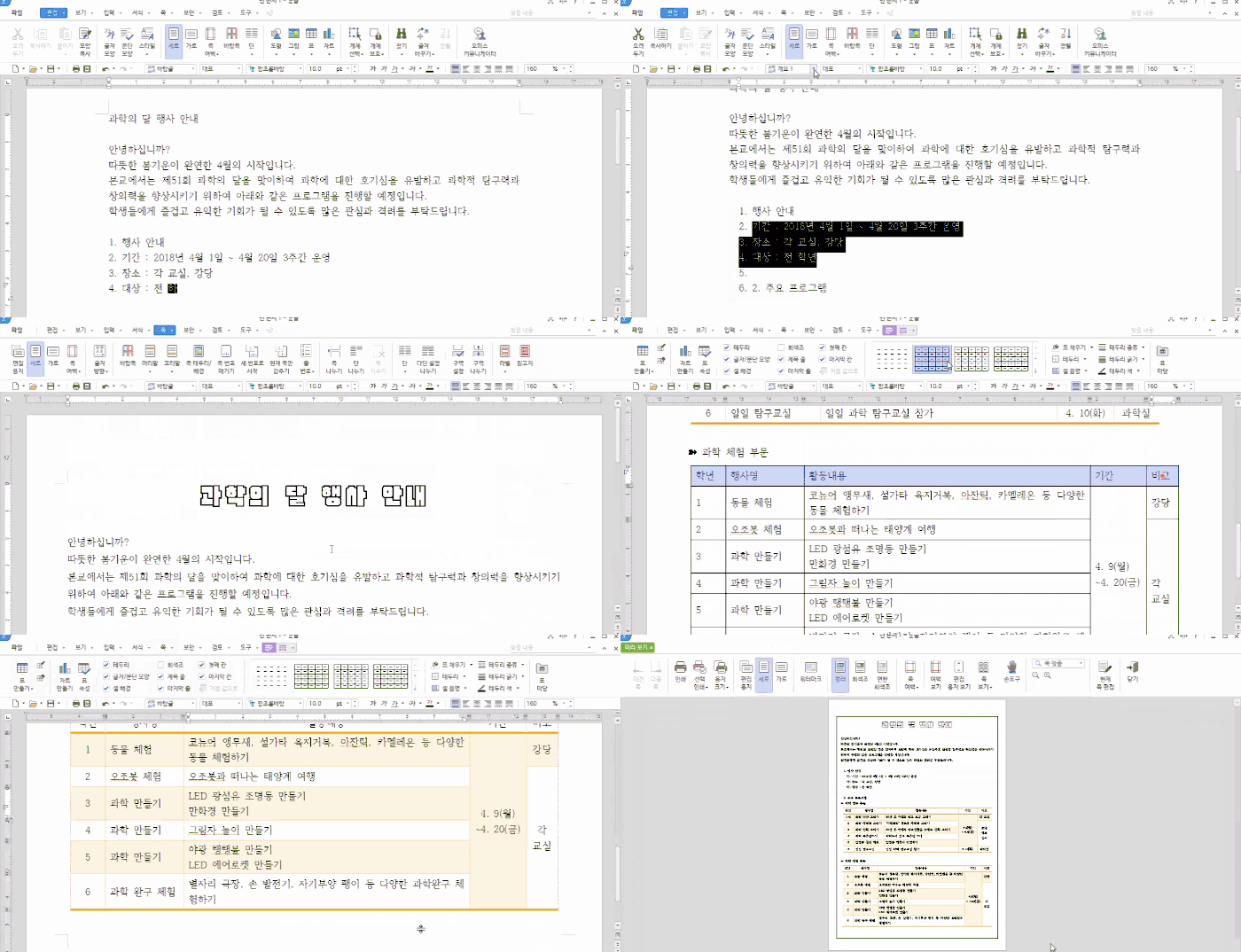
How to create various types of documents using Hancom Office (Hangul)
If you want to properly use Hancom Office Hangul, which is used in various tasks? 👩🏫
🗒 Course Introduction
(Please note that instructor answers are not provided for this course.)
This course is designed to help you learn the basic functions of Hancom Office (Hangul) to increase its practical utility in the workplace. You will master key features that allow you to easily solve problems in the field and learn the basic methods for creating various types of documents. Finally, you will be able to practice by following examples at the level of a word processor certification exam.
You can create documents quickly and easily by mastering the key features of Hancom Office Hangul 2018.
Learn document writing tips that are commonly used in practice.
🌈 Course Preview
🙌 Tools covered here
Hancom Office (Hangul) 2018
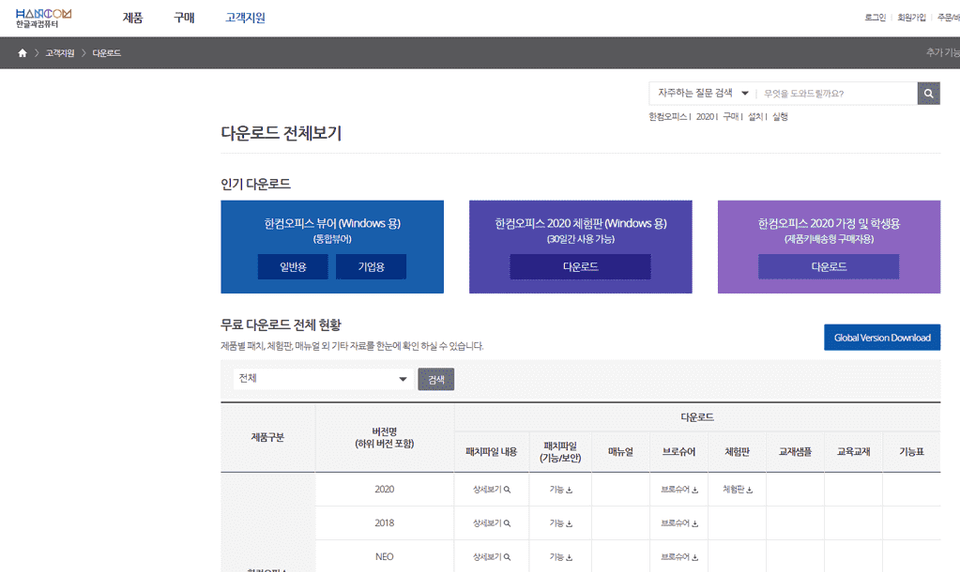
This course uses the Hancom Office Hangul 2018 version. Therefore, it is recommended to use the latest version of the program or higher. You can purchase the program on the official Hancom website according to your needs (Personal/Corporate, Windows/Mac, etc.) or use a 30-day trial version.
🙋🏻♂️ Expected Questions Regarding the Lecture
Q. Can beginners take this course? A. This course is designed to start with an overview of the Hancom Office Hangul interface and focus on learning the most frequently used functions. Even beginners using Hangul for the first time can take the course, and in the final lecture, "Creating Practical Documents 3," we will create a document at the level of the Word Processor (formerly Word Processor Level 1) practical exam.
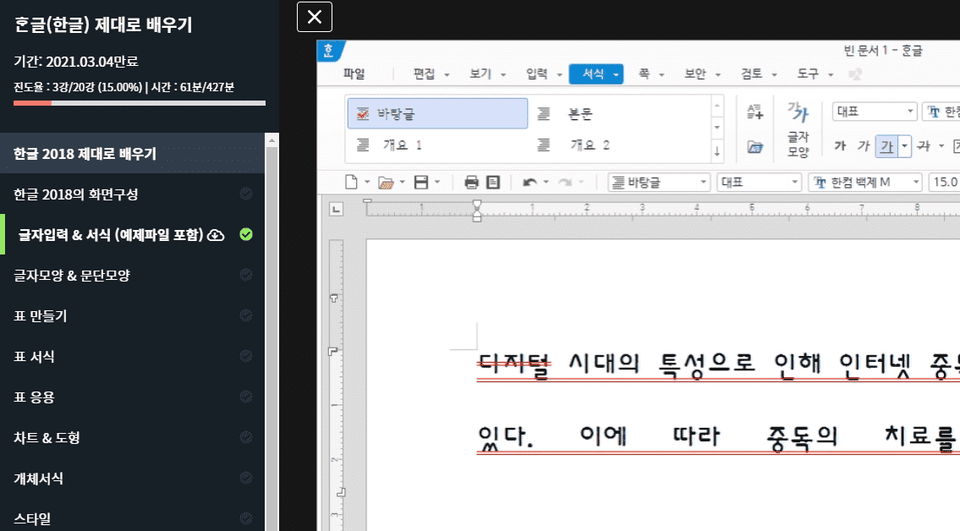
Q. Are the lecture materials included? A. Yes, the lecture example files are attached to the second lecture. You can download the compressed file by clicking the cloud-shaped icon on the left tab of the lecture player screen or the green [Resources] icon at the top right. (Please click [I've watched it] at the bottom center to reach 100% progress.)
Recommended for these people
Who is this course right for?
A beginner using Hangul for the first time
A job seeker learning Korean to prepare for employment
An office worker who primarily uses Korean
Those who want to learn the features specific to Hancom Office Hangul 2018
This is a training course for beginners, so if you think it will help you with your office work, it would be more helpful if you didn't take it. It is content that elementary school students would listen to after school, so please refer to it and apply.








![AI Image Creation with Midjourney (미드저니), from Hobbies to Business Applications [Basics]Course Thumbnail](https://cdn.inflearn.com/public/files/courses/344006/cover/01m0xp2j4ntjtax2nkv3zn2qrn?w=420)










![Just 2 days!! [Pass ITQ Korean A in one go]Course Thumbnail](https://cdn.inflearn.com/public/courses/330083/cover/776d0ef6-1cf9-40c6-bb01-969283a0ee5e/ITQ한글썸네일(인프런).jpg?w=420)