

Rhino 6 for Beginners Product Design Part.2
usefulit
This is a lecture on Rhino 3D, which is a basic tool for product design.
Basic
Rhino
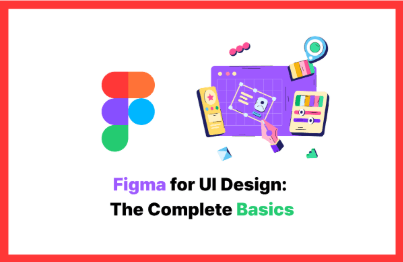
When you want to try using Figma, a UI design authoring tool, or when you want to create something with Figma, you'll practice the most basic usage methods.
10 learners are taking this course
Level Beginner
Course period 12 months
Creating Multiple Screen UIs Hands-On
Creating Prototypes Directly
Learning How to Use Figma
Non-majors are welcome too! First steps in Figma taught by a competition winner
Are you feeling overwhelmed about where to start with the design tool Figma?
When you hear 'design', do you feel unconfident because you're not a design major or because you don't have drawing skills?
This course is a practical Figma basics program designed for non-majors, based on competition award-winning experience.
Starting from the most basic usage of Figma, we'll conceptualize the core elements of apps/web - the login screen and main screen - and finally create a prototype together. We provide all the Figma example sources needed for the entire hands-on process, so even non-majors can follow along without any obstacles!
Let's eliminate the vague fear of design tools and quickly gain the confidence that 'I can also design my own ideas directly' and
the minimum practical knowledge needed to challenge design competitions! 😄
You can learn Figma's basic usage and core features.
Understand the basic concepts of UI design and experience the design process.
You can directly design core app/web screens such as login and main screens.
You can create and share clickable prototypes by connecting the designed screens.
You will acquire the basic Figma skills needed for competitions and toy projects.
Figma
Learn from basic design concepts to idea planning, user cases, and agile processes.
Learn basic terminology (DPI/PPI) and color settings, and directly implement a login screen.
Learn the concepts of components and instances for efficient work.
We apply design systems and visual theories such as Gestalt principles.
Implement actual working interactions such as modals, slides, and more.
This course does not provide instructor Q&A.
Lecture materials and lesson plans can be downloaded from [Class Materials] in the first lesson of Section 1.
Who is this course right for?
Beginners and non-majors aiming to win competitions
Someone who is using Figma for the first time
8,278,676
Learners
6,372
Reviews
4.6
Rating
309
Courses
I will help you grow through useful IT lectures.
All
6 lectures ∙ (1hr 52min)
Course Materials:
$15.40
Check out other courses by the instructor!
Explore other courses in the same field!