강의

멘토링

커뮤니티

Design

/

UI/UX

Creating an MVP with Figma's Atomic Component Design System

This class will help you plan and design an MVP using the atomic component system. You will learn how to understand and utilize design components.

(5.0) 3 reviews

51 learners

Level Basic

Course period Unlimited

  • Hagiro
피그마UI
피그마UI
피그마클래스
피그마클래스
아토믹디자인
아토믹디자인
디자인 시스템
디자인 시스템
Figma
Figma
Atomic Design
Atomic Design
Design System
Design System
Mobile App Design
Mobile App Design
피그마UI
피그마UI
피그마클래스
피그마클래스
아토믹디자인
아토믹디자인
디자인 시스템
디자인 시스템
Figma
Figma
Atomic Design
Atomic Design
Design System
Design System
Mobile App Design
Mobile App Design

What you will gain after the course

  • Figma Basics

  • Component System

  • MVP Planning

  • Agile Process

  • Atomic Design

Building an MVP with Figma's Atomic Design Component System


We live in an era where AI can design, copy, and code in a second.
A designer who only knows how to design / a planner who only knows how to plan / a developer who only knows how to develop
We can no longer survive the AI era.


How can I become 'irreplaceable'?
Learn agile methodologies to quickly and efficiently create MVPs and verify hypotheses.

Ultimately , a product (MVP) without a plan is nothing more than a shell. Seven out of ten services disappear within five years. This is because planning, design, development, and business model are all separate entities.


If you gain the skill to quickly create an MVP by utilizing figma's component system,
You will be able to create one product per month!
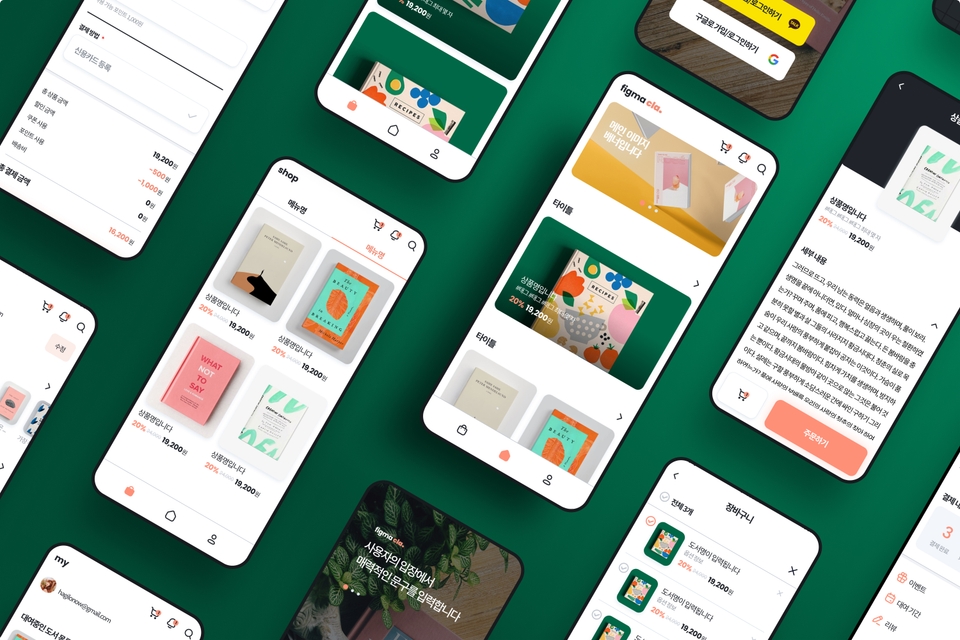
I'm also using the Figma component set I created to launch products continuously, sometimes within a month, sometimes within a quarter. Check out Ha-Ro's MVP .

I recommend this to these people

Aspiring/current UI designers who want to learn how to use Figma and components.

Makers who want to learn the entire process of product production and increase their value

Aspiring/current startup professionals who want to create an MVP


After class

  • Figma lets you plan and design your mobile design MVP.

  • Rather than simply copying the same thing, you can understand why you should do it that way.

  • Take full advantage of Figma's unique features and stop the grind.

  • You will be able to understand and utilize UI libraries and atomic design systems.

  • You can quickly grasp the essence of the entire Agile/Lean Startup service planning and design process.

  • Even if you're not a designer, you can draw wireframes in Figma.

  • This will allow you to use the template source code of the Figma community more freely.

Features of this course

Get the know-how of a 10-year designer's problem definition, wireframe, and design process.

The ratio of theory to practice is appropriate.

The design examples are pretty

I'll give you a component template that you can use to create an MVP right away.

Learn about these things

Surely you're not still building it layer-based?

Are you drawing frames first and then adding objects? You're still designing using strokes, aren't you? If you use Auto Layout but don't fully understand it, you can learn some useful tips.

It starts with shift + a, not R or A.

Variant, Swap Instance, Boolean, and Atomic Components

Learn the fundamentals of components: variant usage, swap instances, flexible components with Booleans, and the atomic design system, a component within a component. Atomic components break down a single component into atoms and molecules. Learn one of the development methodologies that pursues extreme efficiency! (Note: Atomic systems are a design/development methodology, not the ultimate technology.)

You will be able to understand and control other component sources.

We will show you the design process step by step, over and over again.

Step 1: Design with a layer base
Step 2: Design with Auto Layout
Step 3: Utilizing Variants and Booleans
Step 4: Insert components within components (atomic design).

I've designed it so that you can design 100% component-based. As a bonus, you'll learn why UI libraries are necessary and what component-based design actually means.

100% component-based design

PO / Designpreneur with 10 years of experience as a designer.

  • Through my experience in early startups and agencies, I realized that there are service planning/design methodologies appropriate for scale, and I developed my own method of creating MVPs using my own know-how.

  • As an early member, I achieved Series B, as a founding member, I achieved BEP, and as a design entrepreneur, I am on a bootstrapping journey with an all-in-one process from planning to design and marketing.

  • We launch one product per quarter on average.

  • I write on Brunch .

Do you have any questions?

This course does not reflect the latest Figma interface as of June 2024. (There are no plans to update the course.) This course is recommended only for those who are curious about how to create and utilize atomic components in practice, rather than those who are new to Figma.

Q. Can I listen and understand this even if I'm not a designer?

While primarily designed for designers, this course is designed for those who want to build MVPs. It's ideal for those interested in bootstrapping (planning and launching a product on their own), being a founding member, or developing a product using agile methodologies. Because it's aimed at beginners, the theoretical lectures are broad and accessible to anyone. (Intermediate learners may find this course challenging.)

Q. Is the focus on theory or practical Figma training?

The focus is on practical Figma lessons. Rather than simply reciting theory, I believe it's crucial to provide a solid foundation in Figma fundamentals. The components section is designed with the assumption that beginners will deepen their understanding of components through repeated learning, from difficulty levels 1 to 5, atomic design. Those expecting a simple, easy-to-listen-to lecture might find it challenging. Without hands-on practice, you'll gain little!

Q. How is it different from other Figma courses?

We focus on explaining the "why" behind each step. Rather than simply saying, "Just do it," we explain why you should do it this way, and how you'll achieve the desired results!

Things to note before taking the course

Preparation

  • All you need is a curiosity and passion to explore new areas. Oh, and a computer with internet access.

Learning Materials

  • We provide brunch columns and YouTube outlinks.

  • You can download the PDF files used in the video.

Player Knowledge and Precautions

  • You can freely modify and modify the provided UI templates.

  • Sharing UI templates is not allowed.

  • The difficulty of the lecture may feel different depending on your basic knowledge, level, and willingness to learn.

  • It's not a very friendly or easy level, and it can be a bit fast.

Recommended for
these people

Who is this course right for?

  • For those new to Figma

  • People who want to do MVP planning and design at the same time

  • Anyone who is curious as to why it has to be done that way

  • Planners, developers, and marketers who are curious about the practical design process

  • Anyone who wants to understand agile process practices

Hello
This is

51

Learners

3

Reviews

3

Answers

5.0

Rating

1

Course

10년차 디자이너 출신의 PO / Designpreneur.

  • 초기 스타트업과 에이전시 경험을 통해 규모에 적합한 서비스 기획/디자인 방법론이 따로 있다는 것을 깨닫고 자신만의 노하우로 mvp 제작법을 개발했습니다.

  • 초기멤버로서 시리즈 B, 창업멤버로서 bep 달성, 디자인 창업가로서 기획부터 디자인, 마케팅까지 올인원 프로세스로 부트스트래핑 여정 중입니다.

  • 평균 1분기에 1개의 프로덕트를 런칭합니다. 하기로의 mvp 원씽메모

  • 브런치에서 글을 씁니다.

Curriculum

All

31 lectures ∙ (5hr 27min)

Course Materials:

Lecture resources
Published: 
Last updated: 

Reviews

All

3 reviews

5.0

3 reviews

  • cornet님의 프로필 이미지
    cornet

    Reviews 3

    Average Rating 5.0

    5

    100% enrolled

    I liked that it wasn't just about design.

    • hagironow6901
      Instructor

      Thank you for leaving a review after completing it :))

    • The course review was too plain compared to the lecture content. I took the course because I wanted to learn more about Figma while developing a new item as a publisher. As a skilled designer, I feel confident that screen design may be difficult, but the screen composition required for development will not be difficult. The Figma lecture content was of course good, but it was great that the explanation was linked to the design and practical progress, and it was good that the practical content reflected the latest trends. It was also good that after taking this course, a set of libraries that are the most fundamental when using Figma were created. The teacher's clean lecture and explanation without unnecessary details were also very helpful. If you are preparing other lectures, I look forward to them. Thank you

  • blackwinter01052297님의 프로필 이미지
    blackwinter01052297

    Reviews 3

    Average Rating 5.0

    5

    100% enrolled

    • jiyeonkang3950님의 프로필 이미지
      jiyeonkang3950

      Reviews 3

      Average Rating 5.0

      5

      100% enrolled

      Limited time deal ends in 3 days

      $67,760.00

      30%

      $74.80

      Similar courses

      Explore other courses in the same field!