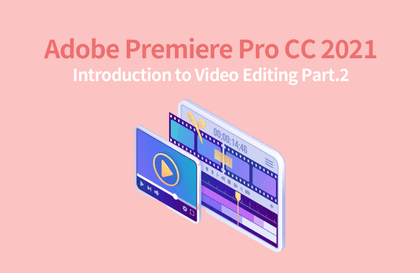
Introduction to video editing in Adobe Premiere Pro CC 2021 - Step.1

Premiere Pro is a representative video editing software program widely used in the industry. The course is designed for beginners in video editing and is divided into a basic part that covers the overall work process and functions of video editing, and a beginner part that covers video effects.

(4.8) 13 reviews

23,744 learners

Level Beginner

Course period 12 months

Premiere Pro
Premiere Pro
Video Production
Video Production
Premiere Pro
Premiere Pro
Video Production
Video Production

Reviews from Early Learners

Reviews from Early Learners

4.8

5.0

Jang Jaehoon

17% enrolled

Thank you for the great lecture!

5.0

ljy329s

10% enrolled

Thank you for the great lecture!

5.0

안경민

100% enrolled

I enjoyed it very much. Thank you.

What you will gain after the course

  • Learn the basic procedures and functions of video editing.

  • Learn cut editing, transitions, transforms and keyframe features.

  • How to output edited footage as a final video clip

  • Use of marker and label features, link, merge, and group features

  • Various ways to apply basic visual effects

  • Introduction to Lumetri Color features with color correction effects

Video editing, what if you can't put it off any longer?
Learn easily with the basic part + beginner part 🎬

🎀 Please check before taking the class.

  • The lecture uses Adobe Premiere 2021 CC version .
  • We provide the teaching materials and practice files used in the course. Please check the lecture materials in Lesson 1 of each section.

2022 Premiere Pro 📌

If you take this course...

Basic cut editing , transition/transform track placement and keyframe output rendering

This course is divided into two parts. Part 1 is aimed at those who have no prior video editing experience. It aims to help them learn the overall workflow and functions of video editing using Premiere. We will cover basic cut editing, transitions, transforms, track arrangement and key frames, and the final output rendering process. It is designed for beginners in video editing and is divided into a basic part that covers the overall workflow and functions of video editing, and a beginner part that covers video effects.

I recommend this to these people 🙋

Video editing
Beginners who are just starting out

Premiere Pro
People I want to deal with

YouTube, lecture recording, etc.
Anyone who needs video editing

Recommended for
these people

Who is this course right for?

  • Anyone who wants to try video editing

  • Anyone who wants to learn Premiere Pro

  • Anyone who wants to create their own video

Hello
This is usefulit

8,277,626

Learners

6,414

Reviews

4.6

Rating

308

Courses

I will help you grow through useful IT lectures.

Reviews

All

13 reviews

4.8

13 reviews

  • einsteigen5074님의 프로필 이미지
    einsteigen5074

    Reviews 4

    Average Rating 5.0

    5

    100% enrolled

    I enjoyed it very much. Thank you.

    • kbt님의 프로필 이미지
      kbt

      Reviews 31

      Average Rating 5.0

      5

      26% enrolled

      • enjin750271님의 프로필 이미지
        enjin750271

        Reviews 1

        Average Rating 5.0

        5

        10% enrolled

        I've taken a few other Premier lectures, but this one seems really easy and good. I understood everything here that I didn't understand in other lectures.

        • jjhgwx님의 프로필 이미지
          jjhgwx

          Reviews 773

          Average Rating 4.9

          5

          17% enrolled

          Thank you for the great lecture!

          • ljy329s님의 프로필 이미지
            ljy329s

            Reviews 11

            Average Rating 5.0

            5

            10% enrolled

            Thank you for the great lecture!

            usefulit's other courses

            Check out other courses by the instructor!

            Similar courses

            Explore other courses in the same field!

            $51.70