[Office 365 Basic Training] Changing work environment, portal settings, and major work tools
The company has introduced Office 365. If you are at a loss as to how to use it, listen to this lecture on how to set up the Office 365 portal and frequently used services such as Outlook, OneDrive, OneNote, Teams, and SharePoint! A journey of a thousand miles begins with a single step!
Understanding and Setting Up the Office 365 Portal
Understanding the changing work environment
Mail, Calendar, Contacts, and Tasks in One: Outlook
Collecting and Managing Data: OneNote
Safe and spacious cloud storage: OneDrive
Understanding Collaboration Sites: SharePoint
Collaboration, messaging, and video conferencing all in one: Teams
Office 365: Tips for properly utilizing it to suit your work environment!
Lecture Introduction 📝
Office 365 (Microsoft 365) is an essential office program for businesses. One-stop service for mail, calendar, document management, collaboration, online video conferencing, and messenger. It's Microsoft's cloud service.
The advantage of adopting just this one Office 365 is that it includes all the work tools your company needs. The problem is that there are so many business tools that it can be overwhelming to know where to start and how to use them after introducing them. So I prepared this lecture.
Whether your company is just beginning to implement Office 365 or is already using it but has only installed Office programs, this training will help you understand and configure the Office 365 portal to see how it will transform your work environment. Furthermore, you'll learn about and understand the core business tools within Office 365: Outlook, OneDrive, OneNote, Teams, and SharePoint.
Why should I learn? ✒️
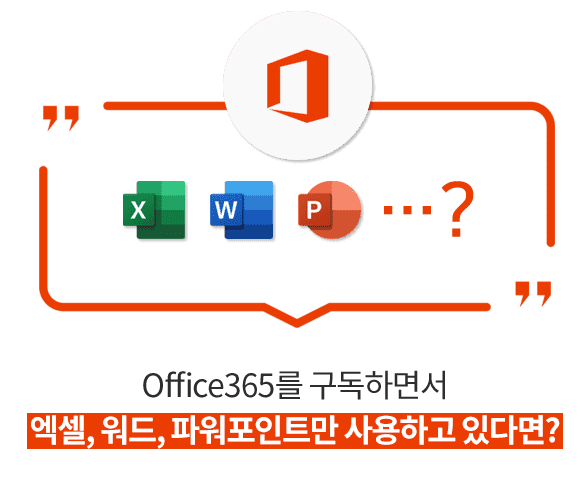
What if you bought the latest model of a cell phone and only used phone calls, text messages, and KakaoTalk services? It's such a shame, isn't it? It's the same. Many people subscribe to Office 365 and only use Excel, Word, and PowerPoint. It's such a shame.
For these people, we'll introduce you to key work tools that will make your work more convenient when utilized. Learn how to utilize Office 365 in your future work and apply it to your actual work.
What you will learn in this course ✏️
Understanding the changing work environment
Understanding and Setting Up the Office 365 Portal
Mail, Calendar, Contacts, Tasks - Outlook
Cloud storage - OneDrive
Data Collection and Management - OneNote
Collaboration, Messenger, Video Conferencing - Teams
Understanding Collaboration Sites - SharePoint
Lecture Features 💡
How has our work environment changed since we introduced Office 365? We'll introduce you to the Office 365 portal, how to set it up, and the work tools related to your work. Students can learn in relation to their own work and apply it immediately to their work.
Q. Can I listen to it even though I haven't subscribed to Office 365? A. Yes, if you are planning to subscribe in the future, you can listen to the lecture in advance and understand 'this is how it will change'! You can also try the free trial version for 30 days, so you can take the course while you are at it!
Q. Should the Office 365 administrator or the user take the course? A. It is recommended that both administrators and users take this course to gain a general understanding of Office 365.
Recommended for these people
Who is this course right for?
Companies that have adopted Office 365
For those of you who are curious about what the benefits are of adopting Office 365








![[Work Automation Using Free MS RPA] Power Automate Desktop - Automate Repetitive TasksCourse Thumbnail](https://cdn.inflearn.com/public/courses/332826/cover/fd9d8667-48a8-4d2e-b27d-1154f66df679/332826.png?w=420)

![[Work Automation Using Free MS RPA] Power Automate Desktop EssentialsCourse Thumbnail](https://cdn.inflearn.com/public/courses/329655/cover/8364da63-535b-4613-9b02-3dcdfc21791d/329655-eng.png?w=420)



![[Office 365] Setting up and understanding Admin CenterCourse Thumbnail](https://cdn.inflearn.com/public/courses/324935/course_cover/6580912e-13aa-4939-92d0-c3b6fded1a43/omas-admincenter.png?w=420)



![[Latest version update] Project and task management to become a pro at planning - MS PlannerCourse Thumbnail](https://cdn.inflearn.com/public/courses/336001/cover/9368db08-c64b-42ca-8ad1-e7a872bffc0e/336001.jpg?w=420)







![Work Automation [Everything About Excel Analysis]Course Thumbnail](https://cdn.inflearn.com/public/courses/329293/cover/dffc3baf-1c4d-4130-867b-628a4fd7b042/데이터분석(인프런).jpg?w=420)
![[Work Automation Using Free MS RPA] Power Automate Desktop BasicCourse Thumbnail](https://cdn.inflearn.com/public/courses/329047/cover/35cb417d-cd84-47f8-a20f-653724b03a77/329047-eng.png?w=420)


![[Pass ITQ Excel A in One Go] in 3 daysCourse Thumbnail](https://cdn.inflearn.com/public/courses/329652/cover/b44e11b6-a47e-4993-86ea-a85da9836bb5/329652-eng.png?w=420)


![[For Beginners] Data Visualization with Power BICourse Thumbnail](https://cdn.inflearn.com/public/courses/327055/cover/455b54c1-3e63-439b-9b60-5d12e12bc303/PowerBI-001 (1).png?w=420)