
inflearn logo
inflearn logo

CI/CD on EKS in Action

We introduce a DevOps lecture based on practical cases experienced directly on the front lines of Silicon Valley. This lecture does not just stop at theory, but covers CI/CD related tools in an EKS environment that can be applied directly in the actual engineering field.

(4.8) 수강평 6개

강의소개.상단개요.수강생.short

난이도 초급

수강기한 무제한

AWS
AWS
Kubernetes
Kubernetes
Jenkins
Jenkins
Docker
Docker
AWS
AWS
Kubernetes
Kubernetes
Jenkins
Jenkins
Docker
Docker

먼저 경험한 수강생들의 후기

먼저 경험한 수강생들의 후기

4.8

5.0

DevOpsLover

100% 수강 후 작성

Kubernetes is such a broad field that it felt like I was grabbing an elephant's leg, but it's great to have an environment that works right away. In particular, if you follow the Terraform code and the necessary installation and configuration scripts, it seems like you can use it more than you explained, so it's even better.

5.0

ericserra

100% 수강 후 작성

Thank you for providing such a great lecture. I look forward to more lectures on AWS, K8S, and EKS in the future.

5.0

LucyBae

100% 수강 후 작성

Even after listening to other theory lectures, I was still unclear about how to build and deploy configurations on Kubernetes, but now I think I understand it.

강의상세_배울수있는것_타이틀

  • Jenkins CI / ArgoCD / Vault Pipeline Setup

  • Automating Infrastructure Configuration with Terraform

  • Prometheus, Grafana, Loki Monitoring and Logging

  • From VPC to EKS cluster creation

Building CI/CD Environment on EKS

Build the foundation first, then apply!

The era of knowing everything before using it is over. Install with One Click and adapt by watching how it operates~

This course is not a traditional theory-based lecture or simple follow-along format. Topics like Kubernetes as well as CI/CD and monitoring have a broad scope, requiring a lot of time to study everything.

Studying thick books from the beginning requires a long time before encountering actual systems and makes it difficult to understand the big picture.

So this course starts by first configuring all systems with one click to deploy a Demo app through CI/CD. You'll first experience the target system, and then we'll explain what scripts and configurations were applied.

This is a hands-on course for developers, system engineers, and operations teams who want to learn automated infrastructure setup and management in DevOps and cloud environments. From environment configuration using Amazon EKS and Terraform to monitoring tool installation and CI/CD pipeline construction, all processes can be configured with one click, helping you acquire immediately applicable skills for practical work and develop the ability to build automation environments that can be utilized in the field.

Once Kubernetes is configured, there isn't much difference between using Kubernetes in the cloud and working with Kubernetes in a local environment. Therefore, you could consider using EKS in the production environment and setting up local Kubernetes for the development environment.


K8S Latest Version (1.33) Practice Environment Update

This time, I've overhauled the practice environment overall. The main changes are as follows.

🔧 Infrastructure Code Updates
Updated to the latest releases including Terraform (>= 1.5.7), AWS provider (>= 6.15), EKS module (21.x), and more.

EKS Configuration Maintenance

  • I reorganized the entire configuration by referencing Terraform's official AWS EKS examples.
    The resource dependencies and parts like Access Entry have become much clearer.

🧩 kubeconfig usability improvements
kubeconfig-related settings have also been improved, making connection and management more convenient.


If you want to configure a similar environment with 2 PCs, I also recommend studying with Ready-to-Use CI/CD on K8S.

K8S Monitoring / Alertmanager

After taking the course, you will build a production-ready EKS cluster.

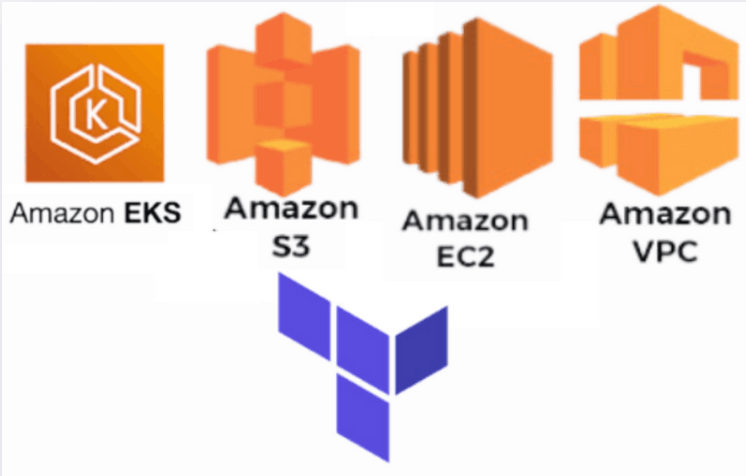
Automated IAM and VPC Configuration with Terraform

Result screen of automatically configuring IAM, VPC, and EKS clusters with Terraform. This is an example of efficiently configuring resources without writing code and deploying.

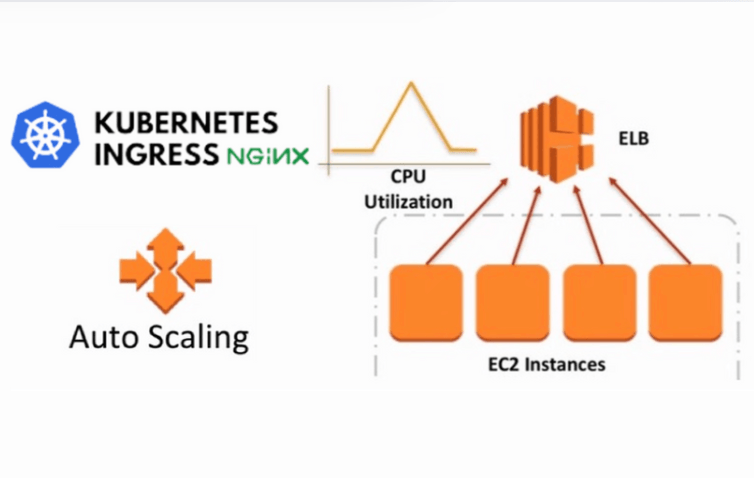
Ingress-NGINX and AWS AutoScaler Installation Screen

Application traffic management Ingress configuration and AWS AutoScaler installation results supporting dynamic scaling. Shows a stable and scalable application environment.

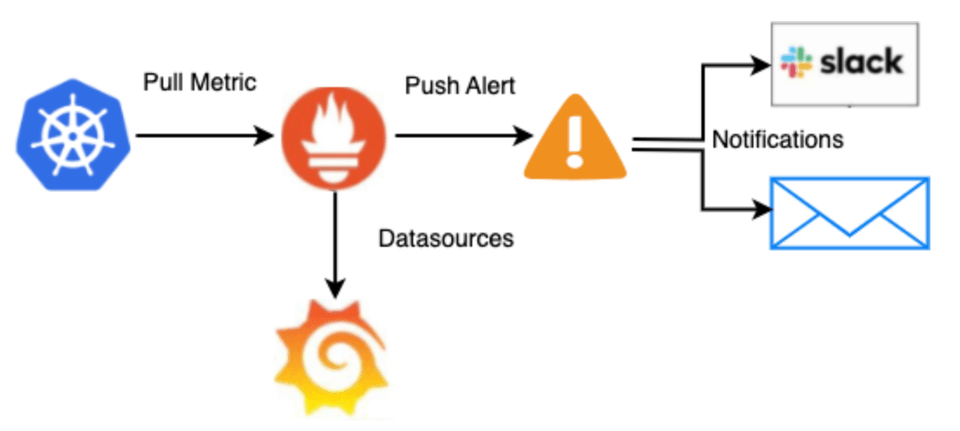
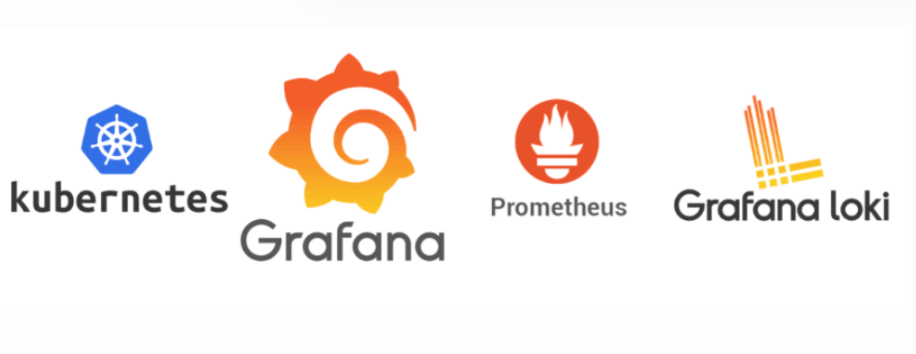
Prometheus and Grafana Dashboard

This is a screen showing the configuration of Prometheus and Grafana dashboards for system monitoring, providing an efficient monitoring environment through real-time metric visualization.

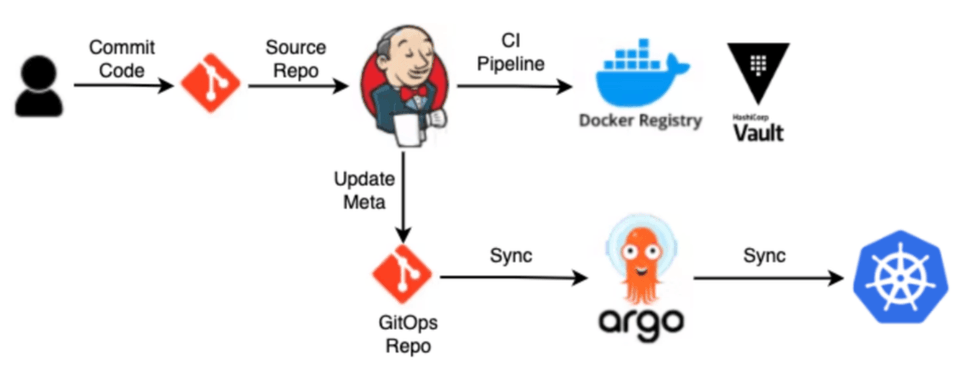
ArgoCD and Jenkins CI/CD Pipeline

CI/CD pipeline setup screen where application code is automatically deployed using ArgoCD and Jenkins. This is an environment where continuous integration and deployment proceed smoothly.

  • Through this course, students will understand the key components of DevOps and develop the ability to directly automate EKS-based cloud environments. They will learn to a level where they can configure and manage in real-world environments, and develop configuration skills that consider system management and scalability.


Learning Content

  • You can configure and verify the environment below with One Click.

  • All materials needed for every configuration are provided through Github Repo and Docker image.

One Click Build Docker

Can perform Provisioning and CI/CD

We provide a Docker environment.

For Infra Installation / Removal Git Repo

Provides Git Repo for performing Provisioning through Terraform and Helm execution

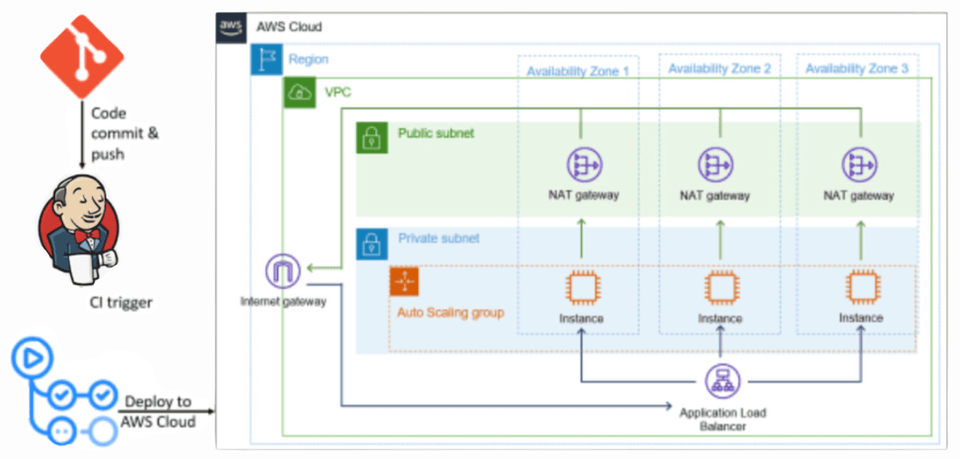
Building CI/CD Pipelines

This covers how to set up CI/CD pipelines through Jenkins and ArgoCD, and configure automated deployment environments.

Pre-enrollment Reference Information

  • You can build an EKS-based CI/CD environment that can be applied to full-scale operations.

  • Build First, Analyze/Apply Later

Practice Environment

  • Operating System and Version: macOS, Linux, Windows

  • Tools Used: Terraform, Helm, Jenkins, ArgoCD, etc.

  • PC Specifications: Minimum 8GB RAM, 4-core CPU recommended

  • Learning Materials: PPT, source code, and practice examples provided

Learning Materials

  • Learning materials format provided (PPT, cloud links, text, source code, assets, programs)


DevOps interview practice support!

DrillQuiz introduces an online learning platform that maximizes the spaced repetition learning effect.

https://devops.drillquiz.com

  1. Drain Feature: Over time, it re-exposes problems you already knew to strengthen long-term memory.

  2. Interview Mode: Supports conducting mock interviews with problems.

  3. Wrong Answer Email Subscription: Receive only frequently missed problems via daily email for efficient and consistent learning.

Prerequisites and Important Notes

  • DevOps and cloud environments, basic knowledge of Terraform and Kubernetes usage required

  • The copyright of lectures and learning materials belongs to the lecture creator

  • Questions/Answers and Future Update Related Content

강의소개.콘텐츠.추천문구

학습 대상은 누구일까요?

  • People interested in EKS configuration

  • Anyone who wants to set up CI/CD in K8S

강의소개.지공자소개

948

수강생

80

수강평

5

답변

4.7

강의 평점

6

강의_other

I am a Senior DevOps Software Engineer with over 10 years of experience in Silicon Valley.

I have extensive project experience in various areas, including cloud management, automation, security, and networking.

https://doohee323.github.io/

더보기

수강평

전체

6개

4.8

6개의 수강평

  • devopslover님의 프로필 이미지
    devopslover

    수강평 2

    평균 평점 5.0

    5

    100% 수강 후 작성

    Kubernetes is such a broad field that it felt like I was grabbing an elephant's leg, but it's great to have an environment that works right away. In particular, if you follow the Terraform code and the necessary installation and configuration scripts, it seems like you can use it more than you explained, so it's even better.

    • devops1
      지식공유자

      Hello! I'm so glad that it helped you get some direction on such a vast topic as Kubernetes. It's rewarding to hear that you've gotten more ideas for future use by following along with the Terraform code and installation scripts! 😊 We will continue to strive to provide environments and know-how that can be applied directly in practice. Thank you for your valuable review! 🙌

  • ericserra4918님의 프로필 이미지
    ericserra4918

    수강평 100

    평균 평점 4.9

    5

    100% 수강 후 작성

    Thank you for providing such a great lecture. I look forward to more lectures on AWS, K8S, and EKS in the future.

    • jhun80jeong2035님의 프로필 이미지
      jhun80jeong2035

      수강평 16

      평균 평점 5.0

      5

      31% 수강 후 작성

      • lucybae님의 프로필 이미지
        lucybae

        수강평 3

        평균 평점 5.0

        5

        100% 수강 후 작성

        Even after listening to other theory lectures, I was still unclear about how to build and deploy configurations on Kubernetes, but now I think I understand it.

        • huelime15116435님의 프로필 이미지
          huelime15116435

          수강평 2

          평균 평점 5.0

          5

          31% 수강 후 작성

          Dewey Hong님의 다른 강의

          지식공유자님의 다른 강의를 만나보세요!

          비슷한 강의

          같은 분야의 다른 강의를 만나보세요!

          강의상세.할인문구

          $36.30

          28%

          $50.60